
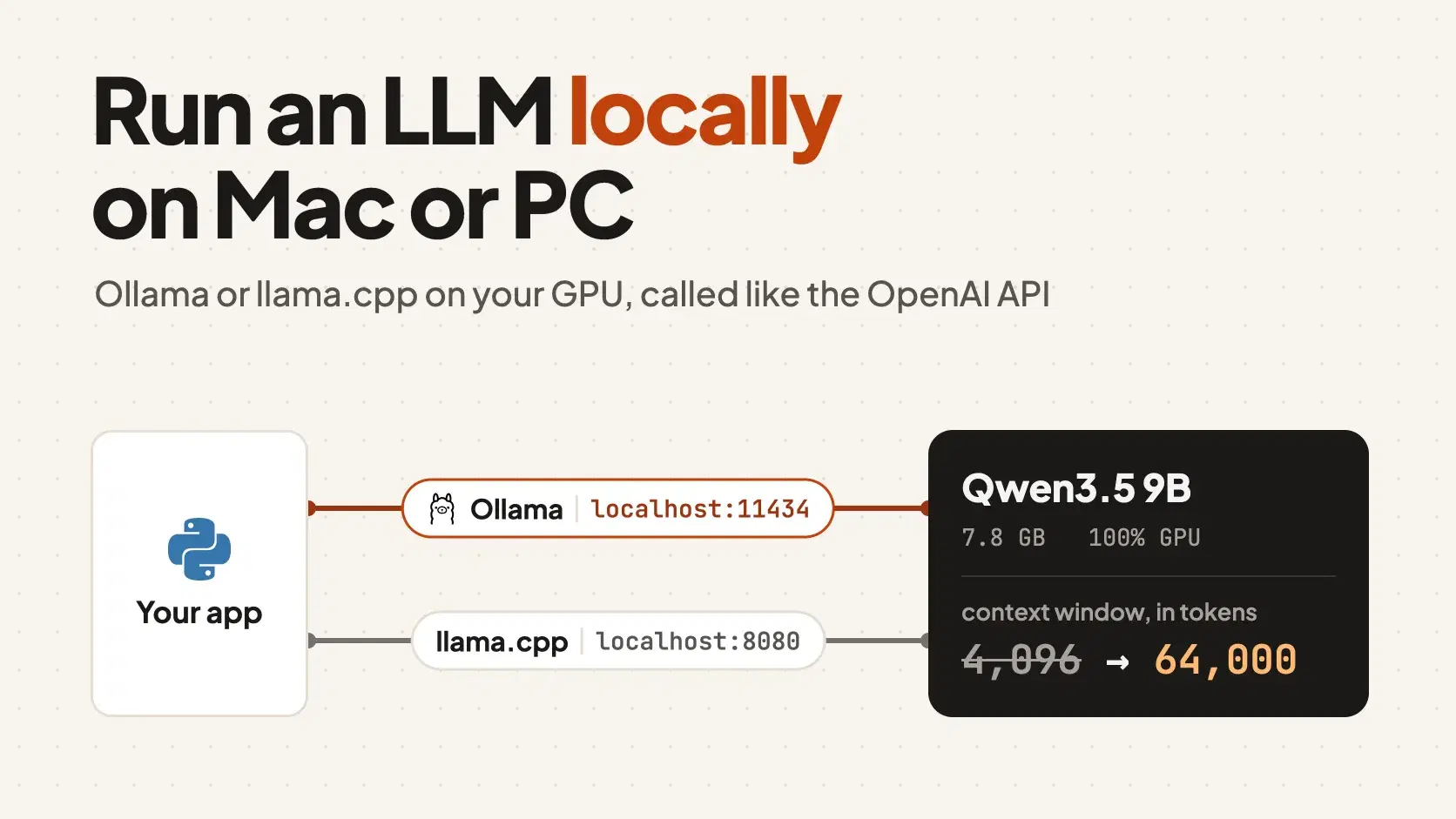
To run an LLM locally, install Ollama, run ollama run qwen3.5 to download a 9-billion-parameter model and chat with it, then point any OpenAI-compatible client at http://localhost:11434/v1. It works the same on Mac, Windows or Linux, and the model runs fast only if its weights and its context cache fit in the memory your GPU can use.
That last condition is where first attempts go wrong. On the 18 GB M3 Pro MacBook Pro I used for every number in this post, macOS let the GPU address 13.3 GiB, and Ollama answered by giving the model a 4,096-token context window: fine for a chat, too small for a coding agent that needs to read a whole file before it answers.
How Much Memory Does a Local LLM Need?
The quickest check is the LLM VRAM Calculator. Pick a model, a quantization, a context length and your GPU or Mac, and it adds up the weights, the KV cache and runtime overhead the way llama.cpp allocates them. For Qwen3.5 9B at Q4_K_M it reports 6.87 GB at 4,096 tokens of context and 8.88 GB at 65,536. The weights are a fixed 5.68 GB, and the cache grows by only 32 KB per token because just 8 of the model's layers use full attention.
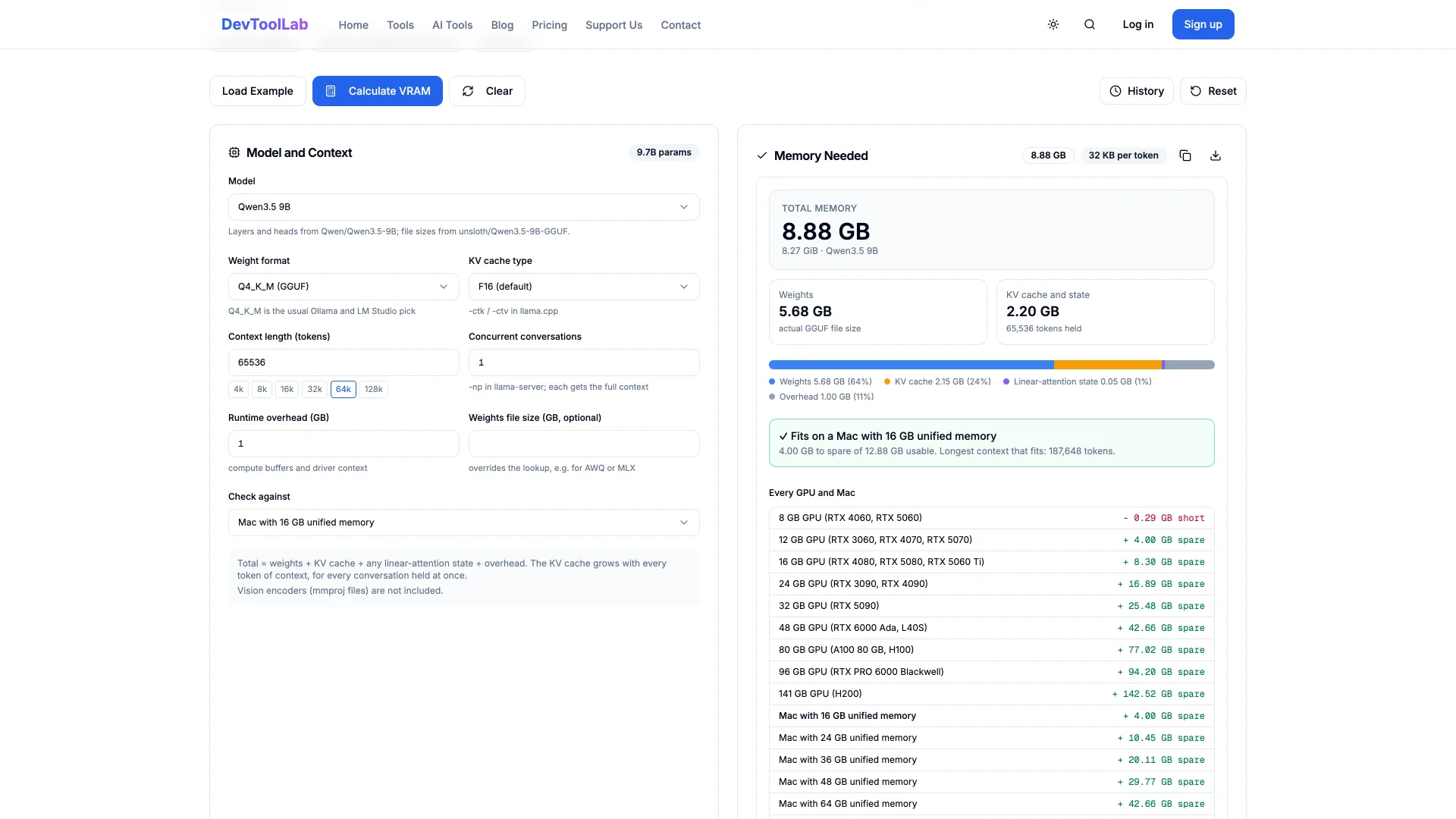
Compare that total with the memory your GPU can address, not the RAM on the spec sheet. A discrete NVIDIA card gives you its VRAM: 12 GB on an RTX 4070, 16 GB on an RTX 5080. A Mac shares one pool between CPU and GPU, and macOS caps the GPU's share: Ollama's startup log on the 18 GB MacBook Pro read total="13.3 GiB", about three quarters. On an 18 GB Mac, pick the calculator's 16 GB preset. Qwen3.5 9B fits with room for a 64k context. A model that does not fit spills layers to the CPU, and ollama ps shows that split in its PROCESSOR column.
That split costs more than it looks. I ran llama.cpp's llama-bench on the same Qwen3.5 9B Q4_K_M file twice, once with every layer on the GPU (-ngl 99) and once with none (-ngl 0). Generation fell from 21.7 to 13.3 tokens per second, still usable for chat. Reading the prompt fell from 257 to 25 tokens per second, a tenfold drop, and that is teh number a coding tool feels: at those rates an 18,000-token log file takes 70 seconds to read on the GPU and 12 minutes on the CPU.
Run an LLM Locally With Ollama on Mac, Windows or Linux
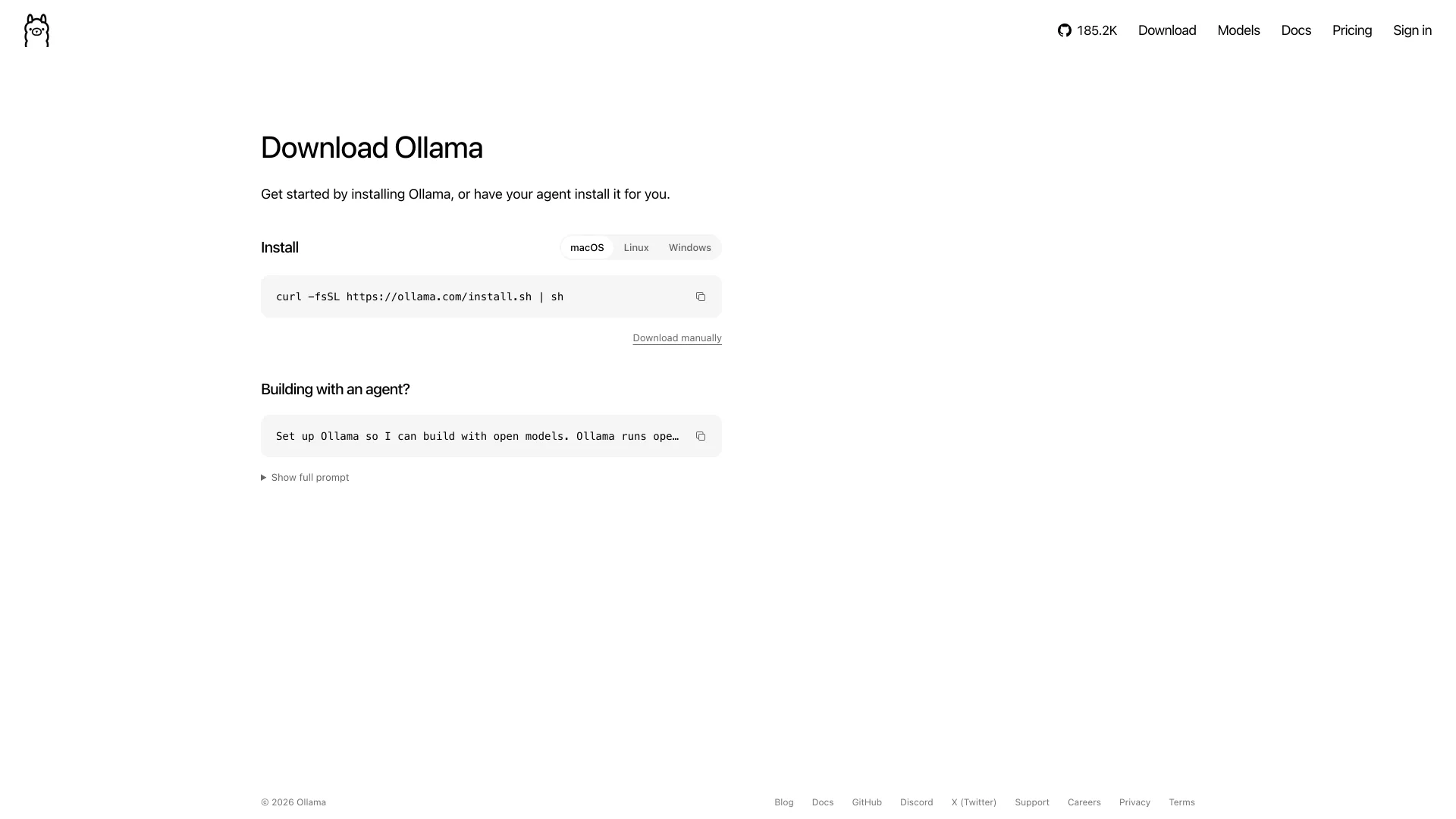
Ollama is an MIT-licensed runtime that downloads models, runs them on your GPU and serves an API on port 11434. Version 0.40.13 shipped on October 28, 2026. Install it with the command from its download page:
Bash# macOS or Linux curl -fsSL https://ollama.com/install.sh | sh
powershell# Windows (PowerShell) irm https://ollama.com/install.ps1 | iex
The documented minimums are macOS Sonoma 14 (Apple silicon gets the GPU, Intel Macs run on the CPU only), Windows 10 22H2 with NVIDIA driver 551.61 or newer, and on Linux an NVIDIA card of compute capability 5.0 or newer with driver 550 or newer, or 570 for cards below 7.0. AMD Radeon cards work through ROCm or Vulkan. I installed 0.40.11 with Homebrew (brew install ollama) and ran the model:
Bashollama run qwen3.5 --verbose --think=false "Write a Python function that converts Fahrenheit to Celsius. Code only."
text```python def fahrenheit_to_celsius(f): return (f - 32) * 5 / 9 ``` total duration: 1.003652291s load duration: 8.561458ms prompt eval count: 25 token(s) prompt eval cached: 20 token(s) prompt eval duration: 92.521667ms prompt eval rate: 54.04 tokens/s eval count: 29 token(s) eval duration: 895.707333ms eval rate: 32.38 tokens/s
That is the second run. The first spent 12.7 seconds loading the model into memory. --think=false skips the reasoning pass Qwen3.5 runs by default, which is wasted time on a one-liner. Across three 350-token answers the M3 Pro held 27.5 to 27.9 tokens per second. Then check where the model landed:
text$ ollama ps NAME ID SIZE PROCESSOR CONTEXT RUNNER UNTIL qwen3.5:latest d63f830f28d5 7.8 GB 100% GPU 4096 mlx 4 minutes from now
The default qwen3.5 tag downloaded 7.6 GB, the top of the 6.6 to 7.6 GB range the model library lists, because on Apple silicon Ollama fetched an NVFP4 build for Apple's MLX framework (the RUNNER column) instead of the GGUF file Windows and Linux get. Speed also depends on what else the machine is doing: with a TypeScript build running and 21 GB of swap in use, one run of a near-identical prompt crawled along at 2.74 tokens per second. Close the heavy apps before you judge a model.
One more trap. Tags such as gemma4:cloud or gpt-oss:20b-cloud do not run on your machine; they run on Ollama's servers, which Ollama says do not store prompts or train on them. If the point of running locally is that the data never leaves the laptop, start the server with OLLAMA_NO_CLOUD=1. The log then prints Ollama cloud disabled: true, and a cloud tag fails with Error: ollama cloud is disabled: remote model details are unavailable.
Raise the 4,096-Token Context Before You Code With It
Ollama sizes the default context window from GPU memory: 4,096 tokens below 24 GiB of VRAM, 32,768 from 24 to 48 GiB, and 256K above that. Its own documentation says agents and coding tools need at least 64,000. Set it on the server, or with the context slider in the desktop app's settings:
Bash# applies to every model this server loads OLLAMA_CONTEXT_LENGTH=64000 ollama serve
ollama ps then reports CONTEXT 64000. What the 4,096 limit does without that depends on the runner, and the worst case is silent. I imported the same Qwen3.5 9B as a Q4_K_M GGUF, which runs on the llama.cpp-based runner Windows and Linux use (ollama ps labels it llamacpp), and sent it an 18,041-token checkout log at the default setting. The server log read truncating input prompt limit=2050 prompt=18041: it kept the first 4 and last 2,046 tokens, dropped the rest, and returned no error to the client. The Mac's MLX build read the same log in full and returned the order number from its first line correctly while still reporting 4,096. Raise the limit either way, because which build a tag resolves to depends on your machine.
With the window raised, ollama launch claude starts Claude Code against a local model through Ollama's Anthropic-compatible API, and ollama launch also starts Codex, OpenCode and Copilot CLI. I did not benchmark an agent on a 9B model, so treat it as an experiment.
Call the Local Model From Python
Ollama and llama.cpp both speak the OpenAI Chat Completions API, so the official openai Python package (3.41.0 here) works unchanged once the base URL points at your machine:
Pythonfrom openai import OpenAI client = OpenAI(base_url="http://localhost:11434/v1", api_key="ollama") # key is required but ignored resp = client.chat.completions.create( model="qwen3.5", reasoning_effort="none", # skip the thinking pass for a short answer messages=[{ "role": "user", "content": "PostgreSQL: return the 5 largest orders shipped to Texas from an orders table. " "Reply with the SQL only, no Markdown.", }], ) print(resp.choices[0].message.content) print("tokens:", resp.usage.total_tokens)
textSELECT * FROM orders WHERE state = 'Texas' ORDER BY revenue DESC LIMIT 5; tokens: 56
reasoning_effort="none" is how the OpenAI-style API turns off thinking for models with an on/off switch, the same as --think=false on the command line. The model guessed the column names, so give it your real schema in the prompt.
Run an LLM Locally Without Ollama, Using llama.cpp
llama.cpp is the C/C++ engine behind Ollama's GGUF runner, and running it directly takes the 4,096-token default out of the picture. It is MIT licensed, version 0.8.0 shipped on October 28, 2026, and the repository had 132,717 GitHub stars when I checked on October 29, 2026.
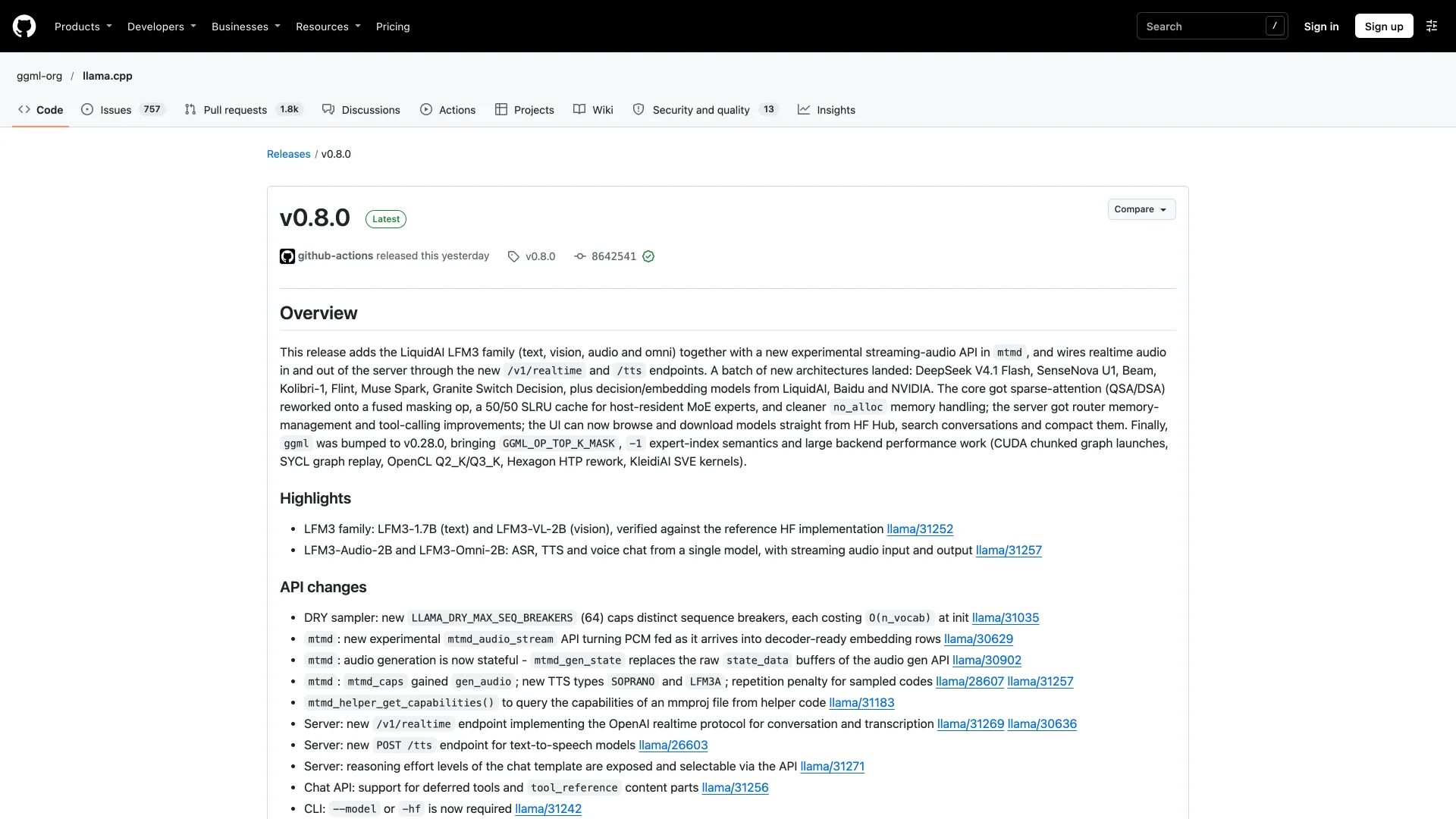
Its install script puts a single llama command in ~/.local/bin:
Bash# macOS or Linux (Windows: irm https://llama.app/install.ps1 | iex) curl -LsSf https://llama.app/install.sh | sh # serve Qwen3.5 9B as a GGUF file from Hugging Face llama serve -hf unsloth/Qwen3.5-9B-GGUF:Q4_K_M --no-mmproj
I used Homebrew's 0.6.0 build (brew install llama.cpp). The -hf flag downloads the 5.68 GB Q4_K_M file into the Hugging Face cache on first run, and --no-mmproj skips the vision projector a text-only workload does not need. The server was listening on http://127.0.0.1:8080, with a chat UI at the same address, 29 seconds after launch from the cache. Its startup log carries the difference that matters:
textsrv load_model: initializing, n_slots = 4, n_ctx_slot = 201216, kv_unified = 'true' srv llama_server: listening on http://127.0.0.1:8080
Nobody set a context length. llama.cpp's --fit option, on by default, trimmed the model's 262,144-token maximum to 201,216 tokens so the cache fits in the memory left after the weights, and the 4 parallel request slots share that pool. Ollama gave the same file 4,096 on the same machine.
The Python script from the previous section works after changing one line to base_url="http://localhost:8080/v1". llama.cpp ignores the model name, since it serves the one model it loaded, and honors reasoning_effort="none" as well:
textSELECT * FROM orders WHERE state = 'Texas' ORDER BY amount DESC LIMIT 5; tokens: 57
With thinking left on and max_tokens=1500, the same question spent all 1,500 tokens reasoning and returned no SQL at all. Two more things to know before you swich. On a Mac the GGUF is slower: llama-bench measured 21.7 tokens per second of generation on the M3 Pro's GPU, below the 27.5 to 27.9 of Ollama's MLX build. And the server logs security: no API key is set and CORS allows all origins, so any web page open in your browser can send it requests. Pass --api-key if you leave it running. The same log says the default port moves from 8080 to 9931 in a future release, so pin --port 8080 in scripts.
Common Errors
Error: could not connect to ollama server, run 'ollama serve' to start it. The CLI is only a client, and nothing is listening where it looked. Either the Ollama app is not running, or OLLAMA_HOST in your shell points somewhere other than where the server listens. Open the app, or run ollama serve in a second terminal.
Error: listen tcp 127.0.0.1:11434: bind: address already in use. You started a second server while the desktop app's own server was already running. Quit the app from the menu bar first, or run the extra copy on another port with OLLAMA_HOST=127.0.0.1:11435 ollama serve.
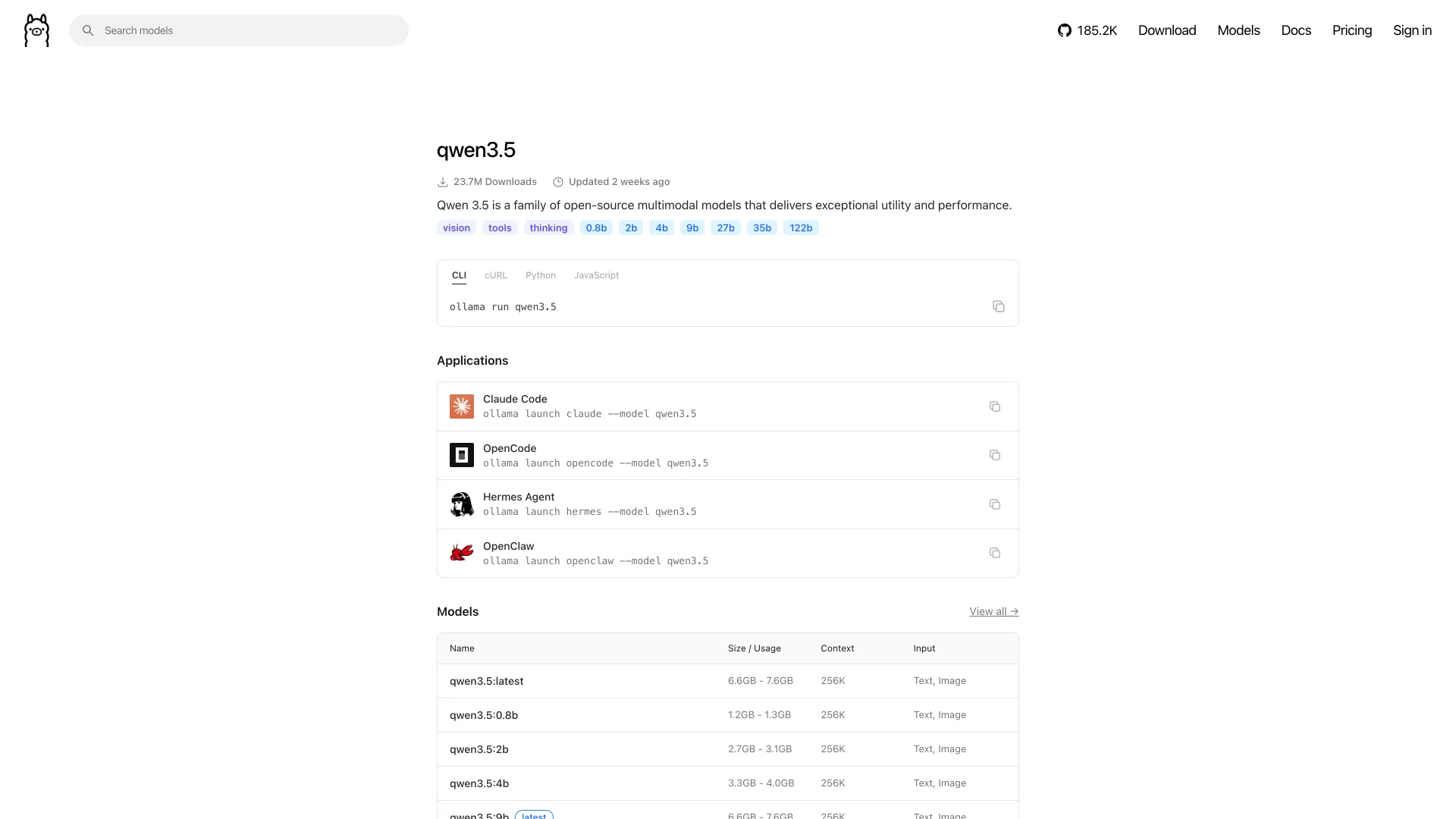
Error: pull model manifest: file does not exist. The tag does not exist. qwen3.5:10b fails because the family ships 0.8b, 2b, 4b, 9b, 27b, 35b and 122b sizes, so check the model's Tags page on ollama.com before guessing one.
msg="truncating input prompt" in the server log. This one never reaches your code. The symptom is a model that ignores the start of a long prompt, and the evidence is in the server log (~/.ollama/logs/server.log with the Mac app). Raise OLLAMA_CONTEXT_LENGTH, use /set parameter num_ctx 64000 inside ollama run, or pass "options": {"num_ctx": 64000} in a request to the native /api/generate endpoint.
When Not to Run an LLM Locally
A 9B model on a laptop is not a frontier model. It is good where the data matters more than the last few points of quality: summarizing a log you cannot paste into a hosted API, drafting commit messages, explaining a function, answering questions about internal docs. It is noticeably weaker at long multi-file refactors.
The other case is networking. Ollama's documentation says the local API at http://localhost:11434 needs no authentication, which is fine while it listens on 127.0.0.1, the default. Setting OLLAMA_HOST=0.0.0.0 so a phone or a second machine can reach it also lets anything else on that network run prompts, pull models and delete them. Keep it on localhost and reach it from elsewhere over an SSH tunnel, or put a reverse proxy with authentication in front of it.
Conclusion
Start with Ollama and qwen3.5, and raise OLLAMA_CONTEXT_LENGTH to 64000 before a coding tool touches it. Then run ollama ps: you want 100% GPU and the new context. A CPU split means the model and its cache do not fit, so drop to qwen3.5:4b or a shorter context. Use llama.cpp when you want the context sized to your memory automatically.
Related DevToolLab Tools
- LLM VRAM Calculator - add up weights, KV cache and overhead before you spend 20 minutes downloading a model.
- GGUF Viewer - read a
.gguffile's quantization, context length and layer count, so you know what you actually downloaded. - AI Token Counter - estimate the token count of a prompt or pasted file before you send it to a 4,096 or 64,000-token window.
- cURL to Code Converter - turn a working
curlrequest againstlocalhost:11434into Python, JavaScript or Go.