
Every developer who uses AI eventually hits the same question, usually right after pasting a chunk of production code into a chat window: where did that just go?
Most comparisons frame this as a two-way choice. Cloud AI is powerful and convenient. Local AI is private and free per token. That framing misses a third option that has matured quickly, encrypted hosted AI, and it skips the part that actually helps you decide: matching the setup to the kind of data you are working with. This guide covers all three, honestly, including where each one falls short.
Option 1: Cloud AI
This is the default for most developers. You send a prompt to a provider's servers, a large model runs there, and the answer comes back. It is the path of least resistance, which is exactly why so much sensitive code ends up there without anyone deciding it should.
Where it shines:
- Access to the largest, most capable models
- Zero setup and no hardware costs
- Long context windows for big codebases
Where it falls short:
Your code is decrypted on the provider's servers. Even with TLS in transit, the provider can read what you send, may retain it, and on consumer plans may use it for training unless you opt out. Staff reviews, breaches, and legal requests are all part of the risk surface. For a side project, that is usually fine. For a client's proprietary codebase or anything containing secrets, it is a real exposure.
Option 2: Local AI
Here you download model weights and run inference on your own machine. Tools like Ollama and LM Studio have made this far easier than it was even two years ago, and there is now a solid set of open models that fit on consumer hardware.
Where it shines:
- Prompts never leave your machine
- No per-token costs once set up
- Works offline, and no terms of service can change underneath you
Where it falls short:
You need serious hardware for good results, local models still trail frontier models on hard reasoning, and you own the maintenance: updates, quantization choices, and keeping telemetry off. Local also does not travel well. Your laptop's model does not follow you to your phone or a teammate's machine.
Option 3: Encrypted Hosted AI
This is the middle path most comparisons skip. The model runs on a provider's servers, so you get the convenience of the cloud, but your conversations are protected by zero-access encryption, so the provider cannot read your stored chats.
A private ChatGPT alternative such as Lumo works this way. It keeps no logs, does not train on your conversations, and is built and hosted in Europe under strict privacy law. For developers, that means you can ask for help with a gnarly function or a confidential spec without your chat history sitting readable on someone else's server.
Where it falls short:
You are still trusting the provider's implementation, and encrypted services do not always offer the same model breadth or API tooling as the biggest cloud platforms. Check whether the features you rely on are available before switching your whole workflow.
A Decision Table by Data Type
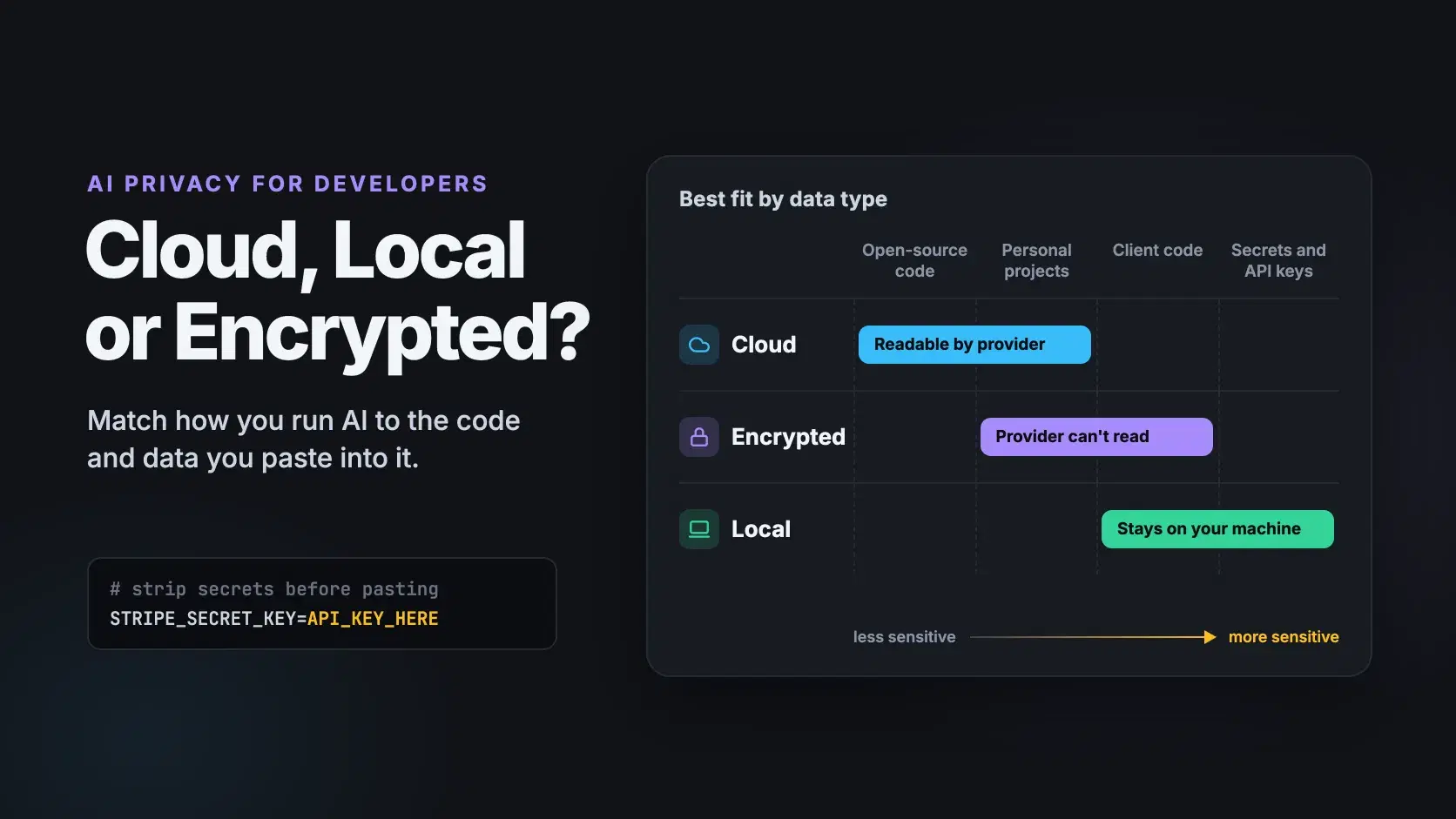
The right choice depends less on which tool is best and more on what you are feeding it.
| What you are working with | Best fit | Why |
|---|---|---|
| Open-source code, public docs, learning | Cloud | Nothing sensitive to protect |
| Personal projects, early drafts | Cloud with training off, or encrypted | Low risk, modest effort |
| Client code, proprietary logic, internal specs | Encrypted or local | Provider should not be able to read it |
| Secrets, keys, credentials, regulated data | Local only, or nowhere | Should never leave your control |
That last row deserves emphasis. No AI tool, private or not, should ever see a live API key. Strip secrets before pasting, every time. A quick habit helps: replace real values with obvious placeholders like API_KEY_HERE before you copy a config file or an error log. If a key does slip into a prompt, rotate it immediately rather than hoping the conversation stays private. Treat it exactly as you would a key accidentally pushed to a public repo.
How to Evaluate Any AI Tool's Privacy
Marketing pages all say "secure" and "private". The EFF's guide to privacy considerations with AI tools recommends working out whether a tool is cloud, local, or hybrid and reading what it actually does with your data, and that advice holds up well for developers. Before you trust a tool with real work, check:
- Is processing cloud, local, or hybrid? Some "local" tools quietly fall back to cloud models.
- Is stored data encrypted so the provider cannot read it? Encryption in transit alone is not enough.
- Is training opt-in, opt-out, or off entirely? Defaults tell you what the company prioritizes.
- Where is data stored, and for how long? Retention periods and jurisdiction both matter.
- What do IDE plugins and extensions send? Plugins often have their own data policies.
Conclusion
You do not have to pick one. Plenty of developers run LLMs locally for anything touching client code, use an encrypted assistant for planning and sensitive questions, and keep a cloud model for open-source work and research. Treat it like secrets management: the right tool depends on what is at stake.
Related DevToolLab Tools
- Secret Scanner - find API keys, tokens and private keys in a code snippet before it goes into any prompt.
- PII Redactor - strip emails, IPs, card numbers and tokens out of a log or error message before you paste it.
- HAR Sanitizer - remove cookies and auth headers from a browser capture you want an assistant to debug.
- LLM VRAM Calculator - check whether a local model fits your GPU or Mac before you download the weights.
Related Guides
- Local LLM VRAM Requirements - how much memory a local model really needs at a given context length
- Best Ollama Alternatives - LM Studio and the other local runners for keeping prompts on your machine
- Best Open Source AI Coding Models - the open models worth running locally for client work
- Best Secret Scanning Tools - catching keys in your repos before they reach a prompt or a public commit