
In the B2B world, a big part of the sales process is digging around the internet, press releases, and social networks to find data to feed into your company's CRM. That's because, nowadays, going into a discovery call without the right context and relevant data on the people you're about to talk to is a recipe for wasted time.
Modern prospects expect solutions designed specifically for their needs from minute one. And for this, your sales engineering team needs to do prospect research. But manual research is no longer a feasible option because it's time-consuming and labor-intensive.
Luckily, automation can step in and take over the task of digging through all sorts of resources for a nugget of invaluable information.
What Does Automating Your Prospect Research Mean?
Sales engineers bridge the gap between complex technical products and business sales. They act as technical advisors during the sales cycle, working alongside account executives to close deals.
In their case, automation needs to go beyond basic CRM enrichment. Automation helps your sales engineering team to fetch, normalize, and package high-intent technographic data. Technically speaking, this process relies on API-driven integrations, targeted web scrapers, and event-driven triggers.
When an account reaches a specific stage in your sales pipeline, your backend tools kick off automated workflows, such as:
- Technographic discovery: Scanning public endpoints, web frameworks, and SDK footprints to map out the prospect's current tech stack
- Signal aggregation: Scraping job postings, developer forums, or GitHub commits to spot upcoming infrastructure migrations or tool replacements
- Data synthesis: Consolidating unstructured data from financial disclosures or engineering blogs into clean, actionable fields inside your CRM or SE workspace
Due to automation, your sales engineers stop wasting 45 minutes per account trying to figure out what software a company uses. Instead, they open an account record, review a pre-compiled technical profile in seconds, and spend their energy preparing a solution tailored precisely to that prospect's environment.
How to Automate Prospect Research
Automation at any level doesn't remove the human touch, especially in sales, where nuances and subtleties are extremely common. It just means your sales team gets a head start. By looking for and finding the best B2B sales tools for prospecting, you replace guesswork with actionable technical intelligence.
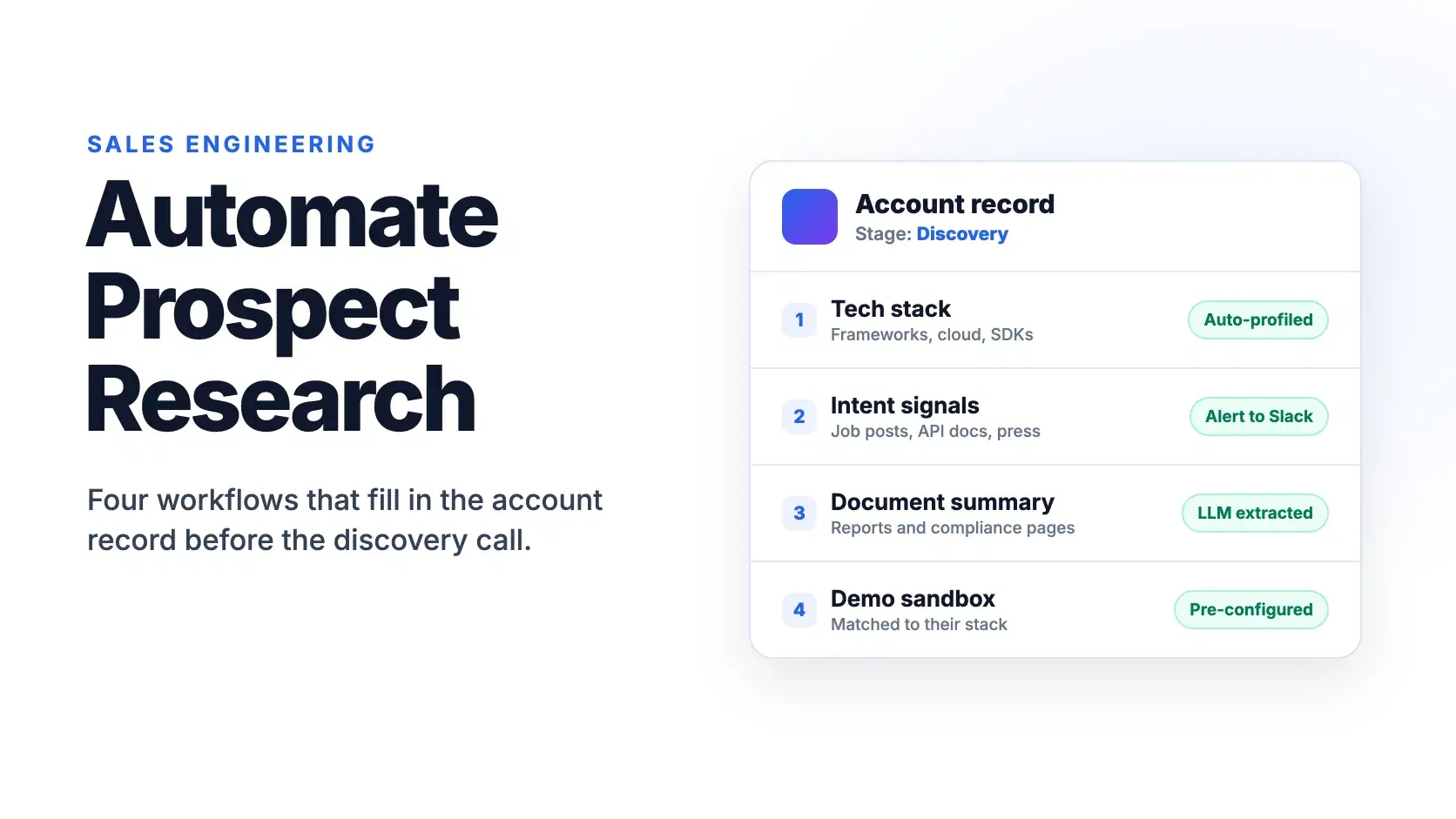
Here are four practical ways modern sales engineering (SE) teams can automate their research process today:
1. Automated Technographic and Stack Profiling
Before jumping into a technical call, SEs need to know what they are building on top of or replacing. Using technographic APIs and automated scanning tools, you can instantly extract a prospect's current frontend frameworks, backend infrastructure, analytics tools, and installed SDKs.
Instead of asking, "What cloud provider or database are you running?" your SE enters the meeting already knowing their stack. This allows them to immediately highlight native integrations, point out legacy dependencies, or address potential migration hurdles right away.
2. Trigger-Based Intent and Infrastructure Alerts
A prospect's hiring page and developer documentation often reveal buying intent long before an executive fills out a demo form. By setting up webhooks and automated monitoring tools, you can track key technical signals across target accounts.
For instance, an automated workflow can alert your SE team in Slack or Teams whenever an account:
- Posts job listings for specialized roles
- Updates public API documentation or deprecates an existing tool
- Announces new cloud infrastructure expansions in press releases
These automated alerts give SEs the exact context needed to frame their technical solution around active pain points.
3. AI-Driven Data Extraction Pipelines
Enterprise prospects often leave a trail of heavy, unstructured documentation, such as annual reports, security compliance pages, whitepapers, or public API docs. These contain invaluable nuggets of information that are difficult to dig up for a team of human operators.
Luckily, modern SE teams can use AI-powered extraction pipelines to solve this. The pipeline is activated when an account moves to a discovery stage. At this moment, an automated script ingests public text from these documents and feeds it through a structured LLM prompt.
The SE responsible for the account receives a concise summary detailing the prospect's security requirements, existing IT budget priorities, and known technical constraints.
4. Automated Environment Pre-Configuration
One of the biggest time sinks for SEs is manually setting up custom demo sandboxes. By connecting your CRM data directly to automated deployment scripts, you can streamline pre-demo setup entirely.
When a prospect inputs their domain, cloud provider, or industry vertical during scheduling, an automated trigger can spin up a pre-configured sandbox or generate custom API mock responses tailored to their specific stack.
Conclusion
By removing the friction of manual data collection, tool scraping, and sandbox prep, your team of SEs can focus on what they do best: building trust and solving complex problems.
Smart automation acts as a force multiplier for your engineering talent, turning scattered data signals into actionable insights. It transforms prospect research from an operational bottleneck into a competitive advantage that accelerates your entire sales cycle.
Related DevToolLab Tools
- DNS Lookup - read a prospect domain's MX and TXT records, which name the email provider and the SaaS services it has verified.
- Webhook Receiver - capture the payloads your enrichment or alerting service sends before you wire them into Slack or the CRM.
- JSON Schema Validator - check that an LLM extraction step returned every CRM field you asked for, in the right type.
- AI Token Counter - size an annual report or a compliance page before you send it through an extraction prompt.
Related Guides
- n8n vs Zapier vs Make - the workflow tools that fire an alert when an account changes stage
- Best Web Scraping APIs for AI - Firecrawl, Apify, Bright Data and Zyte for collecting job postings and public docs
- LLM Structured Outputs - getting JSON that always parses out of an extraction prompt
- Best HubSpot Alternatives for Developers - CRMs with APIs worth feeding this data into