
To validate a credit card number, strip the spaces and dashes, confirm 12 to 19 digits remain, and run the Luhn checksum: double every second digit from the right, subtract 9 from any result over 9, and the total must end in 0. Then match the leading digits and the length to a brand such as Visa or Mastercard.
The catch is that all of this happens offline. A number can pass every check here and still belong to no card that exists, because only the issuing bank, through your payment processor, can say whether a card is real, open and funded. Client-side validation is for catching typos before the round trip, not for deciding whether to take the money.
The worked example through this whole post is Stripe's test Visa, 4242 4242 4242 4242, and the same number with its last digit mistyped as 1.
The Fastest Way
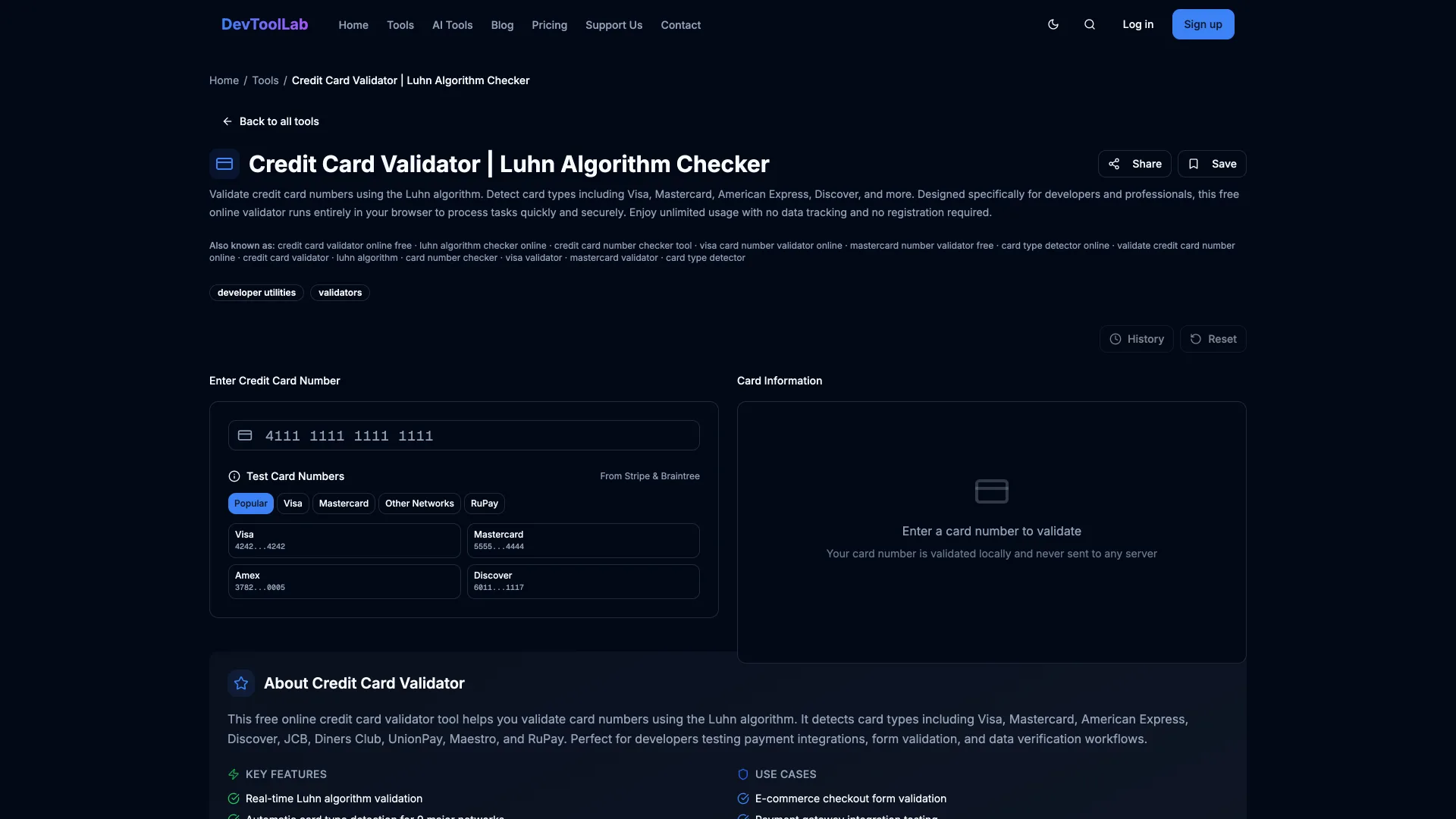
Paste the number into the Credit Card Validator. It runs the Luhn check, detects the brand from the prefix and checks the length for that brand, all in your browser, so the number is never sent to a server. It does not contact a bank or card network, so it cannot tell you whether a card is active. Use it with test numbers, like the Stripe and Braintree ones it lists, not with a real card.
How the Luhn Check Works
The Luhn algorithm is a mod 10 checksum that Hans Peter Luhn of IBM patented as a "computer for verifying numbers" in US Patent 2,950,048, filed January 6, 1954 and granted August 23, 1960. The last digit of a card number is a check digit chosen so the whole number passes.
Walk it for 4242 4242 4242 4242. Start at the rightmost digit and move left. Keep the first digit (2), double the second (4 becomes 8), keep the third (2), double the fourth (8), and so on. A doubled digit above 9 has 9 subtracted, so a doubled 7 (14) counts as 5. For this number the processed digits are 2 8 2 8 2 8 2 8 2 8 2 8 2 8 2 8, which sum to 80. 80 ends in 0, so the number is valid. Change the last digit to 1 and the sum becomes 79, so the typo is caught.
Luhn was designed for exactly this kind of mistake. I brute-forced it on 2,000 random 16-digit Visa-style numbers, and it rejected all 288,000 single-digit substitutions. It also rejected 88 of the 90 possible swaps of two adjacent different digits. The two it misses are 09 and 90: swapping them leaves the sum unchanged.
It is not a security check. Anyone can compute a valid check digit, which is why generated test numbers pass it.
How to Validate a Card Number in JavaScript
This works in the browser and in Node.js. Keep the number as a string the whole way through (the Common Errors section below shows why).
jsfunction isValidLuhn(input) { const digits = input.replace(/[\s-]/g, ""); if (!/^\d{12,19}$/.test(digits)) return false; let sum = 0; let double = false; for (let i = digits.length - 1; i >= 0; i--) { let d = digits.charCodeAt(i) - 48; if (double) { d *= 2; if (d > 9) d -= 9; } sum += d; double = !double; } return sum % 10 === 0; } console.log(isValidLuhn("4242 4242 4242 4242")); // Stripe's test Visa console.log(isValidLuhn("4242 4242 4242 4241")); // last digit mistyped console.log(isValidLuhn("378282246310005")); // Stripe's test Amex
true
false
true
If you would rather not maintain brand rules yourself, Braintree's card-validator package (MIT, version 10.0.4 published January 28, 2026) wraps Luhn, brand detection and expiry parsing:
jsconst valid = require("card-validator"); const result = valid.number("4242 4242 4242 4242"); console.log(result.isValid, result.card.niceType, result.card.code); console.log(valid.number("4242 4242 4242 4241").isValid); console.log(valid.expirationDate("12/34").isValid);
true Visa { name: 'CVV', size: 3 }
false
true
How to Validate a Card Number in Python
The same loop, using reversed() so the index counts from the right:
Pythondef is_valid_luhn(number: str) -> bool: digits = number.replace(" ", "").replace("-", "") if not digits.isdigit() or not 12 <= len(digits) <= 19: return False total = 0 for i, ch in enumerate(reversed(digits)): d = int(ch) if i % 2 == 1: d *= 2 if d > 9: d -= 9 total += d return total % 10 == 0 print(is_valid_luhn("4242 4242 4242 4242")) print(is_valid_luhn("4242 4242 4242 4241")) print(is_valid_luhn("4242-4242-4242-424x"))
True
False
False
How to Validate a Card Number in Java
Java 11 and later can run this single file directly with java Luhn.java; this output is from Java 24.
Javapublic class Luhn { static boolean isValidLuhn(String input) { String digits = input.replaceAll("[\\s-]", ""); if (!digits.matches("\\d{12,19}")) return false; int sum = 0; boolean dbl = false; for (int i = digits.length() - 1; i >= 0; i--) { int d = digits.charAt(i) - '0'; if (dbl) { d *= 2; if (d > 9) d -= 9; } sum += d; dbl = !dbl; } return sum % 10 == 0; } public static void main(String[] args) { System.out.println(isValidLuhn("4242 4242 4242 4242")); System.out.println(isValidLuhn("4242 4242 4242 4241")); } }
true
false
How to Detect the Card Brand From Its Prefix
The first digits of a card number identify the network, and each network allows only certain lengths. The ranges below come from Braintree's open-source credit-card-type library, version 10.3.0 published June 30, 2026, which is what card-validator uses under the hood. The test numbers are from Stripe's testing docs, checked September 29, 2026.
| Brand | Starts with | Lengths | Security code | Stripe test number |
|---|---|---|---|---|
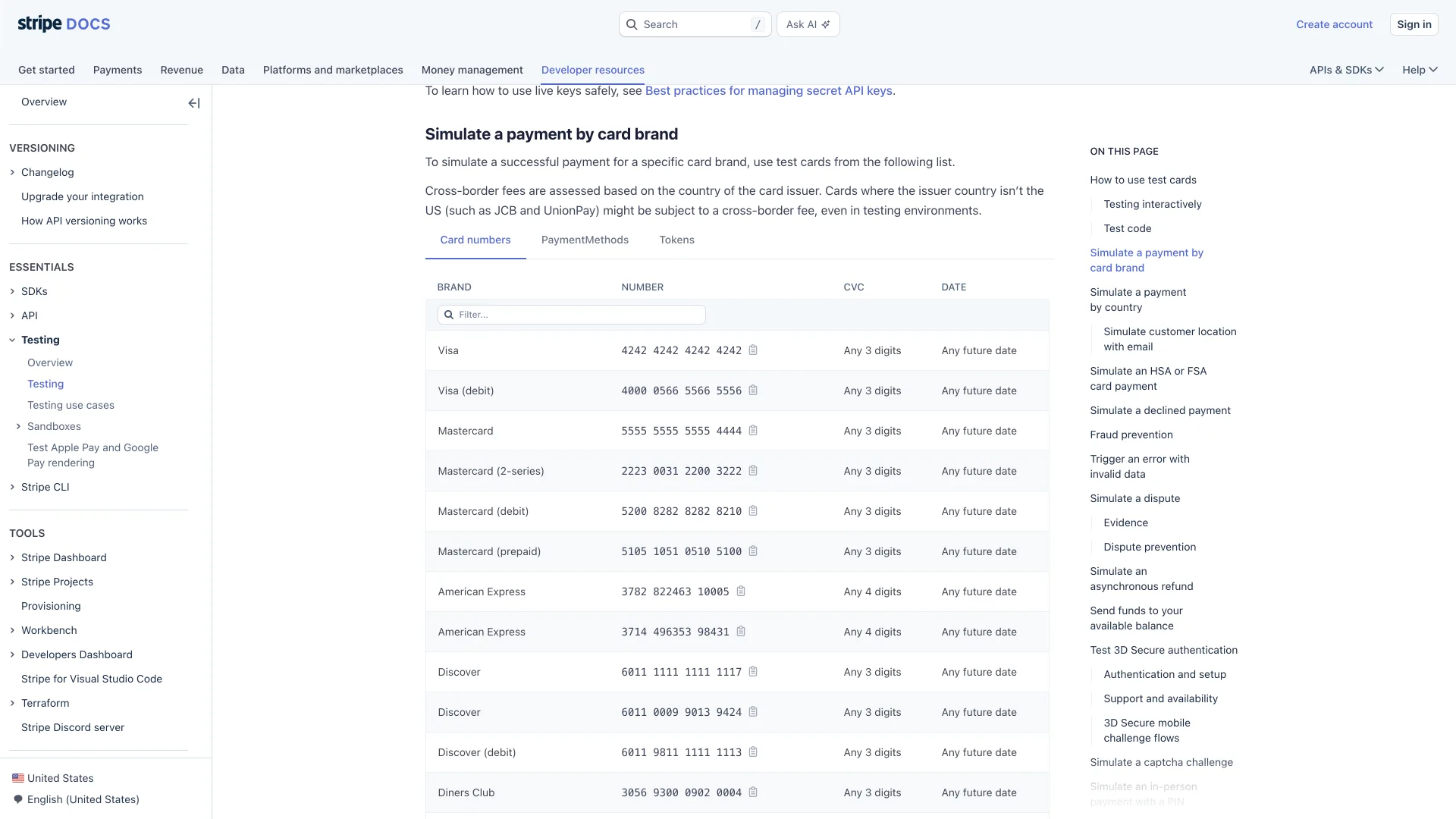
| Visa | 4 | 16, 18, 19 | CVV, 3 digits | 4242 4242 4242 4242 |
| Mastercard | 51-55, 2221-2720 | 16 | CVC, 3 digits | 5555 5555 5555 4444 |
| American Express | 34, 37 | 15 | CID, 4 digits | 3782 822463 10005 |
| Discover | 6011, 644-649, 65 | 16, 19 | CID, 3 digits | 6011 1111 1111 1117 |
The Mastercard row is where hand-written regexes usually go wrong. Mastercard added the 2-series range, so a shortcut like /^2[2-7]/ looks right but also matches 2200 to 2220, and Braintree's data assigns 2200 to 2204 to Mir, a different network. It also matches 2721 and up, which are not Mastercard. The pattern below spells the range out. I checked it against credit-card-type on every four-digit prefix from 1000 to 9999, and all four brands agree.
jsconst BRANDS = [ { brand: "Visa", re: /^4/, lengths: [16, 18, 19] }, { brand: "Mastercard", re: /^(5[1-5]|222[1-9]|22[3-9]\d|2[3-6]\d\d|27[01]\d|2720)/, lengths: [16] }, { brand: "American Express", re: /^3[47]/, lengths: [15] }, { brand: "Discover", re: /^(6011|64[4-9]|65)/, lengths: [16, 19] }, ]; function detectBrand(input) { const digits = input.replace(/[\s-]/g, ""); const match = BRANDS.find((b) => b.re.test(digits)); if (!match) return "Unknown"; return match.lengths.includes(digits.length) ? match.brand : `${match.brand} (wrong length)`; } for (const n of ["4242424242424242", "2223003122003222", "378282246310005", "37828224631000", "2721000000000000"]) { console.log(n.padEnd(17), detectBrand(n)); }
text4242424242424242 Visa 2223003122003222 Mastercard 378282246310005 American Express 37828224631000 American Express (wrong length) 2721000000000000 Unknown
A regex can detect the brand, but it cannot run Luhn. Keep the two checks separate and require both.
How to Check the Expiry Date
A card is good through the last day of the month printed on it, so 09/26 still works on September 29, 2026 and stops working on October 1. Compare against the first day of the following month rather than the printed month:
jsfunction isNotExpired(month, year, now = new Date()) { const m = Number(month); const y = Number(year) < 100 ? 2000 + Number(year) : Number(year); if (!Number.isInteger(m) || m < 1 || m > 12) return false; // Cards are valid through the last day of the printed month. const firstOfNextMonth = new Date(y, m, 1); return now < firstOfNextMonth; } const today = new Date(2026, 8, 29); // September 29, 2026 console.log(isNotExpired("09", "26", today)); // 09/26 still good today console.log(isNotExpired("08", "26", today)); // 08/26 expired console.log(isNotExpired("12", "34", today)); // Stripe's suggested test date console.log(isNotExpired("13", "30", today)); // no month 13
true
false
true
false
Test Card Numbers That Pass Validation
Use the numbers your processor publishes for test mode. Stripe's list covers every major brand, and its docs say to "Use a valid future date, such as 12/34" and any three-digit CVC, or four digits for American Express. The same page is blunt about real cards: "The Stripe Services Agreement prohibits testing in live mode using real payment method details."
Common Errors
"The card number is incorrect. Check the card’s number or use a different card." This is Stripe's incorrect_number decline, and invalid_number reads "The card number is invalid. Check the card details or use a different card." Both come back from the API after the request has gone out. A Luhn check before submit stops most typos from ever reaching that point, which also keeps them out of your decline metrics. Both messages are quoted from Stripe's error code reference, checked September 29, 2026.
"The card has expired. Check the expiry date or use a different card." That is expired_card. If your own form let the date through, check whether it compares against the printed month instead of the end of that month; the example above gets this right.
A valid 19-digit card fails your check. Somewhere the number was parsed as a JavaScript Number. Number("6205500000000000004"), Stripe's 19-digit UnionPay test card, returns 6205500000000000000, because it is larger than Number.MAX_SAFE_INTEGER (9007199254740991). The rounding changes the digits and the checksum fails. Treat card numbers as strings from the input field to the API call.
Every 2-series Mastercard is rejected, or a Mir card is labeled Mastercard. Your prefix table predates the 2221-2720 range or uses the /^2[2-7]/ shortcut. Use the explicit pattern from the brand section.
When Not to Do This
Do not let a raw card number reach your own server to run these checks there. Stripe's integration security guide warns that a business handling card data directly "might be required to meet more than 300 security controls in PCI DSS", and points to hosted fields that send the number straight to Stripe instead. Run the Luhn and brand checks in the browser for fast feedback, collect the number through your processor's hosted fields, and never write a card number to logs or analytics. And never treat a passing Luhn check as a fraud signal: it proves the number was typed consistently, nothing more.
Related DevToolLab Tools
- Credit Card Validator - run the Luhn check and brand detection from this post on a test number without writing any code.
- IBAN Validator - the bank-account version of the same idea, using a MOD-97 check digit instead of Luhn's mod 10.
- Fake Data Generator - produce rows of test customers with card-shaped numbers to exercise your checkout validation.
- Webhook Signature Verifier - check the HMAC on the payment webhook that arrives after the card is charged.
Related Guides
- Best Merchant of Record Platforms - when you would rather have Paddle or Lemon Squeezy take on card handling and sales tax entirely.
- Best Synthetic Data Generation Tools - generating test data, including card numbers that pass a checksum.
- Best SOC 2 Compliance Automation Platforms - the compliance work that grows once card data touches your systems.
- What Is a Webhook - how payment processors report the result of a charge back to your app.