
Integrating with a payment provider, a git host or an AI platform eventually means handling events you did not ask for: a charge settled, a branch was pushed, a long-running job finished. Your code has to find out somehow, and the provider has to reach you.
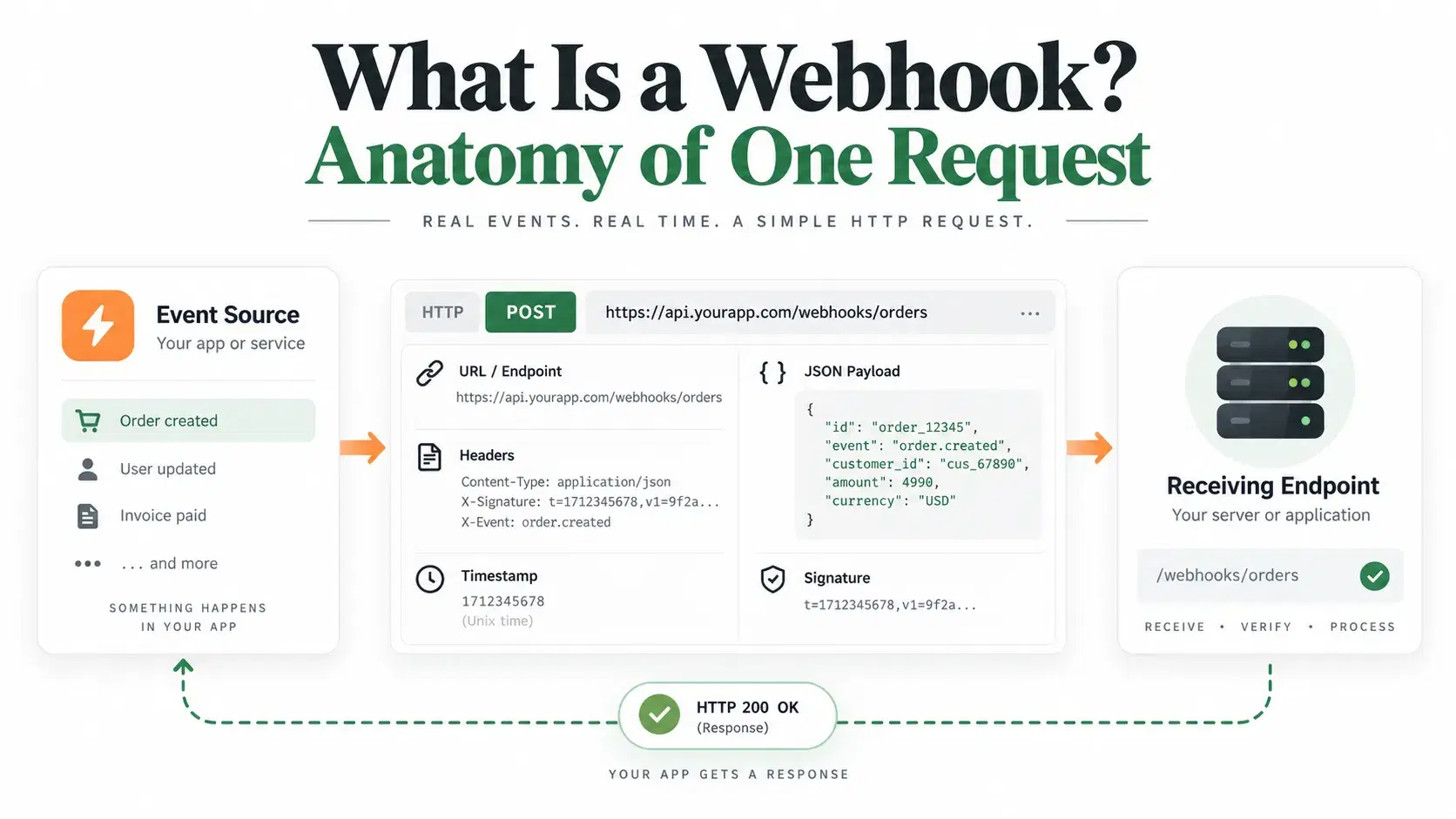
A webhook is how. It is not a protocol, a library or a queue. It is a single HTTP POST request that a provider sends to a URL you gave it, signed with a shared secret so you can prove it came from them. Everything else in this post is detail on those two facts.
What a Webhook Actually Is
A webhook is an HTTP POST request sent from a provider's server to a URL you registered in advance, carrying a JSON body describing an event that just happened. The direction is the whole point: instead of your code asking "has anything changed?" on a timer, the provider tells you once, when it does.
Three things make a webhook different from any other POST request hitting your server. It is unsolicited, so your endpoint must be publicly reachable and ready at any moment. It is signed, because an endpoint that accepts anything is an endpoint an attacker can use to mark orders as paid. And it is retried on failure, which means your handler will eventually receive the same event twice and has to cope.
The provider decides all three. Your job is to receive the request, prove it is genuine, return a 2xx quickly, and do the real work somewhere else.
What Arrives at Your Server
The fastest way to understand a webhook is to look at one. This script starts a local receiver, signs a payload the way the Standard Webhooks specification describes, and prints the exact request that arrives. It needs Node 18 or newer and no dependencies.
js// webhook-anatomy.mjs - Node 18+, no dependencies. Run: node webhook-anatomy.mjs import { createServer } from "node:http" import { createHmac, timingSafeEqual, randomUUID } from "node:crypto" const SECRET = "whsec_MfKQ9r8GKYqrTwjUPD8ILPZIo2LaLaSw" const TOLERANCE_SECONDS = 300 // the 5 minutes Stripe, OpenAI and Anthropic all default to // Standard Webhooks signs `${id}.${timestamp}.${rawBody}` with HMAC-SHA256. const sign = (id, ts, body) => "v1," + createHmac("sha256", Buffer.from(SECRET.replace("whsec_", ""), "base64")).update(`${id}.${ts}.${body}`).digest("base64") function verify(headers, rawBody) { const id = headers["webhook-id"] const ts = Number(headers["webhook-timestamp"]) const got = Buffer.from(headers["webhook-signature"] ?? "") const want = Buffer.from(sign(id, ts, rawBody)) if (Math.abs(Date.now() / 1000 - ts) > TOLERANCE_SECONDS) return "REJECTED: timestamp outside the 5 minute window (replay)" if (got.length !== want.length || !timingSafeEqual(got, want)) return "REJECTED: signature does not match the body" return "ACCEPTED: signature valid" } const server = createServer((req, res) => { const chunks = [] req.on("data", (c) => chunks.push(c)) req.on("end", () => { const raw = Buffer.concat(chunks).toString("utf8") // raw bytes, never a re-serialized object if (req.headers["x-demo"] === "show") { console.log(`${req.method} ${req.url} HTTP/${req.httpVersion}`) for (const [k, v] of Object.entries(req.headers)) if (k !== "x-demo") console.log(`${k}: ${v}`) console.log(`\n${raw}\n`) } console.log(` -> ${verify(req.headers, raw)}`) res.writeHead(200).end("ok") }) }) const post = (headers, body) => fetch("http://127.0.0.1:8099/webhooks/incoming", { method: "POST", headers, body }).then((r) => r.text()) server.listen(8099, "127.0.0.1", async () => { const body = JSON.stringify({ type: "payment_intent.succeeded", data: { id: "pi_3QxSample", amount: 4200 } }) const id = "msg_" + randomUUID().replace(/-/g, "").slice(0, 22) const now = Math.floor(Date.now() / 1000) console.log("=== 1. a genuine delivery, exactly as it arrives on the wire ===\n") await post({ "content-type": "application/json", "user-agent": "StandardWebhooks/1.0", "webhook-id": id, "webhook-timestamp": String(now), "webhook-signature": sign(id, now, body), "x-demo": "show", }, body) console.log("\n=== 2. same signature, one digit changed in the body ===") await post({ "content-type": "application/json", "webhook-id": id, "webhook-timestamp": String(now), "webhook-signature": sign(id, now, body), }, body.replace("4200", "9900")) console.log("\n=== 3. a perfectly valid delivery, captured and replayed 10 minutes later ===") const old = now - 600 await post({ "content-type": "application/json", "webhook-id": id, "webhook-timestamp": String(old), "webhook-signature": sign(id, old, body), }, body) server.close() })
Run on September 14, 2026 with Node 25.5.0, it prints:
text=== 1. a genuine delivery, exactly as it arrives on the wire === POST /webhooks/incoming HTTP/1.1 host: 127.0.0.1:8099 connection: keep-alive content-type: application/json user-agent: StandardWebhooks/1.0 webhook-id: msg_aefde60c31764be8a17714 webhook-timestamp: 1789391330 webhook-signature: v1,vy7jKJZmKJa7ZGUbDrv1feBXfYS+uU8PdZ8x1076lG4= accept: */* accept-encoding: gzip, deflate content-length: 78 {"type":"payment_intent.succeeded","data":{"id":"pi_3QxSample","amount":4200}} -> ACCEPTED: signature valid === 2. same signature, one digit changed in the body === -> REJECTED: signature does not match the body === 3. a perfectly valid delivery, captured and replayed 10 minutes later === -> REJECTED: timestamp outside the 5 minute window (replay)
That is a webhook in full. A request line, a handful of headers, 78 bytes of JSON. Change one digit of the amount and the signature no longer matches. Capture the whole thing and send it again ten minutes later and the timestamp check rejects it.
Why the Signature Header Exists
Your webhook endpoint is a public URL that performs privileged actions, so anyone who guesses it can POST to it. Without verification, an attacker sends {"type":"payment_intent.succeeded"} and your code ships the order. Every serious provider therefore signs the request body with a secret only the two of you hold, and every provider does it slightly differently.
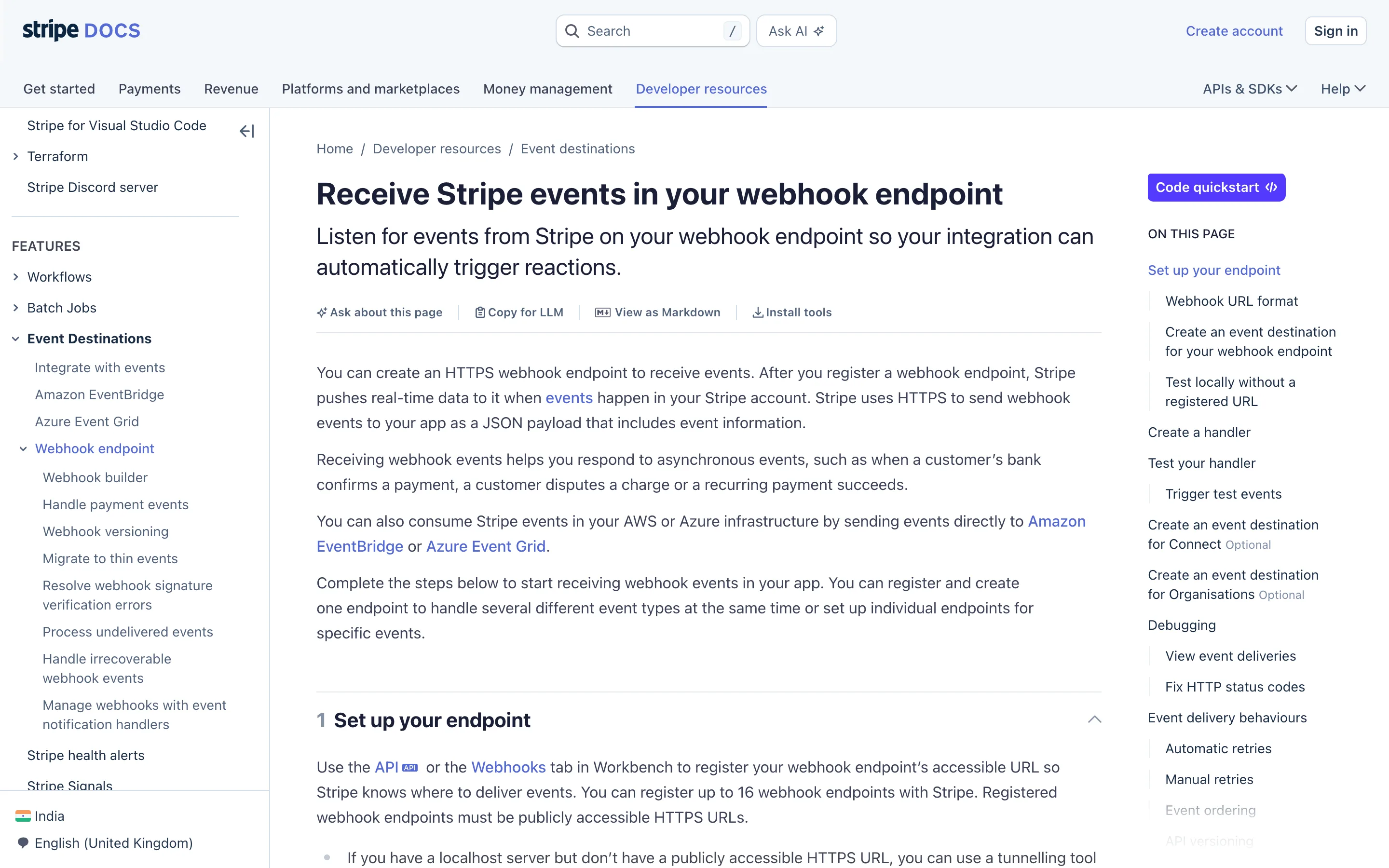
Stripe puts everything in one Stripe-Signature header shaped like t=1492774577,v1=5257a869..., and computes HMAC-SHA256 over the timestamp, a literal period, and the raw body. Stripe's documentation is explicit that only the v1 scheme is valid and that you should ignore the others to prevent downgrade attacks. GitHub sends X-Hub-Signature-256, an HMAC-SHA256 hex digest prefixed with sha256=, alongside an X-GitHub-Delivery GUID and an X-GitHub-Event name.
Both tell you to compare with a constant-time function rather than ==, because a plain comparison returns faster the earlier it finds a mismatched byte, and that timing leaks the signature one character at a time.
The 2026 Convergence on Standard Webhooks
Every provider inventing its own header was the status quo for a decade. That is changing.

Standard Webhooks is an Apache 2.0 specification, started August 27, 2023 and steered by a committee including Zapier, Twilio, Svix, Kong, Supabase and ngrok. It defines three lowercase headers rather than one vendor-prefixed blob: webhook-id, webhook-timestamp and webhook-signature. The signature covers {id}.{timestamp}.{body}, prefixed v1, for HMAC-SHA256 or v1a, for ed25519, and the webhook-id doubles as the idempotency key.
The adoption that matters happened in the AI platforms. OpenAI's webhook guide states that its events follow the Standard Webhooks specification and sends exactly those three headers. Anthropic's Claude platform documentation says the same: "Every delivery carries the webhook-id, webhook-timestamp, and webhook-signature headers," signed with a 32-byte whsec_-prefixed secret and rejected by the SDK if the payload is more than 5 minutes old. If you write a verifier against the spec today, it works for both without changes.
What Happens When Your Endpoint Is Down
Providers retry, and their policies differ far more than their signature schemes. This is the part teams discover during an incident rather than during integration.
Anthropic's documentation is unusually direct about the consequence: after the last attempt fails "the event is dropped: it isn't queued for later delivery and there's no signal that it was lost. Webhooks aren't a durable log." Anthropic also auto-disables an endpoint immediately on any 3xx response, because redirects are never followed, and Stripe likewise counts a 302 as a failure. If your webhook URL redirects from the bare domain to www, every delivery fails.
The design lesson is the same everywhere: treat webhooks as a latency optimization over reconciliation, not as your source of truth. Fetch the resource by ID and drive state from that.
How to Receive Your First Webhook
The blocker at step one is always the same: no provider will deliver to localhost, so you need a public URL before you can look at anything. The DevToolLab Webhook Receiver hands you one and shows each request as it lands.
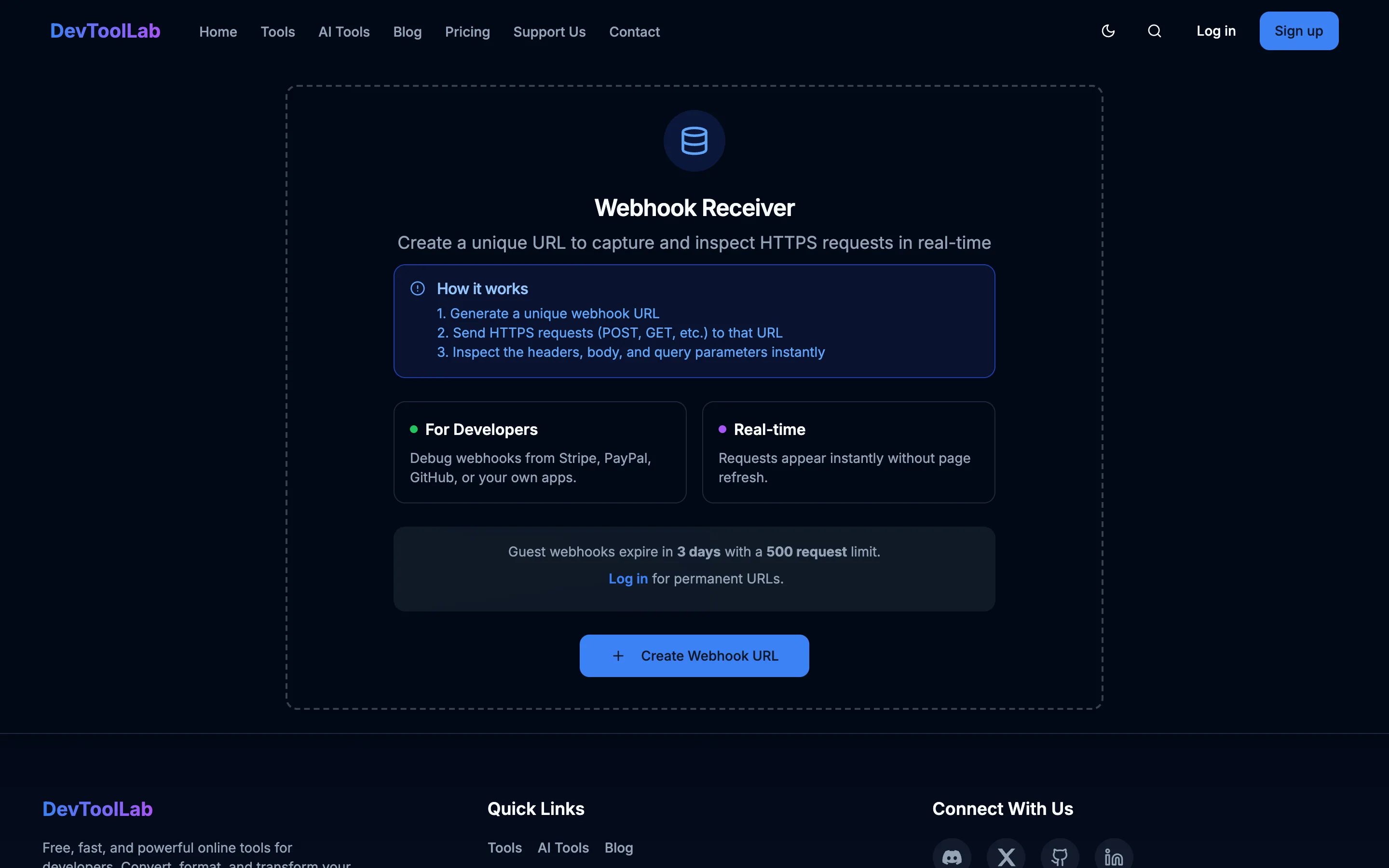
- Get a public URL that captures requests. Click Create Webhook URL. Guest URLs last 3 days with a 500 request limit, which is enough to see the shape of a real delivery.
- Register it and trigger a test event. Paste the URL into the provider's webhook settings, subscribe to one event type rather than all of them, and fire their test event. Stripe's CLI does this with
stripe trigger payment_intent.succeeded. - Read the headers before writing any code. Note the signature header name, whether the value is hex or base64, and whether a separate timestamp header exists. That decides which verification recipe you need.
- Verify against the raw body. Capture the bytes before any JSON middleware touches them. In Express that means
express.raw({ type: "application/json" }), notexpress.json(). - Return 200 immediately, then work. Acknowledge inside a few hundred milliseconds and push the job onto a queue. A handler that charges a card before responding is a handler that gets retried while it is still running.
The Four Mistakes That Break Verification
Re-serializing the body is the most common by far. Frameworks parse JSON into an object, your code calls JSON.stringify on it, and the result differs from what was signed by a space or a key order. The signature is computed over bytes, so it fails every time.
Using === to compare signatures leaks timing information, which is why every provider's docs name a constant-time function instead. Skipping the timestamp check leaves you open to replay, as case 3 of the script above shows: the signature stays valid forever, so only the freshness window stops a captured request being sent again. And ignoring the delivery ID means duplicate processing, because retries are normal. Store webhook-id, or X-GitHub-Delivery, or Stripe's event ID, and discard anything you have already handled.
Conclusion
A webhook is one signed HTTP POST, and almost every difficulty with them comes from the three properties the provider controls rather than from the request itself: it is unsolicited, it is signed over exact bytes, and it will arrive more than once. The genuinely new thing in 2026 is that the header names are converging, with OpenAI and Anthropic both shipping Standard Webhooks. Before you write a bespoke verifier for your next integration, check whether the provider already follows the spec. Increasingly it does.
Related DevToolLab Tools
- Webhook Receiver and Inspector - generate a public URL, point a provider at it, and read the headers and body of a real delivery before you write a line of handler code.
- Webhook Signature Verifier - paste the signature header, the raw body and your signing secret to find out whether a failing delivery is a bad secret or a re-serialized body.
- HMAC Generator - compute HMAC-SHA256 over the signed string by hand and compare it with what the provider sent, which is the fastest way to isolate a mismatch.
- Unix Timestamp Converter - turn the
webhook-timestampvalue into a readable time to check whether a rejected delivery actually fell outside your replay window.
Related Guides
- Webhooks vs API: The Real Difference and When to Use Each - the other half of the decision, with the arithmetic on how much a polling loop wastes.
- 11 Best Webhook.site Alternatives - where to capture and inspect deliveries once a guest URL is no longer enough.
- AI-Powered Webhook Handlers - what to do with the payload after verification, including classification and enrichment.
- Best API Testing Tools in 2026 - the tooling for the request-response side of the same integration.