
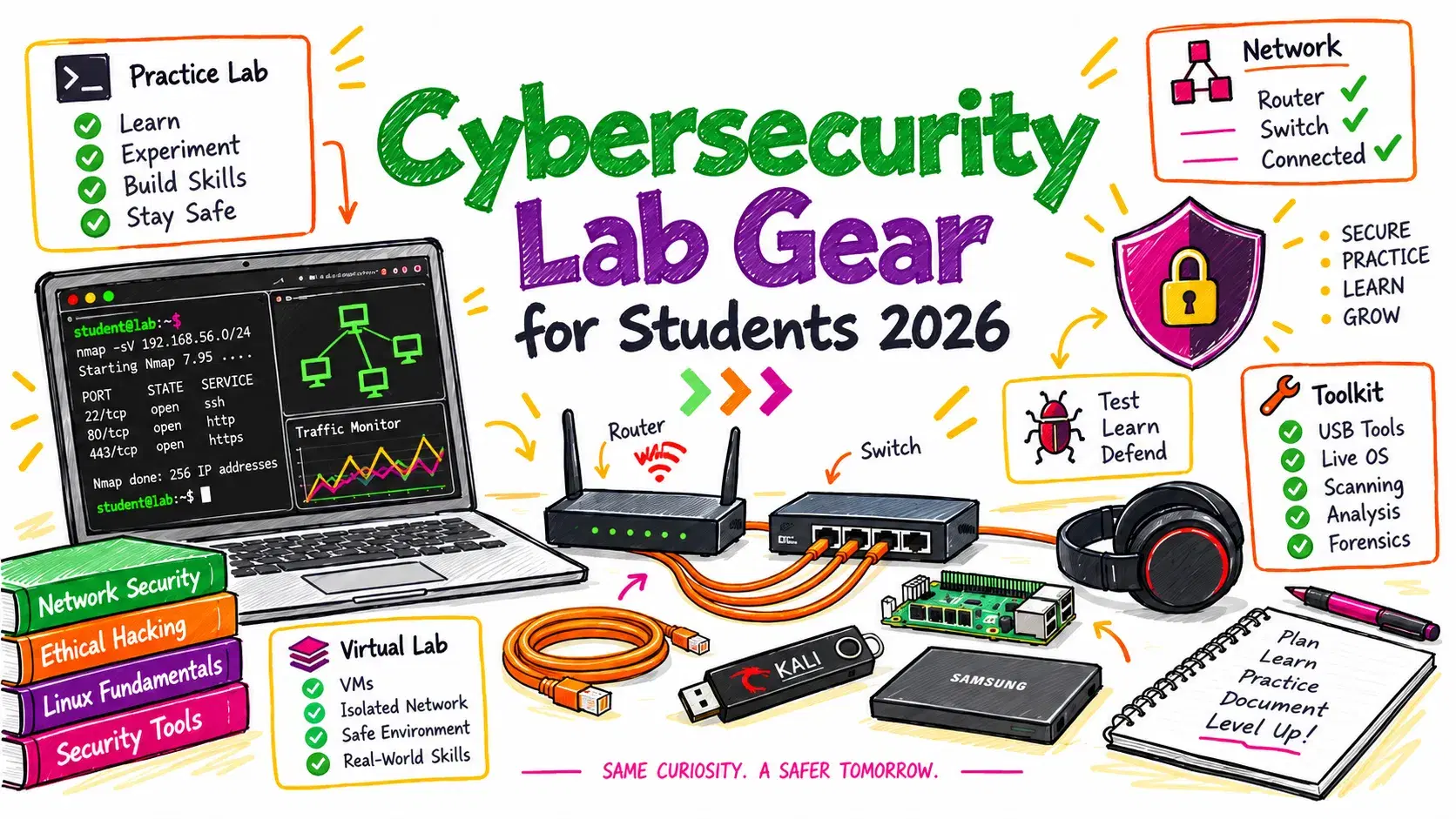
Starting a security degree or a self-taught track usually comes with a shopping list: a specific laptop, a WiFi adapter, a Raspberry Pi, a handful of RF gadgets. Most of that list is written by people selling the gadgets.
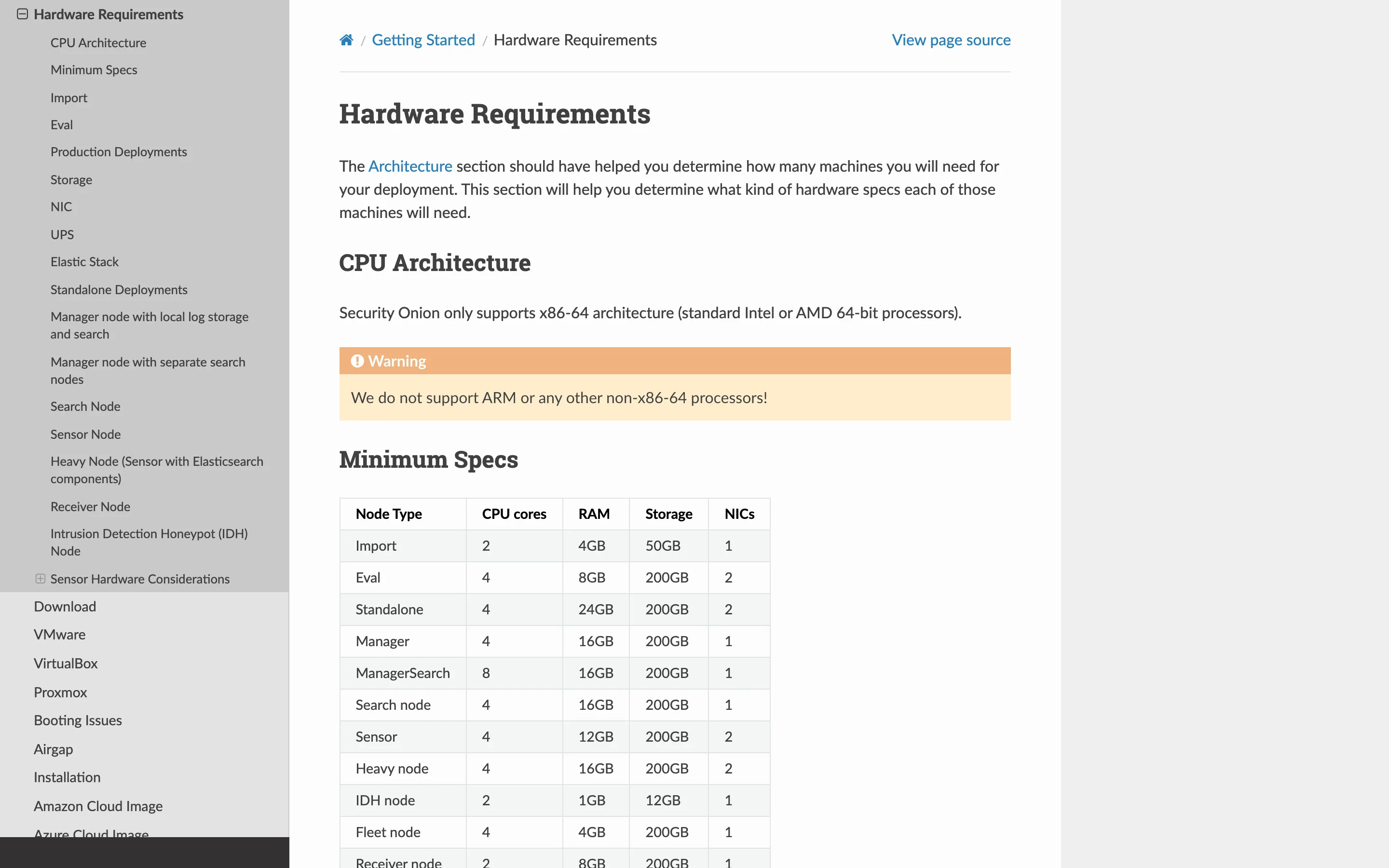
The vendors' own documentation tells a plainer story. Kali Linux's published requirement for its default desktop is 2 GB of RAM and 20 GB of disk. Security Onion's standalone install wants 24 GB of RAM and will not run on ARM at all. Those two numbers, both from the projects themselves, decide almost every purchase a student needs to make.
What the Tools Actually Require
Start from the software, because it is the only thing with published, checkable numbers.
| Tool | Published requirement | What it means for you |
|---|---|---|
| Kali Linux (default Xfce4) | 2 GB RAM, 20 GB disk | Runs in a VM on any modern laptop |
| Kali with Burp Suite or several tools at once | "at least 8 GB of RAM" | Your laptop needs 16 GB total to also run a target VM |
| Security Onion Import | 2 cores, 4 GB RAM, 50 GB | Fine on a student laptop |
| Security Onion Eval | 4 cores, 8 GB RAM, 200 GB | Needs a machine you are not also using for class |
| Security Onion Standalone | 4 cores, 24 GB RAM, 200 GB | Not a laptop job |
Two things fall out of that table. Kali, the tool everyone buys hardware for, is the least demanding thing on the list. And the jump to a real blue-team stack is not gradual: Security Onion goes from 8 GB for evaluation to 24 GB for standalone, with the project separately suggesting 32 GB or more once you monitor actual traffic.
The ARM Problem Nobody Warns Students About
Security Onion's documentation carries a blunt warning: "We do not support ARM or any other non-x86-64 processors!"
That matters because the default student laptop recommendation in 2026 is an Apple Silicon MacBook, and Apple Silicon is ARM. A MacBook Air runs Kali in a VM perfectly well, handles every web-focused CTF, and is a fine machine for the offensive half of a curriculum. It cannot run Security Onion at all, in any virtual machine, at any RAM size.
If your program includes a blue-team, SOC or network-monitoring course, you need x86-64 somewhere: a Windows or Linux laptop, a cheap used desktop, or a cloud instance you spin up for the term. Find this out before the semester, not during it.
What You Actually Need
A laptop with 16 GB of RAM. This is the whole decision. Security work means running an attacker VM and a target VM at the same time, and 8 GB does not do that once the host OS takes its share. RAM is also the one thing you usually cannot upgrade later on a modern laptop, unlike storage. Buy the RAM, not the CPU tier.
An external SSD, 1 TB or larger. VM images are enormous and multiply fast: a Kali image, two or three targets, plus snapshots you take before breaking something. Snapshots are the single most useful habit in lab work, and they are what fills a disk.
Nothing else, at first. Almost the entire first year of a security curriculum is browser-based or VM-based. Platforms like picoCTF, OverTheWire and the free tiers of the big training sites need no hardware beyond what you already have. Buying gadgets before you hit a wall is how students end up with a drawer of unused devices.
What to Add, and When
A USB WiFi adapter with monitor mode, when a wireless course starts. Built-in laptop WiFi chipsets generally cannot capture in monitor mode, so this is the one adapter purchase that genuinely unlocks coursework you cannot otherwise do. Check the exact chipset against your course's requirements before ordering, because driver support, not the brand, is what determines whether it works.
A Raspberry Pi, when you need a target that is not your laptop. A Pi is a cheap, disposable, physically separate machine to attack, harden and re-image. It is also ARM, so it is a target, not a Security Onion host.
A managed switch with port mirroring, if you reach network monitoring and need real packet capture. This is the piece most students skip and most courses assume, because without a mirror port you cannot see traffic that is not addressed to you.
A hardware security key, at any point. This one is not lab gear, it is defensive practice. Using one on your own accounts teaches you more about WebAuthn than reading about it, and it protects the accounts you are about to fill with coursework.
What to Skip
RF multitools and similar gadgets are genuinely interesting and almost never required. They are fun, they demo well, and they sit unused for months because no course is built around them. If you want one, buy it after the semester where you discover you needed it, which for most students never arrives.
Also skip the pre-built "hacking laptop" listings. They are ordinary laptops with a themed sticker and a markup. A boring 16 GB machine with good battery life is a better tool.
One Rule That Is Not Optional
Everything here is for equipment you own or an environment you have written permission to test. That means your own lab, purpose-built platforms like picoCTF and OverTheWire, your university's authorized range, or a bug bounty program's defined scope.
Scanning or capturing traffic on your campus network, a coffee shop's WiFi or a company you do not work for is not practice, it is a criminal offense in the United States under the Computer Fraud and Abuse Act, and universities routinely expel students for it. The technical skills transfer to a job; a conviction does not.
Building It in Order
- Check your program's syllabus for a blue-team course. If there is one, you need x86-64 hardware. Settle this before buying a laptop.
- Buy 16 GB of RAM, or more. Downgrade the CPU or screen before you downgrade memory.
- Add a 1 TB external SSD. Keep VM images and snapshots off your system drive.
- Do a full semester with only that. Use the free browser-based platforms and find out where you actually get blocked.
- Buy the WiFi adapter when a wireless module starts, matching the chipset to your course requirements rather than to a brand recommendation.
- Add a Pi or a managed switch only when a specific assignment needs one. Both are cheap when you need them and clutter when you do not.
Conclusion
The hardware question for a security student compresses to two published numbers: Kali needs 2 GB and will run anywhere, while Security Onion standalone needs 24 GB and will not run on ARM at all. Between those sits a 16 GB x86-64 laptop and an external SSD, which covers the overwhelming majority of coursework. Everything else is a purchase to make when a specific class forces it, not in August with the rest of your textbooks.
Related DevToolLab Tools
- Subnet Calculator - work out the address ranges for an isolated lab network so your target VMs cannot reach anything they should not.
- MAC Address Lookup - identify the manufacturer behind a device on your own network, which is the first step in most inventory exercises.
- Hash Generator - produce MD5, SHA-1 and SHA-256 digests to check against tool output while you learn what each algorithm is for.
- Password Strength Checker - see how quickly a candidate password falls, which makes the case for a manager better than any lecture.
Related Guides
- Developer Security Toolkit 2026 - the software side of the same question, covering SAST, SCA and secrets scanning.
- Modern Password Security - the engineering behind the hashing and storage you will be asked to break in lab work.
- JWT Tokens: Complete Security Guide - the token format behind most web CTF challenges, explained properly.
- OWASP Top 10 for LLM Applications - where the curriculum is heading next, and what to read before that course exists.