
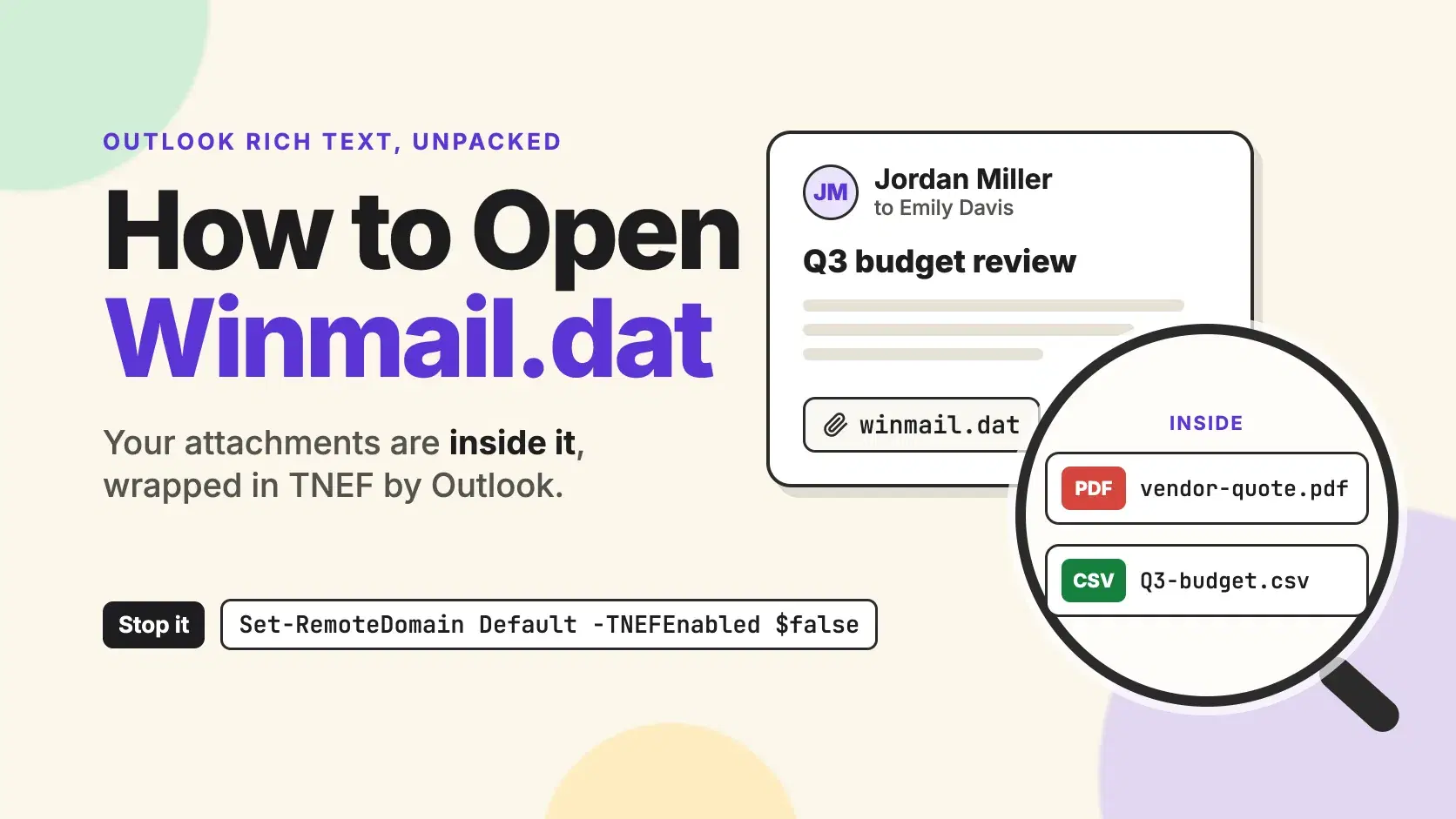
To open a winmail.dat file, run it through a TNEF reader. The file holds the attachments you were sent, plus the formatted message, packed by classic Outlook or Exchange into Microsoft's Transport Neutral Encapsulation Format (TNEF). Microsoft's own documentation says mail apps that don't support TNEF typically show such a message as plain text with a winmail.dat attachment.
Two things make this worse than it looks. Renaming the file to .pdf does nothing, because the PDF's bytes sit inside a container with its own header, length fields and checksums. And nothing on the receiving end can turn TNEF off: the setting lives in the sender's Outlook or in their Exchange admin center.
Every step below uses one message. Jordan Miller at Contoso sends Emily Davis "Q3 budget review" from classic Outlook, with a budget CSV and a signed vendor quote attached. Emily reads mail on an iPhone, and what she recieves is a single 5 KB attachment called winmail.dat.
The Fastest Way
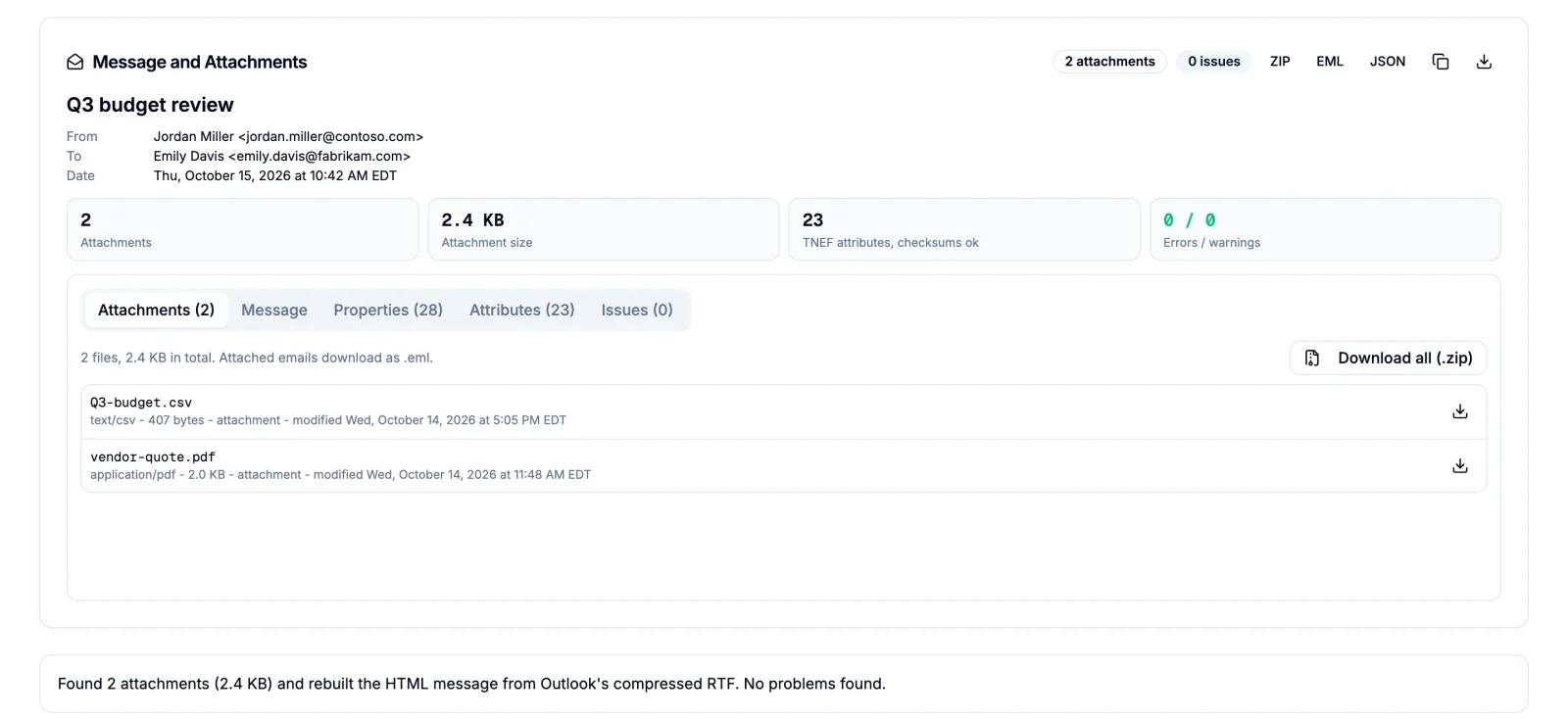
Drop the file into the Winmail.dat Viewer. It reads the TNEF stream in your browser, lists every attachment with its size and type, rebuilds the formatted message Outlook packed with them, and saves one file or all of them as a zip. Nothing is uploaded, which matters when the attachment is an invoice or a contract. It can't change how the next message arrives, though. Only the sender can, and the last sections show how.
On an iPhone or iPad, save the attachment to the Files app first with Mail's Save to Files action, then pick it from the viewer's Upload button in Safari. In Gmail on the web, download the attachment and do the same.
What Is Inside a Winmail.dat File
A winmail.dat is a run of tagged records, defined in Microsoft's MS-OXTNEF specification (revision 15.0, May 20, 2025). It starts with four signature bytes, 78 9F 3E 22, and a two-byte legacy key. Every record after that is one level byte (01 for the message, 02 for an attachment), a four-byte ID, a four-byte length, the data, and a two-byte checksum: the sum of the data bytes, modulo 65,536.
Here are the first 32 bytes of Emily's file:
Bash$ xxd -l 32 winmail.dat 00000000: 789f 3e22 2a5c 0106 9008 0004 0000 0000 x.>"*\.......... 00000010: 0001 0001 0001 0790 0600 0800 0000 e404 ................
After the signature and the key 2a 5c, the first record begins at 01: a message-level record with ID 06 90 08 00 (the TNEF version), a length of 04 00 00 00, four data bytes 00 00 01 00, and the checksum 01 00, which is just those four bytes added up. The next record starts at the second 01 and holds the code page, whose data begins e4 04: 1252 in little-endian, Windows-1252.
An attachment begins at a record called attAttachRendData. Its own records follow: the short file name, the file's bytes in attAttachData, and a block of MAPI properties with the long file name and the MIME type. The formatted message lives in the message's attMsgProps block as compressed RTF, which is the part a non-Outlook client never shows you. The macOS file command recognizes the format no matter what the file is called, which is also why renaming it fails:
Bash$ cp winmail.dat vendor-quote.pdf && file vendor-quote.pdf vendor-quote.pdf: Transport Neutral Encapsulation Format
In the raw message, the TNEF data travels as a MIME part of type application/ms-tnef, and the MS-OXCMAIL specification says the sending server should stamp the message with an X-MS-TNEF-Correlator header whose key is repeated inside the TNEF data, so a reader can tell the two belong together. To see it in Gmail, open the message, click More next to Reply, then Show original.
Why Outlook Sends Winmail.dat to Some People
Three settings decide whether a message leaves as TNEF, and Microsoft's TNEF conversion options article (updated April 30, 2025) ranks them from strongest to weakest:
- The remote domain in Exchange: Always, Never, or Follow user settings, which is the default.
- The mail contact or mail user, through
UseMapiRichTextFormat: Always, Never, or UseDefaultSettings, the default. - The sender's Outlook: the Internet format for Rich Text messages (Convert to HTML format by default, Convert to Plain Text format, or Send using Outlook Rich Text Format), plus any per-recipient setting.
With every default left alone, Outlook converts a Rich Text message to HTML before it leaves for an outside recipient. So a winmail.dat means somebody changed one of those three. In Emily's case, Jordan most likely composes in Rich Text and has her address set to Outlook Rich Text, or Contoso's admin set Fabrikam's remote domain to Always. With Always, Exchange uses TNEF on every message to that domain, HTML or not.
The newer client helps too. New Outlook for Windows composes in HTML or plain text only, and Microsoft calls Rich Text "a legacy format" it does not plan to improve. A sender still producing winmail.dat in 2026 is on classic Outlook or behind an Exchange setting.
Open Winmail.dat on iPhone, Mac, Windows and Thunderbird
The browser viewer works the same on all of them. If you would rather install something, these are the options I could verify on November 2, 2026.
On iPhone, iPad and Mac, Winmail Viewer - Letter Opener is free to download, rated 4.7 from about 5,000 App Store ratings, and needs iOS 15 or macOS 12. Its in-app purchases include a $19.99 "Winmail.dat Premium" unlock and a $9.99 yearly plan.
On Windows, classic Outlook reads TNEF natively; Microsoft states that all versions of Outlook fully support it. If the message landed in Gmail or another web client, download the attachment and use the viewer.
In Thunderbird, the LookOut (fix version) add-on decodes winmail.dat inside the mail window. Version 7.4.1 is MPL 2.0 licensed, supports Thunderbird 140 through 155, and shows about 121,770 daily users on the add-ons site.
Extract Winmail.dat in the Terminal
The open-source tnef tool (GPL-2.0, version 1.4.18) is in Homebrew and in Debian and Ubuntu, where Ubuntu 24.04 ships 1.4.18-3:
Bashbrew install tnef # macOS sudo apt install tnef # Debian, Ubuntu
List what is inside before you write anything to disk:
Bash$ tnef --list-with-mime-types winmail.dat Q3-budget.csv | Q3-budget.csv | text/csv | vendor-quote.pdf | vendor-quote.pdf | application/pdf |
Then unpack into a seperate folder, with the message body saved too. tnef -C won't create the folder for you:
Bash$ mkdir emily && tnef -C emily --save-body winmail.dat $ wc -c emily/* 407 emily/Q3-budget.csv 1345 emily/message.rtf 2097 emily/vendor-quote.pdf 3849 total
The body comes out as message.rtf. Jordan's message was HTML, and Outlook wrapped that HTML inside the RTF (its header carries \fromhtml1). Opened with the RTF reader TextEdit uses, it still shows Jordan's bold text; the browser viewer unwraps it back to the HTML he sent.
tnef also ignores any folder path stored in an attachment's name unless you pass --use-paths, which its help text says is for security reasons. I built a test file whose attachment is named ../../.ssh/config, and tnef wrote it inside the folder as ..%2F..%2F.ssh%2Fconfig.
Extract Winmail.dat in Python
For a mailbox full of these, tnefparse does the same job in a script. Version 1.4.0 on PyPI is LGPL-3.0 licensed, and it needs compressed_rtf to hand back the body as readable RTF:
Bashpython3 -m venv .venv && . .venv/bin/activate pip install tnefparse compressed_rtf
Pythonfrom pathlib import Path from tnefparse import TNEF tnef = TNEF(Path("winmail.dat").read_bytes()) out = Path("winmail-extracted") out.mkdir(exist_ok=True) for att in tnef.attachments: name = Path(att.long_filename()).name # drop any folder stored in the name (out / name).write_bytes(att.data) print(f"{name:<18} {len(att.data):>5} bytes") if tnef.htmlbody: (out / "body.html").write_text(tnef.htmlbody) elif tnef.rtfbody: (out / "body.rtf").write_bytes(tnef.rtfbody) print("body.rtf written")
On Python 3.13 it prints:
BashQ3-budget.csv 407 bytes vendor-quote.pdf 2097 bytes body.rtf written
All three files are byte-for-byte identical to what tnef wrote. Path(...).name strips the folders from a stored name such as ../../.ssh/config, so nothing lands outside winmail-extracted.
Stop Winmail.dat at the Source
If you are the sender, open classic Outlook and go to File > Options > Mail, and under Compose messages set "Compose messages in this format" to HTML. If only one contact keeps getting winmail.dat, look for a per-recipient Rich Text setting on that contact, which Microsoft's Set-RemoteDomain reference lists among the settings Exchange honors.
If you run Exchange Online, set the remote domain. In the Exchange admin center, go to Mail flow > Remote domains, edit Default, and under Use rich-text format choose Never; Microsoft notes that Never "means that RTF messages are sent as plain text or HTML". The same change in Exchange Online PowerShell:
powershellConnect-ExchangeOnline -UserPrincipalName admin@contoso.com Get-RemoteDomain | Format-Table Name, DomainName, TNEFEnabled Set-RemoteDomain Default -TNEFEnabled $false
To fix one recipient instead of every outside domain, change the mail contact: Set-MailContact "Emily Davis" -UseMapiRichTextFormat Never. I didn't have a tenant to run these against; the syntax is from Microsoft's Set-RemoteDomain and Set-MailContact references, and Connect-ExchangeOnline comes from the ExchangeOnlineManagement module, version 3.10.1 since July 24, 2026.
Microsoft's own guidance for the remote domain setting is plain: Never for domains that don't run Exchange, Always only for domains that do, and Follow user settings when you don't know. Setting Default to Never and adding a specific remote domain with Always for an Exchange partner covers both.
Common Errors
Seems not to be a TNEF file (from tnef) or ValueError: Wrong TNEF signature: 0x49474542 (from tnefparse). The file doesn't start with 78 9F 3E 22, so it isn't TNEF, whatever it is named. The number in the Python error is the first four bytes read backward: 0x49474542 is "BEGI", the start of a calendar file I renamed to test this. Run file on it to see what it really is.
Unexpected end of input: Undefined error: 0. tnef on macOS hit the end of a truncated file, usually a download that stopped early; on Ubuntu the same error reads Unexpected end of input: Success. Download the attachment again. Watch out in Python here: tnefparse returns zero attachments for the same cut-off file without raising anything, so check len(tnef.attachments) before you trust an empty result.
ERROR: invalid checksum, input file may be corrupted. A byte changed in transit. tnef -K downgrades it to a warning and extracts anyway; open each extracted file to make sure the damage didn't land in it.
emily/Q3-budget.csv: No such file or directory. The folder passed to tnef -C doesn't exist yet. Create it first.
When Not to Do This
A TNEF reader extracts files; it doesn't scan them. A winmail.dat from someone you don't know can carry the same malware any attachment can, so treat what comes out of it the way you would treat the attachment itself. And don't hand a confidential winmail.dat to an online converter that processes files on a server. The viewer above, tnef and tnefparse all keep the file on your machine.
Conclusion
A winmail.dat is an envelope, not a broken attachment. Any TNEF reader gets the files out, but only the sender's side can stop the next one.
You received one: open it in the viewer or with tnef, then ask the sender to resend in HTML.
You send them: switch classic Outlook to HTML.
You run Exchange Online: set the Default remote domain's rich-text format to Never.
You parse mail in code: use tnefparse, and re-download any file that yields zero attachments.
Related DevToolLab Tools
- Winmail.dat Viewer - unpack the attachments and the formatted body from a winmail.dat in your browser, without sending the file anywhere.
- MSG Viewer - open an Outlook .msg file, which stores the same MAPI properties as TNEF in a different container.
- EML Viewer - read the whole message as .eml, including the
application/ms-tnefpart and the headers around it. - Email Header Analyzer - trace which Exchange servers handled the message and spot the
X-MS-TNEF-Correlatorheader.