
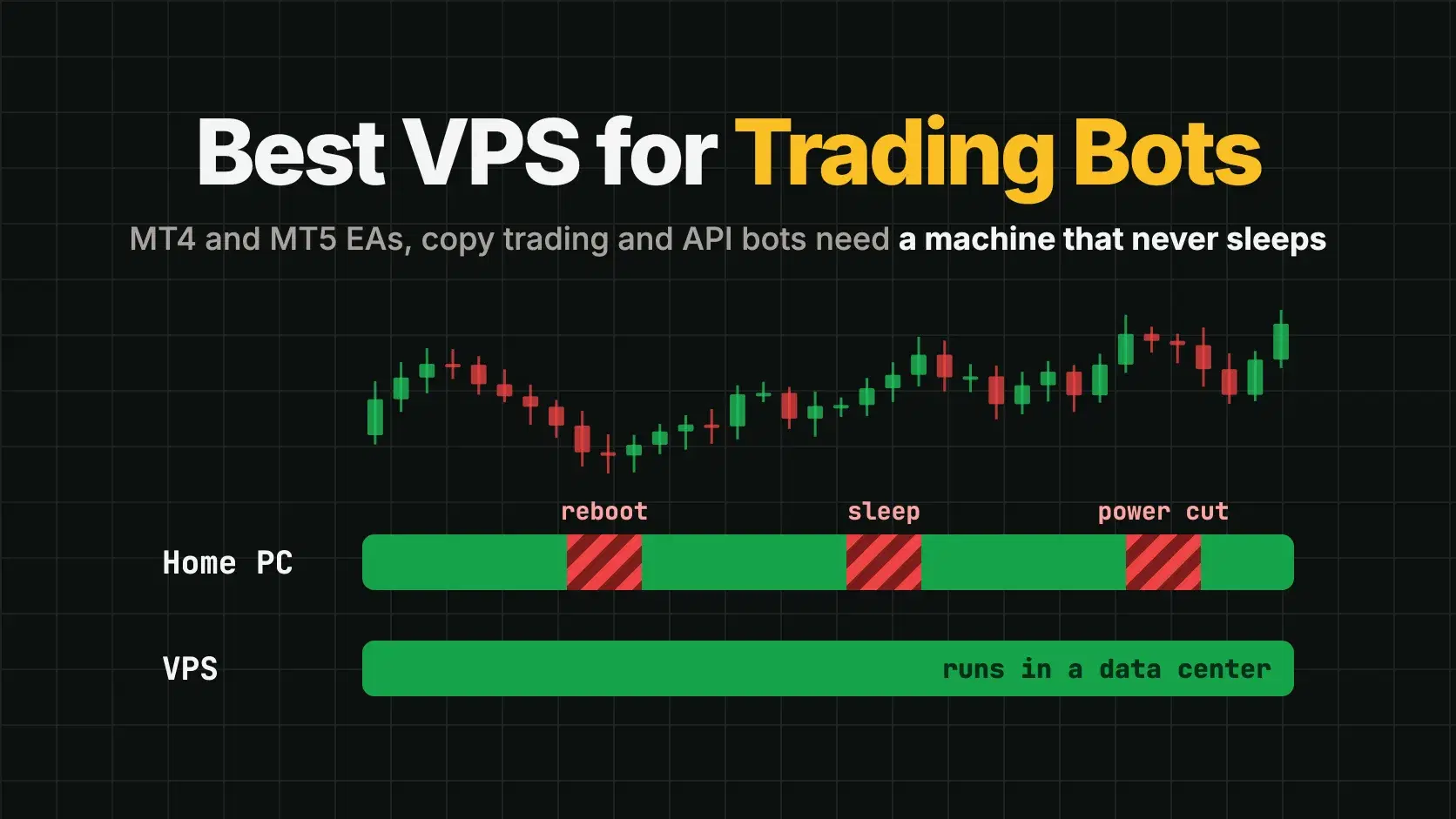
There are varying styles of trading bot: Expert Advisors coded in MQL4/5 and attached to a MetaTrader chart, copy trading systems, or scripts that place trades through a terminal or broker API. All of these require a computer to be constantly on, connected and functioning.
While a personal computer can often fulfill this need, it can be disrupted by reboots (to update software), hibernation and both electricity and internet issues. A typical choice is a virtual private server (VPS), which is housed in a data center and can easily be accessed from any computer.
Below is information on the differing VPS requirements for each type of trading bot. Additionally, the VPS services of six companies are outlined, and common trader procedures for setting up a bot are detailed.
Types of Trading Bots and What They Require
MT4 and MT5 Expert Advisors
Expert Advisors function within a MetaTrader terminal, which itself is Windows based. As further charts, indicators and EAs are added to a terminal, so too will its demand for processing power (CPU) and memory (RAM).
Copy Trading Setups
Copy trading systems often utilize more than one terminal. One is used for the source account and further terminals for the receiving accounts. Continual connectivity is key for copy trading, so reliable computer resources matter, although fast processing is not necessarily as important.
Script-Based and API Bots
Python, C# and other language coded bots can link to a trading terminal or interact directly with a broker's API. MetaTrader dependent bots must be on Windows. However, bots that only use a broker's API can also run on Linux.
| Bot type | Operating system | What sets the size of the server |
|---|---|---|
| MT4 or MT5 Expert Advisor | Windows (runs inside the MetaTrader terminal) | Charts, indicators and EAs per terminal |
| Copy trading | Windows, one terminal per account | Number of terminals; constant connectivity matters more than speed |
| Script or API bot | Windows if it uses MetaTrader, Windows or Linux if it only calls the broker's API | The script's own CPU and memory use |
Characteristics Traders Compare
- Operating system: Windows Server version, Linux availability and level of administrator access.
- Resources: CPU, RAM and storage, and whether plans are described by terminal count.
- Server locations: the cities where servers are available, compared with the broker's trade server location.
- Recovery: backup frequency and what each provider states happens if a host fails.
- Trial options: whether a trial is offered before a longer commitment.
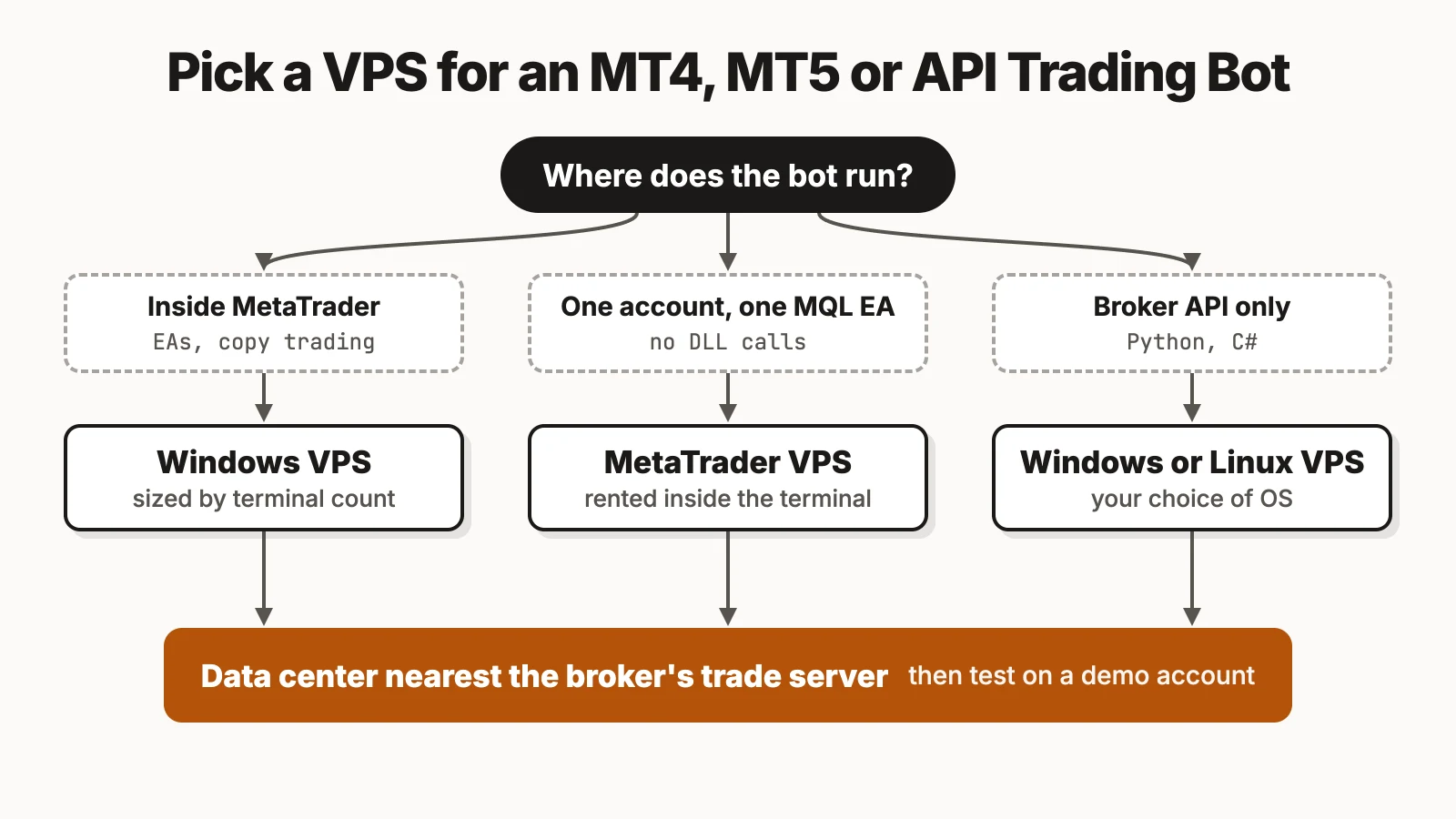
The operating system follows from where the bot runs, and the city follows from where the broker's trade server is.
Provider Overview
| Provider | Type of service | Server locations | Potential use cases |
|---|---|---|---|
| VPSForexTrader | Forex VPS and forex dedicated servers | London, New York, Amsterdam, Hong Kong | EAs, copy trading and multiple terminals |
| MetaTrader VPS (MQL5) | Hosting built into the MetaTrader terminal | Selected automatically near the broker | A single account running an MQL EA |
| Kamatera | Configurable cloud servers | Global cloud data centers | Mixed workloads on Windows or Linux |
| MonoVM | General VPS with a forex plan line | Multiple regions | A range of plan sizes |
| Chocoping | Forex-focused VPS | London, New York, Amsterdam | Small setups with one or two terminals |
| Database Mart | Forex VPS, dedicated and GPU servers | USA | A later move to heavier backtesting |
Six VPS Providers for Trading Bots
VPSForexTrader
Since 2011, VPSForexTrader has provided Windows based VPS and dedicated servers, which its website places in London, New York, Amsterdam and Hong Kong. Servers run Windows Server 2025 Standard with administrator access, and plans cater for up to 4, 7 and 10 MT4/MT5 terminals.
The company states that if a host fails, the VPS restarts on another node. Backups are listed for its forex VPS plans, and there is a 3-day trial at $0.99.
Key features
- Windows Server 2025 Standard with administrator access
- Plans described by MT4/MT5 terminal count
- Provider-stated automatic restart on another node
Potential limitations
- Servers in four cities, with no option in Asia outside Hong Kong
- Windows-only lineup, which does not cover Linux-based bots
- The $0.99 trial applies only to the entry plan in three locations
MetaTrader VPS (MQL5)
MetaTrader VPS is a MetaQuotes service which can be leased via the MT4 or MT5 terminal. According to MQL5, charts and EAs, together with signal subscriptions, are transferred to a cloud version of MetaTrader, and a host location near the broker's server is selected or suggested.
There is no requirement for separate server administration. As noted by MetaQuotes, one subscription relates to one trading account. Furthermore, there is no Windows desktop, and EAs which reference external DLL files are not supported.
Key features
- No separate server administration
- Hosting point selected near the broker
- Set up from within the terminal
Potential limitations
- One subscription per trading account
- DLL calls are not supported
- No access for external scripts or other platforms
Kamatera
Kamatera is a global cloud hosting business, and its site has a section detailing Forex VPS provision. According to the company, resources such as CPU, RAM and storage can easily be adjusted, and servers can be Windows or Linux based, meaning that both a MetaTrader terminal and a Linux based script can be included within one account.
As servers are self-configured, traders determine the resources needed for their bots.
Key features
- Configurable CPU, RAM and storage
- Windows or Linux operating systems
- Data centers on several continents
Potential limitations
- No terminal-count guidance on plans
- Server sizing is left to the customer
- The data center closest to a given broker needs to be checked
MonoVM
Apart from offering Forex VPS for MT4, MT5 and Expert Advisors, MonoVM also provides general VPS, dedicated servers and domain services. As shown on its Forex page, plans provide DDoS protection and can support from one terminal up to several EAs on various accounts.
Data center locations differ between plans. Hence, prior to purchase, a trader can identify where a specific plan is situated.
Key features
- Forex plans described for MT4, MT5 and EA use
- DDoS protection listed on forex plans
- Several plan sizes
Potential limitations
- Forex VPS is one part of a broad hosting catalog
- Location details vary by plan
- Limited published detail on terminal capacity per plan
Chocoping
Chocoping is a more modest forex-oriented VPS service which has been providing traders with services for around twelve years. Its website states that data centers are in London, New York and Amsterdam. Resources are fixed and provided 24 hours a day, and with the assistance of the support team, traders can install their desired trading programs.
Entry plans are suited to smaller trading operations (usually one or two terminals) and so are not generally intended for traders with extensive EA selections.
Key features
- Forex-focused service with a long operating history
- Data centers in three broker hubs
- Low entry price for small setups
Potential limitations
- Three locations, with no option in Asia
- Entry plans are limited for multi-terminal setups
- Limited published detail on hardware and failover
Database Mart
Database Mart provides Windows based forex VPS, together with dedicated and GPU servers, and supports MT4, MT5 and cTrader. As indicated on its Forex page, VPS plans are geared towards supporting one to twelve MT4/MT5 terminals, and there is a 24-hour trial for VPS plans.
The company states that it achieves connection times of approximately 30 ms to key brokers' servers. Servers are in the USA.
Key features
- VPS tiers described by MT4/MT5 terminal count
- Dedicated and GPU servers from the same provider
- 24-hour trial on VPS plans
Potential limitations
- US-only server locations
- Provider-stated latency of around 30 ms to broker servers
- GPU and dedicated options may exceed the needs of smaller setups
Operational Steps Before Running a Bot Live
- Geographical alignment. Traders often investigate where their broker's trade server is situated (generally London, New York or Amsterdam) and then opt for a VPS in the matching location.
- Installation of recognized software. Trading terminals such as MetaTrader are usually obtained from a broker or the original supplier, in order to reduce the risk of malicious installers on a computer that contains sensitive trading information.
- Autostart. Computers can be set so that terminals automatically open on logon with AutoTrading activated. Scripts can also be set as a service or task so that they automatically restart following a reboot.
- Logging and warning facilities. Logging data and receiving email and/or app-based warnings about errors enables traders to recognize issues without having to log on to a server.
- Controlling remote access. Effective password protection, limited remote desktop and/or SSH access and frequent software updates all help to enhance the security of a continually working computer.
- Trialing on a demo account. Before moving on to a live account, traders can test their bot on a demo account on their VPS. This confirms that the whole trading arrangement functions effectively after a reboot.
Example: Measure the Round Trip From a VPS
Step 1 is easier to judge with a number. This Python script, which uses only the standard library, times ten TCP handshakes to the host and port your bot connects to and prints the fastest, middle and slowest result. Run it on each VPS you are trialing, against the same host, and compare the medians.
Pythonimport socket import statistics import sys import time def connect_ms(address, timeout=3.0): """Time one TCP handshake to an already-resolved address, in milliseconds.""" start = time.perf_counter() with socket.create_connection(address, timeout=timeout): pass return (time.perf_counter() - start) * 1000 host, port = sys.argv[1], int(sys.argv[2]) # Resolve once, so DNS lookup time is not counted in every sample address = socket.getaddrinfo(host, port, type=socket.SOCK_STREAM)[0][4][:2] samples = [] for _ in range(10): samples.append(connect_ms(address)) time.sleep(0.5) print(f"{host}:{port} ({address[0]})") print(f"min {min(samples):.1f} ms median {statistics.median(samples):.1f} ms max {max(samples):.1f} ms")
We ran it with Python 3.13 against OANDA's public practice API, from our own test machine rather than a VPS:
Bash$ python3 latency_check.py api-fxpractice.oanda.com 443 api-fxpractice.oanda.com:443 (172.64.153.2) min 27.5 ms median 29.0 ms max 31.5 ms
The address in brackets is worth a look before you trust the number. 172.64.153.2 belongs to Cloudflare, so this run timed the trip to the nearest Cloudflare edge, not to the broker's own servers. A web API behind a CDN will look fast from almost anywhere. For a MetaTrader account, point the script at the trade server your terminal actually connects to, and run it from each candidate VPS rather than from your desk.
Sizing, Python Bots and Results
How many bots can one VPS run?
This is affected by both the CPU and RAM of a plan, together with the number of charts and EAs on each terminal. Some companies specify their plans according to the number of terminals they can support, whereas others simply detail the computer resources.
Can a Python trading bot run on a forex VPS?
Yes. A Windows based VPS can host both MetaTrader 5 and Python. Linux can also be used for bots that only use a broker's API.
Does a VPS improve a bot's results?
No. Although a VPS can both cut down on lag and ensure a bot remains online, performance is influenced by factors including a trader's strategy, the market and risk control.
Conclusion
In respect of VPS requirements, various bot types have distinct needs. MetaTrader EAs and copy trading systems necessitate a Windows based computer with sufficient resources for each terminal, while API bots allow greater freedom in relation to the operating system. The main distinctions between the above companies' VPS services lie in geographical placement, operating system, how plans are specified and the recovery features they describe.
Related DevToolLab Tools
- Systemd Service Generator - write the unit file that restarts a Linux API bot after a reboot or a crash, the service from step 3.
- Password Generator - create a long random password for the VPS administrator account before remote desktop is opened.
- Uptime SLA Calculator - turn a provider's uptime percentage into the minutes of downtime per month it actually allows.
- Time Zone Converter - line up the server clock with the London and New York sessions when you read the bot's logs.
Related Guides
- Safe Software Downloads for Developers - how to check an installer before it goes on a machine that holds trading credentials.
- How to Generate an SSH Key for GitHub - key-based login, the first step to closing password SSH on a Linux VPS.
- Best Uptime Monitoring Tools in 2026 - services that send the email or app alert from step 4 when a server stops responding.
- uv in 2026: The Python Tool That Replaced pip, Poetry, pyenv, and virtualenv All at Once - set up the Python environment for a script bot in one tool.