
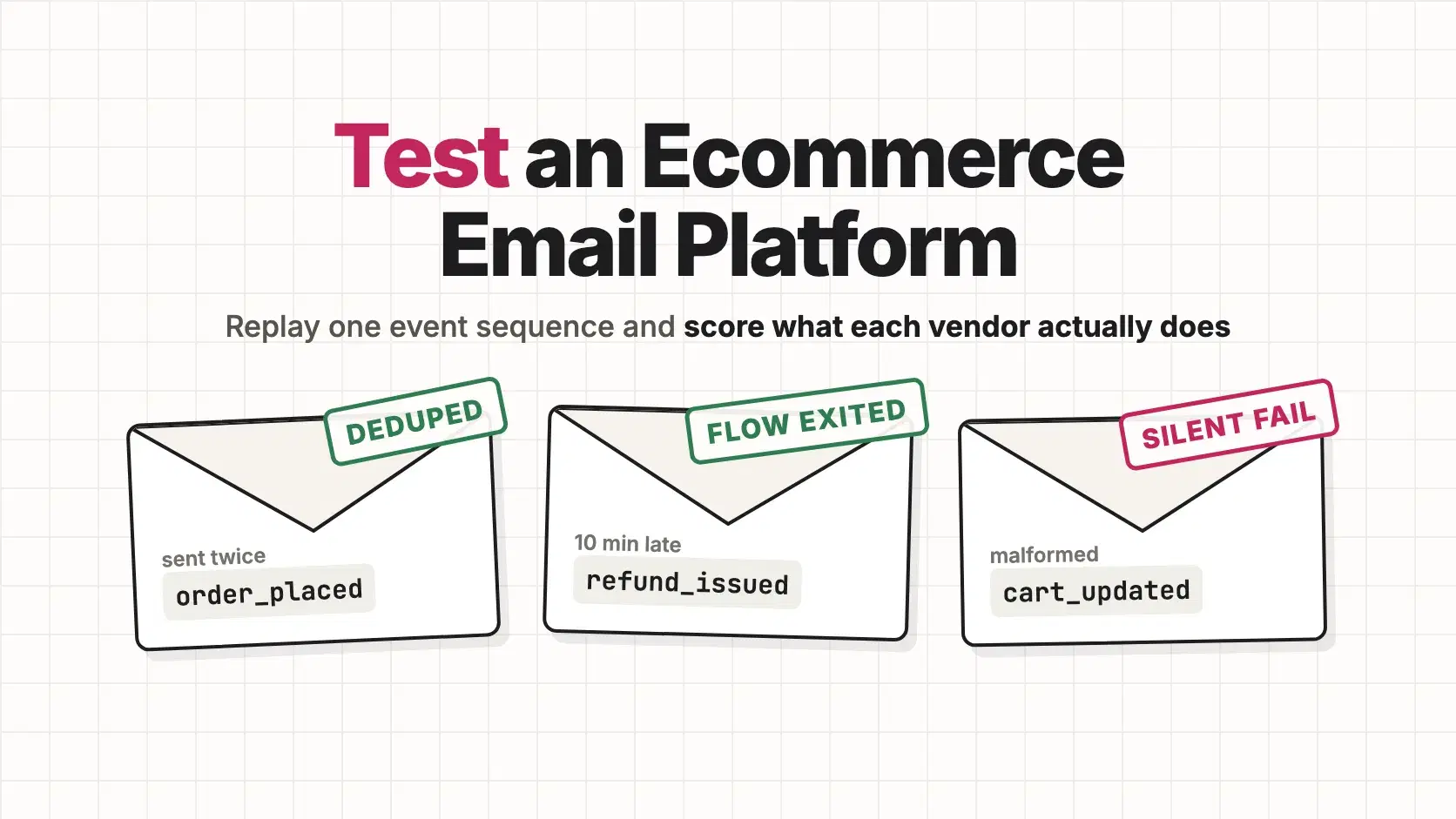
Ecommerce email platforms are usually compared through feature grids. That approach misses the engineering questions that determine whether a migration will work: how identities resolve, how events arrive, how retries behave, how consent is preserved, and how a team observes failures.
A technical evaluation should turn those questions into repeatable tests before pricing or template libraries dominate the decision.
This guide walks through those tests in the order you would run them, starting with the event contract and ending with acceptance criteria. One synthetic shopper, syn_0042, runs through every example, so the results from each vendor stay comparable.
The Evaluation at a Glance
| Test | What you check | Result that should worry you |
|---|---|---|
| Event contract | Required fields, timestamps, unique IDs, late and out-of-order events | No clear answer for duplicate or delayed events |
| Identity resolution | How anonymous, subscribed, checkout and signed-in states merge | A merge that cannot be reversed |
| Consent | Source, timestamp, scope and current state of every permission | A single editable checkbox with no history |
| Automation model | Entry, delays, branching, re-entry, exits and versioning | No answer for contacts already inside a changed workflow |
| Integration failure | Alerts, safe retries, rejected events, rate limits and backfill | A failure nobody is told about |
| Portability | Contacts, consent history, events, templates and workflow definitions | Workflows that only export as screenshots |
| Cost under load | Peak volume, SMS, data retention, support and integration work | A price that jumps during the holiday peak |
| Operability | A developer traces an event, a marketer pauses a journey | Tasks that need unsafe workarounds |
| Security and access | Least-privilege roles, audit logs, MFA, key rotation, webhook signatures | Shared administrator accounts |
Write the Event Contract
List the events the platform must receive, such as product viewed, cart updated, order placed, fulfillment changed, refund issued, and subscription revoked. For each event, define required fields, timestamp semantics, unique identifier, and source of truth. Decide whether events can arrive late or out of order. A vendor that handles the happy path but cannot explain duplicate or delayed events creates operational risk.
Writing one entry down as a real payload makes the contract testable. Here is the order placed event for the test shopper:
JSON{ "event": "order_placed", "event_id": "evt_01JD8Q4M7Z", "occurred_at": "2026-11-24T09:12:00Z", "received_at": "2026-11-24T09:12:03Z", "source_of_truth": "storefront", "customer": { "id": "syn_0042", "email": "syn_0042@example.test" }, "order": { "id": "ord_8841", "total": 84.5, "currency": "USD" } }
Two fields do most of the work. event_id is what lets the platform drop a replayed duplicate, and the gap between occurred_at and received_at shows whether it orders events by when they happened or when they arrived.
Test Identity Resolution
A shopper may browse anonymously, subscribe with one address, check out with another, and later sign in. Ask how the platform merges these states and whether the merge can be reversed. Inspect what happens to consent, order history, and automation membership. Incorrect identity resolution can send personal recommendations to the wrong person or allow a purchase under one profile to leave cart recovery active under another.
Treat Consent as Data
Store four things for every permission:
- Permission source
- Timestamp
- Scope
- Current state
Test unsubscribes from every channel and confirm suppression reaches all relevant workflows. Avoid systems that reduce permission to a single editable checkbox with no history. Google’s sender guidelines describe technical and subscription expectations that make clean consent and easy unsubscription operational requirements as well as policy concerns.
Build a Replayable Test Harness
Create synthetic customers and send a fixed sequence of events through a staging or limited production environment. Include duplicates, refunds, deleted products, missing images, and delayed fulfillment. Record expected workflow states before the run. DevToolLab’s human-in-the-loop marketing workflow is a useful model here: private drafting and testing should be fast, while live sends wait for explicit review.
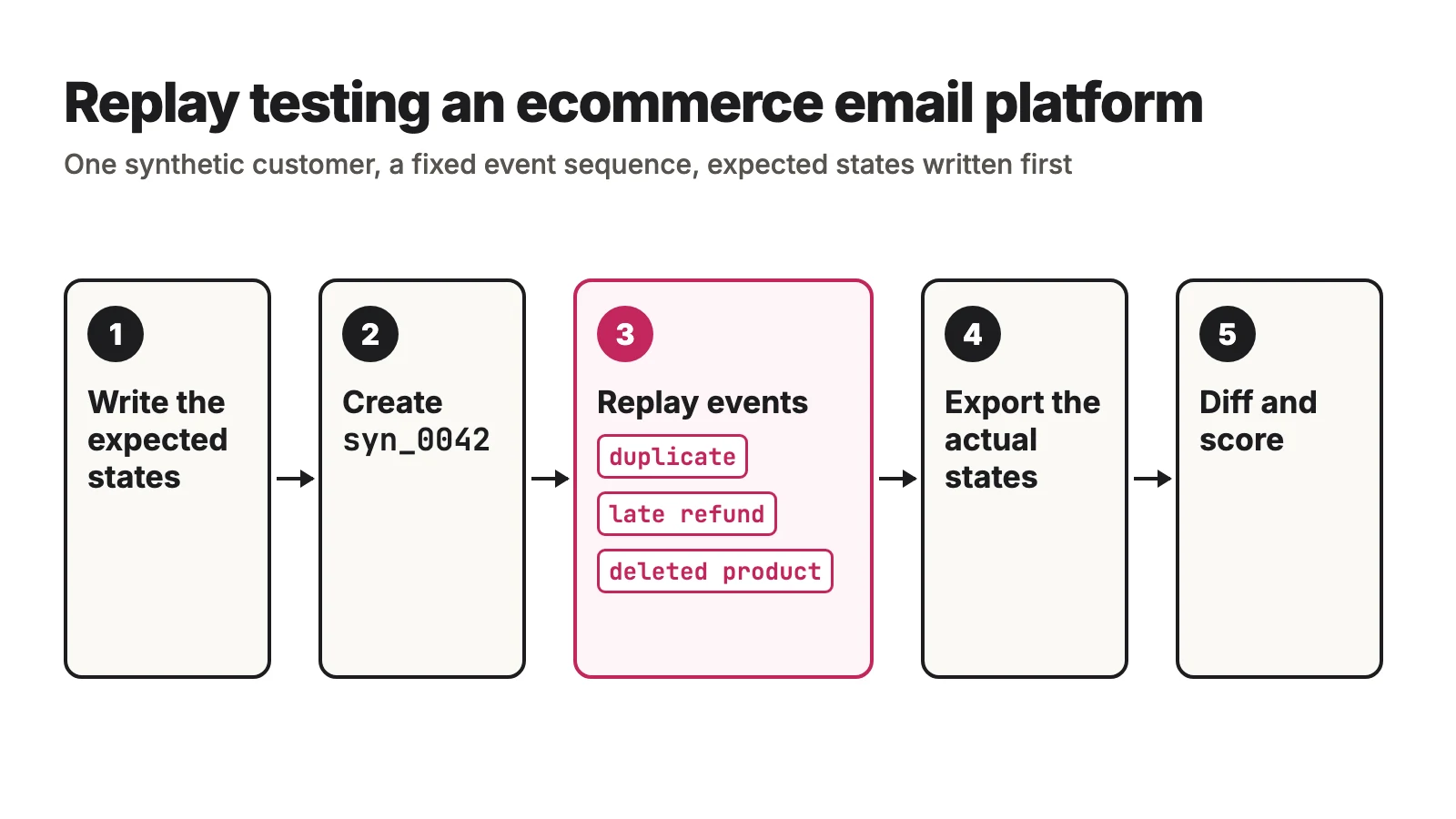
Step 3 is where platforms differ most, so send the duplicate, the late refund and the deleted product on purpose.
For syn_0042, the expected states might look like this before anything is sent:
| Event sent | Expected state after the run |
|---|---|
order_placed, then the same event_id again | One order, one confirmation email |
refund_issued, arriving 10 minutes late | Contact leaves the post-purchase upsell flow |
product_deleted for an item in an open cart | Cart recovery email skips the deleted item |
subscription_revoked | Suppressed from every marketing workflow |
Compare the Automation Model
Inspect entry conditions, delays, branching, re-entry, exits, concurrency, and versioning. Ask what happens to contacts already waiting when a workflow changes. Teams assessing vendors can use this comparison to understand alternatives, then reproduce the same lifecycle scenario in each product. The evaluation should score observable behavior, not a salesperson’s description of what is theoretically possible.
Measure Integration Failure
Disconnect the storefront or send malformed data in a controlled test. Determine whether the platform alerts anyone, retries safely, and exposes rejected events. Check rate limits and backfill procedures. A silent failure is more dangerous than a visible outage because marketers continue trusting a workflow that is operating on stale information.
Inspect Portability
Export each of these and note what comes back:
- Contacts and consent history
- Events
- Templates
- Reports
- Workflow definitions
Note which assets are structured, which are screenshots, and which cannot be exported. Read the API documentation for limits and deletion behavior. Portability affects incident recovery, analytics, and future migration. It should be evaluated before data accumulates, not at the end of a contract.
Model Cost Under Load
Use realistic contact, event, message, and channel volumes. Include seasonal peaks, SMS, data retention, dedicated support, and integration work. Test whether pricing changes when inactive contacts remain in the database. A platform that is economical at average volume may become expensive during the exact period when the store depends on it most.
Score Operability
Give developers and marketers separate tasks:
- Developer: trace an event and diagnose a failed integration.
- Marketer: build, review, pause, and report on a journey without unsafe workarounds.
Record time, errors, and documentation gaps. The best choice supports a clear division of responsibility while making system state visible to both groups.
Make the Decision Reproducible
Publish the test cases, evidence, scores, assumptions, and unresolved risks. Keep screenshots and payload samples where appropriate. A future reviewer should be able to understand why the platform was chosen and rerun the critical checks after a major update. That discipline turns a subjective software comparison into an engineering decision with an auditable basis.
Security and Access Tests
Review role-based access with the same care as event handling. A copywriter may need to edit a draft without changing domain authentication. An analyst may need reports without permission to export personal data. Test these directly:
- Least-privilege roles and approval paths
- Audit logs
- Multi-factor authentication
- The process for removing a former employee
Shared administrator accounts should be treated as a failed requirement.
Inspect how secrets and webhooks are managed. Determine whether keys can be rotated without downtime, whether signatures are verified, and whether test and production credentials are separated. Document which team responds to a compromised key or unexpected data export. The evaluation should include the platform’s security documentation and contractual controls, while recognizing that configuration remains the customer’s responsibility.
Finish with a failure review. Ask what evidence would be available after an incorrect send: event payload, workflow version, recipient state, operator changes, and delivery result. If the team cannot reconstruct the decision, it cannot learn from the incident. Observability is a core product capability because lifecycle automation makes thousands of decisions without a person watching each one.
Version the Evaluation
Record the date, platform version, plan, region, and connector version for every test. SaaS behavior changes, and a result without its environment becomes difficult to reproduce. Store payloads with synthetic identifiers, expected outcomes, screenshots of material settings, and the final score. Retest the critical path after major releases or contract changes.
Conclusion
The evaluation should end with explicit acceptance criteria. Name the failures that block adoption, the risks accepted temporarily, the owner of each mitigation, and the date for review. This prevents unresolved issues from disappearing into a general recommendation and gives implementation teams a clear starting point.
If you only have time for part of it, start with the event contract and the replay harness. Most of the other tests reuse the same synthetic customer and the same event sequence, so building those two first makes every later vendor faster to evaluate.
Related DevToolLab Tools
- JSON Schema Generator - turn a sample
order_placedpayload into a schema, so the event contract becomes something you can validate against. - UUID Generator - create unique event IDs and synthetic customer IDs for the replay harness.
- Webhook Receiver - point a platform's outbound webhooks at a test URL and see exactly what it sends when an integration fails.
- JSON Diff - compare the expected workflow states with what the platform exported after the run.
Related Guides
- Email Authentication for Developers - SPF, DKIM and DMARC, the domain setup any platform needs before its first send.
- Best Email API Providers - Resend, Postmark, SendGrid, Amazon SES and Mailgun for the transactional mail that runs next to a marketing platform.
- How to Verify HubSpot Webhook Signatures - the signature check the security tests ask every vendor about.
- Rate Limiting Algorithms Compared - how the limits you hit during a backfill are usually enforced.