
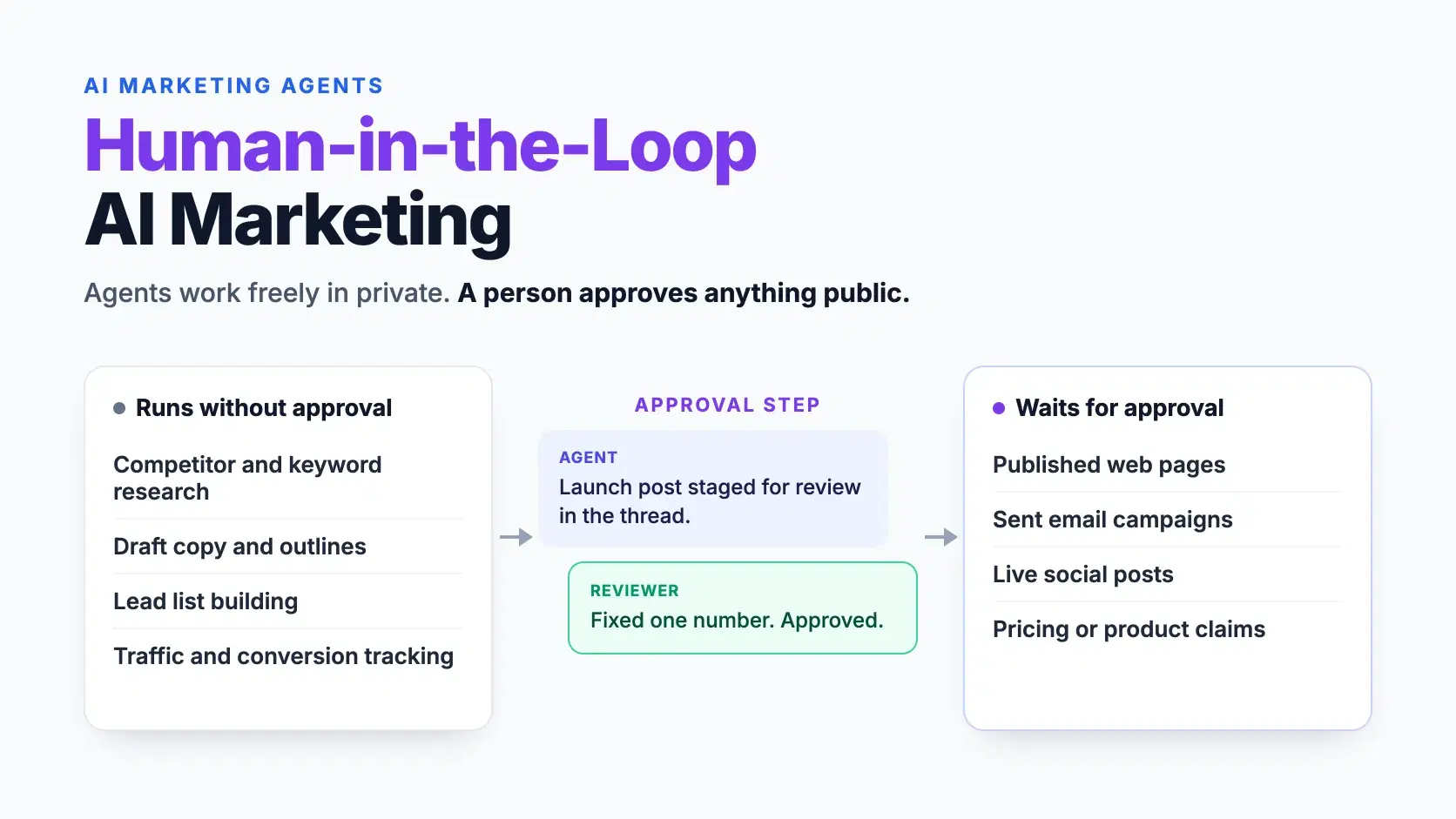
AI agents can now write a landing page, draft a launch email and schedule a social post in minutes. The hard question is no longer whether they can publish. It is what should happen before they do.
For small developer tool teams, one bad post can cost more than the time AI saved. A wrong price, an invented quote or a tone-deaf launch thread spreads fast. It also stays indexed long after anyone notices.
This guide covers where unsupervised AI marketing goes wrong and how a human-in-the-loop workflow works. It ends with a reviewer checklist, permission rules and the mistakes that slow teams down.
Why Fully Autonomous Marketing Goes Wrong
Most failures come from three gaps, and none of them is about writing quality. Modern models write fluent copy. The problems sit in what the model does not know.
- Wrong facts. An agent can quote an old price, a retired feature or a benchmark you never ran.
- Wrong context. It may not know about a pending launch, a customer incident or a legal review.
- Wrong channel. A post that works on LinkedIn can read as spam on Hacker News or Reddit.
Speed makes each gap more expensive. An agent that publishes ten posts a day can repeat one wrong fact ten times. Public posts get screenshotted, indexed and quoted in AI answers long after you delete them. Catching the error before publishing costs minutes, while fixing it afterward can take weeks.
What a Human-in-the-Loop Setup Actually Looks Like
Human-in-the-loop does not mean approving every keystroke. It means the agent works freely on private tasks and stops at the public edge. Anything a customer, prospect or search engine can see waits for a person.
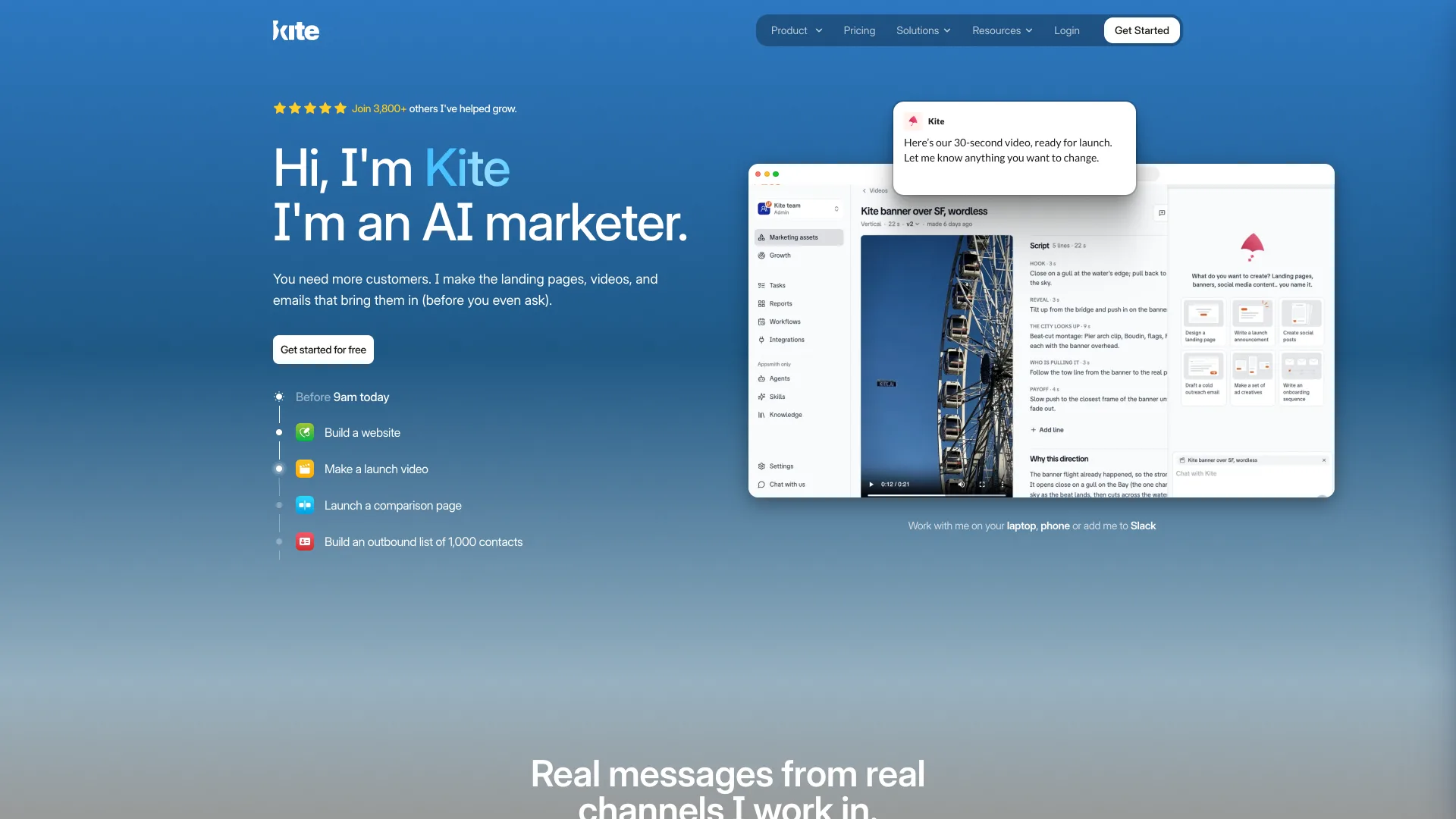
Kite, an AI marketing agent that works in Slack, uses this split. Research, drafting, list building and measurement run without asking. Public work waits: Kite posts what it built in a thread and publishes only after a teammate replies.
A practical split for any team looks like this:
| Can run without approval | Should wait for approval |
|---|---|
| Competitor and keyword research | Published web pages |
| Draft copy and outlines | Sent email campaigns |
| Lead list building | Live social posts |
| Traffic and conversion tracking | Any change to pricing or product claims |
The split also maps cleanly to risk. Private work can be redone at no cost, while public work carries your brand.
The approval step works because it sits exactly where mistakes become public. Everything before it stays fast, and nothing after it surprises the team.
The Approval Workflow, Step by Step
A good approval workflow has six steps. Each one has a clear owner, and only one of them needs a person.
- Research and plan. The agent studies your site, competitors and goals, then proposes what to work on first.
- Draft privately. It writes and stages pages, emails and posts, with nothing visible to the public yet.
- Post for review in a shared channel. The draft appears where the team already works, with a short note on why.
- Review against a checklist. A named reviewer checks facts, claims, endorsements, channel fit and links.
- Approve, edit or reject. A reply in the thread records the decision, and edits go back to the agent.
- Publish and track. Approved work goes live, and results such as traffic, conversions and AI citations feed the next plan.
Here is how that looks for a product launch. The agent reads a teammate's Slack note about a new feature and drafts a launch post. It stages the post with a link to the changelog and asks for review in the thread. The reviewer fixes one outdated number, approves it, and the agent publishes and tracks clicks.
Only step five needs a human decision. The other five run at machine speed, so the team keeps most of the time it saved. A shared review channel also records what shipped and who approved it.
What Reviewers Should Check Before Approving
An approval step only helps if the reviewer knows what to look for. A short checklist keeps each review quick and consistent, even when reviewers rotate.
- Facts: Check every price, number and feature claim against your live site.
- Claims: Remove superlatives you cannot prove, such as "fastest" or "most secure."
- Reviews and endorsements: Confirm every quote comes from a real customer with permission.
- Channel fit: Read the post as a member of that community would.
- Links: Open each link and confirm it points where the copy says.
Each check takes seconds once it becomes routine. Facts and links catch many errors, because agents can draft from older pages. Claims and channel fit protect your reputation, which is harder to rebuild than a page.
The endorsement check matters more than it looks. The FTC's final rule on fake reviews covers AI-generated testimonials that misrepresent who wrote them. It applies when a business knew or should have known a review was fake. An agent that invents a customer quote creates exactly that risk.
Giving an Agent the Right Permissions
Approval steps are one layer, and permissions are the other. An agent should only reach the accounts and tools a task needs.
- Scope publishing access. Connect the CMS or social account only when a task requires it.
- Keep a visible trail. Review work in a shared channel, not a private chat.
- Log what shipped. Track every published item next to its results.
- Revoke unused access. Remove connections the agent has not used in the past month.
Scoped access also limits the damage when something slips through review. A post published to one approved account is easy to pull. Write access to every channel at once is not.
Developers already apply this thinking to coding agents, which get scoped keys and reviewed changes. Marketing agents deserve the same scrutiny before they get publishing keys. The rule is simple: the agent can read widely but write narrowly.
Common Mistakes When Adding an Approval Step
Approval steps fail in predictable ways. Watch for these four in the first month.
Approving everything. Routing research and drafts through review turns the agent into a bottleneck.
Rubber-stamping. Approving without reading defeats the purpose and still puts your name on the post.
No named reviewer. When everyone can approve, drafts sit until someone finally notices them.
Skipping the tracking step. Without results, the reviewer cannot tell which approved work actually helped.
Fix these early and the review step stays light. A clear owner and a short checklist keep it that way.
Conclusion
AI marketing agents save the most time when they handle research and drafting alone. They cause the least harm when a person approves anything the public will see.
Set that boundary first, then let the agent move fast inside it. Start with one channel, such as your blog, and widen the agent's reach once reviews run smoothly. The best workflow is the one your team actually follows every time.
Related DevToolLab Tools
- UTM Link Builder - tag every approved link with source, medium and campaign so the tracking step can tell which posts actually helped.
- Open Graph Preview Checker - preview the social card a staged page will produce before a reviewer approves the post that shares it.
- Social Media Character Counter - check a drafted post against the limits of X, LinkedIn, Threads and the rest during the channel-fit review.
- Markdown to Slack - convert a Markdown draft into Slack formatting before you post it to the review thread.
Related Guides
- Best AI Agent Frameworks - the Python and TypeScript frameworks behind most custom agents, including their human approval hooks
- n8n vs Zapier vs Make - workflow tools for putting an approval step between an agent and a publishing account, including n8n's human approval for tool calls
- OWASP Top 10 for LLM Applications - excessive agency and the other risks that scoped permissions exist to contain
- Best Manus AI Alternatives - general-purpose agents, including Kortix with its approval gates and audit trail