
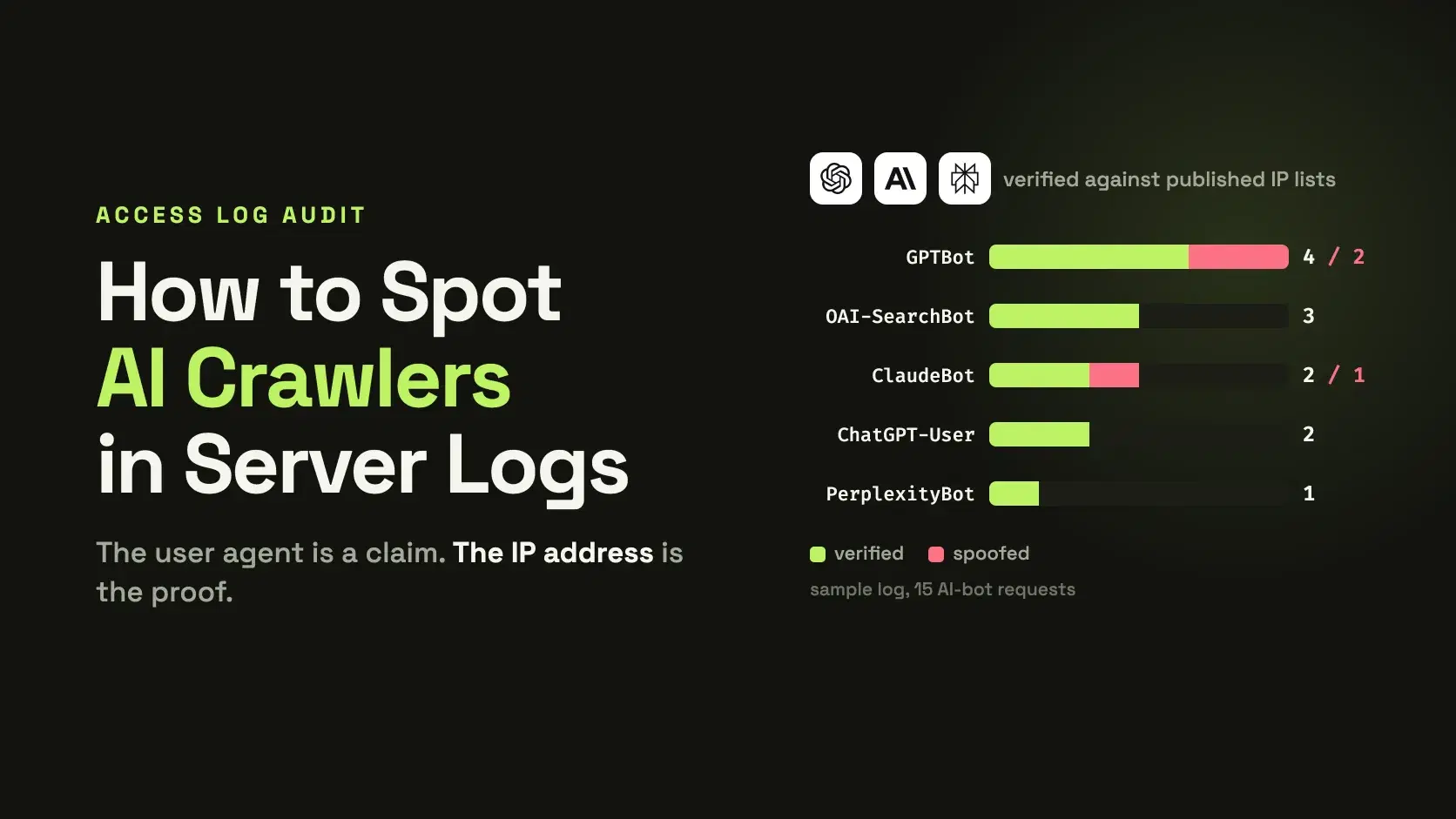
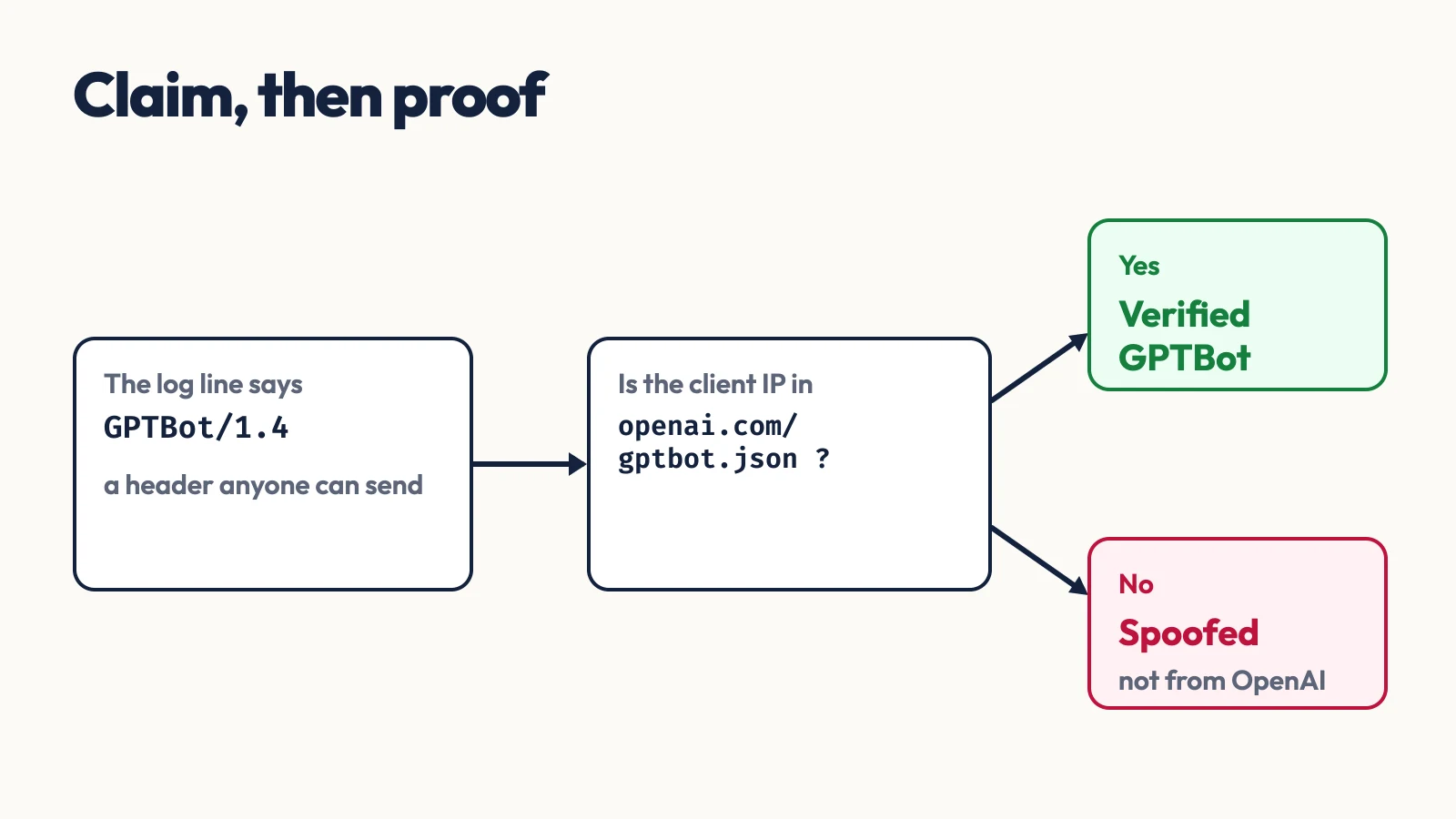
To see which AI crawlers visit your site, search the access log for their user-agent tokens (GPTBot, OAI-SearchBot, ChatGPT-User, ClaudeBot, Claude-User, Claude-SearchBot, PerplexityBot, Perplexity-User), then check each request's IP address against the vendor's published ranges. The user-agent alone proves nothing, because any script can send it.
Most robots.txt guides stop at what to allow. They never tell you whether a bot showed up at all, or whether the traffic claiming to be GPTBot is GPTBot. This post uses one nginx-style access log with 15 AI-bot requests that I wrote for the demo, built from the vendors' real published IP ranges plus a few spoofed addresses.
The Fastest Way
Paste log lines into the Nginx Log Analyzer and it lists top IPs, endpoints, status codes and user agents for nginx and Apache access logs, which is enough to see which AI user agents appear and what they request. It does not check IP ownership, so a spoofed GPTBot looks the same as a real one there. The rest of this post covers that step.
Count the Bots With grep
Every vendor below identifies itself with a token inside a longer user-agent string, so match on the token, not the whole string. OpenAI's documentation shows OAI-SearchBot wrapped in a full Chrome string, which is why an exact match on the user-agent field finds nothing.
Bash$ grep -oE 'GPTBot|OAI-SearchBot|ChatGPT-User|ClaudeBot|Claude-User|Claude-SearchBot|PerplexityBot|Perplexity-User' access.log \ | sort | uniq -c | sort -rn 6 GPTBot 3 OAI-SearchBot 3 ClaudeBot 2 ChatGPT-User 1 PerplexityBot
That is a count of claims. Before reading anything into it, check who is making them.
Which Token Belongs to Which Vendor
Each of the three vendors splits its crawling into separate agents by purpose, and each publishes an IP list as JSON. The tokens and lists below come from the vendors' own pages, checked October 9, 2026.
| Bot | Operator | What it does | Published IP list |
|---|---|---|---|
GPTBot | OpenAI | Crawls content that may train its models | openai.com/gptbot.json |
OAI-SearchBot | OpenAI | Surfaces sites in ChatGPT search | openai.com/searchbot.json |
ChatGPT-User | OpenAI | Visits a page when a user asks ChatGPT about it | openai.com/chatgpt-user.json |
ClaudeBot | Anthropic | Collects content that may contribute to training | claude.com/crawling/bots.json |
Claude-User | Anthropic | Fetches a page for a user's question | same list |
Claude-SearchBot | Anthropic | Indexes content to improve search results | same list |
PerplexityBot | Perplexity | Surfaces and links sites in search results | perplexity.com/perplexitybot.json |
Perplexity-User | Perplexity | Visits a page for a user's question | perplexity.com/perplexity-user.json |
Two details matter in a log. OpenAI says that when its bots fetch robots.txt, they may add a robots.txt marker to the user-agent string, so you can tell those requests apart even if your log lacks paths. And the lists age at different speeds: the ChatGPT-User file listed 234 prefixes with a creation time of October 7, 2026, the GPTBot file 18 prefixes (September 22, 2026), the OAI-SearchBot file 39 (January 2, 2026), and Anthropic's file 38 (October 7, 2026). Perplexity's two files date from February 2025 and October 2025. Download them again on a schedule instead of baking ranges into a firewall.
Verify Each Request Against the Published Ranges
All five files share one schema: a prefixes array of ipv4Prefix or ipv6Prefix entries. That lets one short script handle every vendor, using only Python's standard library:
pyimport ipaddress, json, re, sys from collections import defaultdict BOTS = { "GPTBot": "gptbot.json", "OAI-SearchBot": "searchbot.json", "ChatGPT-User": "chatgpt-user.json", "ClaudeBot": "claude.json", "Claude-User": "claude.json", "Claude-SearchBot": "claude.json", "PerplexityBot": "perplexitybot.json", "Perplexity-User": "perplexity-user.json", } def load(path): with open(path) as f: return [ipaddress.ip_network(p.get("ipv4Prefix") or p["ipv6Prefix"]) for p in json.load(f)["prefixes"]] ranges = {bot: load(path) for bot, path in BOTS.items()} LINE = re.compile(r'^(\S+) \S+ \S+ \[[^\]]+\] "(?:\S+) (\S+) [^"]*" (\d{3}) \S+ "[^"]*" "([^"]*)"') stats = defaultdict(lambda: {"ok": 0, "spoof": 0, "paths": defaultdict(int)}) for line in open(sys.argv[1]): m = LINE.match(line) if not m: continue ip, path, status, ua = m.groups() for bot in BOTS: if bot in ua: real = any(ipaddress.ip_address(ip) in net for net in ranges[bot]) stats[bot]["ok" if real else "spoof"] += 1 stats[bot]["paths"][path] += 1 break print(f"{'bot':<17}{'hits':>5}{'verified':>10}{'spoofed':>9} top path") for bot, s in sorted(stats.items()): top = max(s["paths"], key=s["paths"].get) print(f"{bot:<17}{s['ok'] + s['spoof']:>5}{s['ok']:>10}{s['spoof']:>9} {top}")
Run against the sample log:
Bash$ python3 ai_bots.py access.log bot hits verified spoofed top path ChatGPT-User 2 2 0 /tools/cors-tester ClaudeBot 3 2 1 /tools/json-formatter GPTBot 6 4 2 /tools/json-formatter OAI-SearchBot 3 3 0 /blog/how-to-use-curl PerplexityBot 1 1 0 /blog/best-webhook-site-alternatives
Three of the 15 requests came from 203.0.113.45 and 198.51.100.7, addresses from the documentation ranges that no vendor owns. They carry a correct-looking user agent and fail the IP check. That is the point of the second step: in a real log, an unverified GPTBot is a scraper using a famous name.
The membership test uses ip in network rather than any arithmetic on addresses, which matters for Anthropic's list, because many of its entries are single-address /32 prefixes.
What Logs Can Never Show
Google-Extended will not appear. Google's crawler documentation says it has no separate HTTP user agent string: crawling uses existing Google user agents, and the token exists only as a robots.txt control for whether crawled content may be used for training Gemini models. You can allow or disallow it, but you cannot count it.
The user-initiated agents also behave differently from crawlers. OpenAI says ChatGPT-User is not used for automatic crawling and that robots.txt rules may not apply to it because a user triggered the request, and Perplexity says Perplexity-User generally ignores robots.txt for the same reason. Seeing either one after a Disallow is documented behavior, not evidence of a bug.
Common Mistakes
- Matching the whole user-agent field. The string is
Mozilla/5.0 ... compatible; OAI-SearchBot/1.4; +https://openai.com/searchbot, so search for the token as a substring. - Trusting the user agent. It is a self-reported header. Check the IP against the vendor's list before you count, block or allowlist anything.
- Opting out by IP block. Anthropic's documentation warns that blocking its IP addresses may not give a reliable opt-out, because it stops the crawler from reading your
robots.txt. Use robots.txt for opt-out and the IP list for verification. - Using a stale list. The files above range from days to over a year old. Refresh them before each audit.
When Not to Do This
Verification tells you who sent a request, not what they will do with the content. A verified GPTBot hit means OpenAI fetched the page, and your robots.txt is still the only control the vendor documents for training use. Server logs also contain visitor IP addresses, so run this on your own machine and do not paste raw logs into a hosted tool you do not control.
Conclusion
Run the grep count first to see whether any AI agent reaches you, then verify every claimed bot against its vendor's list and treat the rest as scrapers. If a vendor you expect to see is missing, check your robots.txt with the Robots.txt Tester and your firewall rules before concluding the bot stays away. Refresh the IP lists on a schedule, and remember that Google-Extended is a robots.txt switch you can set but never observe.
Related DevToolLab Tools
- Nginx Log Analyzer - paste nginx or Apache access log lines to see top user agents, IPs, endpoints and status codes.
- Robots.txt Tester - check whether a URL path is allowed or blocked for a given user agent, such as
GPTBotorOAI-SearchBot. - Agent Readiness Scanner - scan robots.txt, bot rules and agent protocol signals for your site in one pass.
- AI Crawler Blocker - generate robots.txt rules that block
GPTBot,ClaudeBotand other AI crawlers.