
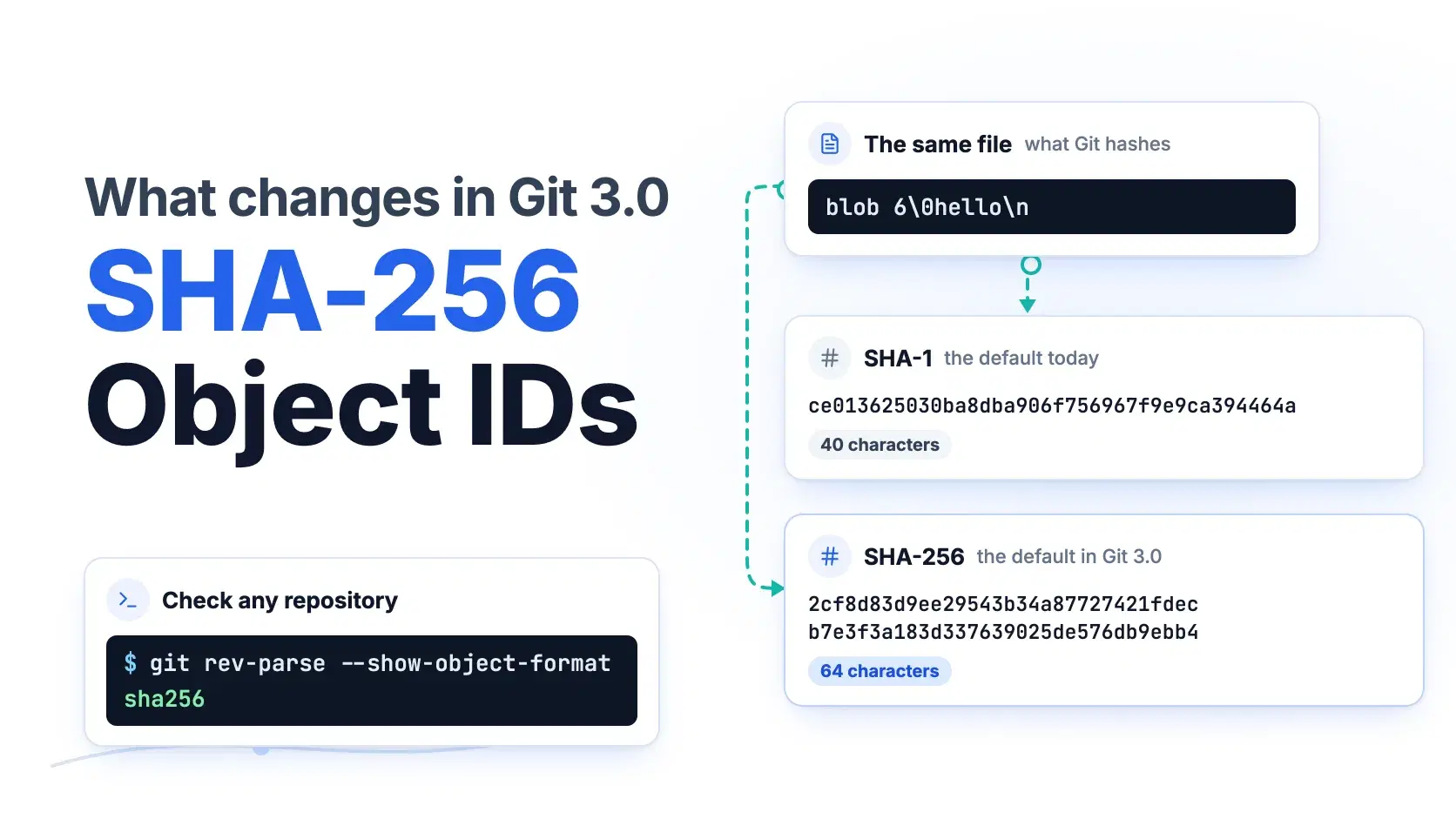
Git 3.0 will create new repositories with SHA-256 object IDs instead of SHA-1, alongside main as the default branch and reftable as the default reference storage. Existing repositories do not change. You can check any repository with git rev-parse --show-object-format, and start a SHA-256 one today with git init --object-format=sha256.
The hard part is not Git itself. A SHA-1 repository and a SHA-256 repository cannot push to or fetch from each other, Git cannot convert a repository in place, and as of October 2, 2026, GitHub has not announced support for SHA-256 repositories.
The example throughout is a team starting a new service, invoice-api, while its older billing repository stays on SHA-1. Every command below was run on Git 2.51.0; your commit IDs will differ because they hash your name and timestamps.
The Fastest Way
Paste a commit ID from git log or a GitHub URL into the Hash Identifier. A 40-character hex ID lists SHA-1 first, and a 64-character one lists SHA-256 first. It reads only the shape of the string, in your browser, so it cannot tell you which repository an ID came from. For that, ask Git.
How to Check a Repository's Object Format
Bash$ git rev-parse --show-object-format sha1 $ git rev-parse HEAD e0fa122bf4cd868f85328aed390b14422d225b24
That is billing. The setting behind it is extensions.objectFormat, which Git writes only for SHA-256 repositories. In a SHA-1 repository, git config extensions.objectFormat prints nothing and exits with status 1, because SHA-1 is the implicit default.
How to Create a SHA-256 Repository
Bash$ git init -b main --object-format=sha256 invoice-api Initialized empty Git repository in ~/code/invoice-api/.git/ $ git rev-parse --show-object-format sha256 $ git rev-parse HEAD 2973e5150564738da0db2dc9e9a9d57305a33750c75954b4a854bfba0440a25b $ git config extensions.objectFormat sha256
The -b main flag sets the branch name Git 3.0 will use by default anyway. To make SHA-256 your default before Git 3.0 does, set git config --global init.defaultObjectFormat sha256, or export GIT_DEFAULT_HASH=sha256 for a single shell. Both worked on 2.51.0. Cloning needs no flag at all: a clone of invoice-api came out as sha256 because a clone copies the format of its remote.
How Git Turns a File Into an Object ID
A Git object ID is a plain hash of the object's type, its size in bytes, a NUL byte, then the content. Switching the format changes only which hash function runs over those bytes, which you can confirm with shasum:
Bash$ printf 'hello\n' | git hash-object --stdin # inside billing (SHA-1) ce013625030ba8dba906f756967f9e9ca394464a $ printf 'blob 6\0hello\n' | shasum -a 1 ce013625030ba8dba906f756967f9e9ca394464a - $ printf 'hello\n' | git hash-object --stdin # inside invoice-api (SHA-256) 2cf8d83d9ee29543b34a87727421fdecb7e3f3a183d337639025de576db9ebb4 $ printf 'blob 6\0hello\n' | shasum -a 256 2cf8d83d9ee29543b34a87727421fdecb7e3f3a183d337639025de576db9ebb4 -
The same calculation in Python, for scripts that index Git objects without shelling out:
Pythonimport hashlib def git_blob_id(content: bytes, algorithm: str = "sha1") -> str: """Return the object ID Git assigns to a file with these exact bytes.""" header = f"blob {len(content)}\0".encode() return hashlib.new(algorithm, header + content).hexdigest() data = b"hello\n" print("sha1: ", git_blob_id(data, "sha1")) print("sha256:", git_blob_id(data, "sha256"))
Output on Python 3.13.0:
textsha1: ce013625030ba8dba906f756967f9e9ca394464a sha256: 2cf8d83d9ee29543b34a87727421fdecb7e3f3a183d337639025de576db9ebb4
That header is also why typing hello into a general Hash Generator gives a different SHA-256 than Git does: Git never hashes the content alone.
What Else Git 3.0 Changes
Git's own BreakingChanges document lists everything slated for 3.0, and it is blunt about timing: "There is no planned release date for this breaking version yet." The newest release is Git 2.56, tagged September 28, 2026.
SHA-256 support is not new. It landed in Git 2.29.0 on October 19, 2020, marked experimental. Git 2.42.0, on August 21, 2023, toned down the warning that SHA-256 repositories were "an experimental curiosity" and said no breaking changes to them were planned. Git 2.52.0, on November 17, 2025, began the SHA-1 and SHA-256 interoperability work, though its release notes say the compatObjectFormat extension is "not yet usable for any purpose other than developing the feature further."
Alongside the hash default, Git 3.0 plans reftable as the default reference backend, main as the default branch, and safe.bareRepository changing from all to explicit, so Git stops running hooks from a bare repository it discovers by walking up from your working directory. It also removes git whatchanged, git pack-redundant and commit grafts, and the document plans for Rust to become a mandatory build dependency. The last release before 3.0 will be a long-term support release with bug fixes for at least four release cycles and security fixes for six. The document also states there is "no plan to deprecate the 'sha1' object format."
For US teams with federal customers, the deadline that matters is not Git's. NIST announced on December 15, 2022 that SHA-1 should be phased out by December 31, 2030, and GitLab's documentation cites that date, enforced through FedRAMP, as a reason to move.
Where You Can Host a SHA-256 Repository
| Host | SHA-256 status as of October 2, 2026 | Source |
|---|---|---|
| GitHub | Not announced; users report failed pushes and imports | Community discussion #12490 |
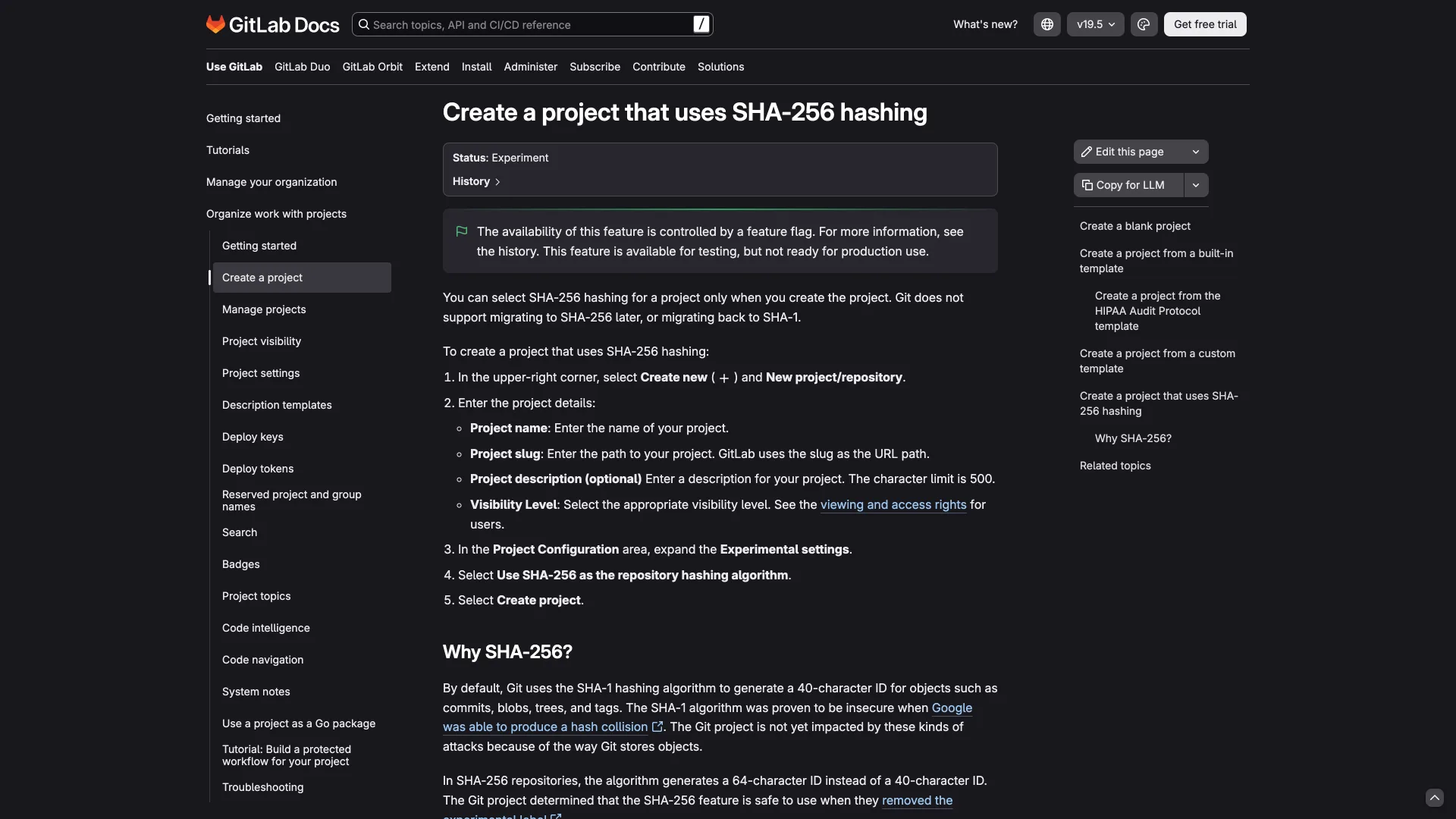
| GitLab | Experiment since GitLab 16.7, feature flag off by default | GitLab project docs |
| Forgejo (Codeberg) | Supported since Forgejo 7.0, some features "still unreliable" in 7.0.2 | Forgejo 7.0 release notes |
GitLab's project docs are explicit that the feature is "not ready for production use," and you can choose SHA-256 only when you create the project, by selecting "Use SHA-256 as the repository hashing algorithm."
On GitHub, users in that discussion reported a push failing in June 2024 and an import from a Codeberg SHA-256 repository failing in March 2026. For invoice-api, the host decides the answer before Git does.
How to Convert an Existing Repository
Git has no in-place conversion. The working route is to replay the whole history into a new SHA-256 repository:
Bash$ git init -q -b main --object-format=sha256 billing-sha256 $ git -C billing fast-export --all | git -C billing-sha256 fast-import --quiet $ git -C billing log --oneline e0fa122 Add second line d1441bf Initial commit $ git -C billing-sha256 log --oneline 262706e Add second line 2973e51 Initial commit
The files and the tag carried over, and every commit ID changed. That is the real cost: signed commits no longer verify against the new IDs, links to old commits in tickets and chat break, and everyone with a clone has to switch at the same moment. Submodules cannot mix formats either, and Git 2.53 made git submodule add refuse a repository with a different hash.
Common Errors
fatal: the receiving end does not support this repository's hash algorithm appears when you push between formats, in either direction. Pushing billing to a SHA-256 remote produced it, followed by fatal: the remote end hung up unexpectedly. Create the remote with the same format as the local repository; on GitLab that means ticking the SHA-256 option at creation.
fatal: mismatched algorithms: client sha256; server sha1 is the fetch and pull version: invoice-api fetching from billing. No flag fixes it. Convert one side or keep both repositories on one format.
fatal: attempt to reinitialize repository with different hash comes from running git init --object-format=sha256 inside a repository that already exists. Make a new repository and use the fast-import route above.
fatal: repo version is 0, but v1-only extension found means someone edited extensions.objectFormat by hand in an existing repository. Remove the line; the format is fixed when a repository is created, not by a config switch.
On GitHub, a user reported fatal: protocol error: unexpected capabilities^{} when pushing a SHA-256 repository. We did not reproduce it, since that would require a GitHub account and test repository.
When Not to Do This
Do not start a SHA-256 repository for anything that has to live on GitHub this year, and do not convert a busy repository just because 3.0 is coming, since existing SHA-1 repositories keep working. Scott Chacon of GitButler argued in an October 1, 2026 post that SHA-1 was never the real trust boundary, that the migration will be costly, and that signed commits and supply-chain controls do more for trust than a longer hash. If a federal SHA-1 deadline applies to you, start new repositories on SHA-256 where your host supports it, and audit scripts that assume 40-character IDs first.
Conclusion
Git 3.0 changes a default, not your existing repositories. Every SHA-1 repository keeps working, the Git project has no plan to deprecate SHA-1, and there is still no release date. What changes is what git init produces once 3.0 ships, and whether your host can accept it.
For invoice-api, that means three checks before committing to SHA-256: run git rev-parse --show-object-format on the repositories you already have, confirm your host accepts SHA-256 pushes (GitHub had not announced support as of October 2, 2026), and search your scripts and CI for anything that assumes a 40-character commit ID. If all three pass, start new repositories on SHA-256. If not, stay on SHA-1 and revisit when Git 3.0 ships.
Related DevToolLab Tools
- Hash Identifier - tell a 40-character SHA-1 commit ID from a 64-character SHA-256 one without opening a terminal.
- Hash Generator - compare SHA-1 and SHA-256 digests of plain text, and see why they differ from Git's object IDs.
- SHA256 File Checksum - verify a downloaded Git release tarball against its published SHA-256 checksum.
- Git Command Generator - look up the exact flags for the clone, fetch and push steps a format migration involves.
Related Guides
- How to Generate an SSH Key for GitHub - the other place SHA-256 shows up in daily Git work, as the key fingerprint.
- GitHub Actions Best Practices - pinning actions to full commit SHAs, the kind of tooling that assumes 40-character IDs.
- Supply Chain Security Tools - the controls Chacon argues matter more than the hash function.
- Post-Quantum Cryptography Migration Guide - planning a cryptographic migration across a whole fleet of systems.