
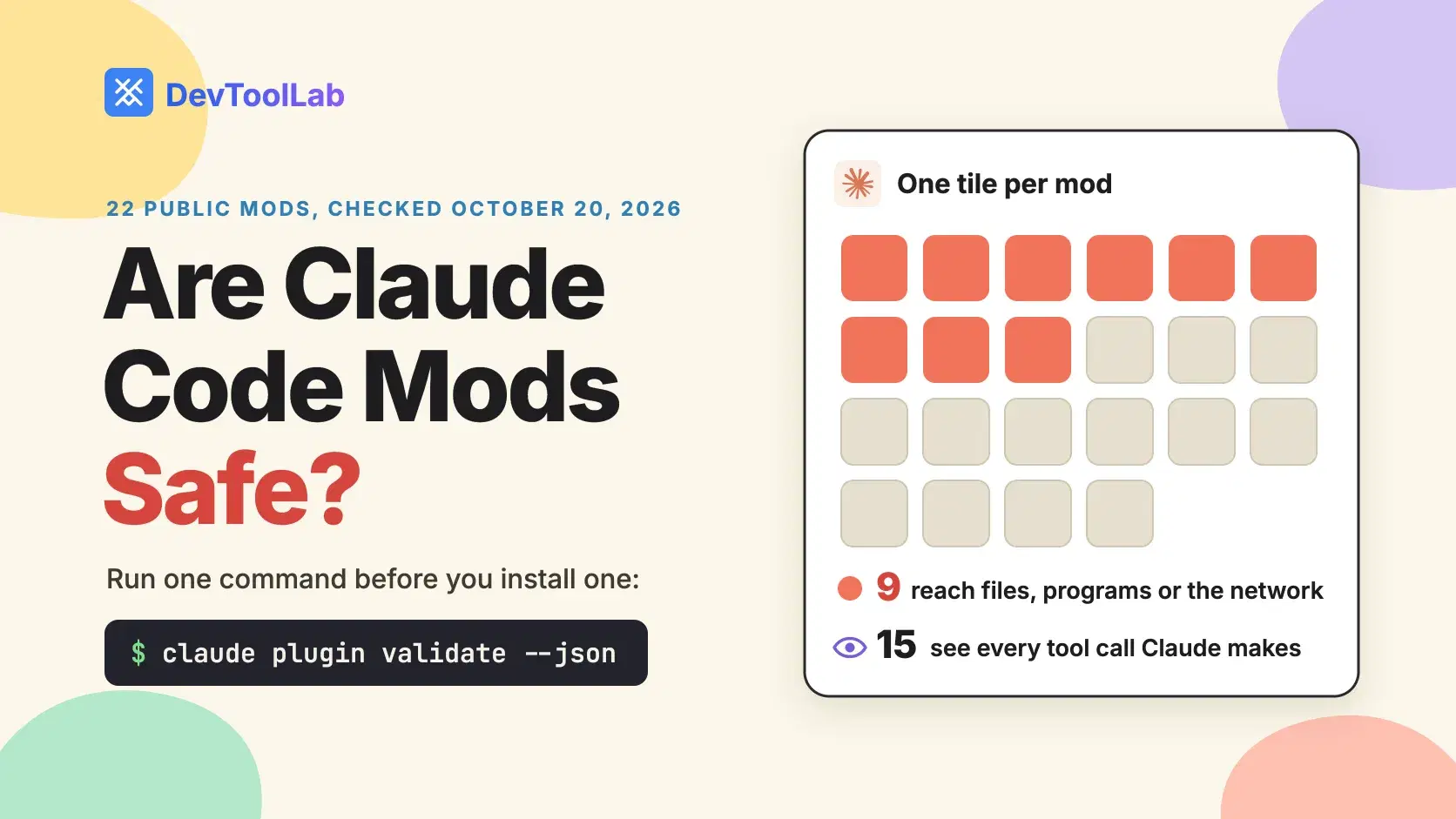
A Claude Code mod is not sandboxed. It runs inside Claude Code with your file, process and network access, and your permission rules do not cover its own calls. Before you install one, run claude plugin validate --json on its folder and read the hooks: and calls: lines: together they list every event the mod sees and everything it can do.
A mod you install for a fun spinner gets the same reach as one that guards rm -rf, and nothing prompts you when it uses it. We ran the check on 22 public mods on October 20, 2026, with Claude Code 2.1.304. 9 can read files, start programs or reach the network, 15 see every tool call Claude makes, and 18 register a guard with no .catch, the setup that lets an action through if the guard crashes.
What a Claude Code Mod Can Reach After It Loads
Mods shipped on by default in Claude Code v2.1.287, which the npm registry lists as published on October 1, 2026. A mod is a plugin whose JavaScript or TypeScript handlers run in Claude Code's own process. Each handler receives an event, such as a tool call or a submitted prompt, and can watch it, rewrite it, or answer it so the normal behavior never runs.
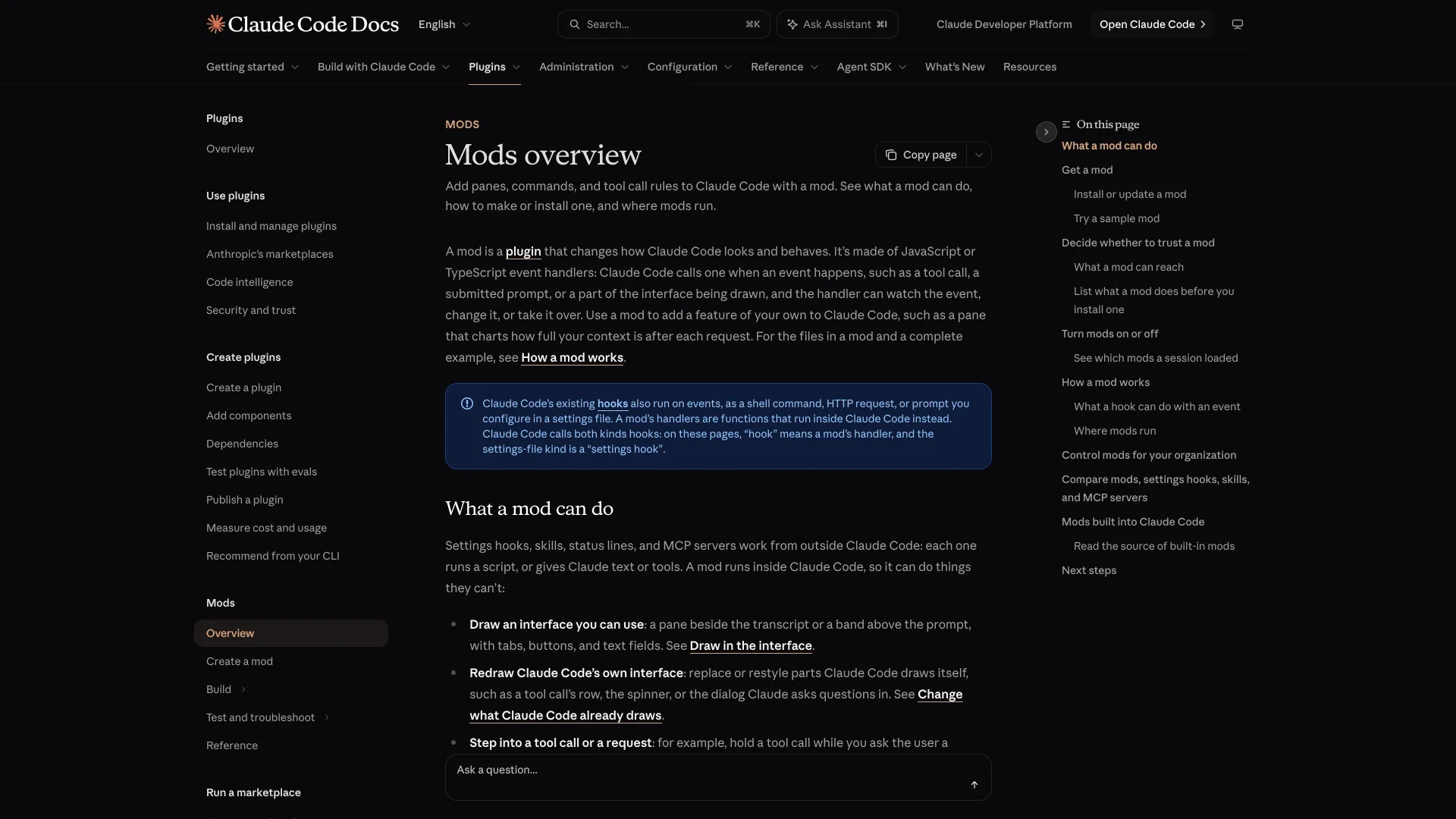
Anthropic's docs list what a loaded mod can do: read and write files anywhere your user account can, start programs, make network requests, read environment variables and settings files that hold API keys, see every prompt and tool call, approve a tool call before you are asked, and call a model on your plan. The sandbox does not help: it isolates Claude's Bash commands, and a process a mod starts runs outside it.
Two details are easy to miss. First, permission rules apply to Claude's tool calls, not to a mod's own $.fs and $.process calls, so with Read(.env) denied a mod can still read .env. Second, the built-in guard sec-default, which keeps your rules ahead of a mod's approvals, loads only on a machine with managed settings or in a session signed in to a Team or Enterprise plan. On a personal API key, a mod can approve a call your ask rule would have prompted for, or one your PreToolUse hook blocked.
The Fastest Way: Run claude plugin validate First
A mod can reach files, programs, the network or a model only through the mods API, written $ in its code, and Claude Code refuses to load a mod that uses that API in a way the validator cannot read. That is what makes a static check worth trusting. Clone the plugin and point the validator at its folder. Here it is on blast-radius, an Anthropic sample that holds risky shell commands until you approve them:
Bashgit clone --depth 1 https://github.com/anthropics/claude-code-playground claude plugin validate claude-code-playground/claude-code/mods/blast-radius
text❯ ./blast-radius.mjs hooks: tool.call{tool=Bash}, ui.render{component=Pane}, ui.render{component=AbovePrompt} ❯ ./blast-radius.mjs gating hook without .catch: tool.call{tool=Bash} ❯ ./blast-radius.mjs calls: $.clock.now, $.process.run, $.session.cwd, $.ui.close, $.ui.invalidate, $.ui.open, $.ui.resolve, $.ui.toast ✔ Validation passed
Read it from the bottom up. calls: is the capability list, and $.process.run means the mod starts programs as you. blast-radius uses it to run git status, git diff --shortstat and git clean -n, so it can show what a command would change. hooks: names the events it receives, and tool.call{tool=Bash} means it sees every shell command before it runs. The gating hook without .catch line gets its own section below.
For the machine-readable version, add --json and paste the report into the JSONPath Tester. $.contents[*].notes[?(@ =~ /calls:/)] returns the calls: line, and $.contents[*].gatingHooks[?(@.hasCatch == false)].hook lists every guard with no error handler. The tester runs in your browser, so the report stays on your machine.
How to Check Every Mod in a Marketplace at Once
A marketplace is a folder of plugins, so a loop with jq turns the JSON reports into one line per mod, filtered to the calls Anthropic's admin guide tells reviewers to look for:
Bashfor d in claude-code-playground/claude-code/mods/*/; do printf '%s: ' "$(basename "$d")" claude plugin validate --json "$d" | jq -r ' [.contents[].notes[] | select(test(" calls: ")) | scan("\\$\\.[a-z]+\\.[A-Za-z]+")] | unique | map(select(IN("$.fs.read", "$.fs.write", "$.process.run", "$.process.spawn", "$.http.fetch", "$.env.get", "$.env.set", "$.settings.read", "$.mcp.call", "$.model.complete", "$.prompt.submit", "$.session.send"))) | if length == 0 then "nothing on the risk list" else join(" ") end' done
textblast-radius: $.process.run replay-theater: $.fs.read token-weather: nothing on the risk list
For a mod like token-weather, that is the whole review. For anything that prints $.process.run, keep reading: the validator tells you that a mod starts programs, not which ones.
What 22 Public Mods Can Actually Do
We ran the same check on every public mod we could find on October 20, 2026: Anthropic's 3 samples, the 4 built-in mods whose source sits in the claude-code repository, and 15 community mods from OneWave-AI, MarcoCarnevali and dougcunha. 21 passed. The built-in telemetry mod fails outside the CLI by design, because its hooks sit on a telemetry stream reserved for plugins built into Claude Code.
| Mod | Source | Calls on the risk list | Hooks that see or decide |
|---|---|---|---|
| blast-radius | Anthropic sample | programs | every tool call |
| replay-theater | Anthropic sample | files | every tool call |
| token-weather | Anthropic sample | none | none |
| agents-md | Anthropic built-in | env/settings | every tool call |
| diff | Anthropic built-in | files, programs, env/settings | every tool call, every prompt |
| sec-default | Anthropic built-in | env/settings | rewrites history, approves calls |
| telemetry | Anthropic built-in | files, programs, network, env/settings | none |
| agent-narrator | OneWave-AI | model calls | every tool call, every prompt |
| agent-race | OneWave-AI | files, env/settings | every tool call |
| boss-fight | OneWave-AI | none | every tool call |
| burn-meter | OneWave-AI | none | every prompt |
| code-pet | OneWave-AI | none | every tool call, every prompt |
| inbox-alerts | OneWave-AI | MCP tools, submits prompts | none |
| inner-monologue | OneWave-AI | model calls | every tool call, every prompt |
| launch-codes | OneWave-AI | none | every tool call |
| session-wrapped | OneWave-AI | programs, env/settings | every tool call, every prompt |
| sportscaster | OneWave-AI | model calls | every tool call, every prompt |
| swarm | OneWave-AI | none | every tool call |
| github-issues | MarcoCarnevali | programs, submits prompts | none |
| task-board | MarcoCarnevali | submits prompts | every tool call |
| session-info | dougcunha | files, programs, network, env/settings, MCP tools | every tool call, every prompt, rewrites history, approves calls |
| topic-guard | dougcunha | files, env/settings, model calls | every prompt |
Across all 22, 6 mods start programs, 6 read or write files, 2 make network requests, 8 read environment variables or settings, 4 call a model on your usage, 3 submit prompts in your name, and 2 call MCP tools. None sets an environment variable or messages another session. Only 6 make none of the calls on Anthropic's list.
None of that proves anything bad: github-issues runs the gh CLI because that is its job. Read each call against what the mod says it does. A spinner that calls $.http.fetch deserves questions.
The gap the validator cannot close is $.process.run. session-wrapped starts python3 on a bundled 194-line script that reads every transcript under ~/.claude/projects/ to build its usage recap. That is fair for a usage report, but the validator never sees it: it reads the mod's JavaScript, not the Python it launches. session-info passes program names through a helper, so its calls: line says $.process.run and $.process.spawn without saying what runs. When you see either call, open the source and read every call site.
Why a Guard Without .catch Fails Open
18 of the 22 mods register at least one gating hook, a handler that can block an event, with no .catch attached. Here is why that matters: when a hook throws, times out or returns the wrong shape before it calls next, Claude Code skips it and the next handler runs in its place. A hook gets 10 seconds of its own execution time per event. For a guard, being skipped means the thing it was meant to stop goes ahead.
To see it, we wrote a small guard that refuses rm -rf unless the target is build. Its regex assumes the command starts with rm -rf, so cd app && rm -rf build makes match() return null and the guard throws:
JavaScriptasync function guard($, e, next) { if (!e.command.includes('rm -rf')) return next(e) const target = e.command.match(/^rm -rf (\S+)/)[1] if (target !== 'build') return { deny: 'rm-guard: only build/ may be deleted' } return next(e) } export function register(on) { on('tool.call', { tool: 'Bash' }, guard) }
claude plugin test fires events at a mod with no session, sign-in or network. This test, saved as tests/guard.test.ts, stubs the shell, sends that command and prints what came back:
TypeScriptimport { expect, test } from 'claude-code/testing' test('cd app && rm -rf build', async ($, on) => { // Stands in for the shell: if this answers, the command ran on('tool.call', () => ({ result: 'command ran' })) const answer = await $.tool.call({ tool: 'Bash', command: 'cd app && rm -rf build' }) console.log(JSON.stringify(answer)) expect(answer).toBeDefined() })
{"result":"command ran"}
Attaching the handler from the "Handle a hook that fails" section of Anthropic's docs turns the same crash into a refusal, and claude plugin validate then reports gating hook with .catch instead:
JavaScripton('tool.call', { tool: 'Bash' }, guard).catch(async ($, e, next) => { if (next.called) return next(e) return { deny: 'The command guard failed, so this command was not run: ' + next.error.kind } })
text{"deny":"The command guard failed, so this command was not run: throw"}
The warning is a flag, not a verdict. blast-radius wraps its hold loop in try and catch and refuses the command on any error, so only a crash before that block gets through. Worry about short guards with no error handling at all.
Common Errors
✘ Validation failed with its hooks stand on the telemetry stream "anthropic". You validated the built-in telemetry mod. Its hooks are reserved for plugins built into the CLI, so it is not something you install.
first-mod: tool.call hook skipped: threw Error: boom. A hook threw, timed out or returned the wrong shape, and the debug log has a line for each occurrence. If that hook was a guard, the event it guarded went ahead.
hooks module first-mod@inline not loaded: disableAllHooks in managed settings. Your organization's managed settings block mods. Validation still works, but nothing you install will load.
Mods still load with CLAUDE_CODE_ENABLE_FUNCTION_HOOKS=0. That early-access variable is ignored from v2.1.287. Start a session with claude --safe-mode, or set "disableAllHooks": true in ~/.claude/settings.json, which also stops your settings hooks and custom status line. Neither stops the built-in mods.
When Not to Install a Mod
Skip a mod whose calls: line asks for more than its job needs, any mod with $.process.run whose call sites you have not read, and any update you have not validated again. An update can add calls the version you reviewed never made, so save both JSON reports and compare them in JSON Diff. To try a mod without installing it, load its folder for one session with claude --plugin-dir claude-code-playground/claude-code/mods/blast-radius.
Conclusion
A Claude Code mod is only as safe as the mod you pick, because nothing checks what it does once it runs. What keeps that manageable is the $ API: every capability has to pass through it, so claude plugin validate --json turns a review into reading one calls: line against the mod's stated job. Across the 22 public mods we checked, that showed 6 that make none of the risky calls and named the calls worth tracing in the other 16.
On a personal API key, your own review is the only gate, because the sec-default guard does not load. Validate every mod before you install it and every update before you accept it.
On a Team or Enterprise login, the guard keeps your ask and deny rules ahead of a mod's approvals, but the mod's own file and process calls still run as you, so the review still matters.
If you write a guard yourself, give every gating hook a .catch that refuses, and test the crash path with claude plugin test before you rely on it.
Related DevToolLab Tools
- JSONPath Tester - pull the
calls:line and unguarded hooks out of aclaude plugin validate --jsonreport. - JSON Diff - compare the report for the version you reviewed with the update's, so a new
$.http.fetchcannot slip in. - SHA256 File Checksum - record the hash of the plugin archive you reviewed, so the files you load are the files you read.
- JavaScript Deobfuscator - make a minified hooks module readable before you trace its
$.process.runcall sites.
Related Guides
- npm Supply Chain Attack Mitigation in 2026 - the same problem for packages: code that runs as you before anyone reviews it.
- Best MCP Security Tools - scanners and gateways for the MCP servers a mod can call.
- Claude Code Skills Setup Guide - instructions Claude reads, the lower-risk way to change its behavior.
- Claude Code Git Worktrees: Run Parallel Agents - isolate what parallel sessions can touch on disk.