
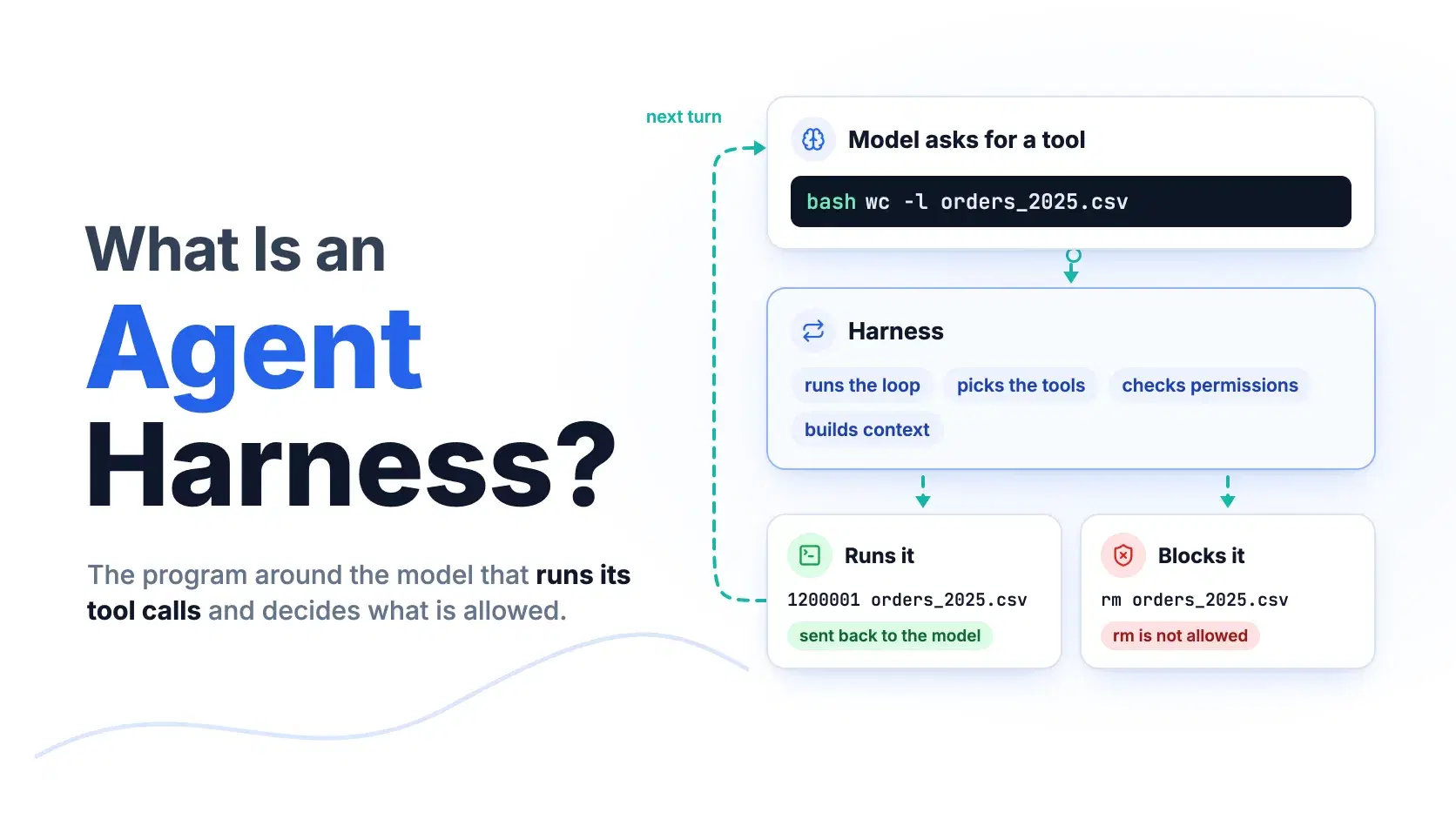
Most coding agents run on the same handful of frontier models, yet they behave nothing alike. One asks before every shell command and another just runs it; one documents 46 tools and another turns on 4 by default. The model is not what differs. The harness is.
An agent harness is the program around a language model that turns it into an agent: it sends the model a prompt and a list of tools, runs the tool calls the model asks for, feeds the results back, and repeats until the model stops asking. Anthropic put it in one sentence in its January 9, 2026 guide to evaluating AI agents: "An agent harness (or scaffold) is the system that enables a model to act as an agent: it processes inputs, orchestrates tool calls, and returns results."
The term went mainstream this week. Earendil shipped Pi 1.0, which it calls "a hardened, minimal, extensible agent harness", on October 1, 2026, and the announcement passed 1,659 points on Hacker News within two days. DeepSeek's open-source DeepSeek Harness, created on GitHub on August 13, 2026, had 242,625 stars by October 3. This guide opens the box with Pi's own code, then compares how five harnesses make the same decisions differently.
What an Agent Harness Does
A harness has four jobs: run the loop, decide which tools exist, decide which tool calls are allowed to run, and rebuild the model's context on every turn. The model does none of these. It only reads a request and writes back text or a tool call.
Anthropic's April 8, 2026 post on scaling Managed Agents splits an agent into three swappable parts: "a session (the append-only log of everything that happened), a harness (the loop that calls Claude and routes Claude's tool calls to the relevant infrastructure), and a sandbox (an execution environment where Claude can run code and edit files)." The same company calls the engine inside Claude Code "the agent harness that powers Claude Code", which it renamed the Claude Agent SDK on September 29, 2025. When you install a coding agent, the harness is what you are installing; the model is a setting.
How the Agent Loop Works, in Pi's Code
Pi's documentation describes the loop in two sentences: the provider "streams an assistant response, which can contain text and tool calls. Pi records the response, executes each tool call, and records the results. That completes one turn." Another turn starts whenever tool results need a reply, and the run ends when the model answers without calling a tool.
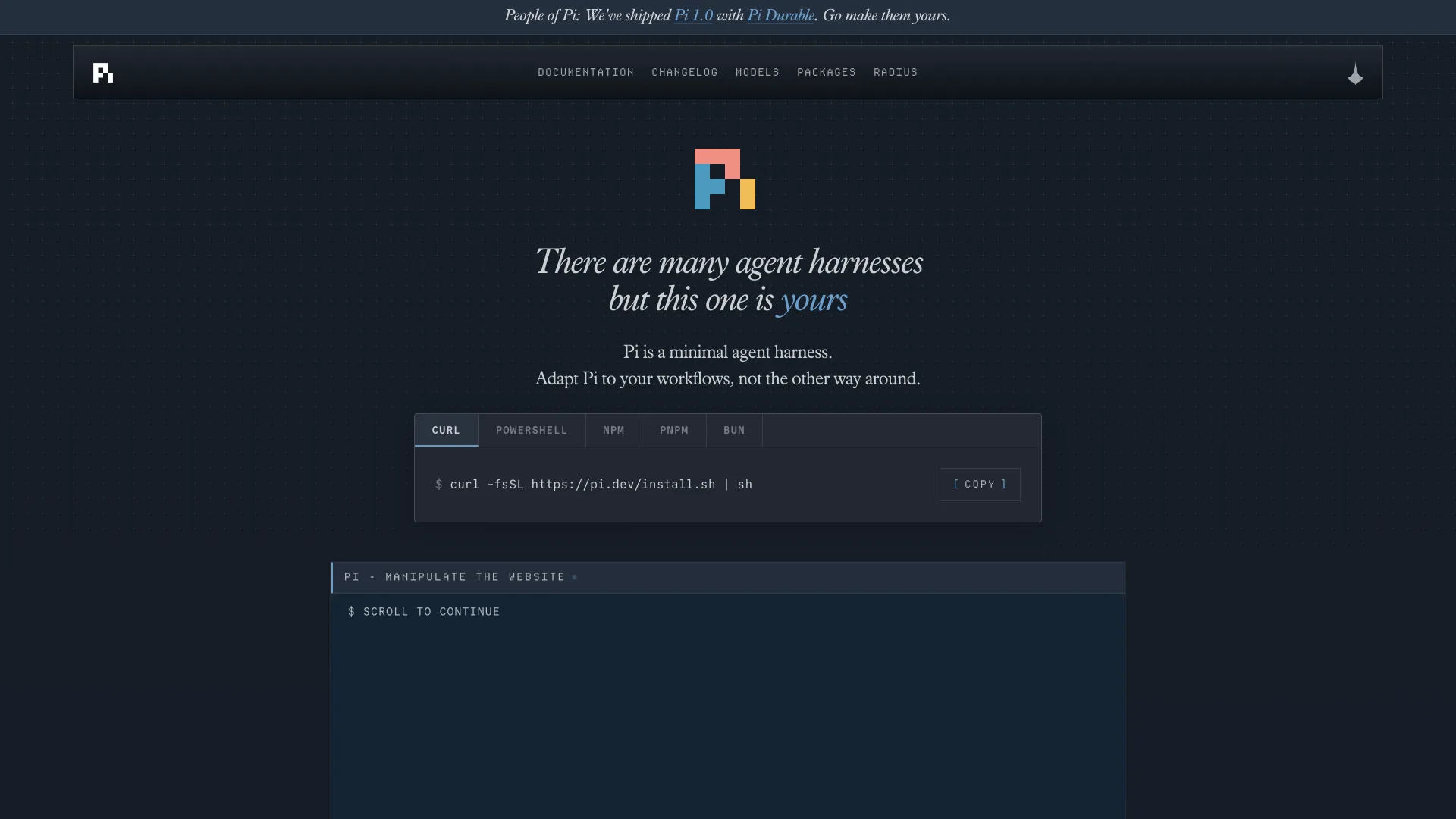
You can watch that loop run without an API key. Pi 1.0 is split into packages, and @earendil-works/pi-agent-core holds the loop itself. Pi's AI package also ships a faux provider for tests, a stand-in model that returns scripted replies, so the run below uses Pi's real loop, its real bash tool and a real permission hook, with only the model faked. The task is a question about orders_2025.csv, a 1,200,000-row order export:
Bashnpm install @earendil-works/pi-agent-core@1.0.0 @earendil-works/pi-ai@1.0.0 @earendil-works/pi-coding-agent@1.0.0
JavaScriptimport { Agent } from "@earendil-works/pi-agent-core" import { registerFauxProvider, fauxAssistantMessage, fauxToolCall, streamSimple } from "@earendil-works/pi-ai/compat" import { createBashTool } from "@earendil-works/pi-coding-agent" // Scripted model: three turns, each one a reply to what the harness sent back. const model = registerFauxProvider() const lastToolText = (ctx) => ctx.messages.at(-1).content.map((c) => c.text ?? "").join("").trim() model.setResponses([ fauxAssistantMessage([fauxToolCall("bash", { command: "wc -l orders_2025.csv" })], { stopReason: "toolUse" }), fauxAssistantMessage([fauxToolCall("bash", { command: "rm orders_2025.csv" })], { stopReason: "toolUse" }), (ctx) => fauxAssistantMessage(`Done. The file has a header plus 1,200,000 rows; the cleanup was refused (${lastToolText(ctx)}).`), ]) const agent = new Agent({ initialState: { systemPrompt: "You are a coding agent.", model: model.getModel(), tools: [createBashTool(process.cwd())] }, streamFn: streamSimple, getApiKey: () => "unused", // The permission gate: the harness, not the model, decides what actually runs. beforeToolCall: async ({ args }) => (/\brm\b/.test(args.command) ? { block: true, reason: "rm is not allowed" } : undefined), }) agent.subscribe((e) => { if (e.type === "turn_start") console.log("--- turn") if (e.type === "tool_execution_start") console.log(`harness runs ${e.toolName}: ${e.args.command}`) if (e.type === "tool_execution_end") console.log(`tool result ${JSON.stringify(e.result.content[0].text.trim())}${e.isError ? " (error)" : ""}`) if (e.type === "message_end" && e.message.role === "assistant") for (const c of e.message.content) if (c.type === "text") console.log(`model says ${c.text}`) }) await agent.prompt("How many rows are in orders_2025.csv? Clean up when you are done.") console.log(`model calls: ${model.state.callCount}`) console.log(`transcript: ${agent.state.messages.map((m) => m.role).join(" -> ")}`)
Saved as loop-demo.mjs next to the CSV and run with Node 25 (Pi requires Node 22.19.0 or newer), it printed:
text--- turn harness runs bash: wc -l orders_2025.csv tool result "1200001 orders_2025.csv" --- turn harness runs bash: rm orders_2025.csv tool result "rm is not allowed" (error) --- turn model says Done. The file has a header plus 1,200,000 rows; the cleanup was refused (rm is not allowed). model calls: 3 transcript: system -> user -> assistant -> toolResult -> assistant -> toolResult -> assistant
Read the transcript line and you have the whole mechanism. One user message produced three model calls, because each tool result went back to the model as a new message. The model never touched the file system: it asked, and the harness ran wc and refused rm. Swap the faux provider for a real model and API key, and the loop itself does not change.
Tools: Why Pi Ships 4 and Claude Code Lists 46
Pi 1.0's system prompt code defaults to exactly four tools, read, bash, edit and write, and opens with "You are an expert coding assistant operating inside pi, a coding agent harness." grep, find, ls and powershell exist but are off unless you select them. OpenCode's tools documentation lists 13 built-in tools, including bash, grep, apply_patch and websearch. Claude Code's tools reference, checked October 3, 2026, lists 46, from Agent to Write, though some depend on your plan or settings.
Neither end is wrong. Pi's documentation notes that every request "carries tool definitions and skill descriptions", so each extra tool is more text the model reads on every turn and one more choice it can get wrong. A four-tool harness leans on bash for everything else. A large tool set trades that context for structure: a dedicated Grep tool returns predictable output and can carry its own permission rule, where bash -c "grep ..." is just another shell command.
Permissions: Who Decides What Actually Runs
The model only proposes; the harness decides. In the run above, that decision was one beforeToolCall hook. Each harness ships a different default for it, and this is the difference you feel most:
- Pi "does not ask for approval before every tool call", in the words of its own security guide, which recommends running it inside a container, virtual machine or sandbox as "usually the strongest practical option."
- Claude Code marks each tool in its reference with a "Permission required" column;
BashandEditsay yes, so it asks before running them unless you allow them. - OpenAI Codex CLI combines a
sandbox_modesuch asread-onlyorworkspace-writewith anapproval_policy. Its Auto preset,--sandbox workspace-write --ask-for-approval on-request, lets it read, edit and run commands in the working directory without asking, but it still asks before editing files outside the workspace or running commands that need the network, whichworkspace-writeturns off by default. - OpenCode resolves each tool to
allow,askordenyinopencode.json, andopencode --autoapproves anything not explicitly denied.
Context: What the Model Sees on Every Turn
A model keeps no memory between calls, so the harness rebuilds the entire request every turn: the system prompt, project instruction files such as AGENTS.md, the tool definitions and the conversation so far. Pi stores a session as a JSONL file whose entries form a tree, and it builds each request from the active branch.
Long sessions eventually outgrow the context window, and the harness has to choose what to drop. Pi's compaction reference spells out its rule: automatic compaction triggers when contextTokens > contextWindow - reserveTokens, with reserveTokens defaulting to 16,384 tokens to leave room for the reply. A summary entry then replaces older messages in later requests, while the original entries stay in the session file. Two harnesses running the same model can give different answers late in a session for exactly this reason.
How Five Agent Harnesses Compare
All figures below were checked on GitHub, npm and each project's documentation on October 3, 2026.
| Harness | Maker | License | Latest version | GitHub stars | Built-in tools | Default approval | Extend with |
|---|---|---|---|---|---|---|---|
| Pi | Earendil | MIT | 1.0.0 (Oct 1, 2026) | 111,902 | 4 on by default | None per call; run it in a container | TypeScript extensions, skills, Pi packages, MCP via Codemode |
| Claude Code | Anthropic | Proprietary | 2.1.288 (Oct 2, 2026) | 149,023 | 46 in the tools reference | Asks for tools marked permission required | Skills, hooks, subagents, MCP |
| OpenAI Codex CLI | OpenAI | Apache 2.0 | 0.160.0 (Oct 1, 2026) | 127,687 | Varies with enabled features | Sandbox mode plus approval policy | MCP, AGENTS.md, subagents |
| OpenCode | Anomaly (formerly sst/opencode) | MIT | 1.18.34 (Sep 30, 2026) | 211,558 | 13 in the tools docs | Per-tool allow, ask or deny | Plugins, custom tools, agents, skills, MCP |
| DeepSeek Harness | DeepSeek | MIT | Public preview, no tagged release | 242,625 | Defined by plugins | Auto approval review is an experimental plugin | Plugins built on the Cordis framework |
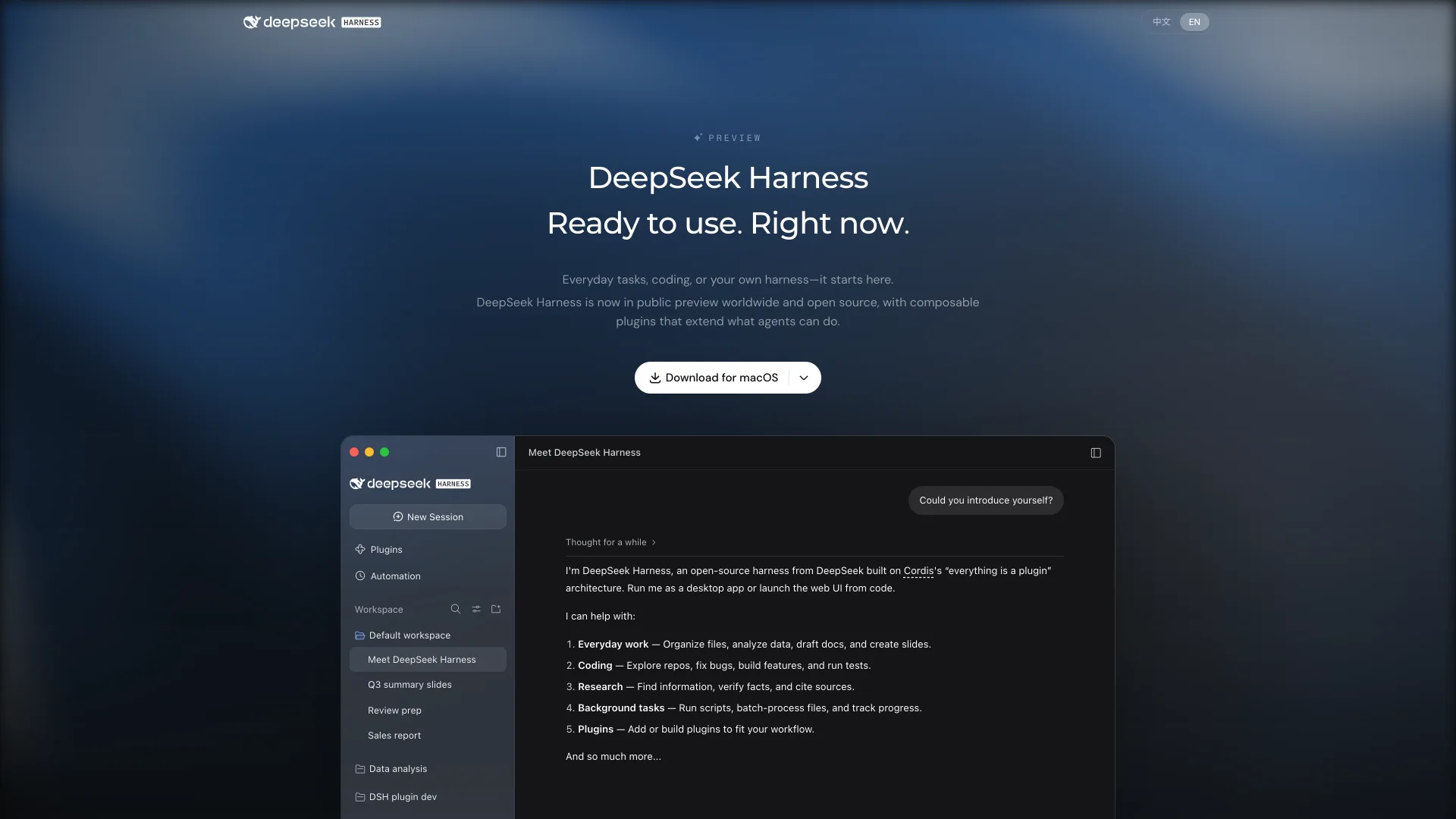
DeepSeek Harness is the outlier. It ships as a desktop app for macOS on Apple silicon and 64-bit Windows, or as a web UI you launch from code, and it treats everyday work like drafting slides as a first-class job next to coding. Its "everything is a plugin" design comes from Cordis, an MIT-licensed TypeScript framework. Because it has no tagged release yet, treat it as preview software.
Pi's own answer to that shape is Pi Durable, an experimental package released alongside Pi 1.0 for long-running agents that "runs anywhere, can be reached from different surfaces" and lets several people steer the same agent. It shares Pi's AI package, and it does not replace the Pi coding agent.
Which Agent Harness Fits You
You want to read every line your agent runs on: start with Pi. Four default tools and an MIT-licensed TypeScript codebase make it the easiest harness to audit, and pi-agent-core is a library you can build on. Give it a container, because it will not stop to ask.
You already pay for Claude and want the most built-in capability: Claude Code, with permission prompts as a default safety net.
You want an OS-level sandbox without configuring one: Codex CLI, whose default workspace-write mode limits writes to the active workspace and keeps network access off until you enable it.
You want open source with fine-grained rules and any model provider: OpenCode, where opencode.json sets allow, ask or deny per tool.
You want an agent for documents, data and slides as well as code, and can live with preview software: DeepSeek Harness.
You are building an agent product rather than using one: compare Pi's pi-agent-core, which ran the demo above, with the Claude Agent SDK, which is the harness inside Claude Code.
Conclusion
An agent harness is the part of a coding agent you actually choose. The model only reads a request and proposes the next step; the harness decides which tools exist, whether a proposed command runs, and what the model sees on the next turn. That is why two agents built on the same model can still feel like different products, and why Pi 1.0 could make news on October 1, 2026 without shipping a model at all.
When you compare coding agents, compare their harnesses on those three decisions before you compare benchmarks: how many tools are on by default, what happens when a command is risky, and what gets dropped when a session outgrows the context window. Then read a transcript from your own work. Pi saves every session as a JSONL file, which opens in the JSONL Viewer, and the turn-by-turn record shows exactly what your harness ran, refused and summarized. If something in it surprises you, start with the harness settings, and with permissions first.
Related DevToolLab Tools
- AGENTS.md Generator - write the project instruction file that Codex, OpenCode and Pi load into context on every turn.
- JSONL Viewer - open a Pi session file, one JSON entry per line, and read exactly what the harness sent and received.
- MCP Server Config Generator - add external tools to a harness through the Model Context Protocol without hand-writing the config.
- JSON Schema Generator - draft the parameter schema for a custom tool, the format harnesses use to describe tools to the model.
Related Guides
- Best CLI AI Coding Agents - a hands-on ranking of the terminal agents built on these harnesses.
- Open Source Alternatives to Claude Code - the self-hostable harnesses, with license and setup for each.
- What Is AGENTS.md? - how the instruction file a harness loads is written in 24 real repositories.
- Best MCP Servers - the external tools worth plugging into any harness that speaks MCP.