
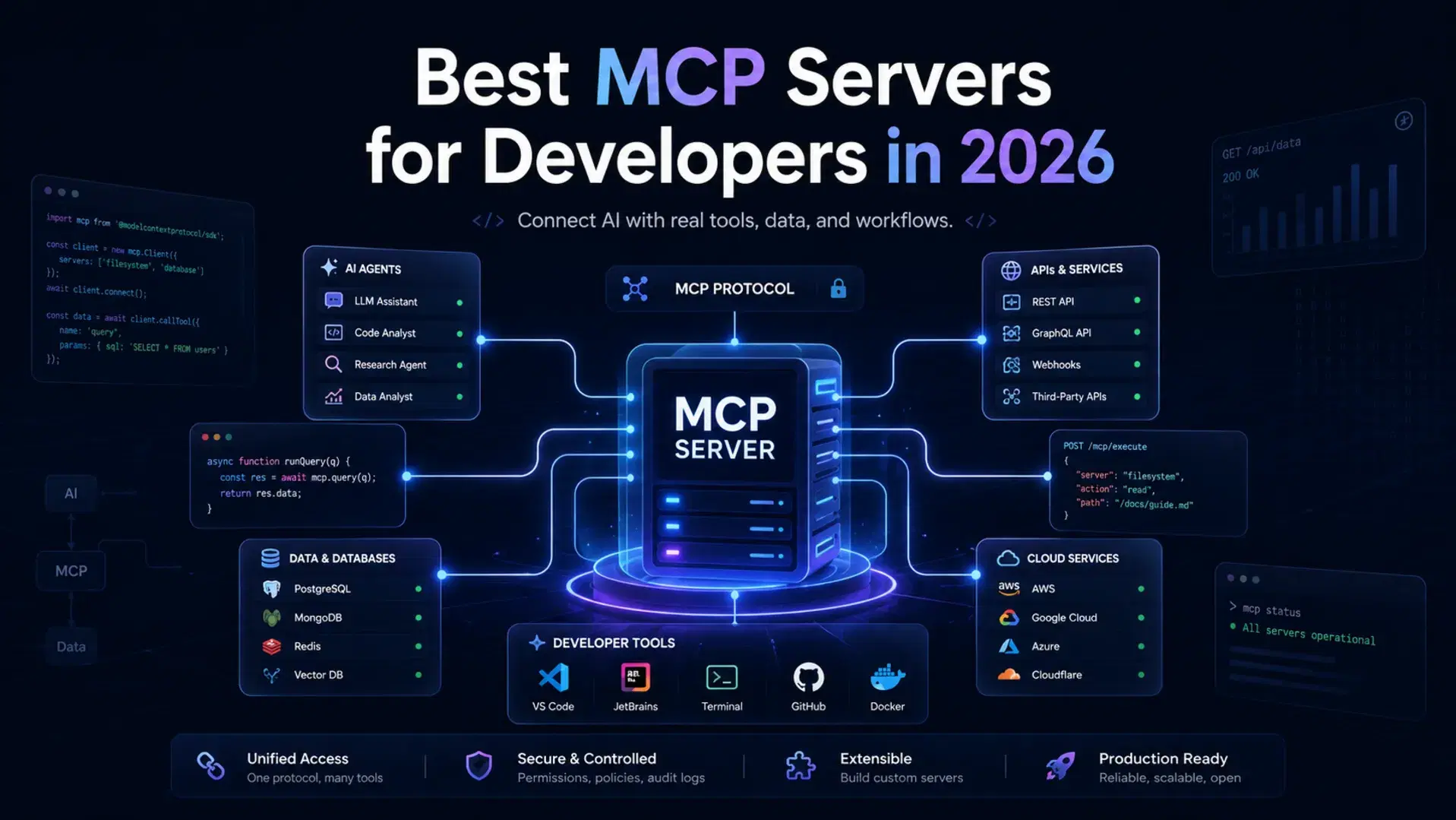
The Model Context Protocol (MCP) went from 2 million SDK downloads a month at its November 2024 launch to 97 million by March 2026, and close to half a billion across its Tier 1 SDKs by the July 2026 spec release. Every major AI coding platform (Claude Code, Cursor, Windsurf, VS Code Copilot, JetBrains AI) supports it, and the Glama directory listed 84,678 servers on September 9, 2026.
Most MCP guides are either too shallow ("here are some servers!") or too abstract ("here's the protocol spec"). This one covers which servers are worth installing, how to install them, and what to watch for security-wise.
What Is an MCP Server?
MCP is an open standard that lets AI assistants connect to external tools and data sources. Think of it as USB-C for AI: one connector across tools, platforms and models, so a single server works with any MCP-compatible client instead of a separate plugin per editor.
An MCP server exposes tools (actions the AI can take) and resources (data the AI can read). When you ask Claude Code "what issues are open on my repo?", it calls the GitHub MCP server, which fetches that data and returns it in a format Claude understands.
How MCP Servers Work
BashYour AI Client (Claude Code / Cursor / VS Code) | | MCP Protocol (JSON-RPC over stdio or HTTP/SSE) | MCP Server (GitHub / Filesystem / Brave Search / etc.) | External Service or Local Resource
The client and server talk JSON-RPC. Local servers usually run over stdio; remote servers used HTTP with Server-Sent Events (SSE), which the July 2026 spec deprecated. The client handles the connection; you configure which servers to connect to.
What Changed in the 2026-07-28 Spec Release
The current spec version is 2026-07-28, published July 28, 2026, and it is the largest revision since MCP launched. If you last set up servers before August, four things changed.
The protocol core is now stateless. Every request is self-describing with an optional discovery call, so servers no longer need persistent sessions or shared infrastructure state. Method and tool names travel in Mcp-Method and Mcp-Name HTTP headers, letting gateways route and authorize on headers alone.
Held-open streams are gone. Multi Round-Trip Requests (MRTR) let a server ask for user input mid-execution by returning resultType: "input_required", which is how elicitation works without a stateful connection.
Authorization got stricter. RFC 9207 issuer validation is now required, Dynamic Client Registration gives way to Client ID Metadata Documents, and client credentials are bound to their issuer so they cannot be reused across servers.
Four features are deprecated: Roots, Sampling and Logging, each with a twelve-month minimum offramp, plus the legacy HTTP+SSE transport. Tools, prompts and resources also gained ttlMs and cacheScope hints.
How to Install MCP Servers
Configuration differs slightly per client. The most common setups:
Claude Code (CLI)
Bash# Add a server with the built-in command claude mcp add context7 -- npx -y @upstash/context7-mcp # Scope a server to specific paths claude mcp add filesystem -- npx -y @modelcontextprotocol/server-filesystem /path/to/project
Claude Code stores config in ~/.claude/mcp_settings.json, or .claude/mcp_settings.json scoped to a single repo.
Claude Desktop
Edit ~/Library/Application Support/Claude/claude_desktop_config.json (macOS):
JSON{ "mcpServers": { "brave-search": { "command": "npx", "args": ["-y", "@brave/brave-search-mcp-server", "--transport", "stdio"], "env": { "BRAVE_API_KEY": "your-key-here" } }, "filesystem": { "command": "npx", "args": ["-y", "@modelcontextprotocol/server-filesystem", "/Users/you/projects"] } } }
Restart Claude Desktop after changes.
Cursor
Open Settings (Cmd+Shift+J), then MCP, then Add new server. Or edit ~/.cursor/mcp.json:
JSON{ "mcpServers": { "context7": { "command": "npx", "args": ["-y", "@upstash/context7-mcp"] } } }
Cursor also reads project-level config from .cursor/mcp.json in your repo root.
VS Code (GitHub Copilot)
VS Code Copilot added MCP support in early 2026. Add to .vscode/mcp.json in your project:
JSON{ "servers": { "brave-search": { "command": "npx", "args": ["-y", "@brave/brave-search-mcp-server", "--transport", "stdio"], "env": { "BRAVE_API_KEY": "${input:brave-key}" } } } }
Tier 1: Must-Install MCP Servers
The highest-leverage servers for most workflows.
1. GitHub MCP Server
Distribution: remote endpoint https://api.githubcopilot.com/mcp/, or Docker image ghcr.io/github/github-mcp-server
Maintained by: GitHub (official)

GitHub MCP Server is the most-installed MCP server. It gives your AI full read/write access to GitHub: create issues, open PRs, read code, search repositories, post comments, manage branches. GitHub maintains it now, not Anthropic, and ships it as a hosted endpoint, a Docker image or Go source. The old @modelcontextprotocol/server-github npm package is not an official channel.
What it enables:
- "What issues are assigned to me?"
- "Create a PR for this branch, describing the diff"
- "Search our repo for how we handle authentication"
- "What PRs are awaiting my review?"
Bash# Local server via Docker (needs repo, issues, pull_requests scopes) docker run -i --rm \ -e GITHUB_PERSONAL_ACCESS_TOKEN=ghp_yourtoken \ ghcr.io/github/github-mcp-server
For the hosted option use GitHub's own Claude installation guide, since its auth flow changes.
Security note: Use a fine-grained token scoped to the repos you need. Avoid broad classic tokens.
2. Context7 (Up-to-Date Library Docs)
Package: @upstash/context7-mcp
Maintained by: Upstash

Context7 solves the biggest problem with AI coding: outdated training data. It fetches current documentation for any library and injects it into context, so "how do I use the useFormStatus hook in React?" pulls the current React docs instead of a guess.
What it enables:
- Accurate answers for fast-moving frameworks (Next.js, React, Tailwind)
- Current API signatures instead of hallucinated ones
- "Using the latest Prisma docs, how do I set up a many-to-many relation?"
Bashclaude mcp add context7 -- npx -y @upstash/context7-mcp
No configuration or API key required. One of the easiest high-value servers to add.
3. Filesystem MCP Server
Package: @modelcontextprotocol/server-filesystem
Maintained by: Anthropic (official)

Filesystem MCP Server gives your AI read and write access to files within directories you specify. Essential when you want the AI working outside the current project: documents, config files, other repos.
Bash# Grant access to specific directories only claude mcp add filesystem -- npx -y @modelcontextprotocol/server-filesystem \ /Users/you/projects \ /Users/you/Documents/notes
Security note: Be deliberate about which paths you expose. Never grant ~ or system directories.
4. Brave Search MCP
Package: @brave/brave-search-mcp-server
Maintained by: Brave (official)

Brave Search MCP gives your AI real-time web search. When you ask about anything postdating its training data (new releases, recent CVEs, current prices), it searches and folds in the results.
What it enables:
- "What's the latest stable version of Vite and what changed in it?"
- "Search for recent security advisories for Express.js"
- "Find the current Next.js docs for server actions"
Bash# Requires a Brave Search API key (free tier: 2,000 queries/month) claude mcp add brave-search -- npx -y @brave/brave-search-mcp-server --transport stdio # Set: BRAVE_API_KEY=your-key
Get a free API key at brave.com/search/api.
Tier 2: Situational High-Value Servers
Install these if they match your stack.
5. PostgreSQL MCP
Package: @modelcontextprotocol/server-postgres
Status: archived reference server, no longer maintained

PostgreSQL MCP connects your AI assistant to a PostgreSQL database for schema exploration and read queries, which is useful when you want the AI to understand your data model: "What columns does the users table have?", "Write a query to find all users who haven't logged in for 30 days."
Read this before installing it. This server was retired to the servers-archived repo, which states that no security guarantees are provided and no fixes will be issued, and the npm package is unsupported. Unlike GitHub, Brave Search, Slack and Redis, Postgres never got a vendor-maintained replacement, so every option is a community fork. Treat the command below as a local convenience, not a production integration.
Bashclaude mcp add postgres -- npx -y @modelcontextprotocol/server-postgres \ postgresql://user:password@localhost/dbname
Security note: Connect with a read-only database user, never a superuser.
6. Figma Dev Mode MCP
Package: @figma/mcp (official)
Maintained by: Figma

Figma Dev Mode MCP lets your AI read Figma designs and generate code from them. Given a file URL, "implement this component based on the Figma design" fetches the real design tokens, layout, spacing and colors.
What it enables:
- "Build this button component from the Figma design link"
- "What are the brand colors and typography in this file?"
- Significantly reduces the design-to-code interpretation gap
Bash# Requires Figma Personal Access Token claude mcp add figma -- npx -y @figma/mcp # Set: FIGMA_API_KEY=your-figma-token
7. Sentry MCP
Package: @sentry/mcp-server
Maintained by: Sentry (official)

Sentry MCP exposes your Sentry error tracking to your AI assistant. Ask "what errors are happening most frequently in production?" or "show me the stack trace for this issue ID" and get real data without leaving your editor.
What it enables:
- Debugging production errors with real stack traces in context
- "Fix the top 3 errors in production right now"
- Correlating code changes with error spikes
8. Playwright MCP
Package: @playwright/mcp
Maintained by: Microsoft (official)

Playwright MCP gives your AI a browser it can control: navigate pages, click elements, fill forms and take screenshots.
Bashclaude mcp add playwright -- npx -y @playwright/mcp
Best for: AI-assisted test writing, since the AI can browse your app to see what needs testing, plus scraping and automation.
Security: What You Need to Know
MCP expands what AI tools can access and do on your behalf. That is the point, but the permissions are significant and the attack surface is real.
The April 2026 RCE Disclosure
In April 2026, researchers disclosed a remote code execution vulnerability in the stdio transport used by many MCP servers: a malicious server could inject crafted responses and run arbitrary code on the host. Anthropic, Cursor and affected authors patched within days, but it showed why vetting servers matters.
How to stay safe:
Stick to vendor-maintained servers. The official Anthropic servers, and those maintained by the company whose product they integrate (Figma, Sentry, Microsoft), have dedicated security teams. Community servers vary wildly.
Pin versions in production. npx -y @package/server@1.2.3 is safer than npx -y @package/server, which always fetches latest.
Audit permissions before installing. GitHub MCP with write access can push code. Filesystem MCP can read and write files. Install only what you will use, scoped as narrowly as possible.
Use environment variables, never inline credentials. MCP config files should never hold hardcoded tokens.
Check for .claude/mcp_settings.json in repos you clone. A committed project-local config could add servers you never intended, which makes it a supply chain vector.
The 2026-07-28 spec fixes part of this structurally: RFC 9207 issuer validation and issuer-bound client credentials close the credential-reuse path between servers. That is a protocol fix, not a substitute for vetting what you install.
MCP Server Comparison Table
| Server | Package | Auth Required | Read/Write | Best Client |
|---|---|---|---|---|
| GitHub MCP | ghcr.io/github/github-mcp-server (Docker) | PAT | Read + Write | Any |
| Context7 | @upstash/context7-mcp | None | Read | Any |
| Filesystem | @modelcontextprotocol/server-filesystem | None (path-scoped) | Read + Write | Claude Code |
| Brave Search | @brave/brave-search-mcp-server | API key | Read | Any |
| PostgreSQL (archived) | @modelcontextprotocol/server-postgres | DB credentials | Read (use RO user) | Claude Code |
| Figma | @figma/mcp | API key | Read | Cursor, Claude |
| Sentry | @sentry/mcp-server | API key | Read | Any |
| Playwright | @playwright/mcp | None | Read + Act | Claude Code |
Building vs. Using MCP Servers
Install an existing server when the service already has an official one, when you need the capability today, or when the integration is a commodity like file access or version control. Build your own for internal services with no public server, when the existing one does not expose the operations you need, or when wrapping proprietary databases.
SDKs exist for TypeScript, Python, Java, Kotlin, C#, Go and Swift, with Rust in beta. TypeScript, Python, Go and C# are updated for the 2026-07-28 spec, so start there if you want the stateless transport. A read-only server wrapping a REST API takes about 2 hours using the official quickstart.
Bash# Scaffold a new MCP server npx @modelcontextprotocol/create-server my-internal-server cd my-internal-server npm install
Finding More MCP Servers
mcp.so and Glama are the best-maintained lists, filterable by category, client compatibility and maintenance status. HOL's MCP plugin directory adds security scans and one-click install links. The official registry is still in preview and counts only public metadata, so directory totals are not ecosystem size.
When evaluating a community server, check the last commit date, look for a SECURITY.md or disclosure policy, check the npm download count, and read the README for the permission scope so you know what you are granting.
Conclusion
MCP is no longer something you evaluate, it is something you configure. Start with Context7 and GitHub MCP: neither takes two minutes, and together they fix the outdated-docs and no-repo-context problems behind most bad AI suggestions. Add Brave Search and Filesystem as the need appears, and keep the archived Postgres server local-only.
Two things to carry away. On security, stick to vendor-maintained servers for production, pin versions, and keep credentials in environment variables. On the protocol, check whether your servers still rely on HTTP+SSE, Roots, Sampling or Logging: all four are deprecated with a twelve-month clock running.
Related DevToolLab Tools
- NPM Download Stats - check a community server's download trend before trusting it, the popularity signal this guide recommends.
- NPM Package Info - read a server package's last-publish date and maintainer in the browser.
- Semver Range Tester - confirm what
@1.2.3resolves to before pinning a server version. - Dotenv Linter - check the
.envholding your MCP tokens so none leak into a config file.
Related Guides
- Best CLI AI Coding Agents in 2026 - Claude Code, Cursor, Aider and Gemini CLI compared
- What Is Vibe Coding? - where MCP fits in that workflow
- Top Local LLM Tools and Models - run models locally, no cloud access
MCP is evolving rapidly. Server versions, installation commands, and security disclosures change frequently. This guide reflects the state of the ecosystem as of May 2026.