
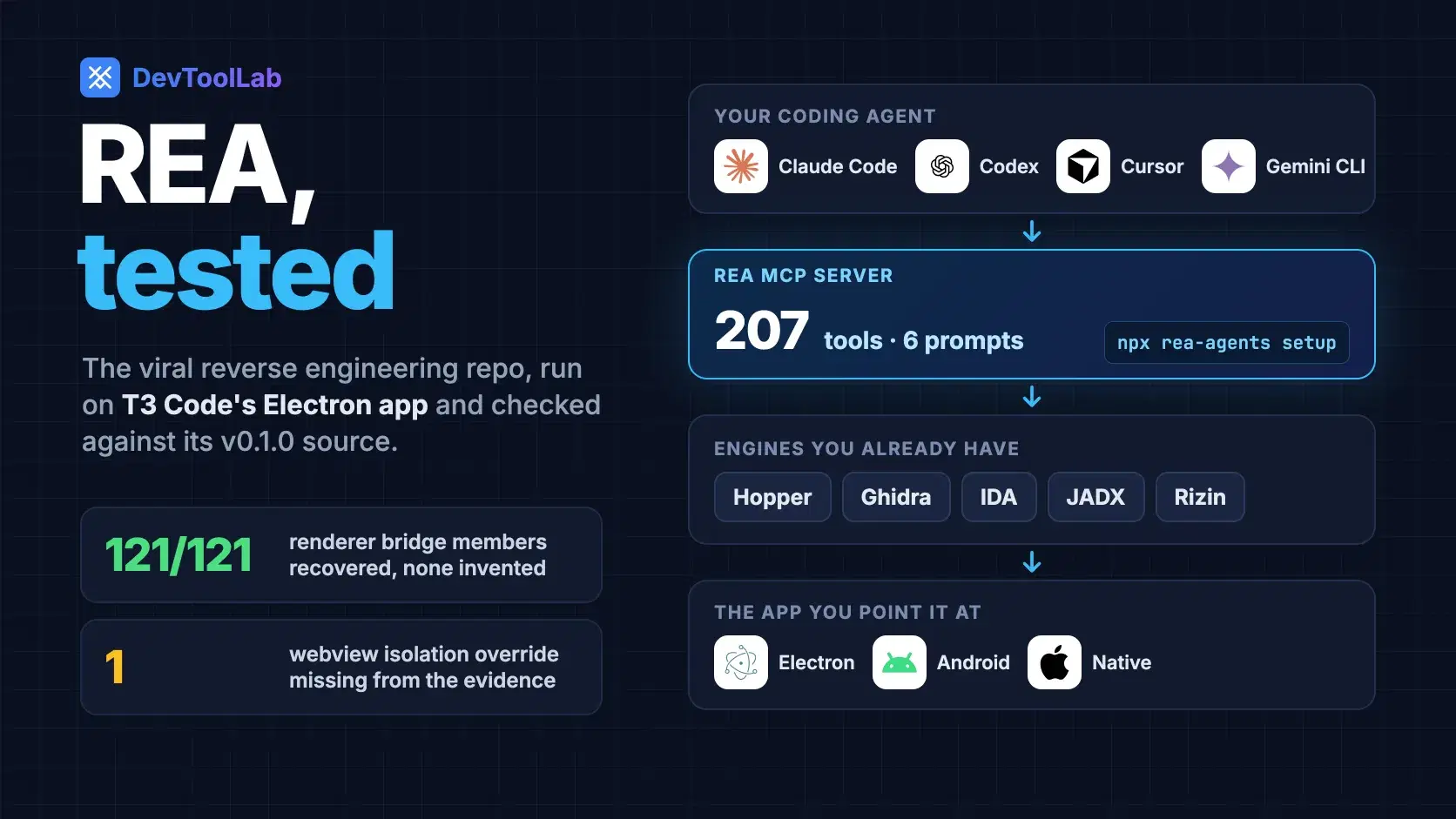
Reverse engineering a desktop app used to mean a weekend in a decompiler: load the binary, rename a few hundred functions, and slowly work out which code path draws the button you care about. Coding agents can now drive those tools, but every decompiler speaks its own protocol, and an agent left alone with raw pseudocode tends to guess.
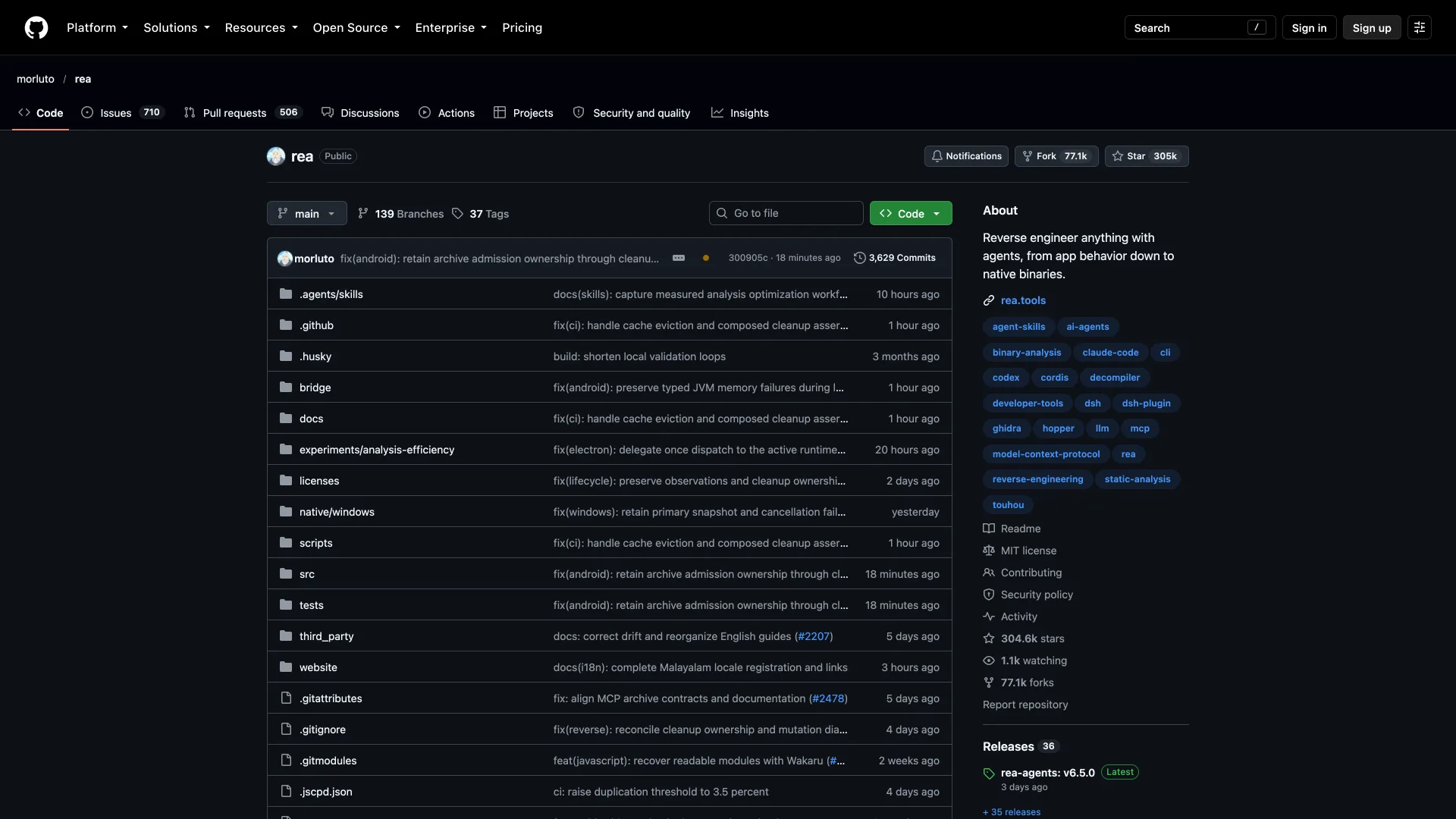
REA, short for Reverse Engineer Anything, packages that work for agents, and it went viral. Created on April 14, 2026, it had 304,554 GitHub stars and 77,096 forks on October 18, 2026, more than three times the 90,126 stars of the NSA's Ghidra, and a Hacker News post of its site reached 808 points on October 10. We installed REA 6.5.0 and pointed it at an open-source Electron app whose source we could check line by line. It recovered the app's entire renderer API exactly, and it missed a security setting a reviewer would want flagged.
What REA Installs, and What It Leaves to Your Agent
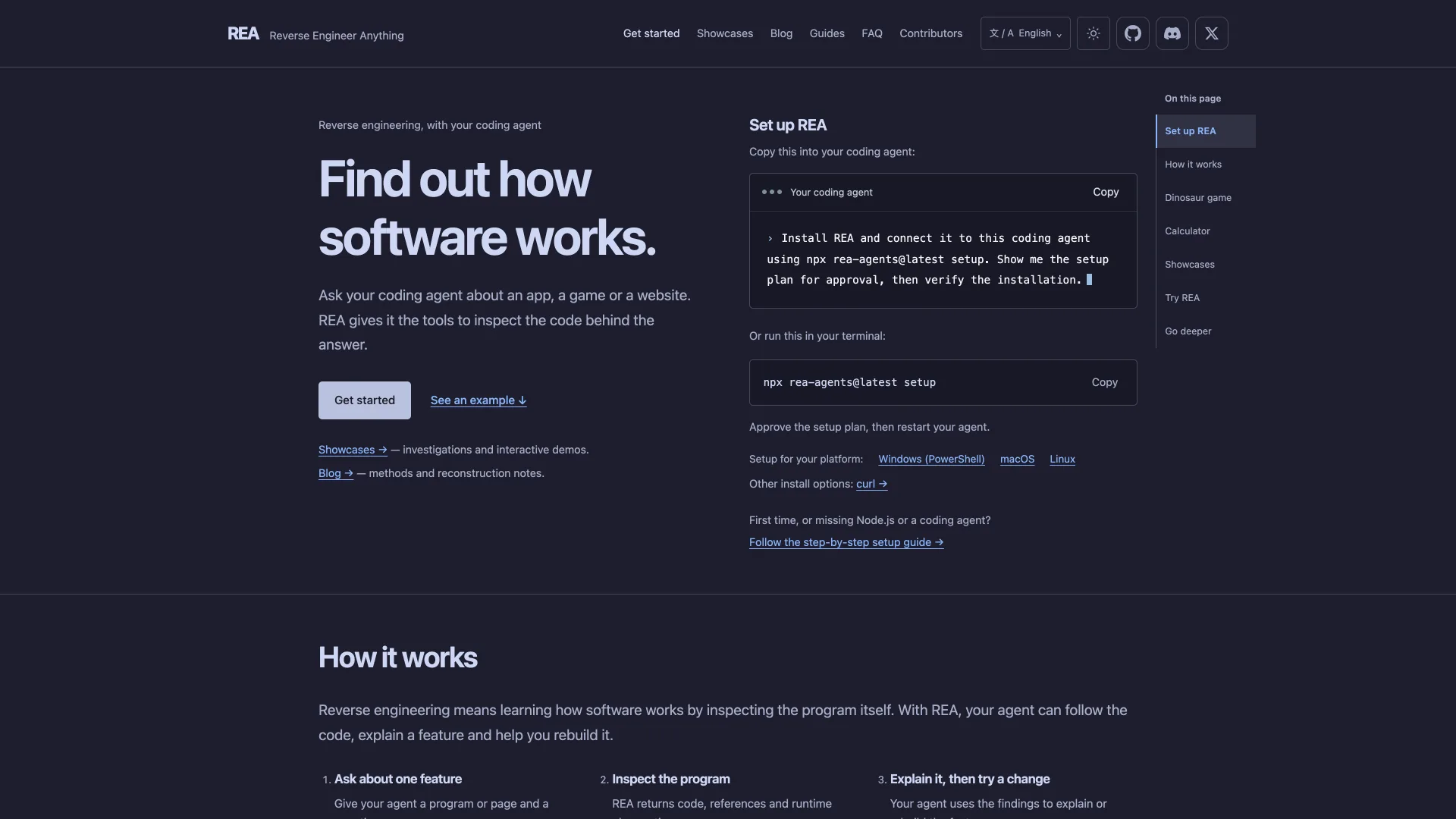
REA is an MCP server, a CLI and an agent skill shipped as one MIT-licensed npm package, rea-agents. Running npx rea-agents setup registers the server with Claude Code, Codex, Cursor, Gemini CLI, Grok Build or another MCP client, installs matching workflow instructions, and backs up any configuration it changes. On our machine, rea mcp doctor reported 207 tools and 6 prompts over MCP protocol version 2025-11-25.
REA is not a decompiler. For native binaries it drives a Hopper, Ghidra or IDA installation you already have, and setup can install Hopper after you approve it. Android apps go through JADX, and Rizin and GNU objdump cover offline inspection. JavaScript and Electron apps, .NET assemblies, Go and Rust build metadata and saved HAR captures use REA's own analyzers, so those need no decompiler at all.
Every answer comes back as Evidence: the finding, where it was found, a confidence label and a list of limitations. The project site demonstrates the loop on Chrome's dinosaur game, where the agent recovers the rule that starts the speed at 6 and raises it each update while it is below 13.
Analysis runs on your machine, but the results do not stay there. The README's FAQ says it plainly: "Your agent receives the tool results, and its model provider has its own data policy." Point a cloud-hosted agent at a proprietary binary and the decompiled code goes to that model provider.
How We Tested REA on T3 Code
A fair test needs ground truth, so we picked T3 Code, an MIT-licensed "agent harness control surface" for Claude Code, Codex, Cursor and other agents, with 28,088 GitHub stars. Its Electron desktop app, v0.1.0, was released October 15, 2026 from commit 81493ef, so every finding could be checked against the source that built it. REA's own rea doctor reported Hopper, Ghidra, IDA and JADX all missing, which does not matter for an Electron app.
Two snags came first. REA's package accepts Node.js 22.19+ on the 22 line, 24.11+ on the 24 line, or 26 and newer, so Node 25 is out; we used 24.22.0. Then REA refused the archive with artifact_integrity_mismatch: an unpacked .node addon no longer matched the hash recorded in the archive, which REA's message says commonly happens when packaging tools sign or strip native binaries afterward. The same message names the fix, a flag that records the mismatch and keeps going.
A whole-app run parsed 2,665 JavaScript files and 8.5 million syntax-tree nodes in 227 seconds, then ran out of REA's roughly 2 GB result budget inside node_modules/@cursor/sdk. Scoped to the app's own main and preload bundles, the same analysis took about 35 seconds:
Bashnpm install --omit=optional rea-agents@6.5.0 npx rea analyze-javascript-application \ "/Applications/T3 Code (Beta).app/Contents/Resources/app.asar" \ --integrity-policy record-and-continue \ --source-path apps/desktop/dist-electron/main.cjs \ --source-path apps/desktop/dist-electron/preload.cjs \ --filter-output normalized_result.summary --format yaml
textnormalized_result: summary: browser_windows: 4 explicit_web_preferences: 13 preload_entrypoints: 0 context_bridge_apis: 3 exposed_api_members: 121 ipc: operations: 247 literal_channels: 113 dynamic_channel_operations: 132 renderer_transmissions: 207 renderer_listeners: 30 main_handlers: 10 paired_renderer_transmissions: 1 ambiguous_renderer_transmissions: 0 unpaired_literal_renderer_transmissions: 98 sender_validation_observations: 5 utility_processes: 0 resolved_utility_entrypoints: 0 native_addon_bindings: 0 resolved_native_addon_bindings: 0
Swap the last line for --format json > t3.json and you get the full Evidence file, 186 MB for these two bundles.
What REA Recovered Exactly
The renderer bridge. T3 Code's preload script hands its web UI a single object, desktopBridge, through Electron's contextBridge, and REA listed 121 members on it, nested ones such as appActivation.complete included. We parsed the real preload.ts at v0.1.0 and compared:
js// check-bridge.mjs: compare REA's recovered desktopBridge members with the real preload.ts. // usage: node check-bridge.mjs preload.ts rea-evidence.json (needs @babel/parser, a REA dependency) import { readFileSync } from "node:fs" import { parse } from "@babel/parser" const [preloadPath, evidencePath] = process.argv.slice(2) const ast = parse(readFileSync(preloadPath, "utf8"), { sourceType: "module", plugins: ["typescript"] }) const unwrap = (n) => (n?.type === "TSSatisfiesExpression" || n?.type === "TSAsExpression" ? unwrap(n.expression) : n) const truth = new Set() const collect = (obj, prefix = "") => { for (const p of unwrap(obj).properties ?? []) { const name = p.key?.name ?? p.key?.value if (!name) continue truth.add(prefix + name) if (unwrap(p.value)?.type === "ObjectExpression") collect(p.value, `${prefix}${name}.`) } } const visit = (n) => { if (!n || typeof n.type !== "string") return if (n.type === "CallExpression" && n.callee.property?.name === "exposeInMainWorld" && n.arguments[0]?.value === "desktopBridge") collect(n.arguments[1]) for (const v of Object.values(n)) Array.isArray(v) ? v.forEach(visit) : visit(v) } visit(ast.program) const bridge = JSON.parse(readFileSync(evidencePath, "utf8")).normalized_result.graph.nodes .find((n) => n.kind === "context-bridge-api" && n.observations[0].properties.api_key === "desktopBridge") const found = new Set(bridge.observations[0].properties.members) const topLevel = [...truth].filter((m) => !m.includes(".")).length console.log(`source members: ${truth.size} (${topLevel} top level)`) console.log(`REA members: ${found.size}`) console.log(`matched: ${[...truth].filter((m) => found.has(m)).length}, missed: ${[...truth].filter((m) => !found.has(m)).length}, invented: ${[...found].filter((m) => !truth.has(m)).length}`)
textsource members: 121 (73 top level) REA members: 121 matched: 121, missed: 0, invented: 0
That is 121 of 121 from the 607-line bundled preload.cjs, with nothing invented. Members such as getLocalEnvironmentBearerToken and ensureSshEnvironment are what a security reviewer reads first, and REA returns them with their source locations.
It read the windows correctly too. The three BrowserWindows built from literal options, the screenshot overlay, the macOS permission helper and the picture-in-picture preview, all set contextIsolation: true, nodeIntegration: false and sandbox: true, matching the source. The fourth is the main window, created through a wrapper from an options variable, and REA marked it dynamic instead of guessing. That leaves the most important window's settings, including webviewTag: true in DesktopWindow.ts, for the agent to read itself.
What REA Missed
Two things, and both are the kind an agent glosses over unless told to look.
The first is the main-process half of the bridge. REA found 207 renderer-to-main calls but only 10 handlers, 9 of them inside the bundled @clerk/electron sign-in library and the tenth in T3 Code's macOS permission helper, and it paired just 1 call with its handler. The reason is in DesktopIpc.ts: T3 Code registers every handler through one generic wrapper that calls ipcMain.handle(channel, ...) with the channel in a variable. REA counted 132 IPC operations whose channel is a variable and left them unresolved. That is honest, but an agent that reads only the summary could conclude most of the bridge leads nowhere.
The second is a deliberate change to isolation. In DesktopWindow.ts, a will-attach-webview handler sets contextIsolation = false for the in-app browser preview, while keeping sandbox: true and rejecting unknown partitions, so the element-picker script can share globalThis with the previewed page. The shipped main.cjs carries that handler at line 113,485, unminified, yet the string will-attach-webview appears nowhere in the 186 MB of Evidence REA returned. REA models window constructors, not preferences rewritten later in an event handler.
Neither is a bug in the usual sense. REA reports what it can prove statically and says where that stops. When the Evidence shows dynamic channels or unknowns, the next step is still to have the agent open the bundle and read.
REA vs GhidraMCP, IDA Pro MCP and Other AI Reverse Engineering Tools
Most alternatives connect one engine to one agent protocol, which makes them smaller and easier to audit, and ties you to that engine's license and limits. Stars were checked October 18, 2026.
| Tool | How it works | License | GitHub stars |
|---|---|---|---|
| REA | MCP server with 207 tools; drives Hopper, Ghidra, IDA, JADX and Rizin plus built-in JavaScript, .NET, Go and Rust analyzers | MIT | 304,554 |
| IDA Pro MCP | Bridges IDA Pro with language models through MCP | MIT (IDA Pro itself is commercial) | 12,980 |
| GhidraMCP | MCP server for Ghidra | Apache 2.0 | 11,346 |
| eleven | Any ACP agent reads, renames and patches binaries, Android apps and GPU kernels | Apache 2.0 | 666 |
| Binary Ninja MCP | Binary Ninja plugin containing an MCP server | GPL 3.0 | 454 |
| radare2-mcp | MCP stdio server for radare2 | MIT | 327 |
| BINNY | Its own agent harness for any model, including a local one | AGPL 3.0 | 141 |
Ghidra (Apache 2.0) remains the free engine underneath most of these, and REA can drive it as well, so choosing REA does not replace Ghidra; it changes who operates it. Eleven and BINNY were both created in the week REA trended, on October 13 and October 10, 2026.
The Catches
Model refusals are not REA's to fix. One commenter in the Hacker News launch thread reported that even hinting at reverse engineering leaves models from Anthropic and OpenAI "extremely sensitive to refusals." REA supplies tools; the model still decides whether to use them.
Setup runs through your agent. The site's suggested first step is to paste "Install REA and connect it to this coding agent using npx rea-agents@latest setup." into the agent, which one commenter compared to curl | bash. Setup does show its plan for approval first, and running the CLI from a scratch directory before registering anything is the cautious path.
Licenses and law still apply. The README says "You must legally obtain and be authorized to use commercial tools, including IDA Pro / Hex-Rays decompilers, Hopper, and JEB." Its disclaimer rules out help with DRM, license checks and anti-cheat, and warns that "Reverse engineering may be restricted in your jurisdiction or by the license of the software you analyze." Read the target's license before you point an agent at it.
It moves fast. The npm package has published 32 versions since July 12, 2026, including five minor versions, 6.1.0 through 6.5.0, in six days of October. Pin the version in anything automated.
How to Try REA Without Trusting It Blindly
- Start with a target you can check, such as an open-source app or your own build, so you learn what REA misses before it matters.
- Run the CLI before the agent.
npm install rea-agents@6.5.0in a scratch directory, thenrea doctorto see which engines it can find. - Scope the analysis with
--source-pathto the app's own bundles; dependency code is where the result budget goes. - Read the limitations and dynamic counts in the Evidence before you read the agent's summary of it.
- Grep for what REA does not model, such as
will-attach-webviewand other preference changes made in event handlers.
Which One Should You Use?
Mixed targets, from Electron apps to APKs and native code: REA, with one agent and one install.
You already own IDA Pro: IDA Pro MCP keeps the work inside the tool you know.
Native binaries on a zero budget: GhidraMCP on top of Ghidra.
Security review of an Electron app: REA's JavaScript analysis for the bridge and windows, then a manual pass over event handlers.
Code that must not leave your network: REA with an agent running a local model, since every tool result goes to the model provider.
Conclusion
REA earned its stars by turning decompilers into something a coding agent can operate, with evidence attached to every answer. On T3 Code that evidence was exact where REA could see and silent where it could not. Before trusting any agent's explanation of a binary, ask the question this test kept coming back to: what did the tool not look at?
Related DevToolLab Tools
- JavaScript Deobfuscator - unpack a minified bundle when REA reports code it could not resolve.
- Source Map Decoder - map a bundled line back to its original file when an app ships
.mapfiles. - Hex Viewer - inspect the raw bytes of an addon or header that REA flags.
- WASM to WAT Converter - read a WebAssembly module as text alongside REA's WASM inspection.
Related Guides
- Best MCP Servers - other MCP servers worth registering next to REA.
- Best MCP Security Tools - how to vet an MCP server before your agent runs it.
- What Is an Agent Harness? - the loop that drives REA's tools.
- Developer Security Toolkit - SAST, SCA and secrets scanning for code you do have.