
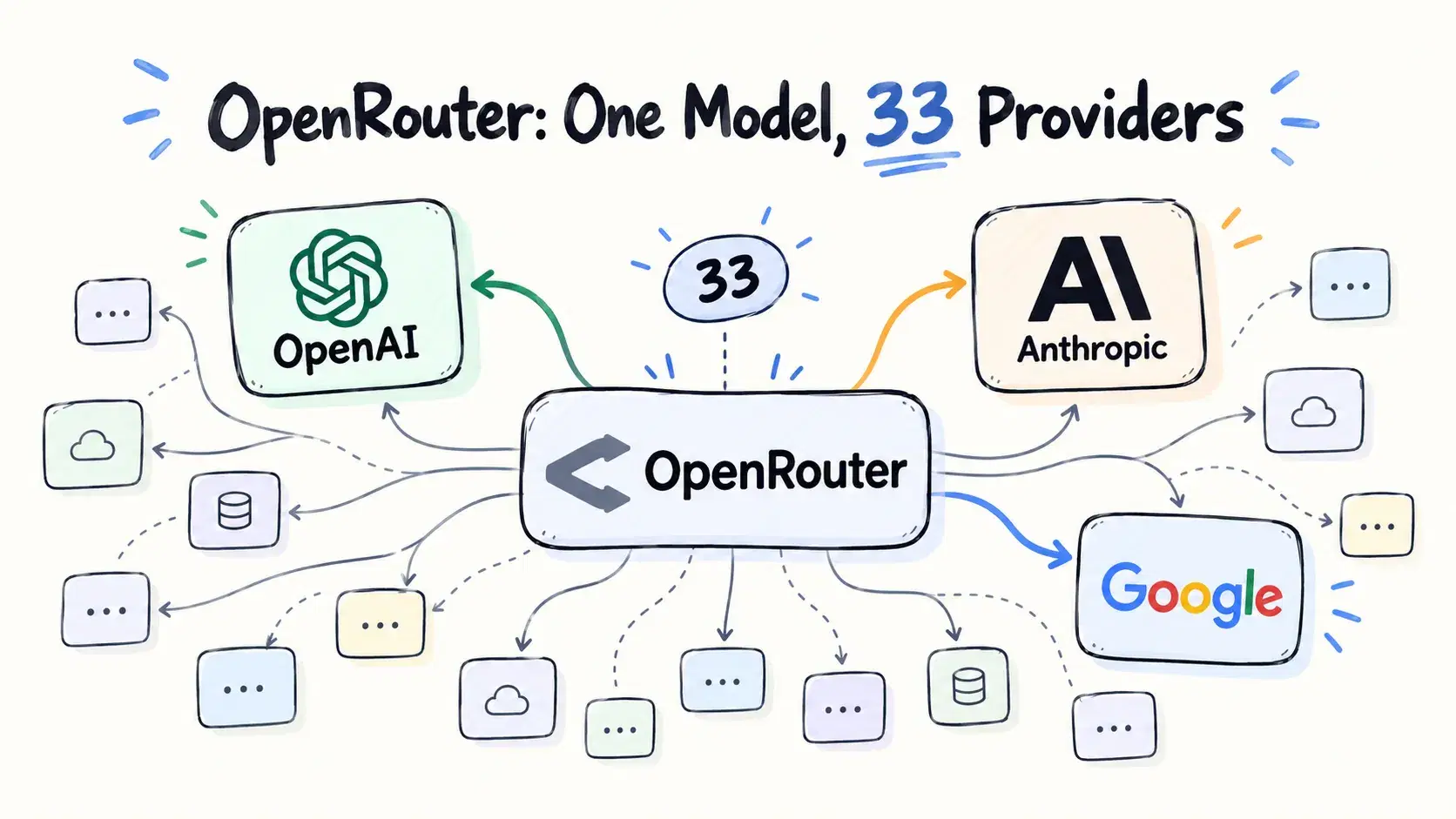
Swapping a direct provider SDK for OpenRouter looks like a one-line change: same OpenAI-shaped request, one base URL, hundreds of models behind a single key. The part that does not show up in the diff is that a model slug is not a deployment. It is a pool.
We queried OpenRouter's public API on September 14, 2026 and measured what sits inside one slug. deepseek/deepseek-v4-flash-0731 is served by 28 providers whose input prices span 11x, from $0.04 to $0.44 per million tokens. qwen/qwen3.8-27b is served by 15 whose advertised context windows span 15.3x, from 66k to 1,000k. Same string in your config, very different machine answering.
What "The Same Model" Means Here
OpenRouter's own documentation is explicit about the default. "OpenRouter routes requests to the best available providers for your model. By default, requests are load balanced across the top providers to maximize uptime."
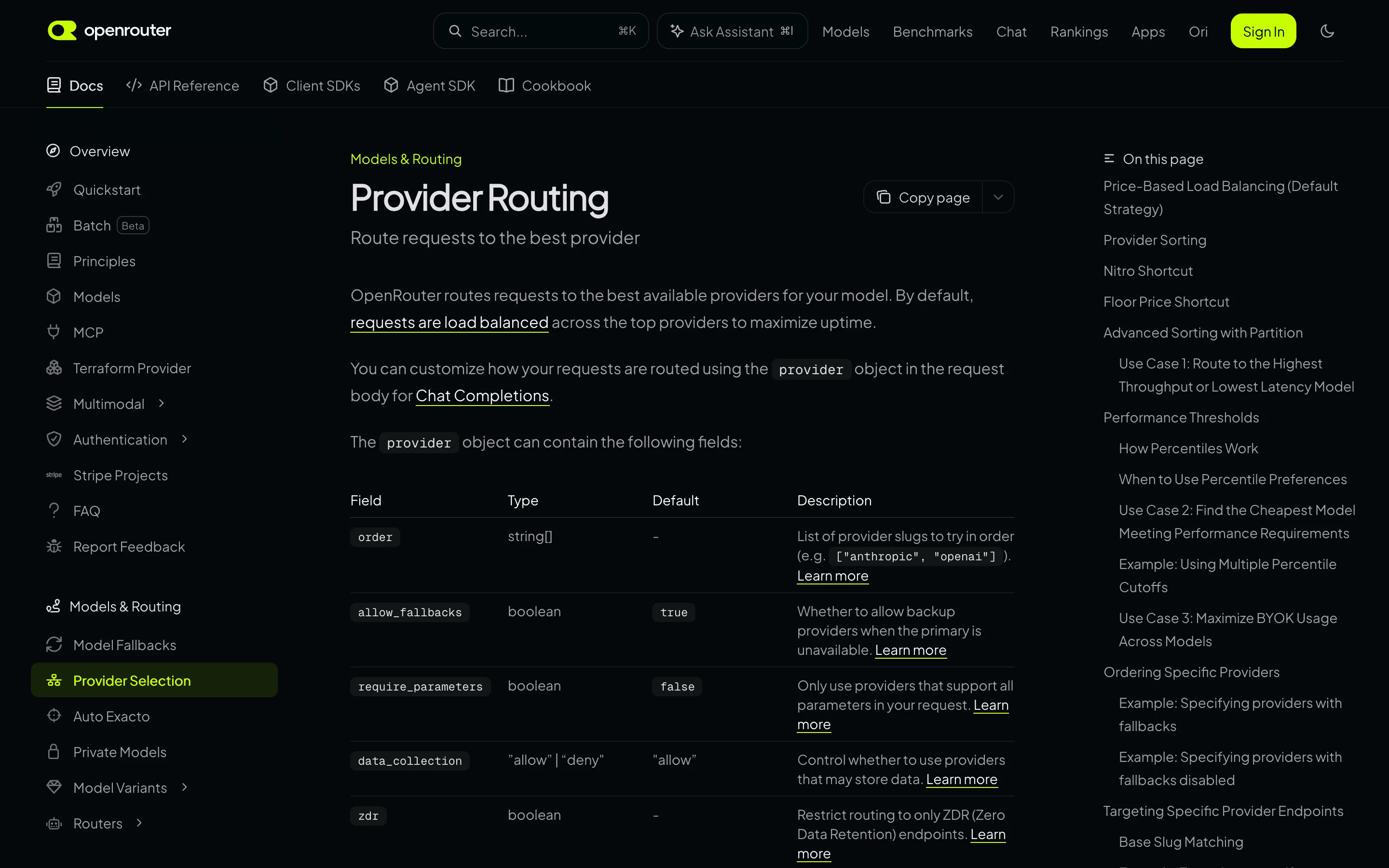
That is a reasonable default for availability and a surprising one for reproducibility. Two identical requests a minute apart can land on different hardware, at different quantization, with different context limits and different prices, and nothing in your code changes. For open-weight models, where anyone can host the weights, the pool is large and heterogeneous.
Measuring the Spread
The /endpoints route is public and needs no API key, so the variance is measurable directly. Node 18 or newer, no dependencies.
js// or-variance.mjs - Node 18+, no dependencies, no API key. Run: node or-variance.mjs const MODELS = [ "z-ai/glm-5.2", "deepseek/deepseek-v4-flash-0731", "z-ai/glm-5.3", "deepseek/deepseek-v4-pro-0813", "moonshotai/kimi-k2.6", "qwen/qwen3.8-27b", ] const perM = (v) => Number(v) * 1_000_000 const ratio = (a, b) => (b === 0 ? Infinity : a / b) for (const id of MODELS) { const r = await fetch(`https://openrouter.ai/api/v1/models/${id}/endpoints`, { signal: AbortSignal.timeout(25000) }) if (!r.ok) { console.error(`skip ${id}: HTTP ${r.status}`); continue } const eps = (await r.json()).data.endpoints ?? [] if (!eps.length) continue const inPrices = eps.map((e) => perM(e.pricing?.prompt ?? 0)).filter((n) => n > 0) const ctx = eps.map((e) => e.context_length ?? 0).filter(Boolean) const quants = [...new Set(eps.map((e) => e.quantization ?? "undeclared"))] const tools = eps.filter((e) => (e.supported_parameters ?? []).includes("tools")).length const [inMin, inMax] = [Math.min(...inPrices), Math.max(...inPrices)] const [ctxMin, ctxMax] = [Math.min(...ctx), Math.max(...ctx)] console.log( `${id.padEnd(32)} ${String(eps.length).padStart(3)} providers ` + `$${inMin.toFixed(2)}-${inMax.toFixed(2)}/M (${ratio(inMax, inMin).toFixed(1)}x) ` + `ctx ${(ctxMin / 1000).toFixed(0)}k-${(ctxMax / 1000).toFixed(0)}k (${ratio(ctxMax, ctxMin).toFixed(1)}x) ` + `tools ${tools}/${eps.length} quant: ${quants.join(", ")}`, ) }
Run on September 14, 2026:
textOpenRouter provider variance, measured 2026-09-14 from the public API model prov in $/M spread context spread -------------------------------------------------------------------------------------------- z-ai/glm-5.2 33 0.49-2.31 4.7x 203k-1049k 5.2x deepseek/deepseek-v4-flash-0731 28 0.04-0.44 11.0x 262k-1311k 5.0x z-ai/glm-5.3 27 0.92-2.10 2.3x 262k-1311k 5.0x deepseek/deepseek-v4-pro-0813 21 0.66-1.65 2.5x 1000k-1049k 1.0x moonshotai/kimi-k2.6 21 0.58-1.09 1.9x 256k-262k 1.0x qwen/qwen3.8-27b 15 0.15-0.45 3.0x 66k-1000k 15.3x model tools reasoning quantizations advertised -------------------------------------------------------------------------------------------- z-ai/glm-5.2 33/33 33/33 fp8, fp4, unknown deepseek/deepseek-v4-flash-0731 28/28 28/28 fp8, fp4, unknown, bf16 z-ai/glm-5.3 27/27 27/27 fp8, unknown, fp4 deepseek/deepseek-v4-pro-0813 21/21 21/21 unknown, fp8, fp4 moonshotai/kimi-k2.6 21/21 21/21 fp4, int4, fp8, bf16, unknown qwen/qwen3.8-27b 14/15 15/15 fp4, unknown, fp8
Reading the Spread
Price variance is the least dangerous of the three. An 11x range on deepseek-v4-flash-0731 sounds alarming, but OpenRouter's default sort is price-based, so you tend to land near the cheap end. It matters mainly when you pin a provider for quality and discover what that costs.
Context variance breaks requests silently. qwen/qwen3.8-27b is advertised at 66k tokens by one provider and 1,000k by another. A 200k-token prompt succeeds or fails depending on which one the router picked this minute, and the failure looks like a flaky API rather than a routing outcome.
Quantization is declared, not standardized. Every model in the table has providers advertising unknown, and moonshotai/kimi-k2.6 spans five different declarations including int4, fp4, fp8 and bf16. A 4-bit deployment and a bf16 deployment are meaningfully different models wearing the same name, and unknown tells you nothing at all.
Capability is not uniform either. For qwen/qwen3.8-27b, 14 of 15 providers advertise tool support. One does not. Route by price, land on that one, and your function calls stop working for reasons that have nothing to do with your code.
The Variance You Cannot See From the API
Everything above is self-declared metadata. The harder problem is that two providers can declare identical specs and still behave differently, and only production traffic reveals it.
Mohamed Moustafa's field report, So you want to use OpenRouter, is the most detailed public write-up of this, drawn from running an assistant product across OpenRouter at scale. It documents per-provider benchmark gaps on the same model slug, providers that accept image inputs and quietly ignore them, reasoning-effort settings that some hosts honor and others drop, tool calls arriving as unparsed text, and HTTP 200 responses with empty content. His conclusion is the one the metadata supports: declared precision is a poor proxy for quality, and you have to measure the providers you actually use.
That is a different class of evidence than this post's, and it is worth reading in full before you commit a product to multi-provider routing.
How to Pin a Provider
OpenRouter gives you the controls; the default just is not conservative. The provider object in a chat completion request takes these fields:
| Field | Type | Default | What it does |
|---|---|---|---|
order | string[] | - | Provider slugs to try, in order |
only | string[] | - | Allow only these provider slugs |
ignore | string[] | - | Skip these provider slugs |
allow_fallbacks | boolean | true | Fall back to other providers when the primary is unavailable |
require_parameters | boolean | false | Only route to providers supporting every parameter you sent |
quantizations | string[] | - | Restrict to declared levels such as fp8 or bf16 |
data_collection | "allow" | "deny" | "allow" | Exclude providers that may store your data |
zdr | boolean | - | Restrict to zero data retention endpoints |
max_price | object | - | Cap prompt and completion price per million |
- Set
require_parameters: truefirst. It is one field and it removes the entire class of bug where a provider silently ignores tools or reasoning. There is almost no reason to leave it off. - Use
onlyrather thanorderwhen you mean it.orderstill falls through to other providers;onlyrestricts the pool. Pairorderwithallow_fallbacks: falseif you want a hard pin. - Do not pin to exactly one provider in production. A single pinned provider means their outage is your outage. Pin to a short allowlist you have actually tested.
- Filter
quantizationsfor anything quality-sensitive. Excludingunknownalone removes the deployments you know least about. - Set
data_collection: "deny"orzdr: truebefore compliance asks. Both are one field and much cheaper than retrofitting. - Log which provider served each response. OpenRouter returns it, and without that field a quality regression is unattributable.
When OpenRouter Is Still the Right Call
None of this is an argument against the product. For evaluating models, for hobby projects, for spiking a feature against six models in an afternoon, a single key across hundreds of models is genuinely hard to beat, and the price-sorted default is exactly what you want.
The mismatch appears when a prototype becomes a product and nobody revisits the routing defaults. At that point you want the same posture you would take with any dependency: a known set of providers, explicit capability requirements, and enough logging to tell which one degraded.
Conclusion
A model slug on OpenRouter names a pool, not a deployment, and the pool for a popular open-weight model can span 33 providers, an 11x price range, a 15x context range and five different quantization claims. That is a feature for availability and a liability for reproducibility, and the difference between the two is about six fields in the provider object. Run the script above on the models you actually ship before deciding which posture you are in.
Related DevToolLab Tools
- JSON Diff - compare two providers' raw responses to the same prompt and see exactly which fields, including usage and finish reasons, differ.
- JSONL Viewer - step through streamed chunks from different providers, where tool-call framing and empty-content responses become visible.
- HTTP Header Parser - read the response headers that identify which provider actually served a request before you attribute a regression.
- LLM Token Cost Calculator - turn an 11x per-million spread into the monthly number that decides whether pinning a provider is affordable.
Related Guides
- Best LLM Gateways and API Routers in 2026 - the level above this one, comparing OpenRouter with LiteLLM, Portkey and Cloudflare.
- Prompt Caching in 2026 - why provider pinning and caching interact, since cache hits do not survive a route change.
- Temperature vs Top-p in LLMs, Measured - another case where a default nobody revisits quietly changes output.
- How LLM Tokenization Actually Works - what you are actually paying for per million, underneath the pricing table.