
You changed your system prompt last Tuesday. The diff looked fine. You deployed. Three days later a user emails saying your AI assistant has been giving wrong answers since - roughly - last Tuesday.
No test caught it. The app did not throw an error. The LLM kept returning 200 OK. It just started giving subtly wrong answers, and you had no way to know.
This is the central problem with LLM applications: they fail quietly, at the semantic level, and your existing test suite has no idea. A unit test can tell you a function returned a string. It cannot tell you the string is factually wrong, off-tone, or missing a key step.
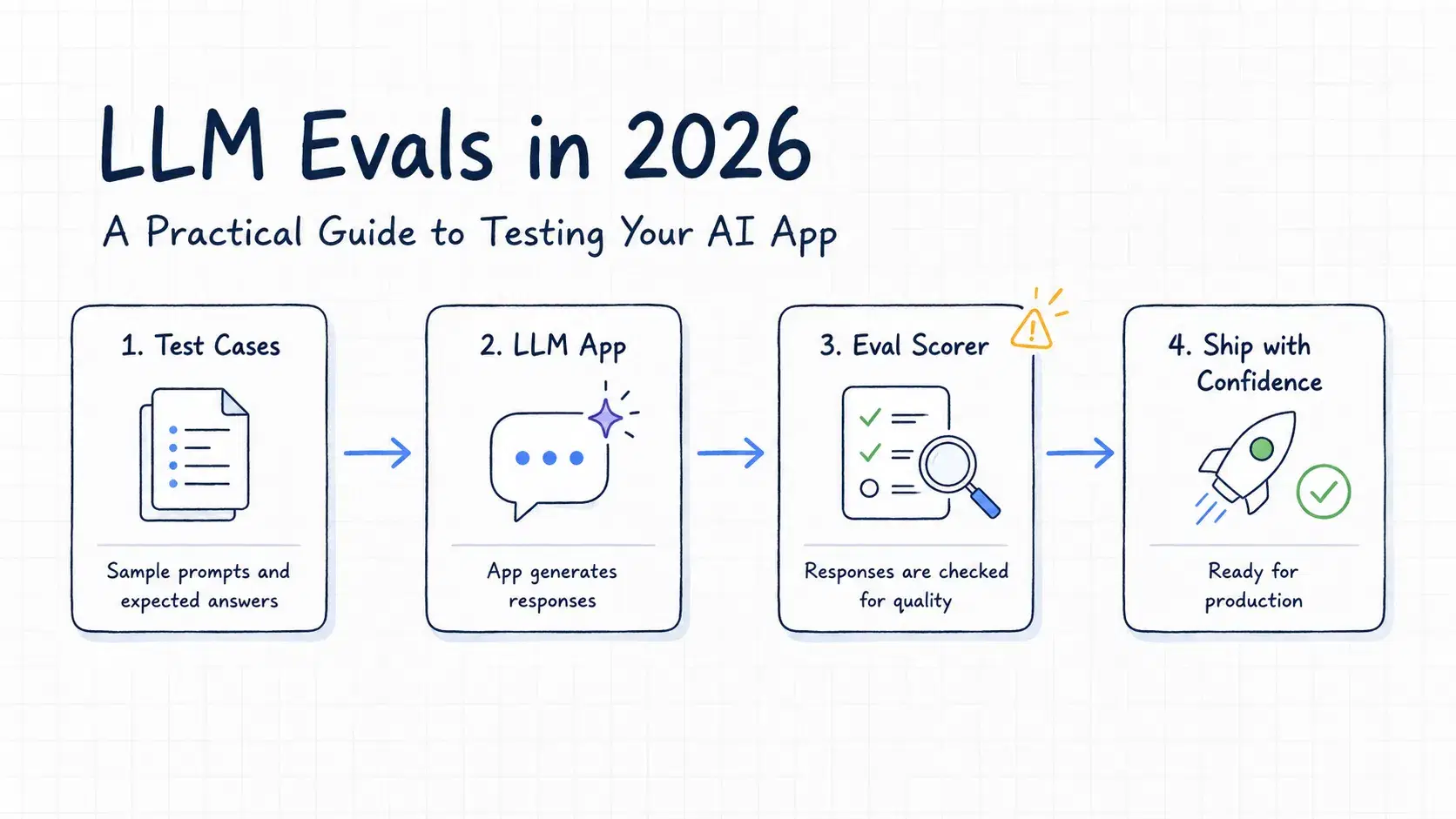
Evals - evaluations - are how you catch this. They are not a framework or a vendor product. At the core, an eval is just: run a prompt, look at the output, decide if it is good. The sophistication is in how you make that last decision at scale.
Why Testing LLMs Is Different
With regular code you write an assertion: expect(add(2, 3)).toBe(5). The output is deterministic. The same inputs always produce the same output.
LLMs are non-deterministic by design. Temperature adds randomness. The same prompt can return six different but equally valid phrasings. Comparing output to a fixed expected string fails constantly, even when the model is doing the right thing.
Three properties make LLM testing genuinely hard:
Output variation. "The capital of France is Paris" and "Paris is the capital of France" are semantically identical. String equality treats them as different.
Gradual drift. A model update from your provider, or a small prompt tweak, can shift outputs in ways that are only visible across many examples - not on one test case.
Subjective quality. Is this customer support response too formal? Is this code comment accurate? These require judgment that you cannot encode in a simple function.
The answer to all three is evals - but the right kind for each problem.
The Three Eval Types
1. Heuristic Evals (Exact Match and Rule-Based)
The cheapest, fastest, and most reliable evals. Check for measurable, objective properties of the output.
Good candidates:
- Is the response valid JSON? (for extraction tasks)
- Is the response under 200 words? (for summaries)
- Does the response contain a phone number when the input had one? (for data extraction)
- Is the sentiment label one of: positive, negative, neutral? (for classification)
- Does the response start with "Dear" for email drafting tasks?
These run in microseconds, cost nothing, and catch a large class of regressions. Start here. You will be surprised how many production issues heuristic evals would have caught.
Pythondef check_output(output: str) -> dict[str, bool]: return { "is_valid_json": is_valid_json(output), "under_300_words": len(output.split()) < 300, "no_pii_leaked": "@" not in output and not contains_phone(output), "correct_format": output.strip().startswith("{"), }
When to skip them: When the output is open-ended natural language where format and content both matter. A customer email is not just valid JSON - it also needs to be empathetic and accurate.
2. LLM-as-Judge
Use a second LLM call to evaluate the first one. Feed the original prompt, the output, and a grading rubric to an evaluator model. It returns a score or a pass/fail decision.
This sounds circular - using an LLM to grade an LLM - but it works well in practice for things that are too hard to check with code but too subjective for easy human review.
Pythonimport anthropic client = anthropic.Anthropic() def grade_response(question: str, answer: str, rubric: str) -> dict: prompt = f"""You are an impartial evaluator. Grade the following AI response. Question asked: {question} AI response: {answer} Grading rubric: {rubric} Return a JSON object with: - "score": integer from 1 to 5 - "pass": boolean (true if score >= 4) - "reason": one sentence explaining the score """ response = client.messages.create( model="claude-haiku-4-5-20251001", max_tokens=200, messages=[{"role": "user", "content": prompt}], ) import json return json.loads(response.content[0].text) # Example result = grade_response( question="How do I reverse a string in Python?", answer='Use slicing: my_string[::-1]. For example, "hello"[::-1] returns "olleh".', rubric=""" - Score 5: Correct answer with a working code example - Score 3: Correct answer but no example - Score 1: Wrong or misleading answer """, ) print(result) # {"score": 5, "pass": true, "reason": "Correct answer with a clear, runnable code example."}
Use Haiku for grading - it is fast, cheap (fractions of a cent per eval), and accurate enough for pass/fail decisions. Reserve Sonnet for grading tasks where the rubric is nuanced or the stakes are higher.
LLM-as-judge has known failure modes. Models are slightly biased toward longer answers, toward their own outputs, and toward confident-sounding text even when it is wrong. Calibrate against human ratings before trusting it at scale: take 50 examples, grade them yourself, run the LLM judge, and measure agreement. If agreement is below 80%, your rubric needs work.
3. Human Evals
A human looks at the output and decides if it is good. This is the ground truth. Everything else is an approximation of it.
Use human evals to:
- Build your initial golden dataset (see below)
- Calibrate your LLM judge against reality
- Make final decisions before shipping a major prompt change
You do not need to run human evals constantly. Run them when you make a significant change and want to know if quality actually improved - not just if your automated score improved.
A simple approach: build a small review tool (a spreadsheet, a Retool app, a simple HTML form) where a team member or contractor can mark outputs as pass/fail and leave a brief note. Store the results. Review the failures together.
Building a Minimal Eval Harness
You do not need a framework to start. A Python script, a JSON file of test cases, and a loop gets you 80% of the value.
Pythonimport anthropic import json from pathlib import Path client = anthropic.Anthropic() def run_eval(test_cases_path: str, system_prompt: str) -> dict: test_cases = json.loads(Path(test_cases_path).read_text()) results = [] for case in test_cases: response = client.messages.create( model="claude-sonnet-4-6", max_tokens=500, system=system_prompt, messages=[{"role": "user", "content": case["input"]}], ) output = response.content[0].text # Heuristic checks checks = { "not_empty": bool(output.strip()), "under_limit": len(output) < case.get("max_length", 2000), } # LLM judge (optional, skip for fast runs) if case.get("rubric"): grade = grade_response(case["input"], output, case["rubric"]) checks["quality_pass"] = grade["pass"] checks["quality_score"] = grade["score"] passed = all(v is True for k, v in checks.items() if isinstance(v, bool)) results.append({ "id": case["id"], "input": case["input"], "output": output, "checks": checks, "passed": passed, }) total = len(results) passed = sum(1 for r in results if r["passed"]) return { "pass_rate": passed / total, "total": total, "passed": passed, "failed": total - passed, "results": results, }
Your test cases file (test_cases.json) looks like this:
JSON[ { "id": "tc-001", "input": "Summarize this in one sentence: [long article text]", "max_length": 200, "rubric": "Score 5 if the summary is accurate and one sentence. Score 1 if it is multiple sentences or inaccurate." }, { "id": "tc-002", "input": "Extract the order ID from: 'Your order #ORD-9921 has shipped'", "expected_contains": "ORD-9921", "max_length": 50 } ]
Run it, get a pass rate, store the results. That is your baseline. Any future prompt change should be measured against that baseline before you ship.
The Golden Dataset
The golden dataset is your collection of input/expected-output pairs that represent real production traffic. It is the most important asset in your eval pipeline.
How to build one:
- Log 500-1000 real requests from production (with user consent / proper data handling)
- Have a human review each response and mark it pass/fail
- Store the failures with a note explaining why they failed
- Store the passes too - they are your regression anchors
A few rules that save headaches:
Cover your edge cases, not just the happy path. If 80% of your inputs are simple, your golden dataset should still have 30-40% edge cases - the weird inputs, the adversarial prompts, the things users actually do that you did not expect.
Refresh it quarterly. User behavior drifts. A dataset from six months ago may no longer represent what your users actually send.
Keep failures separate. A failure that your new prompt now handles correctly is progress. Track it explicitly.
Plugging Evals into CI
Once you have a harness and a golden dataset, it is one step to block deploys when quality drops.
yaml# .github/workflows/eval.yml name: LLM Eval on: pull_request: paths: - 'prompts/**' - 'app/ai/**' jobs: eval: runs-on: ubuntu-latest steps: - uses: actions/checkout@v4 - name: Set up Python uses: actions/setup-python@v5 with: python-version: '3.12' - name: Install dependencies run: pip install anthropic - name: Run evals env: ANTHROPIC_API_KEY: ${{ secrets.ANTHROPIC_API_KEY }} run: | python eval/run.py \ --test-cases eval/golden_dataset.json \ --system-prompt prompts/system.txt \ --min-pass-rate 0.90 \ --output eval_results.json - name: Upload results uses: actions/upload-artifact@v4 with: name: eval-results path: eval_results.json
Your run.py exits with code 1 if pass_rate < min_pass_rate. The PR check fails. The developer sees "eval: 83% pass rate (required: 90%)" and investigates before merging.
A few practical notes:
- Run a fast eval on every PR (heuristic checks only, ~30 cases, no LLM judge) and a full eval nightly (all cases, LLM judge, full golden dataset)
- Keep the fast eval under 60 seconds or developers start bypassing it
- Store eval results over time so you can plot quality trends - a slow drift from 95% to 87% is visible in a graph but not in a single run
Tools Worth Knowing
You do not need any of these to start. Build your own harness first. Once you feel the pain points, pick the tool that solves your specific problem.
PromptFoo is the most popular open-source eval tool in 2026. YAML-based test cases, built-in LLM judge, CLI runner, CI integration, diff reports between prompt versions. If you want a framework rather than a DIY harness, start here.
yaml# promptfooconfig.yaml prompts: - file://prompts/system.txt providers: - anthropic:messages:claude-sonnet-4-6 tests: - vars: question: "What is the capital of France?" assert: - type: contains value: "Paris" - type: llm-rubric value: "The answer should be factually correct and concise"
Run with promptfoo eval. Get a pass/fail table in the terminal.
Braintrust is the polished hosted option. Good UI for reviewing failures, dataset management, comparison views between experiments. Costs money but saves setup time if your team is not infrastructure-focused.
Inspect is the UK government's AI Safety Institute eval framework - open source, Python-first, built for rigorous benchmarking rather than production regression testing. Useful if you need to run standardized safety or capability evals.
Pick based on your situation: DIY harness if you want full control, PromptFoo if you want open source with a community, Braintrust if you want hosted with a nice UI.
What Not to Do
Do not optimize for benchmark scores. MMLU, HumanEval, and the other public benchmarks measure generic capability. They do not measure whether your specific application is working. A model that scores 5% higher on HumanEval may score 10% worse on your actual production prompts. Always eval on your own data.
Do not skip evals because your app is simple. The simpler your application, the cheaper and easier it is to write evals. A summarization app with 50 test cases and a one-line rubric takes an afternoon to set up and catches prompt regressions forever.
Do not obsess over pass rate alone. A 95% pass rate on 20 test cases is worse than an 88% pass rate on 200 test cases. Coverage matters. Ten failures on a diverse 200-case dataset tells you much more than two failures on a narrow 20-case dataset.
Do not run evals only on changes you made. Provider model updates - when Anthropic, OpenAI, or Google swaps the underlying model behind an alias - can shift your outputs without any change on your end. Run a nightly full eval against production prompts to catch these.
A Realistic Starting Point
If you have an LLM app in production and zero evals today, here is the minimum viable path:
- Pull 100 real requests from your logs. Remove PII.
- Review 50 of them by hand. Mark each pass/fail. Write a one-line note on each failure.
- Write a 20-line Python harness that runs your system prompt against those 50 cases.
- Add one heuristic check specific to your app (correct format, no forbidden words, whatever is most relevant).
- Run it. Look at the failures. Fix the worst ones.
- That is your baseline. Anything better than this is ahead of most teams shipping LLM apps.
The goal is not a perfect eval suite. It is to know when something breaks, before a user tells you.
Conclusion
LLMs fail quietly, so your eval suite is what catches drift before a user reports it, not console errors. Start cheap: heuristic checks catch more than you'd think, cost nothing, and run in milliseconds. Layer in an LLM judge for subjective quality, calibrated against a human review, not trusted blindly. Build the golden dataset from real production traffic and keep it in CI so a bad prompt change fails the PR instead of shipping.
A 20-line Python script and 50 hand-reviewed examples beats zero evals by a mile. That is the whole bar to clear.
Related Tools
Testing the outputs of your AI app is one piece. These DevToolLab tools help with related parts of the workflow:
- JSON Formatter - validate and pretty-print the structured output your LLM returns before asserting on it
- JSON to XML Converter - transform eval result payloads between formats for downstream processing
- Base64 Encoder/Decoder - inspect encoded content in webhook payloads carrying LLM outputs