
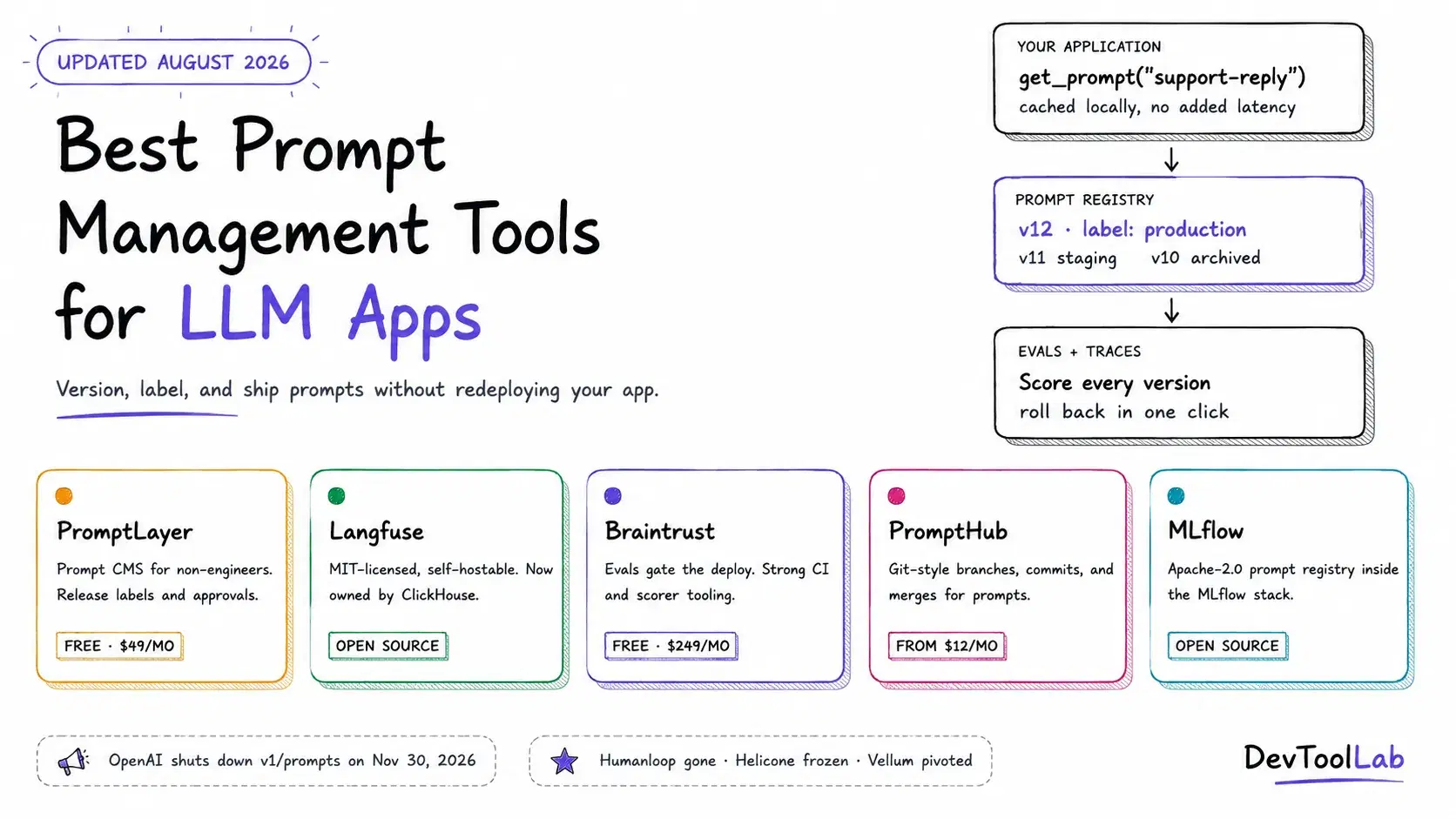
On June 3, 2026, OpenAI started de-emphasizing prompt creation in its dashboard, and the v1/prompts endpoint is scheduled to shut down on November 30, 2026. The migration guide is blunt about what it wants you to do instead: move the prompt content out of the managed prompt object and into your application code, replace prompt variables with function arguments, and manage versioning through git commits, PR review, and testing. In other words, the largest model provider in the world built hosted prompt management, ran it for a while, and then told developers to put their prompts back in the repo.
That is a strange backdrop for a category that has never been busier. In the same twelve months, Langfuse was acquired by ClickHouse, Braintrust raised an $80 million Series B, Humanloop wound down entirely, Helicone was folded into Mintlify and frozen, Promptfoo was bought by OpenAI, and Vellum walked away from developer tooling to become a consumer AI assistant. Half the "best prompt management tools" lists you will find on Google recommend at least one product you can no longer adopt.
So this guide does two things. It explains what prompt management actually buys you over a Python string in your repo, and it covers the tools that are still standing in August 2026, with real pricing from vendor pricing pages and code I ran locally before publishing.
What Prompt Management Actually Means
Prompt management is the practice of storing your prompts somewhere other than a string literal in your application code, giving each edit a version number, and letting your app fetch a specific version at runtime by name or label rather than by redeploying.
Concretely, a prompt management platform gives you:
- Immutable versions with commit messages, so "who changed the refund policy wording and when" has an answer that is not
git blameacross four services. - Mutable labels or aliases like
productionandstagingthat point at a version. Promoting a prompt becomes repointing a label, and rolling back is repointing it again. - A UI a non-engineer can use. This is the actual reason most teams adopt one. A support lead or domain expert can fix the wording of an agent's refusal message without opening a pull request.
- Traces linked to prompt versions, so when quality drops you can see which version was live for the bad requests.
- Evals gating the promotion, so a prompt change runs against a dataset before it gets the
productionlabel.
The honest counter-argument is the one OpenAI just made in its own migration docs: your repo already has versioning, review, rollback, and CI. Putting prompts in a second system means your prompt and the code that parses its output can now drift out of sync, and a prompt edit that lands without a deploy is a production change with no PR attached to it.
Both positions are defensible, and which one is right for you comes down to a single question I will keep coming back to: does anyone outside the engineering team need to edit these prompts?
The Two Architectures
Almost every tool in this space is one of two shapes, and picking the wrong shape causes more pain than picking the wrong vendor.
Runtime registry. Your app calls get_prompt("support-reply", label="production") at request time. The SDK caches the result in memory, so it is not a network call per request, but the source of truth lives in the vendor's database. Prompt edits go live without a deploy. Langfuse, PromptLayer, Braintrust, and PromptHub all work this way. The tradeoff is a runtime dependency: if the registry is unreachable and your cache is cold, you need a fallback path, which the better SDKs support explicitly.
Git-native. Prompts live in your repo as .md, .yaml, or template files, and the "platform" is a test harness and a diff viewer. Promptfoo popularized this, and Microsoft's POML (an XML-flavored prompt markup language released in August 2025, with a VS Code extension and Python and Node SDKs) is the most structured take on it. Nothing changes in production without a merge. The tradeoff is that a PM who wants to soften one sentence now needs an engineer.
MLflow's Prompt Registry sits in an interesting middle position: the versioning model is explicitly git-inspired and the versions are immutable, but the registry itself is a server you run.
Quick Comparison
| Tool | Type | Open source | Best for | Free tier | Paid entry point |
|---|---|---|---|---|---|
| PromptLayer | Hosted registry + CMS | No | Non-engineers editing production prompts | 5 users, 2.5k requests/mo | $49/mo Pro |
| Langfuse | Registry + tracing + evals | Yes (MIT) | Self-hosting with full observability | 50k units/mo, 2 users | $29/mo Core |
| Braintrust | Eval-first platform | No | Gating prompt changes on eval scores | 10k scores/mo, 14-day retention | $249/mo Pro |
| PromptHub | Hosted registry | No | Git-style branching without a repo | 2k requests/mo, public prompts | $12/mo Pro |
| MLflow Prompt Registry | Self-hosted registry | Yes (Apache-2.0) | Teams already running MLflow | Fully free, self-hosted | Free |
| Opik | Observability + prompt library | Yes (Apache-2.0) | Free self-hosted evals and guardrails | 25k spans/mo cloud | Usage-based |
PromptLayer
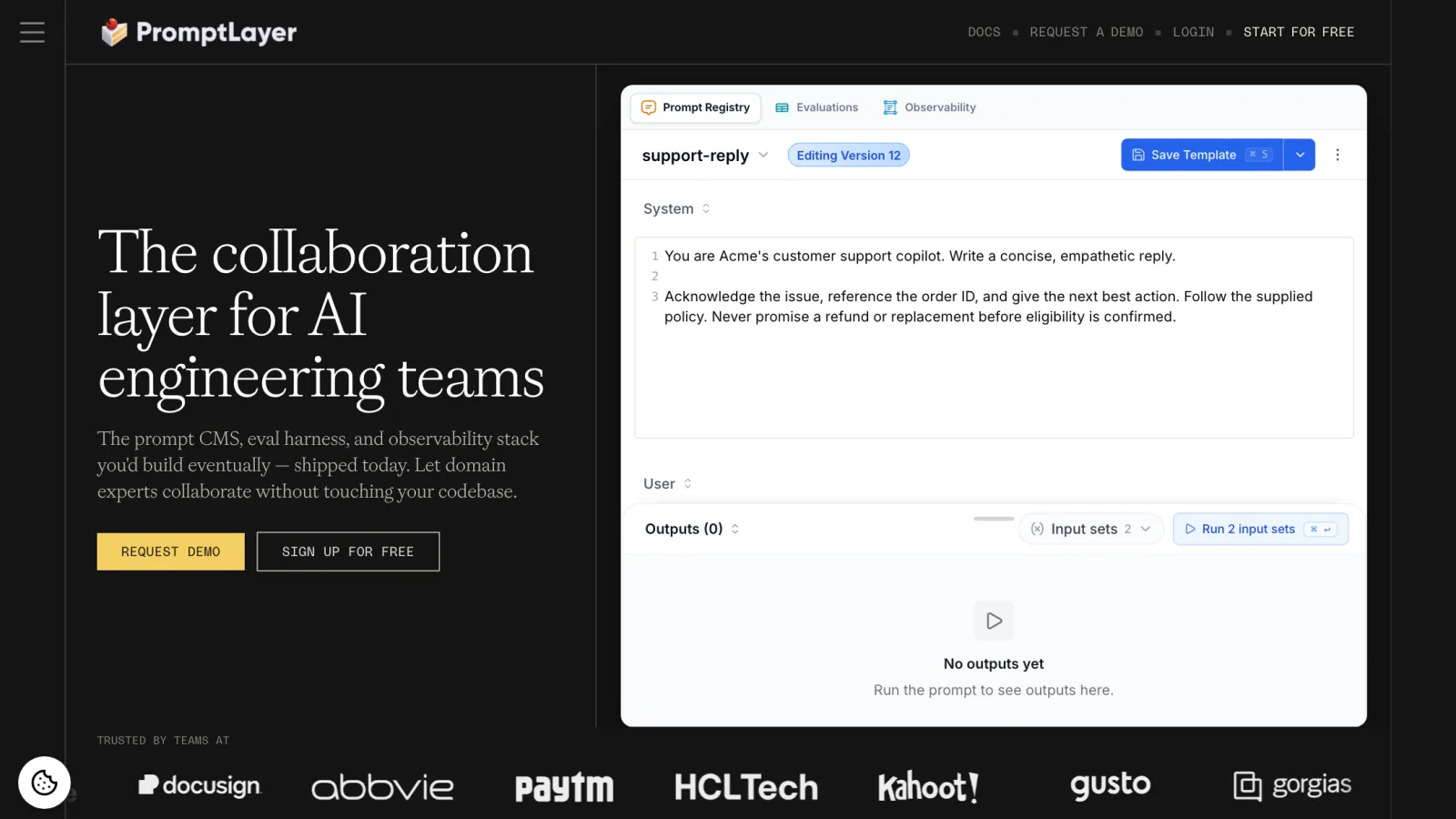
PromptLayer describes itself as the collaboration layer for AI engineering teams, and the pitch on its homepage is "the prompt CMS, eval harness, and observability stack you'd build eventually." That framing is accurate and it is the reason to pick it. Of everything in this guide, PromptLayer is the one built first for the person who is not going to open your repo.
The core object is the Prompt Registry. Each save creates a version with a commit message, and release labels like prod and staging decide which version your application actually receives. Because the label is what your code references, swapping which version is live is a UI action, not a deploy, and critical labels can be protected behind an approval workflow so a well-meaning edit cannot go straight to production.
Fetching and running a prompt is a single call:
Pythonfrom promptlayer import PromptLayer pl_client = PromptLayer(api_key="YOUR_API_KEY") response = pl_client.run( prompt_name="support-reply", prompt_release_label="prod", input_variables={ "customer_name": "Jordan", "issue": "My subscription was charged twice.", }, )
Pricing: Free for 5 users, 2,500 requests a month, 250 eval executions, and one workspace · Pro $49/month adds unlimited workspaces and playgrounds with overage at $0.003 per transaction · Team $500/month for 25 users, 100,000 requests, 7,500 eval executions, and webhooks · Enterprise is custom and is the only tier with RBAC, deployment approvals, HIPAA with a BAA, and self-hosting on GCP, AWS, or Azure.
What it does not do well: it is not open source, self-hosting is enterprise-only, and if your priority is a rigorous eval harness rather than collaborative editing, Braintrust is the stronger tool. The $49 to $500 gap between Pro and Team is also steep if you need 8 seats rather than 5.
Langfuse
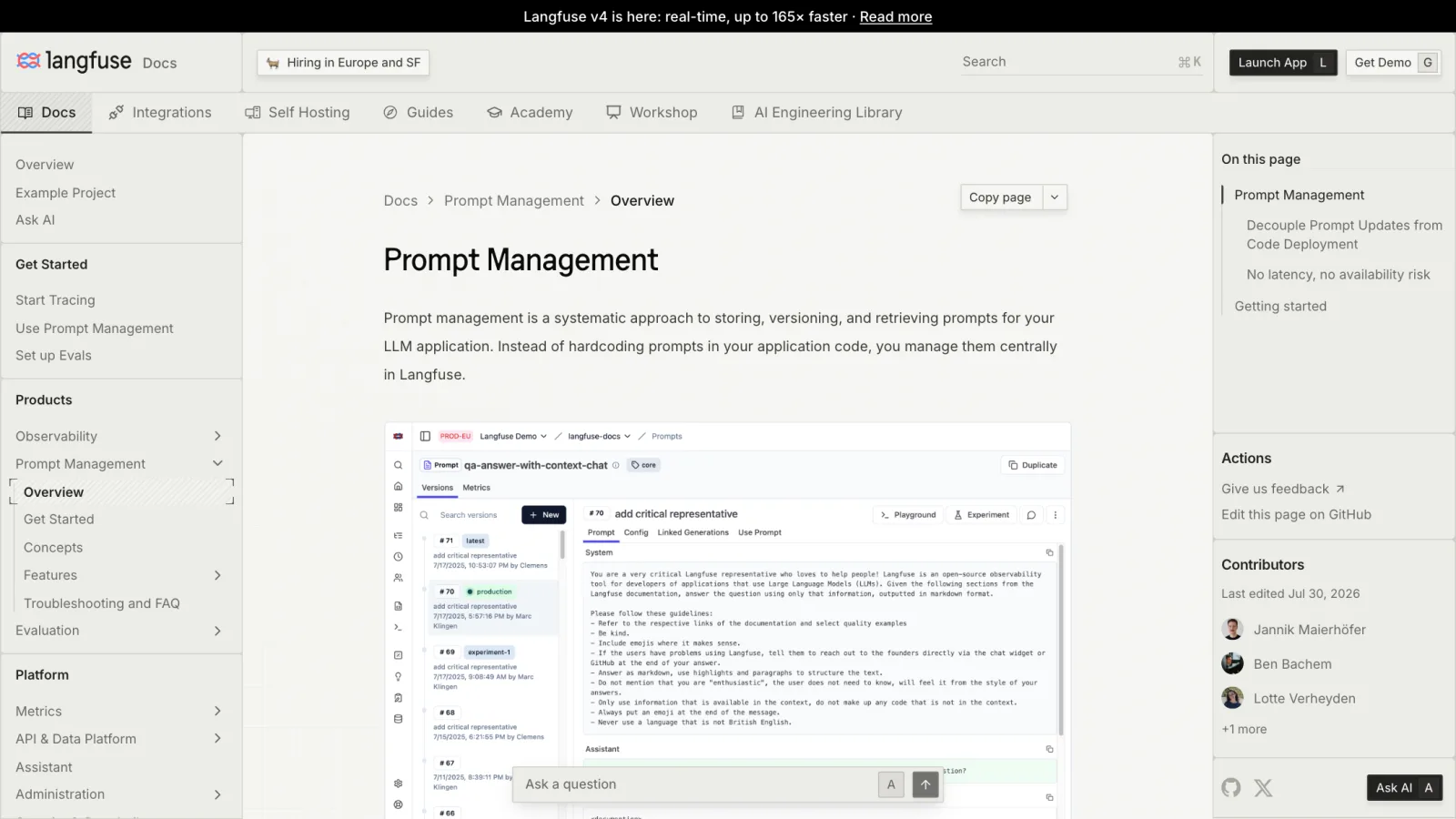
Langfuse is the default recommendation for most teams, and 2026 made that recommendation safer rather than riskier. On January 16, 2026, ClickHouse announced it had acquired Langfuse alongside a $400 million Series D that valued ClickHouse at $15 billion. The company committed publicly to keeping the MIT license, first-class self-hosting, and Langfuse Cloud running with the same endpoints. That is the outcome you want when a tool you depend on gets bought: an infrastructure company that already stored your traces buying the layer on top, rather than a competitor absorbing and freezing it.
The project sits at roughly 32,000 GitHub stars, and Langfuse's own site currently claims 21 of the Fortune 50 as users, 10+ billion observations a month, and over 100,000 engineers on the platform. Prompt management is one product inside it, next to tracing, evals, datasets, and a playground, which matters because linking a prompt version to the traces it produced is the whole point.
The architectural detail worth knowing is that the SDKs cache prompts client-side. Retrieval is a memory read, not a network round trip, so a runtime registry does not become a per-request latency tax. You can also pass a fallback, which is what makes the runtime dependency acceptable in production. Here is the exact script I ran against an unreachable Langfuse host, using langfuse 4.14.2:
Pythonimport os os.environ.setdefault("LANGFUSE_PUBLIC_KEY", "pk-lf-0000") os.environ.setdefault("LANGFUSE_SECRET_KEY", "sk-lf-0000") os.environ.setdefault("LANGFUSE_HOST", "http://localhost:3000") from langfuse import get_client langfuse = get_client() prompt = langfuse.get_prompt( "support-reply", label="production", max_retries=0, fetch_timeout_seconds=2, fallback="You are {{brand}} support. Answer {{question}} in under 80 words.", ) print(prompt.compile(brand="Acme", question="Where is my order?"))
With no server running, that prints two warnings and then the compiled fallback string. That is the behavior you want to verify before you ship, not after.
Creating a version is equally direct, and the label list is what your application reads:
Pythonlangfuse.create_prompt( name="support-reply", prompt="You are {{brand}} support. Answer {{question}} in under 80 words.", labels=["production"], commit_message="tighten length limit", )
Pricing: Self-hosted is free and unlimited under MIT · Hobby cloud is free with 50,000 units a month, 2 users, and 30-day retention · Core is $29/month for 100,000 units and 90-day retention, then $8 per additional 100,000 · Pro is $199/month with 3-year data access, and the Teams add-on with SSO enforcement is a further $300/month · Enterprise is $2,499/month with audit logs, SCIM, and SLAs.
What it does not do well: the UI is built for engineers, not domain experts, so the "let the PM edit it" story is weaker than PromptLayer's. There is no built-in live traffic splitting for A/B tests. And SSO enforcement living behind a $300/month add-on on top of a $199/month plan is a real cost jump for a small team with a compliance requirement.
Braintrust
Braintrust approaches the problem from the eval side. Prompts are first-class objects you can version and deploy, but the reason to be here is that changes get scored before they reach production, with trace-level scorers and CI quality gates. It raised an $80 million Series B led by ICONIQ in February 2026 at an $800 million valuation, with a16z, Greylock, and Elad Gil participating, and lists Notion, Replit, Cloudflare, Ramp, and Dropbox as customers.
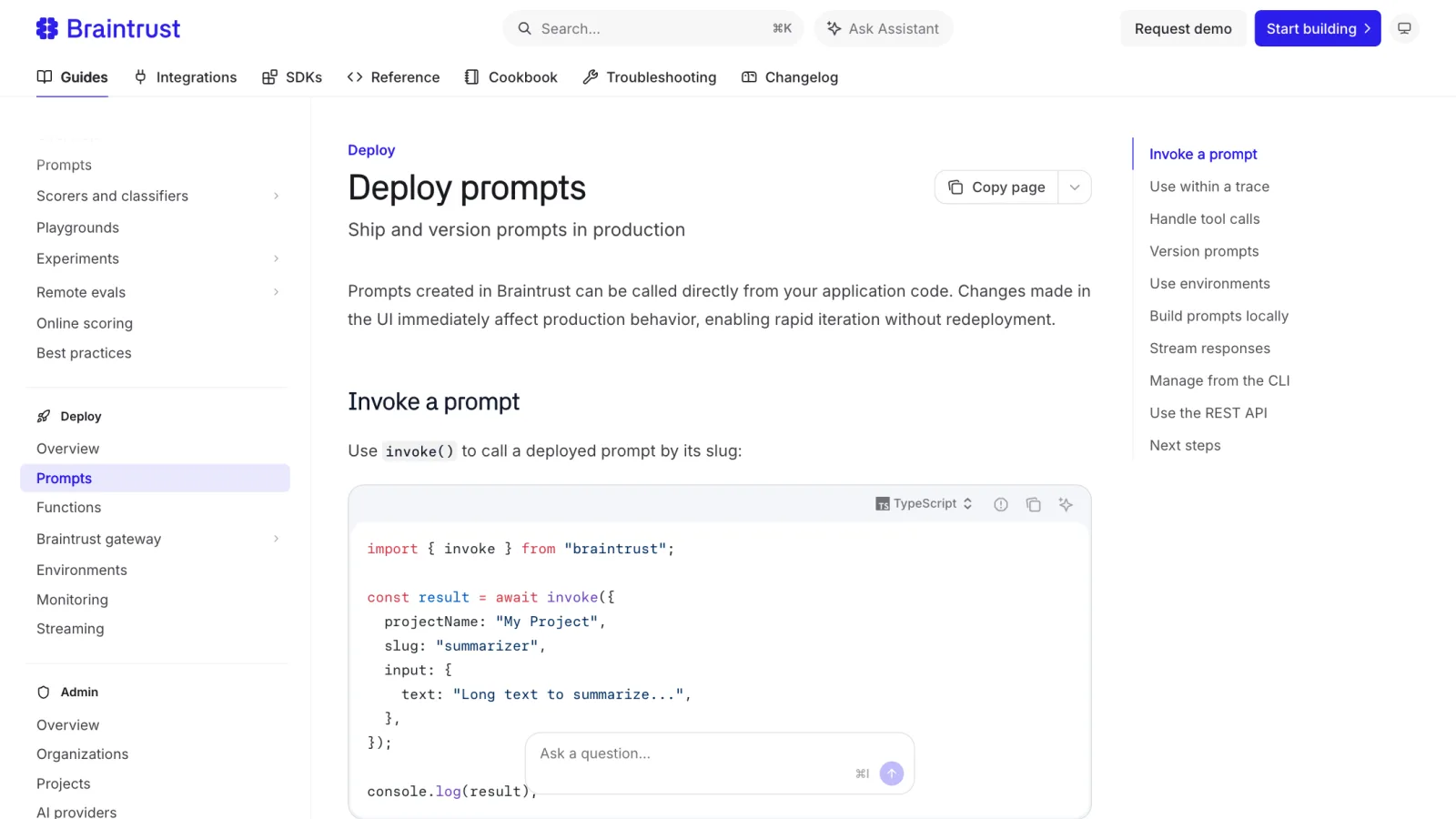
There are two ways to call a deployed prompt, and the distinction matters. loadPrompt fetches the definition and compiles it locally, so you keep control of the model call. invoke executes it server-side and logs the result to Braintrust automatically.
TypeScriptimport { loadPrompt } from "braintrust"; const prompt = await loadPrompt({ projectName: "My Project", slug: "summarizer", environment: "production", }); const { messages, model, temperature } = prompt.build({ text: "Long text to summarize...", });
TypeScriptimport { invoke } from "braintrust"; const result = await invoke({ projectName: "My Project", slug: "summarizer", input: { text: "Long text to summarize..." }, });
Environments (dev, staging, production) are the label mechanism, and you can pin an exact version ID in production code when you want a prompt frozen.
Pricing: Starter is free with $10 of model credits, 1 GB of processed data, 10,000 scores a month, and 14-day retention · Pro is $249/month with $249 of model credits, 5 GB, 50,000 scores, and 30-day retention, with 6 to 12 months free for qualifying startups · Enterprise is custom with on-premises deployment, RBAC, and custom retention. Seats are unlimited on every tier, which is unusual and genuinely good.
What it does not do well: the non-technical editing story is the weakest of the hosted options, it is closed source, and the jump from free to $249/month is the largest first step in this guide. If you are not going to write evals, you are paying for the part you will not use.
PromptHub
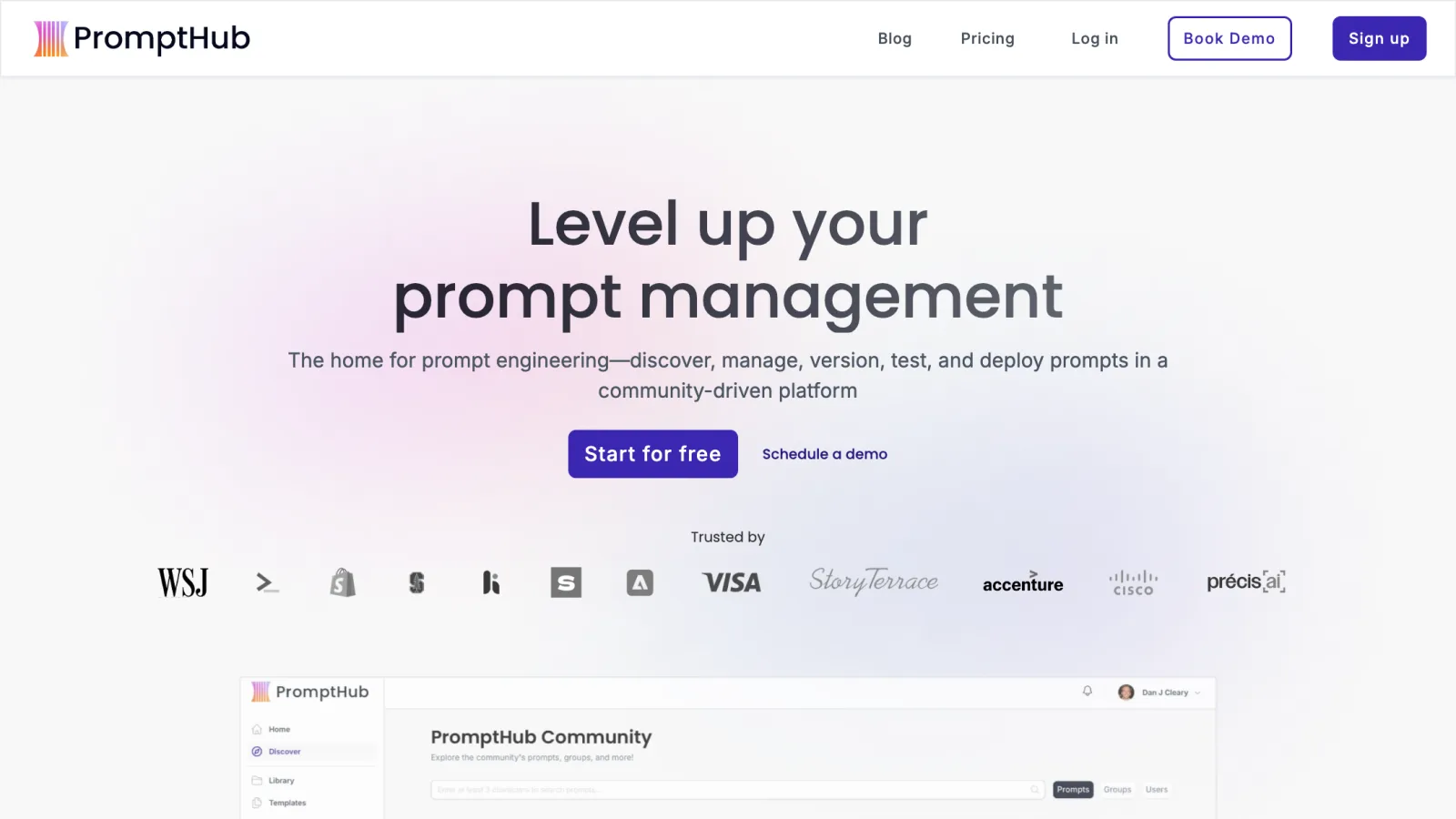
PromptHub takes the git mental model and puts a UI on it. You branch a prompt, commit changes with messages, open the equivalent of a pull request, and merge. For teams that like how git works but do not want prompt edits gated behind repository access, this is the closest fit, and it is by a wide margin the cheapest paid tier here.
The catch to understand before you sign up: PromptHub expects you to bring your own provider API keys and pay token costs directly, and the free tier only supports public prompts. Private prompts start at the $12/month Pro plan.
Pricing: Free with unlimited seats, 2,000 requests a month, and public prompts only · Pro $12/month, or $9 billed yearly, for one seat, 10,000 requests, unlimited private prompts, and full API access · Team $20/user/month, or $15 yearly, for 50,000 requests plus evaluations, CI/CD pipelines, and team permissions · Enterprise custom with SSO and SAML.
What it does not do well: there is no self-hosted option, tracing and observability are thin next to Langfuse or Braintrust, and SOC 2 is listed as in progress rather than complete, which will matter to some procurement teams.
MLflow Prompt Registry
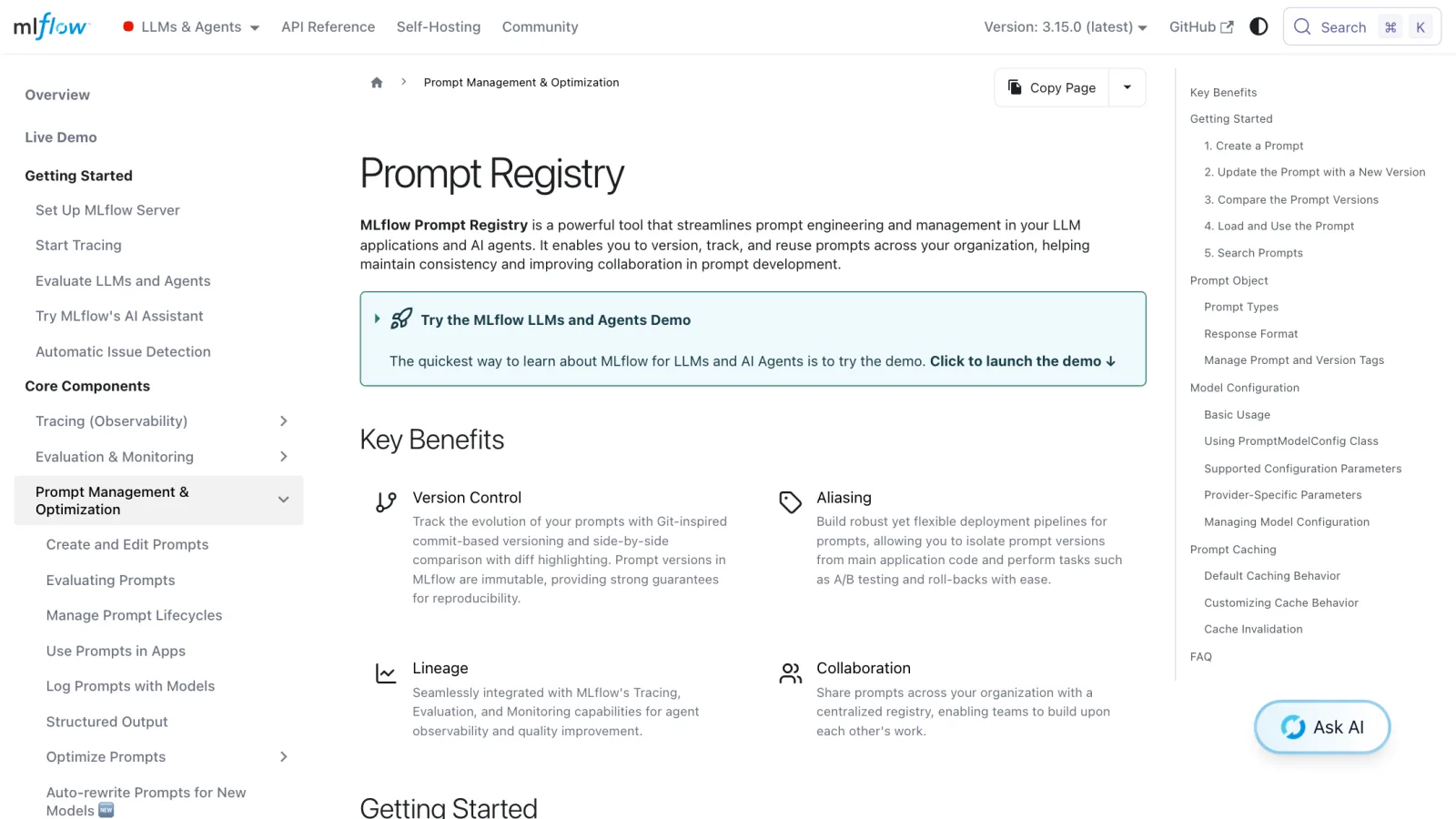
If you already run MLflow for classical ML, you may already have a prompt registry and not know it. It is Apache-2.0, it ships in MLflow 3.x (3.15.0 is current), and it uses git-inspired commit-based versioning where every version is immutable. Aliases are the mutable pointer, which gives you the same promote-and-rollback workflow the hosted tools sell.
Here is a complete working example. I ran this against a local SQLite tracking store on MLflow 3.15.0, and it prints version: 2 followed by the compiled v2 template:
Pythonimport mlflow mlflow.set_tracking_uri("sqlite:///mlflow.db") # Register v1. Every save is an immutable new version. mlflow.genai.register_prompt( name="support-reply", template="You are {{brand}} support. Answer {{question}} in under 80 words.", commit_message="initial version", ) # Register v2 with a tighter instruction. v2 = mlflow.genai.register_prompt( name="support-reply", template=( "You are {{brand}} support. Answer {{question}} in under 80 words. " "Never promise a refund before eligibility is confirmed." ), commit_message="add refund guardrail", ) # Point the mutable "production" alias at v2. mlflow.genai.set_prompt_alias("support-reply", alias="production", version=v2.version) # Application code loads by alias, not by version number. prompt = mlflow.genai.load_prompt("prompts:/support-reply@production") print("version:", prompt.version) print(prompt.format(brand="Acme", question="Where is my order?"))
One note if you are copying from older tutorials: mlflow.set_prompt_alias still works but emits a FutureWarning and will be removed. Use mlflow.genai.set_prompt_alias.
Pricing: Free. You are paying in infrastructure, since you run the tracking server yourself, and managed MLflow through Databricks is priced separately.
What it does not do well: there is no collaborative prompt editor worth handing to a PM, the workflow assumes notebooks and Python, and it is not going to be the tool that makes prompt iteration fast for a product team. It is a solid registry, not a collaboration platform.
Opik
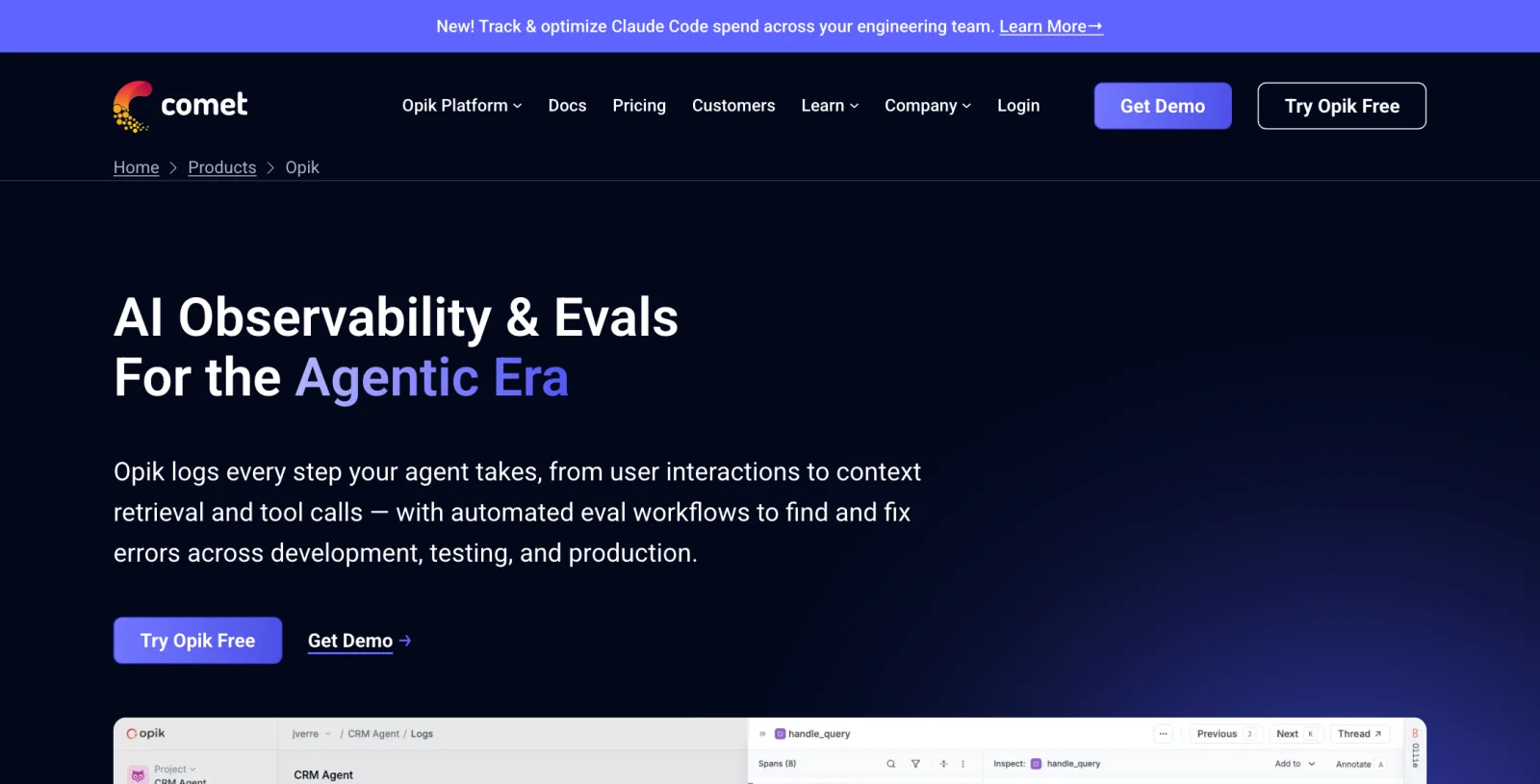
Opik from Comet is the other Apache-2.0 option, and it is the most generous of the open-source platforms: the self-hosted build has no feature restrictions, so the agent optimizer, guardrails, LLM-as-a-judge evaluation, and playground are all included at no cost.
Its prompt library versions automatically. Worth knowing exactly what triggers a version: a change to template content, metadata, or type creates a new version, while editing tags, name, or description does not. That is a sensible default but it will surprise you the first time a rename does not show up in the version list.
Pricing: Self-hosted is free with the full feature set under Apache-2.0 · Comet's cloud free tier includes 25,000 spans a month, with paid plans as usage scales into production or when you need user management and compliance features.
What it does not do well: prompt management is a smaller part of a product that is mostly about agent observability and evals, so the registry features are less developed than PromptLayer's or Langfuse's. If prompts are your only problem, this is a lot of platform to run.
Also Worth Knowing About
LangSmith has arguably the nicest prompt editing experience of the hosted tools, and its evals and tracing are strong. The pricing model is the friction: Developer is free for one seat and 5,000 base traces a month, and Plus is $39 per seat per month for 10,000 base traces, with LangChain Compute Units at $1.50 and Storage Units at $1.00 on top. Per-seat pricing on a tool whose value proposition is cross-functional collaboration is an awkward combination, and self-hosting is enterprise-only.
Agenta was, until recently, one of the cleanest open-source all-in-ones for prompt-centric work. It is still MIT-adjacent and self-hostable for free, but the GitHub description now reads "the open-source workspace for building and running AI agents" and cloud pricing is denominated in agent runs (Hobby free with 5,000 runs a month, Pro $29/month, Business $299/month). The prompt features are still there; the product's center of gravity has moved to agents. Worth a look, worth reading the changelog before you commit.
Portkey bundles prompt management into its AI gateway, which is a reasonable place for it if you are already routing traffic through a gateway. Palo Alto Networks closed its acquisition of Portkey on May 29, 2026, and there is no public roadmap statement yet for the open-source gateway inside a much larger security company.
The 2026 Shakeout
The fastest way to get burned in this category right now is adopting something that has already been quietly taken off the board.
Humanloop shut down on September 8, 2025. Anthropic hired the three co-founders and about a dozen engineers, but did not acquire the IP, so the platform is simply gone. Helicone was acquired by Mintlify in March 2026 and moved into maintenance mode: patches and model support continue, feature work does not. Promptfoo was acquired by OpenAI in March 2026, staying open source and supported, its roadmap now folded into OpenAI Frontier for agentic security testing. Vellum repositioned in May 2026 to a consumer product and no longer publishes platform pricing.
Add Portkey going to Palo Alto Networks and Langfuse going to ClickHouse, and six well-known names in this category changed ownership or identity in about eighteen months. The practical filter: prefer tools you could fork and run yourself (Langfuse, MLflow, Opik), or ones with an obvious independent business and recent funding (PromptLayer, Braintrust). Be skeptical of anything in between.
How to Set Up Prompt Management in About 30 Minutes
A pricing page will not tell you if your team will actually use this. Running it locally will. This uses Langfuse, since self-hosting needs no account and no credit card.
- Start Langfuse locally with
docker compose upafter cloning the repo. The UI comes up onhttp://localhost:3000. - Create a project and API keys, then export
LANGFUSE_PUBLIC_KEY,LANGFUSE_SECRET_KEY, andLANGFUSE_HOST=http://localhost:3000. - Install the SDK with
pip install langfuse(the examples above ran on 4.14.2). - Create your first prompt with
langfuse.create_prompt(...), labeledproduction, using{{variable}}placeholders for anything dynamic. - Swap one hardcoded prompt for
langfuse.get_prompt("your-prompt-name"), with afallbackargument set to the original string. Stop the container and confirm your app still responds. - Edit the prompt in the UI and move the
productionlabel to the new version. Confirm your app picks it up without a restart. That moment is the whole value proposition.
Once that loop feels right, deciding whether to pay for hosted Langfuse, switch to PromptLayer for the editor, or add Braintrust for eval gating is easy.
Which One Should You Actually Use?
Non-engineers need to edit prompts: PromptLayer. Free tier seats five people, and release labels with approvals give you the governance you would otherwise have to build yourself.
One tool for prompts, traces, and evals, and you want to self-host: Langfuse. The ClickHouse acquisition makes it more durable, not less, and MIT means the worst case is a fork.
Prompt changes must pass an eval before shipping: Braintrust, budgeted for the $249/month tier, since the free tier's 10,000 scores will not carry a real CI pipeline.
Already running MLflow: start with its Prompt Registry before buying anything. It is free and the versioning model is sound.
One or two prompts, a couple of engineers, nobody else touching them: keep them in your repo, as OpenAI's own migration guide argues. Come back once a third person needs to edit wording, or you can't answer which version produced a bad output.
Conclusion
Prompt management earns its keep the moment someone outside engineering needs to edit a prompt, or you can't answer which version shipped a bad output. Half this category got acquired or shut down in the last year, so weigh durability, open source, self-hostable, recently funded, alongside features. Start with the free tier of whichever tool matches your actual constraint, not the one with the longest feature list.
Related DevToolLab Tools
- YAML Diff Checker - compare two exported prompt config files side by side to see exactly what changed between versions.
- JSON to JSONL Converter - turn a JSON array of test cases into the JSON Lines format most eval harnesses expect for datasets.
- JSON Escape & Unescape - escape a multi-line prompt template into a JSON-safe string for API payloads, and unescape it back for editing.
- Text Size Calculator - measure the UTF-8 byte size of a prompt template before it hits a payload or context limit.
Related Guides
- LLM Evals Guide 2026 - how to build the eval suite that decides whether a new prompt version ships
- Best LLM Observability Tools 2026 - tracing and cost tracking for the prompt versions you deploy
- Context Engineering Guide - what goes into the prompt in the first place, and why more context is not better context
- Prompt Caching Guide - how provider-level caching interacts with prompts that change on a label swap