
To migrate a pip project to uv, run uv init --bare --python <the version you run today>, then uv add -r requirements.txt, then uv add --dev with your dev requirements, and commit pyproject.toml and uv.lock. The commands take about a minute. Checking what they left out takes longer, and it matters more.
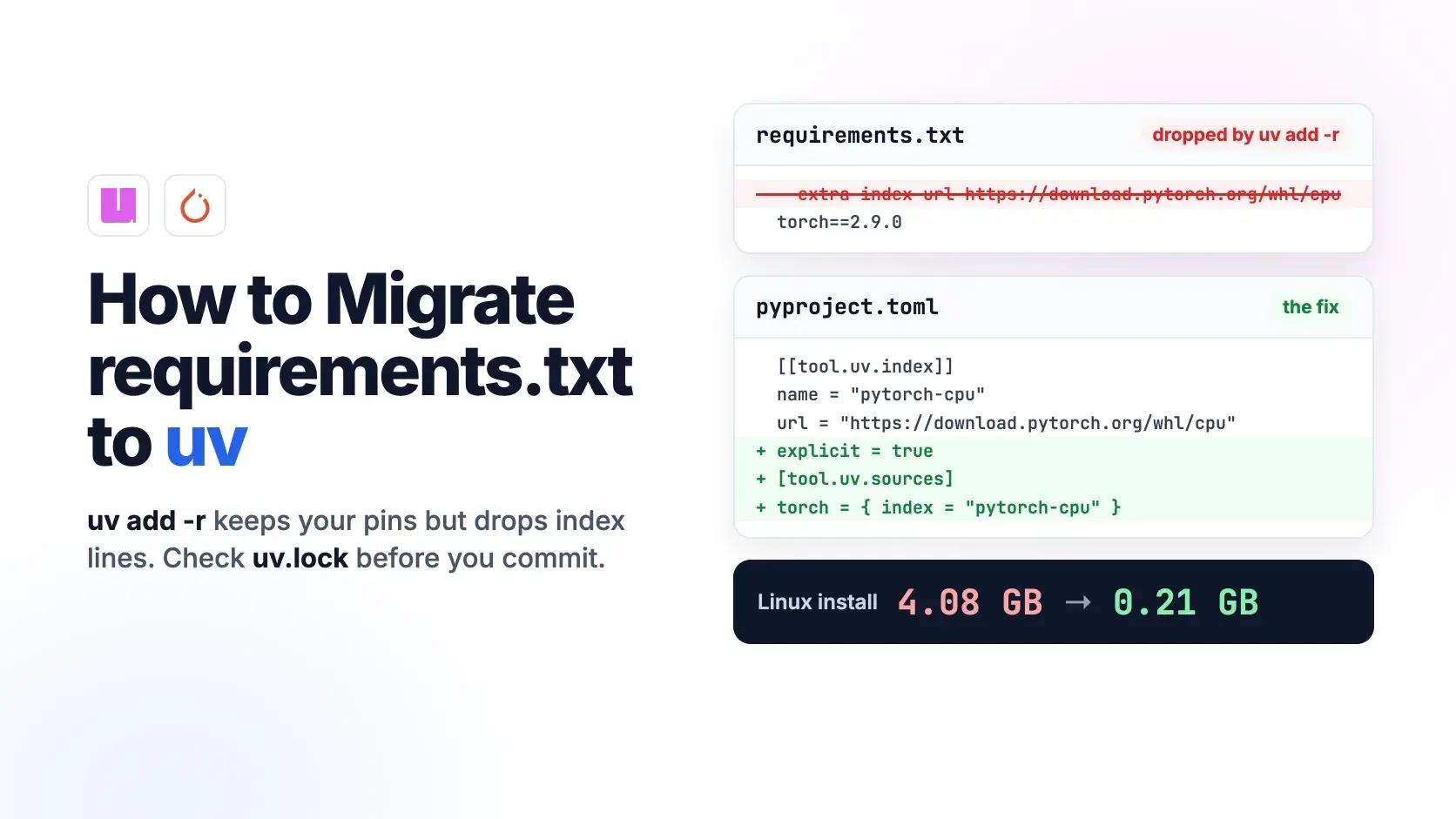
In our test with uv 0.13.5, released October 22, 2026, uv add -r dropped a --extra-index-url line for PyTorch's CPU wheels without printing a warning. The lockfile quietly switched to PyTorch's CUDA build, which turns a 0.21 GB Linux install into 4.08 GB.
The Fastest Way
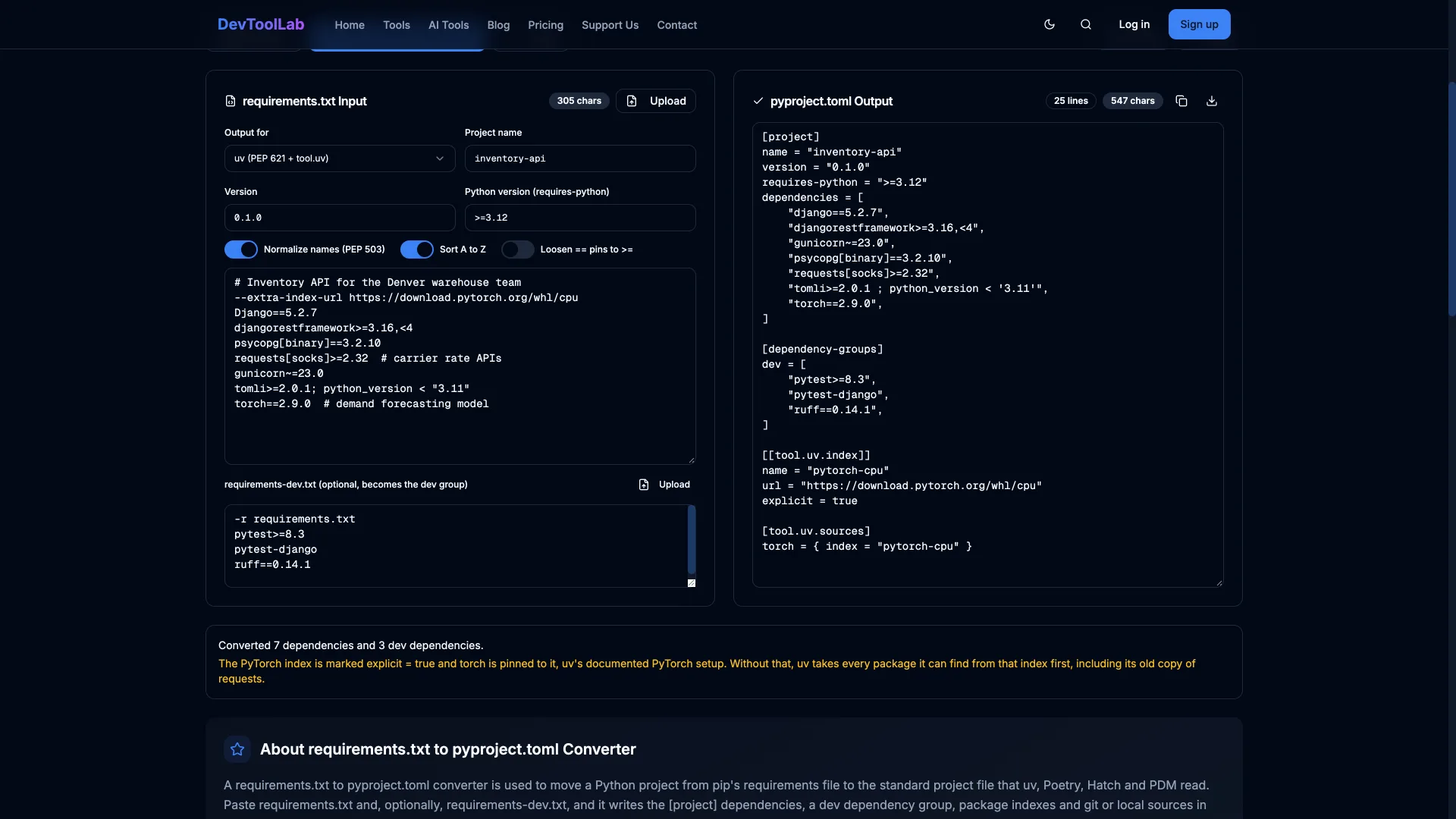
Paste both files into the requirements.txt to pyproject.toml converter. It writes the dependency list uv add -r would, keeps a PyTorch index as an explicit index with torch pinned to it, leaves the -r requirements.txt line out of the dev group, and drops --hash options. It runs in the browser and does not resolve versions, so run uv lock on the result.
Migrate With uv add -r, Step by Step
The project carried through this post is an inventory API for a warehouse team in Denver: Django and Django REST Framework, Postgres through psycopg, and a small PyTorch model that forecasts demand. Its requirements.txt asks for PyTorch's CPU-only wheels, which is what most teams want on a server without a GPU:
text# Inventory API for the Denver warehouse team --extra-index-url https://download.pytorch.org/whl/cpu Django==5.2.7 djangorestframework>=3.16,<4 psycopg[binary]==3.2.10 requests[socks]>=2.32 # carrier rate APIs gunicorn~=23.0 tomli>=2.0.1; python_version < "3.11" torch==2.9.0 # demand forecasting model
uv add needs a project to add to, so create a bare pyproject.toml first. Without --python, uv uses its default interpreter, which was Python 3.12 on this machine:
uv init --bare
uv add -r requirements.txt
textInitialized project `inventory-api` Resolved 42 packages in 110ms
The dependency list it wrote keeps every version constraint, normalizes names to lowercase and rewrites the marker in uv's own form:
toml[project] name = "inventory-api" version = "0.1.0" requires-python = ">=3.12" dependencies = [ "django==5.2.7", "djangorestframework>=3.16,<4", "gunicorn~=23.0", "psycopg[binary]==3.2.10", "requests[socks]>=2.32", "tomli>=2.0.1 ; python_full_version < '3.11'", "torch==2.9.0", ]
The --extra-index-url line is gone, and nothing in the output says so.
Check Where torch Came From
uv.lock records the index each package came from. Two greps show what happened:
Bashgrep -c '^name = "nvidia-' uv.lock grep -A2 '^name = "torch"' uv.lock
text15 name = "torch" version = "2.9.0" source = { registry = "https://pypi.org/simple" }
torch resolved from PyPI. The uv PyTorch guide explains why that matters: PyPI hosts CPU-only PyTorch wheels for Windows and macOS but GPU-accelerated wheels for Linux. The lockfile now carries 15 nvidia-*-cu12 packages and triton for Linux. Summing the Linux x86_64 wheels for Python 3.12 from both lockfiles gives 4.08 GB with the PyPI build (the torch wheel alone is 899.7 MB) and 0.21 GB with the CPU build (184.4 MB for torch).
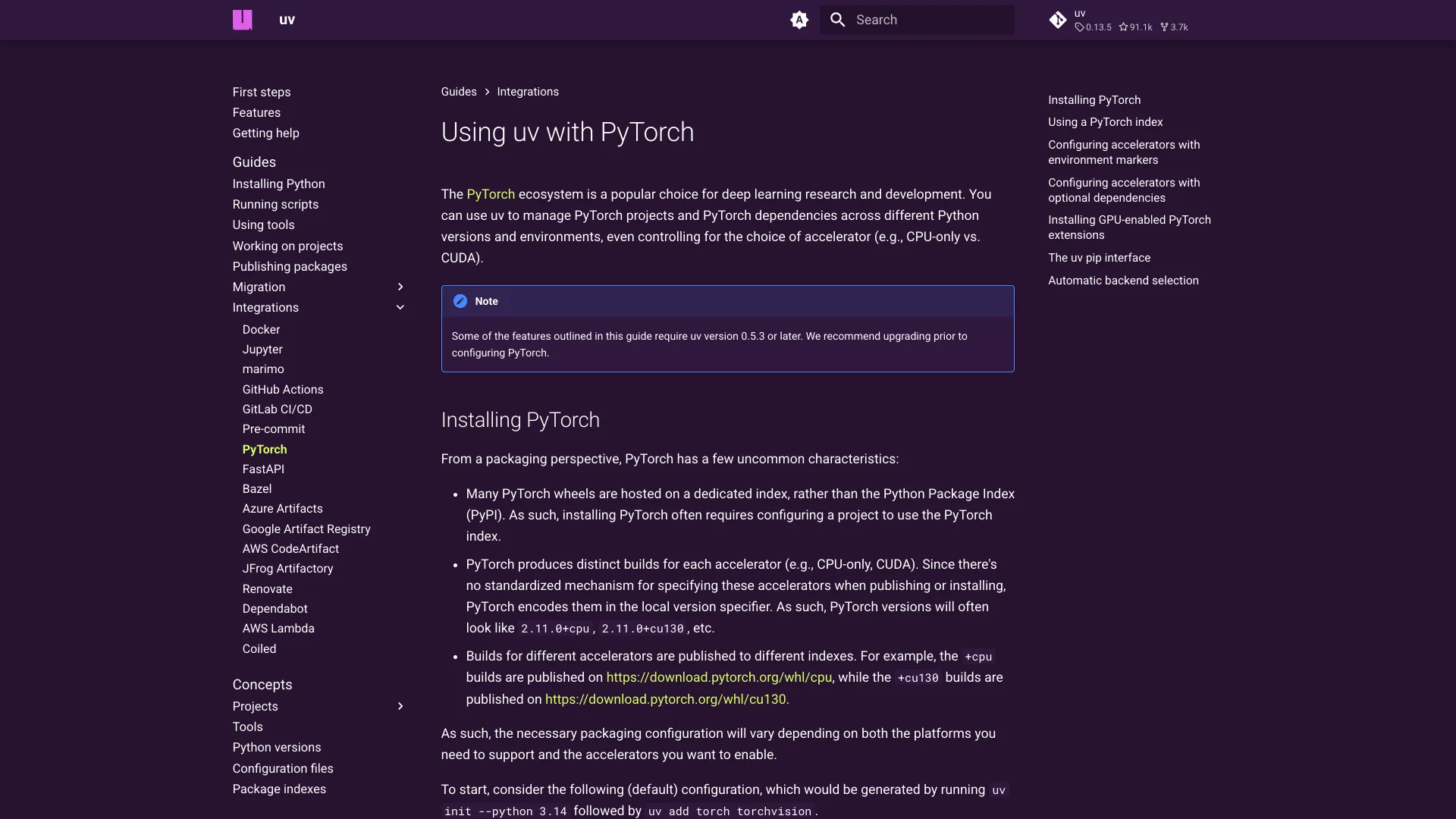
The fix, from the same guide, is to declare the index as explicit and pin torch to it:
toml[[tool.uv.index]] name = "pytorch-cpu" url = "https://download.pytorch.org/whl/cpu" explicit = true [tool.uv.sources] torch = { index = "pytorch-cpu" }
text$ uv lock Resolved 27 packages in 29ms Removed nvidia-cublas-cu12 v12.8.4.1 ... Removed nvidia-nvtx-cu12 v12.8.90 Updated torch v2.9.0 -> v2.9.0, v2.9.0+cpu Removed triton v3.5.0
The lock now holds 2.9.0 for macOS and 2.9.0+cpu for Linux and Windows, both from the PyTorch index, and zero nvidia- packages. explicit = true is what makes this safe: uv only uses that index for packages pinned to it, so requests and everything else keep coming from PyPI.
Add Dev Dependencies Without Copying Production Ones
Many requirements-dev.txt files start with -r requirements.txt so that one pip install sets up everything. uv add --dev -r follows that line too, so our dev group came out with 10 entries: the three dev tools plus all seven production dependencies again. Strip the include before adding:
Bashuv add --dev -r <(grep -v '^-r' requirements-dev.txt)
toml[dependency-groups] dev = [ "pytest>=8.3", "pytest-django>=4.14.0", "ruff==0.14.1", ]
uv also gave the unpinned pytest-django a lower bound at the version it resolved; uv add --bounds changes that behavior.
Migrate From requirements.in, Not the Compiled File
If the project uses pip-tools or uv pip compile, its requirements.txt is a generated lockfile: every transitive dependency pinned with ==, plus hashes. We compiled our five top-level web dependencies into a 295-line file with 261 --hash options and ran uv add -r on it. The result was 15 exact pins in [project], including packages nobody chose, such as asgiref and charset-normalizer. djangorestframework>=3.16,<4 had become ==3.18.3, and requests[socks] had become a plain requests pin plus a separate pysocks pin, losing the extra.
Run uv add -r requirements.in instead, the file with the dependencies you actually chose. uv.lock takes over the job the compiled file did, including hashes.
Keep a requirements.txt for Tools That Still Need One
Some deploy targets and scanners still read requirements.txt. uv export writes one from the lockfile:
Bashuv export --format requirements.txt --no-dev --no-hashes -o requirements.lock.txt
It pins torch==2.9.0+cpu ; sys_platform != 'darwin' but writes no index line, and PyPI does not host that build. Resolving the file against PyPI alone fails with Because there is no version of torch==2.9.0+cpu, so pass --extra-index-url https://download.pytorch.org/whl/cpu to whatever installs it.
Common Errors
error: No `pyproject.toml` found in current directory or any parent directory. uv add only edits an existing project. Run uv init --bare first.
Because only requests[socks]==2.28.1 is available and your project depends on requests[socks]>=2.32. You added the PyTorch index without explicit = true. By default uv takes each package from the first index that has it, and the PyTorch index hosts an old copy of requests, so resolution fails. The error's own hint suggests --index-strategy unsafe-best-match, but the explicit index above is the narrower fix.
Because tensorflow==2.15.0 has no wheels with a matching Python version tag (e.g., `cp312`). uv init picked a newer Python than the project runs on, and an old pin has no wheels for it; this one lists cp39, cp310 and cp311. Recreate the project with uv init --bare --python 3.11, which wrote requires-python = ">=3.11", and the same pin resolved.
error: The lockfile at `uv.lock` needs to be updated, but `--locked` was provided. Someone edited pyproject.toml without relocking. Run uv lock and commit the result; keep uv sync --locked in CI so this fails loudly instead of installing something unreviewed.
When Not to Migrate Yet
If you only want faster installs, uv pip install -r requirements.txt gives you uv's resolver without changing any files. Hold off on the full move when a deploy target, a security scanner or a teammate's tooling only reads requirements.txt, at least until you have wired uv export into the build. And diff the new uv.lock against the old environment before you deploy: a migration that resolves cleanly can still swap a build, as the torch example shows.
Conclusion
The two commands do most of the work: uv init --bare with the Python version you run today, then uv add -r on your top-level requirements. What they skip is everything that was not a requirement line. Index options vanish, includes in dev files get followed, and a compiled file turns every transitive pin into a direct dependency. Before you commit, grep uv.lock for where each heavy package came from. For our inventory API that one check was the difference between a 0.21 GB and a 4.08 GB install on every Linux server and CI run.
Related DevToolLab Tools
- requirements.txt to pyproject.toml Converter - produce the whole
pyproject.tomlfrom both requirements files, with the PyTorch index set up as explicit, before you runuv lock. - PyPI Package Inspector - check a pin's release history and the Python versions it declares before you choose
requires-python. - TOML to JSON Converter -
uv.lockis TOML, so convert it to JSON when you want to filter it with jq instead of grep. - Dockerfile Linter - review the Dockerfile after you swap
pip install -r requirements.txtforuv sync --locked.
Related Guides
- uv in 2026 covers what uv replaces, its everyday commands and how it behaves in CI.
- 9 Supply Chain Security Tools in 2026 explains why lockfiles with hashes matter once dependencies come from more than one index.
- Best CI/CD Tools in 2026 compares the platforms where
uv sync --lockedends up running. - How to Build an MCP Server in Python starts a new project with uv from scratch.