
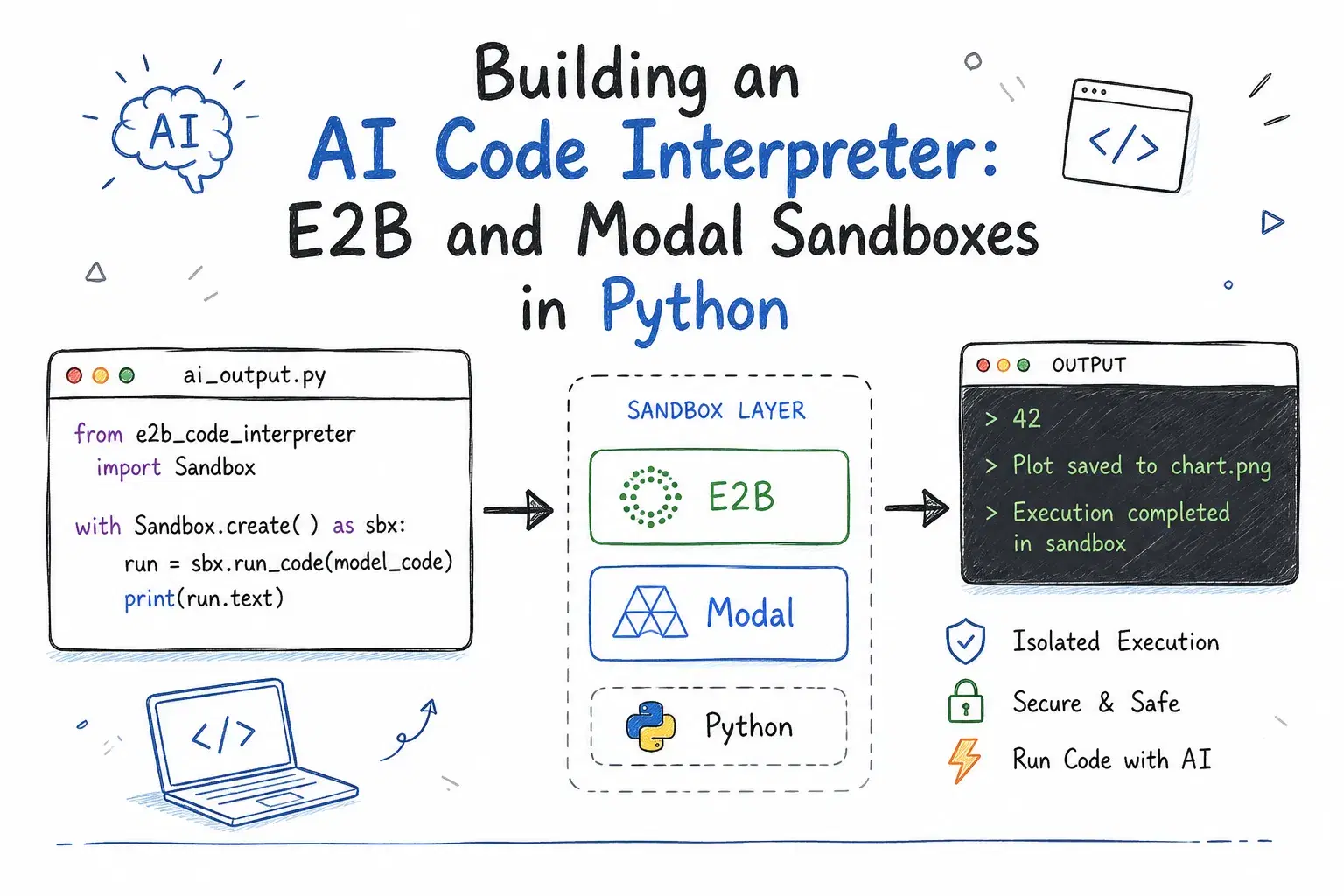
Letting an AI agent write and execute its own code is what turns a chatbot into something that can actually finish a data analysis, fix a failing test, or check its own arithmetic instead of guessing at a sum mid-sentence. The code came from a language model, though, not a reviewed pull request, and something has to decide where it is allowed to run.
The default many developers reach for first is Python's own exec(), and it runs the model's code inside your own process, sharing your environment variables, your filesystem permissions, and your network access with whatever the model just wrote. A sandbox exists to take that risk away by giving the code its own disposable machine instead.
E2B and Modal are the two SDKs most Python teams reach for to do this, and Piston is the open source engine worth knowing about if you would rather self-host than depend on either one. This guide builds a working code interpreter with all three. Every code example below was checked against the SDK versions actually installed via pip while writing this, not copied from a landing-page snippet.
Why Not Just exec()?
Before reaching for a hosted SDK, it is worth seeing exactly what a bare exec() call gives away, since that gap is the whole reason sandboxes exist. A model-generated snippet dropped straight into exec() runs inside your Python process, so it can read anything that process can read:
Pythonmodel_output = """ import os print(f"I can see {len(os.environ)} environment variables from this process.") print(f"Current working directory: {os.getcwd()}") """ exec(model_output)
On a typical developer machine, that prints something close to:
textI can see 61 environment variables from this process. Current working directory: /Users/you/projects/my-agent
Nothing in that snippet asked for permission or called a privileged API. It just read what a normal Python process can already see, which on most machines includes any API keys sitting in environment variables and full read/write access to whatever the current user account can reach. exec() does not create a boundary. It runs the code as if you had typed it yourself, which is exactly the wrong trust level for text an LLM produced.
What You Will Need
Both E2B and Modal are hosted platforms, so the code below needs a free account and an API key from each before it actually executes remotely. Piston, covered later, is the option that runs entirely on infrastructure you control.
Building It with E2B
E2B runs each sandbox as an isolated Firecracker microVM, the same lightweight virtualization AWS built for Lambda. Install the code interpreter SDK:
pip install e2b-code-interpreter
That pulls down version 2.9.x at the time of writing. Sign up at e2b.dev, grab an API key from the dashboard, and export it:
export E2B_API_KEY="e2b_your_key_here"
The SDK picks up E2B_API_KEY automatically, so a minimal run looks like this:
Pythonfrom e2b_code_interpreter import Sandbox with Sandbox.create(timeout=60) as sandbox: execution = sandbox.run_code(""" import statistics data = [4, 8, 15, 16, 23, 42] print(f"mean: {statistics.mean(data)}") print(f"stdev: {statistics.stdev(data):.2f}") """) print(execution.text)
Sandbox.create() boots a fresh microVM and the with block tears it down automatically on exit. Always pass an explicit timeout in seconds - if you leave it unset, you are trusting whatever default your plan applies, and an AI-written loop that never terminates is exactly the scenario a sandbox is supposed to contain.
run_code() returns an Execution object, not a raw string, and that is the detail most quick-start snippets skip over. It carries four things worth knowing:
execution.text- a plain-text rendering of the last expression's result, which is what you printed above.execution.results- a list of richerResultobjects. Each one can carrytext,html,png,json,chart, or several other formats, so a snippet that callsmatplotlib.pyplot.plot()hands you back a base64 PNG here instead of nothing.execution.logs- the stdout and stderr the code printed along the way, separate from its final result.execution.error-Noneon success, or anExecutionErrorwith.name,.value, and.tracebackwhen the code raised.
Checking error instead of wrapping the call in a try/except is the idiomatic pattern, because a Python exception inside the sandbox is not a transport failure - the request to E2B succeeded, the code just failed on its own terms:
Pythonexecution = sandbox.run_code("1 / 0") if execution.error: print(execution.error.name, "-", execution.error.value) # ZeroDivisionError - division by zero
On pricing: E2B's Hobby tier is free, includes a one-time $100 usage credit, and allows up to 20 concurrent sandboxes with session lengths up to an hour. The Pro tier is $150/month, stretches sessions to 24 hours, and raises the concurrency ceiling to 100 (expandable to 1,100). Past the included credit, compute is billed per second - the default 2 vCPU sandbox runs about $0.000028/second, close to $0.10/hour.

Building It with Modal
Modal takes a different approach: instead of a purpose-built microVM, a Sandbox is a container running on Modal's general-purpose compute platform, which means the same image-building tools you would use for a Modal function apply here too. Install it and authenticate:
pip install modal
modal setup
modal setup opens a browser, creates a token tied to your account, and writes it to ~/.modal.toml - there is no separate API key to copy around by hand.
A Modal sandbox is created idle, with no default entrypoint, and you run commands inside it with .exec():
Pythonimport modal app = modal.App.lookup("code-interpreter-demo", create_if_missing=True) image = modal.Image.debian_slim(python_version="3.12") sandbox = modal.Sandbox.create(image=image, app=app, timeout=60, block_network=True) process = sandbox.exec("python", "-c", """ import statistics data = [4, 8, 15, 16, 23, 42] print(f"mean: {statistics.mean(data)}") print(f"stdev: {statistics.stdev(data):.2f}") """) print(process.stdout.read()) process.wait() print("exit code:", process.returncode) sandbox.terminate()
A few details here matter for a real integration. modal.App.lookup(..., create_if_missing=True) gets or creates the app that owns the sandbox's billing and lifecycle - Modal groups resources under an app rather than treating each sandbox as fully standalone. Sandbox.create() defaults timeout to 300 seconds if you omit it, so an idle sandbox does not run forever on your bill by accident. block_network=True is worth calling out on its own: it cuts all outbound networking for that sandbox, which is the right default for code that only needs to compute something, and something you should flip to False deliberately, not by default, if the code genuinely needs to call an API.
sandbox.exec() returns a ContainerProcess, and like the Sandbox object itself it exposes .stdout, .stderr, .wait(), and .returncode - reading .stdout.read() before calling .wait() is the pattern Modal's own docs use, since .wait() blocks until the process exits and you generally want the output either way. Always call sandbox.terminate() (or use it as a context manager) once you are done - an un-terminated sandbox keeps billing.
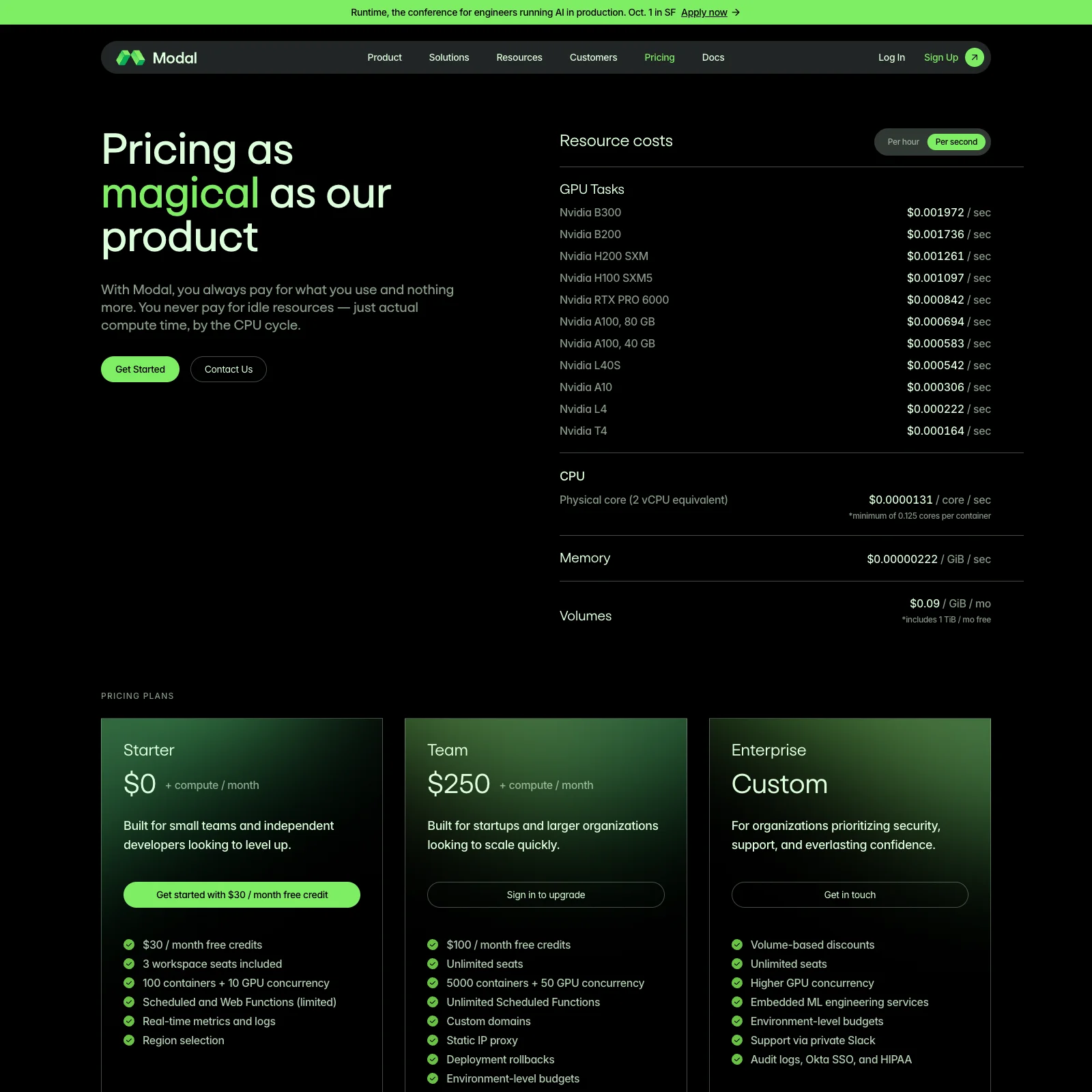
On pricing: Modal's Starter plan is free with $30/month in compute credits and no idle charges - you only pay while a sandbox or function is actually running. Sandboxes specifically run on a non-preemptible tier, billed at roughly 3x the standard rate: about $0.00003942 per core per second for CPU and $0.00000667 per GiB per second for memory. The Team plan is $250/month with $100/month in credits and a much higher container ceiling.
The Open Source Option: Self-Hosting Piston
If depending on either vendor is a non-starter, Piston is a genuinely open source code execution engine (MIT licensed) that you run yourself, typically behind a small REST API on your own infrastructure. It has powered Discord code-execution bots for years and supports dozens of languages through the same interface.
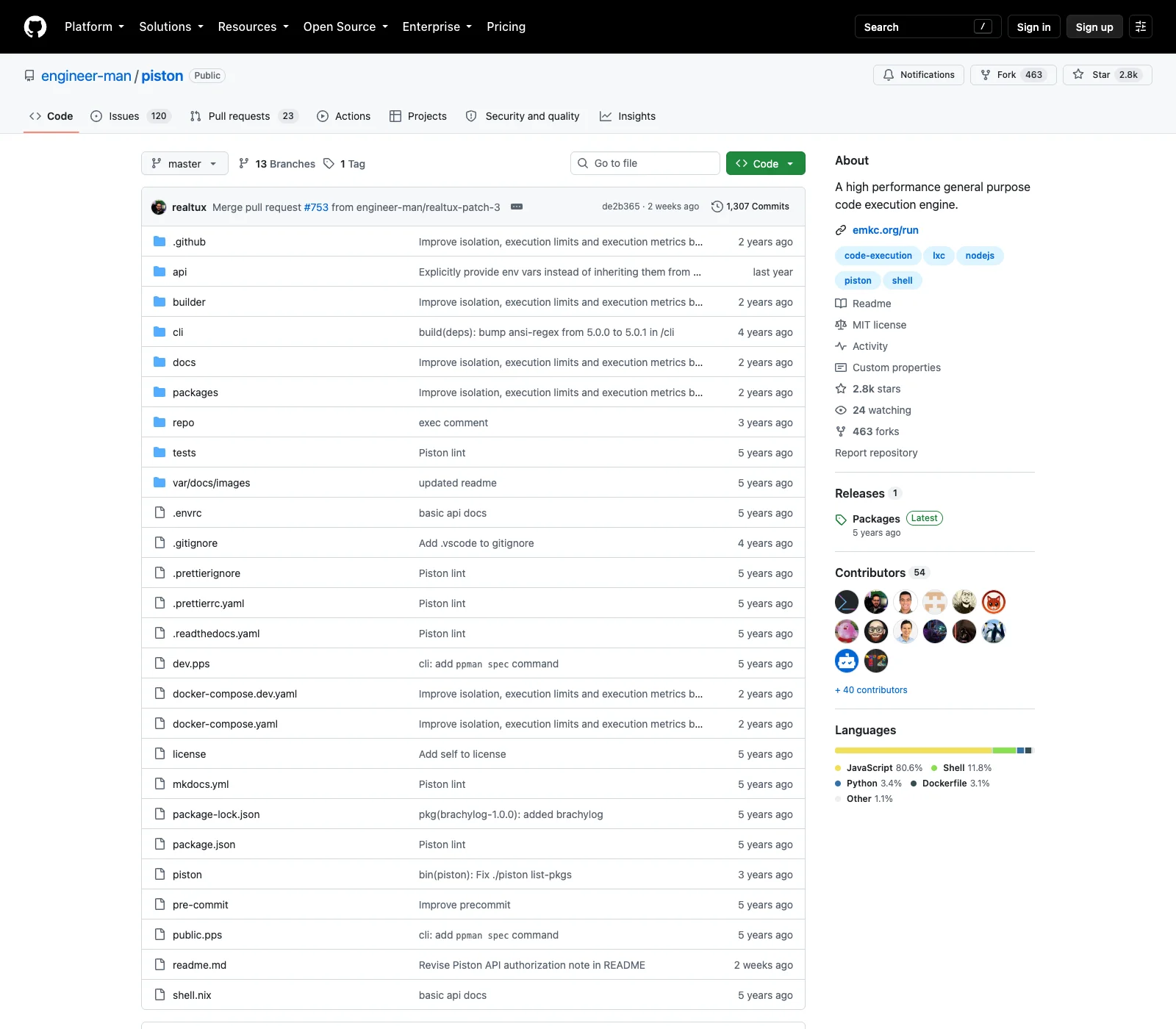
Piston used to offer a free public demo API at emkc.org for exactly this kind of experimentation, but as of February 15, 2026 the execute endpoint is whitelist-only. Hitting it directly confirms this:
Bashcurl -s -X POST "https://emkc.org/api/v2/piston/execute" \ -H "Content-Type: application/json" \ -d '{"language": "python", "version": "3.10.0", "files": [{"name": "main.py", "content": "print(1)"}]}'
text{ "message": "Public Piston API is now whitelist only as of 2/15/2026. Please host your own instance or go here and read the \"Important Note\" to see if you qualify for whitelisting: https://github.com/engineer-man/piston#public-api" }
The read-only runtimes list is still public, which is a convenient way to check what a given instance supports before you self-host it:
Bashcurl -s "https://emkc.org/api/v2/piston/runtimes" | python3 -c " import json, sys data = json.load(sys.stdin) print(json.dumps([r for r in data if r['language'] == 'python'], indent=2)) "
JSON[ { "language": "python", "version": "3.10.0", "aliases": ["py", "py3", "python3", "python3.10"] } ]
For real use, self-host it. Piston ships a Docker image and a CLI for managing language packages:
Bashgit clone https://github.com/engineer-man/piston docker-compose up -d api cd cli && npm i && cd -
Or run just the API container directly:
Bashdocker run --privileged -v $PWD:/piston -dit -p 2000:2000 --name piston_api ghcr.io/engineer-man/piston
Language runtimes are not bundled by default and are installed on demand through the bundled CLI, so a fresh instance needs at least one install before it can run anything:
cli/index.js ppman install python
Once it is running, the request shape is the same one gated above, just pointed at your own host instead of emkc.org:
Pythonimport requests response = requests.post( "http://localhost:2000/api/v2/execute", json={ "language": "python", "version": "3.10.0", "files": [{"name": "main.py", "content": "print('hello from a self-hosted sandbox')"}], }, ) result = response.json() print(result["run"]["stdout"])
The response's run object carries stdout, stderr, a combined output, and the process code and signal - close enough to a subprocess result that it is easy to slot into an existing agent loop. The tradeoff for owning the whole stack is that you also own the container escape story: Piston isolates each execution with isolate, the same sandboxing tool competitive-programming judges use, running inside Docker. You are still responsible for keeping the host patched and the container privileges scoped down, work that E2B and Modal absorb for you as part of what you are paying for.
Which One Should You Reach For?
If you want the fastest path to "run this snippet and show me the result" with the least infrastructure to think about, start with E2B - the run_code() / Execution model is purpose-built for exactly that loop, including chart and image output for data-analysis agents. If your sandbox needs to do more than run a script - build a custom image, mount a volume, keep a long-lived dev environment warm - Modal's container-based Sandbox gives you the same primitives you would use for any other Modal deployment, which is convenient if you are already running functions there. If neither vendor relationship works for your situation, Piston self-hosted is the real fallback, at the cost of running and securing it yourself.
For a deeper comparison of pricing, security posture, and a few additional providers, our guide to the best AI code execution sandboxes covers that ground in more detail than fits here.
Conclusion
The docs for all three of these tools show you a single line of code, and that line always works. The part that actually takes engineering time is everything around it: setting a timeout so a runaway loop cannot bill you forever, reading the structured error instead of guessing why output came back empty, deciding whether the sandbox gets network access at all, and remembering to tear it down. Start with whichever SDK's execution model matches your use case, wire in those details from day one, and you have a code interpreter that is safe to point at text you did not write yourself.
Related DevToolLab Tools
- .env File Generator - scaffold the
.envthat holds yourE2B_API_KEYand Modal token without hand-typing the file. - Docker Run to Compose Converter - turn the
docker runcommand above into adocker-compose.ymlif you want Piston managed alongside other services. - JSON to Python Dataclass - paste a Piston
executeresponse and get a typed dataclass instead of dict lookups scattered through your agent code. - HTTP Response Headers Checker - inspect the headers your self-hosted Piston API returns once it is behind a real reverse proxy.