
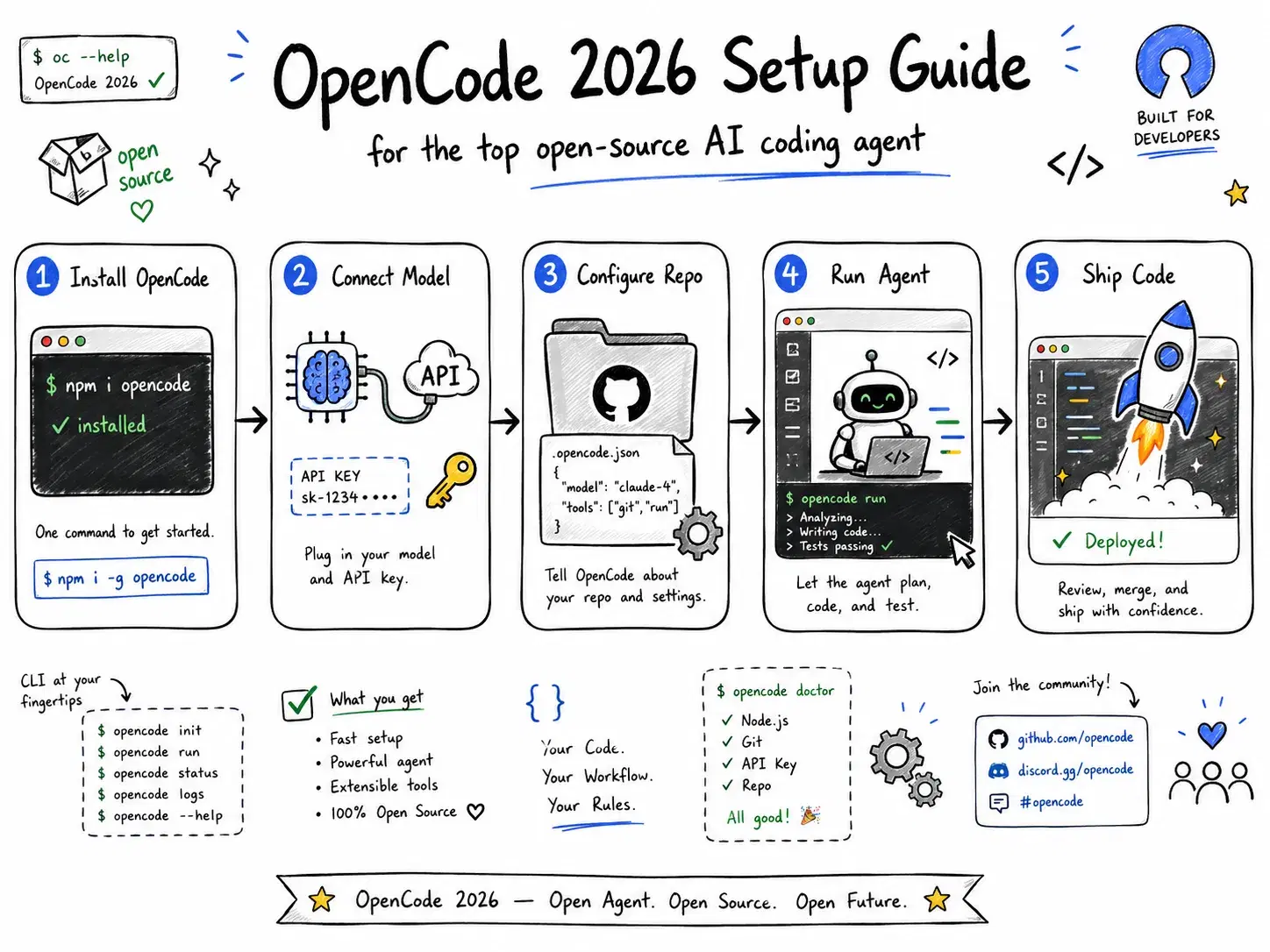
By mid-2026, OpenCode had become the most-starred open-source AI coding agent on GitHub. No VC pitch, no proprietary model, no $20/month subscription. Just 900+ contributors who disagreed with vendor lock-in and built something genuinely better for a specific kind of developer.
170,000+ GitHub stars. 7.5 million monthly active developers. The fastest rise of any open-source developer tool this year.
This guide covers what OpenCode actually is, how to get running in under 5 minutes, and where it beats - or does not beat - its closed-source competition.
What Makes OpenCode Different
Most AI coding tools are chat wrappers with a file editor bolted on. OpenCode is a full agent harness: a tool loop, LSP integration, session management, plan/build modes, and multi-agent support - shipped as a terminal TUI, desktop app (macOS, Windows, Linux), and IDE extension.
The key architectural difference is model agnosticism. Cursor, Claude Code, and GitHub Copilot each lock you to specific providers. OpenCode connects to any of 75+ LLM providers - Anthropic, OpenAI, Gemini, Mistral, Ollama local models, and dozens more - through a single config file. Swap models in 30 seconds without reinstalling anything.
One important note for 2026: Anthropic blocked OpenCode from accessing Claude models in January 2026. The specific issue was that OpenCode had been using the same OAuth authentication flow as Claude Code to access Claude Pro and Max subscriptions - Anthropic classified this as unauthorized spoofing of their official client and deployed server-side blocks on January 9. A follow-up legal request in March 2026 resulted in OpenCode removing all Anthropic references from the codebase. The community quickly pivoted to GPT-5.4 and Gemini 3.1 Pro as the recommended defaults, and many users report both outperforming Claude on coding benchmarks at this point anyway.
Install in One Command
curl -fsSL https://opencode.ai/install | bash
That installs the OpenCode CLI globally. Verify it worked:
opencode --version
On macOS you can also install via Homebrew:
brew install opencode-ai/tap/opencode
The desktop app (beta) is available at opencode.ai/download for users who prefer a GUI. The TUI is recommended for most developers - it is faster and more keyboard-driven.
Connect a Provider
OpenCode uses a project-level config file at opencode.json (or ~/.opencode/config.json globally). This is where you wire up your API keys and choose your default model.
JSON{ "$schema": "https://opencode.ai/config.schema.json", "provider": "openai", "model": "gpt-5.4", "providers": { "openai": { "apiKey": "sk-..." }, "google": { "apiKey": "..." }, "ollama": { "baseUrl": "http://localhost:11434" } } }
Switch models mid-session with /model in the TUI - no config edit required. The model list auto-populates based on which providers have valid keys.
Recommended providers for 2026:
- GPT-5.4 (
openai/gpt-5.4) - best balance of cost and code quality, $2.50/M input - Gemini 3.1 Pro (
google/gemini-3.1-pro) - strong on large codebase context - GPT-5.4-nano (
openai/gpt-5.4-nano) - $0.20/M input, good for simple refactors - Ollama (local) - any model, zero API cost, full privacy
Initialize Your Project
Run /init inside any repository and OpenCode analyzes the codebase structure - languages, frameworks, test setup, directory layout - and writes an AGENTS.md file at the root.
cd my-project
opencode
# Inside TUI:
/init
AGENTS.md is OpenCode's equivalent of Claude Code's CLAUDE.md. It tells the agent what the project is, how to run tests, which directories to avoid, and any conventions to follow. Commit it to version control so every developer on the team gets the same agent behavior.
markdown# AGENTS.md ## Project Next.js 15 app. TypeScript. Tests with Vitest. Linting with ESLint + Prettier. ## Run tests npm test ## Do not edit - /generated/** (auto-generated from OpenAPI spec) - /public/assets/** (managed by design team) ## Conventions - Use named exports, not default exports - Error handling follows the Result<T, E> pattern in src/lib/result.ts
The agent reads this file on every session start. The better your AGENTS.md, the fewer corrections you will make.
Plan Mode vs Build Mode
This is the most important workflow decision in OpenCode. Press Tab in the TUI to toggle between them.
Build mode (default): The agent reads files, writes changes, executes commands, and runs tests autonomously. It will install packages, edit multiple files, and push changes to the filesystem. Use this when the task is well-understood and you trust the scope.
Plan mode: Read-only. The agent explains what it would do - which files it would change, why, in what order - before touching anything. No writes, no executes. Use this when the task is ambiguous, when the codebase is unfamiliar, or when you want to review the approach before committing.
The practical pattern most teams use: start in plan mode, read the plan, ask follow-up questions or adjust the prompt, then toggle to build mode. This 30-second planning step prevents the most common failure mode - the agent confidently solving the wrong problem.
Multi-Agent Parallel Threads
OpenCode supports multiple concurrent agent sessions on the same project. Start them with Ctrl+N in the TUI.
textThread 1: "Fix all TypeScript errors in src/api/" Thread 2: "Write unit tests for src/utils/formatter.ts" Thread 3: "Update README with new environment variables"
Threads share the project filesystem but maintain separate context windows - there is no context bleed between them. For independent tasks this is genuinely useful. For tasks that touch the same files, run them sequentially or use plan mode to coordinate first.
Run Locally with Ollama (Zero API Cost)
Pair OpenCode with Ollama and the entire agentic loop runs on your machine. No API calls, no usage costs, no data leaving your network.
Bash# Install Ollama curl -fsSL https://ollama.ai/install.sh | sh # Pull a code-optimized model ollama pull qwen2.5-coder:32b # Configure OpenCode to use it
JSON{ "provider": "ollama", "model": "qwen2.5-coder:32b", "providers": { "ollama": { "baseUrl": "http://localhost:11434" } } }
Qwen2.5-Coder 32B is the recommended local model for coding in 2026 - it handles multi-file edits well and fits in 24GB VRAM. On Apple Silicon (M3 Max, M4 Pro), the 32B model runs at usable speeds for coding tasks. For lower VRAM setups, qwen2.5-coder:7b is a reasonable fallback.
OpenCode vs the Competition
| OpenCode | Cursor | Claude Code | GitHub Copilot | |
|---|---|---|---|---|
| License | Open source (MIT) | Proprietary | Proprietary | Proprietary |
| Price | Free (pay tokens only) | $20/mo Pro | $20/mo Pro | $10/mo Pro |
| Model choice | 75+ providers | Partial BYOM | Claude only | Partial BYOM |
| Interface | TUI + desktop | IDE | Terminal | IDE extension |
| Local/offline | Yes (Ollama) | No | No | No |
| Multi-agent | Yes | No | No | No |
| LSP integration | Auto-loaded | Built-in | Limited | Built-in |
| Benchmark (SWE-bench Verified) | ~75% (GPT-5.4) | ~75% (with Claude) | 88.6% (Opus 4.8) | ~63% |
Claude Code with Opus 4.8 leads on SWE-bench Verified at 88.6%, but requires a $20/month subscription and only works with Anthropic models. OpenCode with GPT-5.4 costs significantly less per token at higher usage volumes - and the benchmark gap narrows fast when you factor in that OpenCode can route to whichever model is strongest for a given task type.
Cursor's strength is its IDE integration and code completion autocomplete. OpenCode does not have inline autocomplete - it is an agent harness, not an editor plugin. Many developers run both: Cursor for autocomplete in the editor, OpenCode for autonomous multi-file tasks in the terminal.
Common TUI Commands
| Command | What it does |
|---|---|
/init | Analyze repo and create AGENTS.md |
/model | Switch model mid-session |
/clear | Clear context (start fresh) |
/compact | Summarize history to save context |
/cost | Show token spend for current session |
Tab | Toggle plan / build mode |
Ctrl+N | New parallel agent thread |
Ctrl+C | Interrupt current agent action |
Esc | Cancel pending write |
Related DevToolLab Tools
- JSON Formatter - Validate and format
opencode.jsonconfig before running - Diff Checker - Review OpenCode's multi-file changes side by side before committing
- Regex Tester - Test file-pattern exclusions you add to AGENTS.md
- YAML Formatter - Format CI workflow files that OpenCode modifies during automated test setup
- JWT Decoder - Inspect API tokens without sending them to third-party tools
Conclusion
OpenCode is the first open-source AI coding agent that is genuinely competitive with the closed-source incumbents - not just on features but on real-world developer adoption. The model-agnostic architecture is its biggest long-term advantage: as new models release and pricing shifts, OpenCode users switch providers in seconds while Cursor and Copilot users wait for vendor updates.
The tool is not perfect. No inline autocomplete, no deep IDE integration, and the desktop app is still in beta. For pure editing experience inside VS Code or JetBrains, Cursor or GitHub Copilot still have the edge.
For autonomous multi-file tasks, long agent sessions, local/offline use, or teams that refuse to pay per-seat for multiple closed-source tools - OpenCode is the clear choice in June 2026.