
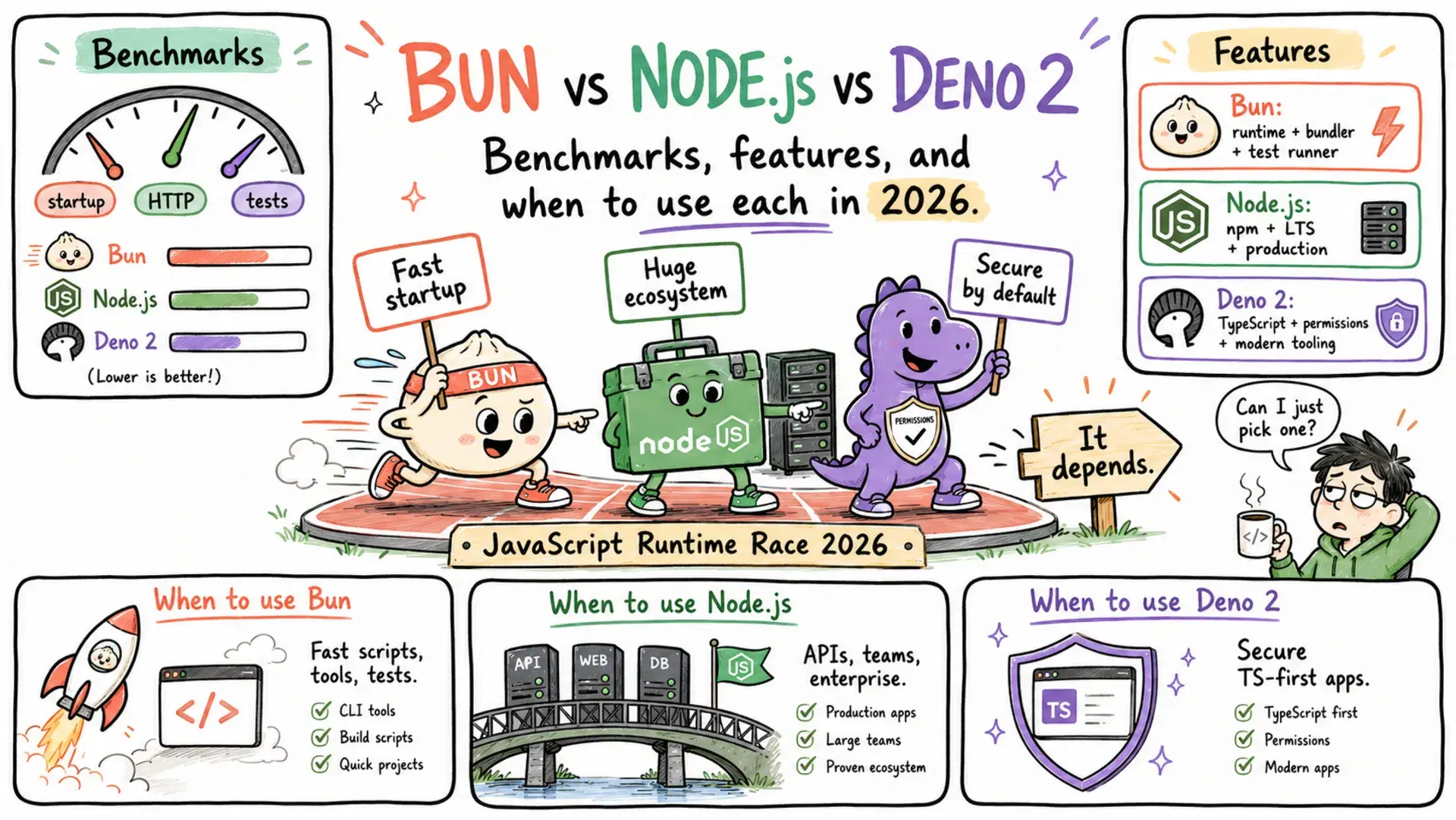
Trigger.dev switched from Node.js to Bun and reported 5x throughput on the same hardware. Anthropic acquired Bun in early 2026 and uses it for Claude Code's CLI. Deno 2 shipped full Node.js compatibility and convinced its first wave of enterprise teams to migrate. Meanwhile, Node.js 24 added native TypeScript execution and a built-in test runner - quietly closing the gap everyone said was permanent.
The JavaScript runtime question is no longer "should I switch?" It is "which use case deserves which runtime?" The three runtimes have genuinely diverged in their strengths, and the honest answer is no longer "just use Node.js." This guide covers where each one actually wins in 2026 - with numbers, not opinions.
The State of Each Runtime
Before benchmarks, here is what each team shipped recently.

Node.js 24 (Active LTS) finally makes TypeScript a first-class citizen - --experimental-strip-types is stable, letting you run .ts files without a build step. require(esm) is stable in v24, ending years of ESM/CommonJS friction. The built-in node:test module now ships with coverage, mocking, and describe/it APIs. A Deno-inspired permission model (--allow-fs-read, --allow-net) hit production-ready status. V8 13.6 makes JSON.parse/stringify up to 2x faster for large objects.

Bun 1.3 is an all-in-one runtime, package manager, bundler, and test runner in a single binary. It runs on JavaScriptCore (Safari's engine), which gives it faster cold-start and lower memory than V8. It added a built-in Redis client in 1.3, joining an existing native SQLite driver. Single-file compiled executables (bun compile) make it the cleanest option for shipping CLI tools. Anthropic's acquisition and an ongoing rewrite from Zig to Rust signal a long institutional investment.

Deno 2.8 completed the Node.js compatibility work that v2.0 started - package.json, node_modules, npm workspaces, and most CommonJS packages now work with minimal friction. Deno 2 added deno audit, a dx command (like npx), self-extracting compiled binaries, and stabilized the Temporal API. The JSR registry continues to grow as a TypeScript-native alternative to npm.
| Node.js 24 | Bun 1.3 | Deno 2.8 | |
|---|---|---|---|
| Engine | V8 | JavaScriptCore | V8 |
| LTS | 30-month cycle | Rolling releases | 6-month per minor |
| Native TypeScript | Strip-types only | Full (enums, decorators) | Full (optional type check) |
| Package manager | npm 11 | bun install | deno install / npm compat |
| Bundler | External (esbuild, Vite) | Built-in | Built-in |
| Test runner | Built-in (node:test) | Built-in (bun:test) | Built-in (deno test) |
| Permission model | Opt-in (--allow-*) | None | Default-deny |
| npm compatibility | 100% | ~99% | ~90–95% |
Performance Benchmarks
Synthetic benchmarks favor Bun dramatically. Real-world numbers are closer, but the gap is real.
HTTP Throughput
BashHTTP requests/second (plain REST endpoint, no DB): Bun (Hono) → 110,000 req/s Deno (native) → 85,000 req/s Node.js (Express)→ 50,000 req/s Matched frameworks, real-world app with DB + middleware: Bun → 14,320 req/s │ avg 7ms │ P99 21ms Deno → 6,180 req/s │ avg 15ms │ P99 48ms Node.js 20 → 5,240 req/s │ avg 18ms │ P99 58ms
Bun's 2–3x throughput advantage over Node holds in real applications. At very high concurrency with database calls, all three runtimes converge toward roughly 12,000 req/s - the bottleneck shifts to the DB, not the runtime.
Cold Start / Startup Time
Cold start matters most for serverless functions and CLI tools. It is where the engine choice makes the biggest difference.
BashHello-world startup: Bun → 8–15 ms Deno → 40–60 ms Node.js → 60–120 ms AWS Lambda cold start (real deployment): Bun → 156 ms Node.js → 245 ms (35% slower)
For serverless workloads that start thousands of times per day, this gap compounds directly into billable compute time.
TypeScript Execution Speed
BashRun a 500-line TypeScript file: Bun → 10–12 ms Deno → 30–38 ms Node.js → ~150 ms (requires tsx or ts-node transpiler)
Node.js 24's --experimental-strip-types runs .ts files at Node's full V8 speed, but it only strips types - it does not run tsc. Files using enums, decorators, or TypeScript namespaces still require a build step.
Memory Usage
BashBaseline process (idle, no traffic): Bun → ~18 MB Deno → ~30 MB Node.js → ~40 MB WebSocket server (5,000 concurrent connections): Bun → 620 MB Deno → 720 MB Node.js → 890 MB
Bun's lower memory baseline makes it especially attractive for multi-process deployments where you run many instances per server.
Package Install Speed
Bash847-package monorepo, cold install: bun install → 1.2 seconds pnpm → 5 seconds npm 11 → 32 seconds 1,847 dependencies: bun install → 47 seconds npm 11 → 17–20 minutes
Bun's package manager is genuinely 20–40x faster than npm. This is not a benchmark edge case - it is the daily developer experience difference on any non-trivial project.
TypeScript Support: The Biggest Practical Difference
In 2026, all three runtimes run TypeScript without a separate compile step. But "running TypeScript" means very different things across them.
TypeScript// enum.ts - does this run natively? enum Direction { Up = "UP", Down = "DOWN", } console.log(Direction.Up)
Bash# Bun - works immediately bun run enum.ts # → UP # Deno - works immediately deno run enum.ts # → UP # Node.js 24 - fails with strip-types node --experimental-strip-types enum.ts # SyntaxError: TypeScript enum is not supported in strip-only mode # Node.js 24 - works with tsx installed npx tsx enum.ts # → UP (but tsx is a separate dependency)
Deno adds something Bun does not: optional full type checking on demand.
Bashdeno check server.ts # Runs tsc - catches type errors before runtime bun run server.ts # Strips types only - type errors are invisible node --experimental-strip-types server.ts # Same as Bun
If you want type-checking as part of your CI pipeline without a separate tsc invocation, Deno is currently the only runtime where that is built in.
Built-in Tooling: No More Separate npm install
One of Bun's most underrated advantages is eliminating the toolchain installation ceremony that every Node.js project requires.
Bash# Starting a new Node.js TypeScript project in 2026 npm init npm install -D typescript ts-node eslint prettier jest @types/node # ... configure tsconfig.json, .eslintrc, jest.config.js, .prettierrc ... # Starting a Bun project bun init # Done. TypeScript, test runner, and bundler are already there.
Deno has a similar pitch:
Bash# Deno - also ships linter, formatter, test runner, bundler, doc generator built-in deno lint deno fmt deno test deno doc deno compile
Node.js 24 has been steadily closing this gap. The built-in test runner (node:test) is production-quality, and --watch mode makes it a reasonable Jest replacement. But there is still no built-in bundler or linter - you reach for external tools.
Writing the Same Server in All Three
Here is an HTTP server that reads a query parameter and returns JSON, written idiomatically in each runtime. The goal is to show the actual developer experience difference, not just benchmarks.
Node.js 24
TypeScript// server.ts import { createServer } from "node:http" const server = createServer((req, res) => { const url = new URL(req.url!, `http://${req.headers.host}`) const name = url.searchParams.get("name") ?? "world" res.writeHead(200, { "Content-Type": "application/json" }) res.end(JSON.stringify({ message: `Hello, ${name}!`, runtime: "Node.js" })) }) server.listen(3000, () => { console.log("Listening on http://localhost:3000") })
node --experimental-strip-types server.ts
Bun
TypeScript// server.ts Bun.serve({ port: 3000, fetch(req) { const url = new URL(req.url) const name = url.searchParams.get("name") ?? "world" return Response.json({ message: `Hello, ${name}!`, runtime: "Bun" }) }, }) console.log("Listening on http://localhost:3000")
bun run server.ts
Deno
TypeScript// server.ts Deno.serve({ port: 3000 }, (req) => { const url = new URL(req.url) const name = url.searchParams.get("name") ?? "world" return Response.json({ message: `Hello, ${name}!`, runtime: "Deno" }) })
deno run --allow-net server.ts
Bun and Deno use the Web standard Request/Response API - the same interface you use in Cloudflare Workers, browser Service Workers, and edge functions. Node.js uses its own HTTP API (though it can use Request/Response in newer versions with Fetch). This standards alignment is why Deno and Bun code is often more portable.
Production Readiness: Where Each Runtime Falls Short
Bun's known issues in 2026:
Memory leaks in long-running processes were reported and partially fixed through Bun 1.1.13, but developers continue to flag instability in production services running for days or weeks. The Zig-to-Rust rewrite introduces short-term uncertainty. Windows support is secondary - JavaScriptCore is Apple's engine and the Windows port is an ongoing effort. There is no formal LTS program: a breaking change can ship at any version. Currently over 4,800 open GitHub issues.
Deno's known issues in 2026:
Developer adoption sits at 2.36% versus Node.js's 42.65%. Most Stack Overflow answers assume Node.js. npm compatibility covers 90–95% of packages - the remaining 5–10% tends to be native addons and packages that depend on Node internals. Next.js and Remix are not fully supported. The JSR package registry is small compared to npm's 2.1M packages. Deno Deploy's pricing model limits free tier usage.
Node.js's known issues in 2026:
Startup speed (60–120ms) is three to ten times slower than Bun for cold starts. TypeScript support without a build step still cannot handle enums or decorators. There is no built-in bundler - you still need esbuild or Vite. Package installs are the slowest of the three. ESM/CommonJS interoperability, while much improved in v24, still causes friction when migrating large codebases.
Recommendation Matrix
| Use Case | Recommended | Why |
|---|---|---|
| Serverless / edge functions | Bun | 8ms cold start vs 60–120ms for Node; 35% faster on Lambda |
| High-throughput REST APIs | Bun | 2–3x req/sec in real-world benchmarks; lower memory |
| CLI tools and scripts | Bun or Deno | Bun: single-file binaries; Deno: permission sandbox for untrusted inputs |
| Enterprise / regulated workloads | Node.js | 30-month LTS, OpenJS Foundation governance, battle-tested stability |
| Existing Node.js codebase | Node.js | Ecosystem lock-in is real; do not switch without a concrete measurable benefit |
| TypeScript-first greenfield | Deno | Full type checking built-in; web standards; security sandbox |
| Security-sensitive applications | Deno | Default-deny permissions; Bun has no sandbox; Node's model is opt-in |
| Real-time / WebSocket servers | Bun | 2.8x more messages/sec; 30% less memory at 5,000 connections |
| Developer tooling (monorepo) | Bun | 1.2s vs 32s package install on 847-package repo |
| File/data processing scripts | Bun | 3.8x faster JSON file batch processing than Node.js |
| Edge CDN deployment | Deno | Deno Deploy is first-class; no equivalent from Bun |
How to Try Each Runtime Today
If you want to evaluate all three side by side, here are the exact commands to install each and run a TypeScript file.
Install
Bash# Node.js - via nvm (recommended) curl -o- https://raw.githubusercontent.com/nvm-sh/nvm/v0.39.7/install.sh | bash nvm install --lts # Bun curl -fsSL https://bun.sh/install | bash # Deno curl -fsSL https://deno.land/install.sh | sh
Run a TypeScript file
Bash# Node.js 24 (type stripping - no enums/decorators) node --experimental-strip-types script.ts # Bun (full TypeScript support, no config) bun run script.ts # Deno (full TypeScript support + optional type checking) deno run script.ts # runs without type checking deno check script.ts # type-checks with full tsc deno run --check script.ts # type-checks then runs
Quick benchmark test
Bash# Install autocannon for HTTP benchmarking npm install -g autocannon # Start your server with each runtime and benchmark autocannon -c 100 -d 10 http://localhost:3000
Conclusion
The JavaScript runtime landscape in 2026 is no longer a single-winner conversation. Bun, Node.js, and Deno have each carved out genuinely distinct identities - and all three are better because of the competition. Bun pushed the entire ecosystem to take startup time and install speed seriously. Deno proved that TypeScript-first and security-by-default were viable design axioms, not developer wishlist items. Node.js responded by shipping a native test runner, built-in fetch, and its own TypeScript stripping - features that would have been radical proposals five years ago.
What this means practically: the "right" runtime is the one that removes friction for your specific workflow, not the one with the best benchmark headline. If you are running a high-throughput API that cold-starts frequently, Bun's numbers are hard to argue with. If you are maintaining a large enterprise monorepo with 300 npm dependencies and a security team that audits your CVE exposure, Node.js LTS is the path of least resistance. If you are writing a TypeScript-heavy CLI or a serverless function where you control the entire stack, Deno's zero-config TypeScript and first-class Deno.permissions are genuinely pleasant to work with.
Run the benchmarks that matter to you - not synthetic ones from a blog post, including this one. The three runtimes handle real workloads differently depending on I/O patterns, concurrency model usage, and dependency count. A five-minute benchmark on your actual application is worth more than any comparison table. Pick the runtime that loses the least for your use case, then get back to shipping.
Related Tools on DevToolLab
- JSON Formatter - format and validate the JSON your API servers return
- cURL Command Generator - build HTTP requests to benchmark your endpoints
- Unix Timestamp Converter - convert the timestamps in your server logs
- Regex Tester - test URL parsing patterns for your routing logic