
What's more dangerous: a hacker hammering on your systems from the outside, or a tiny security mistake quietly sitting in your codebase for months?
Most teams would probably point to the hacker.
Yet some of the most expensive security incidents begin with a rushed decision made during development. A shortcut here. An outdated library there. A feature shipped on Friday afternoon because everyone wanted a clear weekend. Then one day, something cracks.
The good news? Security doesn't have to slow development down if it's built into every stage from the beginning. Here's what it looks like to weave security into the messy, hurried, human process of building software - without turning your team into a bureaucracy.
Why Security Should Be Part of Every Development Stage
The old excuse was ignorance. Nobody knew where the flaws were. That excuse is dead.
Google's latest cloud threat report found that software vulnerabilities overtook weak credentials as the top initial access vector for the first time, accounting for 44.5% of cloud breaches. Attackers aren't guessing anymore. They're reading the same disclosure feeds your team is.
And they're faster. The window between a vulnerability going public and getting exploited has shrunk from weeks to days - sometimes 48 hours. Your sprint cycle is two weeks. Do the math.
Practical Ways to Integrate Security Throughout the Development Lifecycle
So what actually works? Not another dashboard. Not another "security champion" who burns out in six months. Here's the ground-level version.
1. Establish Security Requirements During Planning
This is where most teams skip ahead. They talk features, timelines, user stories. Security becomes a line item someone remembers at the end.
Flip that. Ask early: What data are we touching? Who can see it? What happens if it leaks? A healthcare app and a marketing dashboard have wildly different thresholds. Write those thresholds down. Make them acceptance criteria.
Not every sprint needs a threat model, but every project needs a shared sense of what "safe enough" means before anyone opens an IDE.
2. Adopt Secure Coding Practices
Here's a fresh angle: the problem isn't that developers don't know how to write secure code. It's that they're drowning in alerts.
A Checkmarx study found 72% of developers spend more than 17 hours a week on security-related tasks, and one in four spends over 25 hours. That's not a security culture. That's a second job. Trim the noise. Focus on patterns, not individual alerts.
Teach the "why", not just the "what".
3. Secure the Infrastructure Supporting Your Applications
Your code can be spotless. Your infrastructure can still be a sieve.
Edge devices and VPNs accounted for 22% of exploitation cases last year - up from just 3% the year before. That's an eightfold jump. Meanwhile, half of those vulnerabilities weren't even fully fixed, and remediation took a median of 32 days.
Growing teams feel this in their bones. You've got three developers and a cloud console with a thousand switches.
Outsourcing the foundational layer - patching, monitoring, firewall hygiene - isn't defeat. It's realism. Providers that offer managed IT for growing businesses often include security monitoring and infrastructure maintenance.
That gives teams another layer of support as systems expand. Developers remain accountable for their software, but they don't need to become the entire IT department.
4. Automate Security Testing Throughout Development
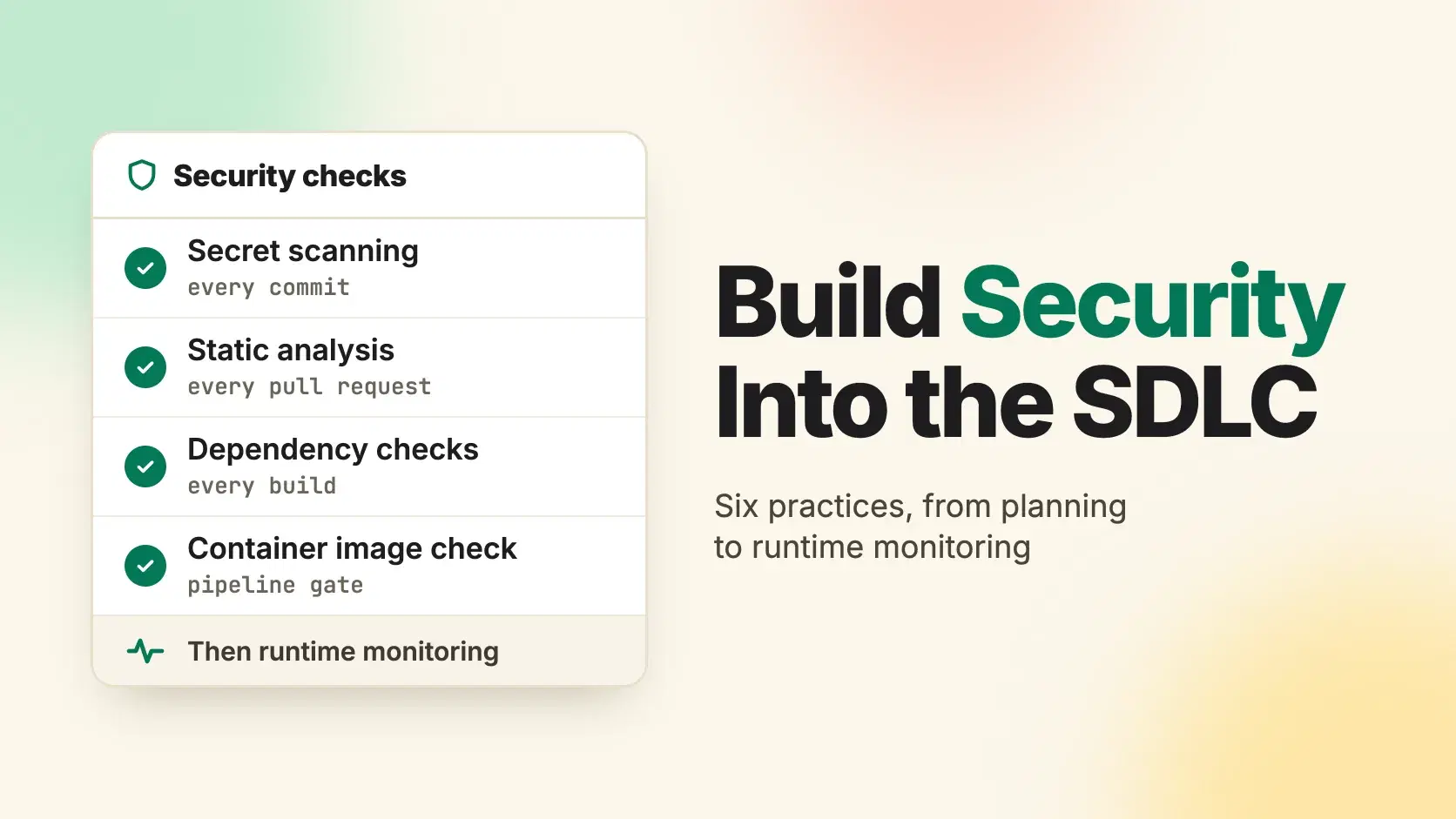
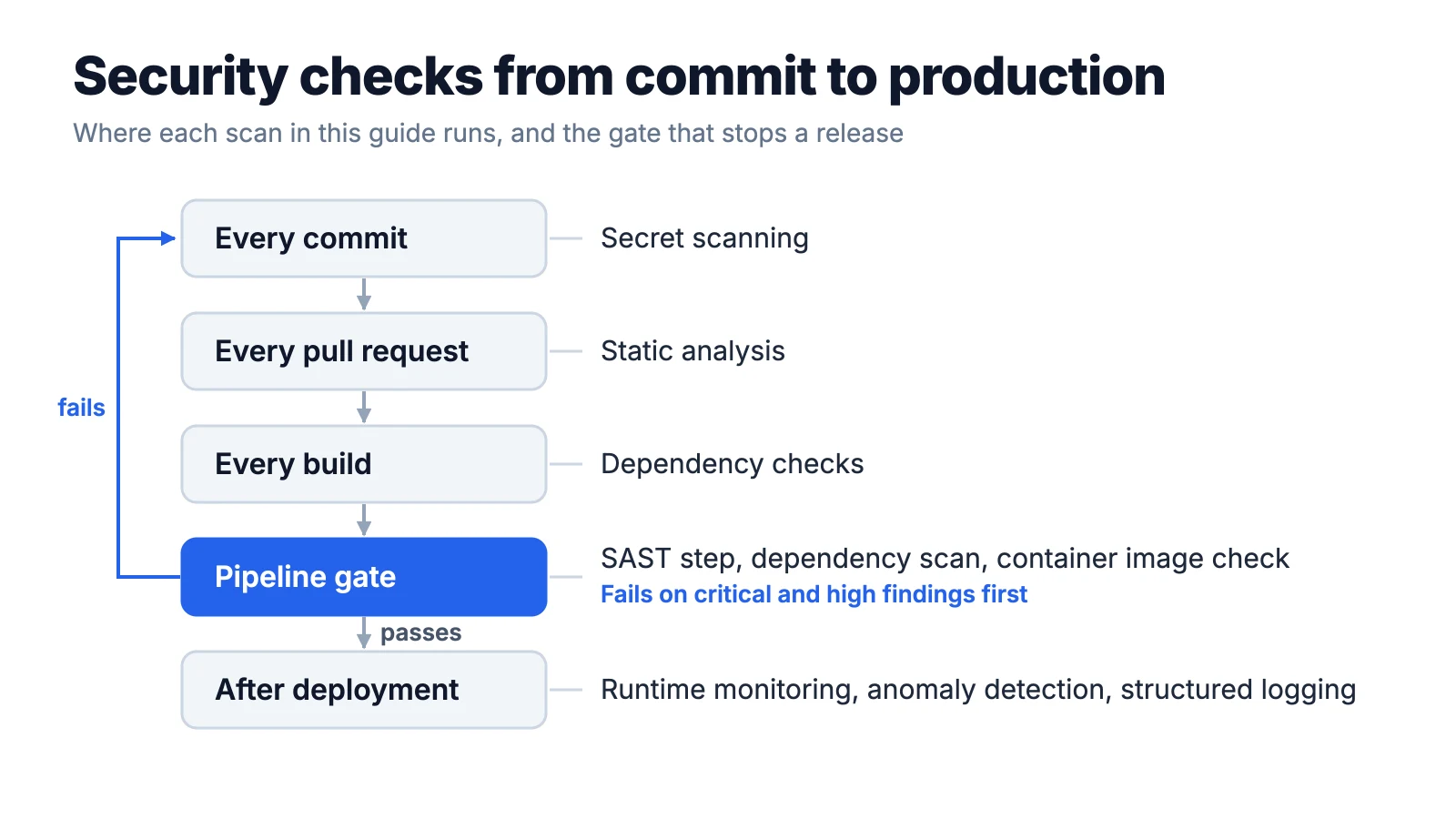
Humans get tired. Scanners don't. Static analysis on every pull request, dependency checks on every build, secret scanning on every commit - none of this is glamorous. But it catches the low-hanging fruit before it becomes someone's incident ticket.
The catch: noise.
If your tool floods developers with a thousand alerts they don't understand, they'll ignore all of them. Tune the rules. Start with high-confidence, high-impact findings. Expand later.
5. Integrate Security Checks Into CI/CD Pipelines
Your pipeline is the gatekeeper. If it doesn't check for something, that something ships. Simple as that. Add a SAST step. Add a dependency scan. Add a container image check. But - and this matters - make the failures meaningful.
A pipeline that breaks on every medium-severity finding will get bypassed within a week. Start with criticals and highs. Let the team build trust in the gate before you tighten it.
6. Monitor Applications After Deployment
Shipping isn't the finish line. It's the starting gun for real-world traffic, real-world attackers, and real-world weirdness you never tested.
Runtime monitoring, anomaly detection, and structured logging aren't "nice to have" extras. They're how you find out something's wrong before a customer tweets about it.
And when a breach does happen, the median time to detect an intrusion is 10 days - but the median time to disclose it is 73. That gap is where trust dies.
Conclusion
Here's the thing nobody puts on a slide deck: security culture isn't built by policy. It's built by small, repeated actions.
A five-minute threat huddle before a sprint. A "hey, did you scan that dependency?" Slack message. A blameless review when something slips through - not to punish, but to learn.
You won't get it perfect. Neither will anyone else. The teams that do this well aren't paranoid geniuses. They're just consistent. They treat security like code review - ordinary, expected, and occasionally annoying.
Start with one thing this week. A secret scanner. A dependency alert. A conversation. The rest follows.
Related DevToolLab Tools
- Secret Scanner - paste code or a config file to catch API keys and tokens before they reach a commit.
- GitHub Actions Validator - check a workflow file for schema errors, outdated actions and script injection before you add security steps to the pipeline.
- Dockerfile Linter - flag
:latestbase images, pipedcurl | shinstalls and other security issues line by line before the image check runs in CI. - SBOM Viewer - open a CycloneDX or SPDX software bill of materials and see every dependency your build ships.
Related Guides
- Best Secret Scanning Tools - the scanners that catch keys and tokens on every commit
- Developer Security Toolkit - SAST, SCA and secret scanning tools for a development team
- Best CI/CD Tools - the pipelines where the security gates in this guide run
- Container Security Tools Compared - image scanning and runtime defense for containerized apps